Costs
WordPress maintenance cost in 2026
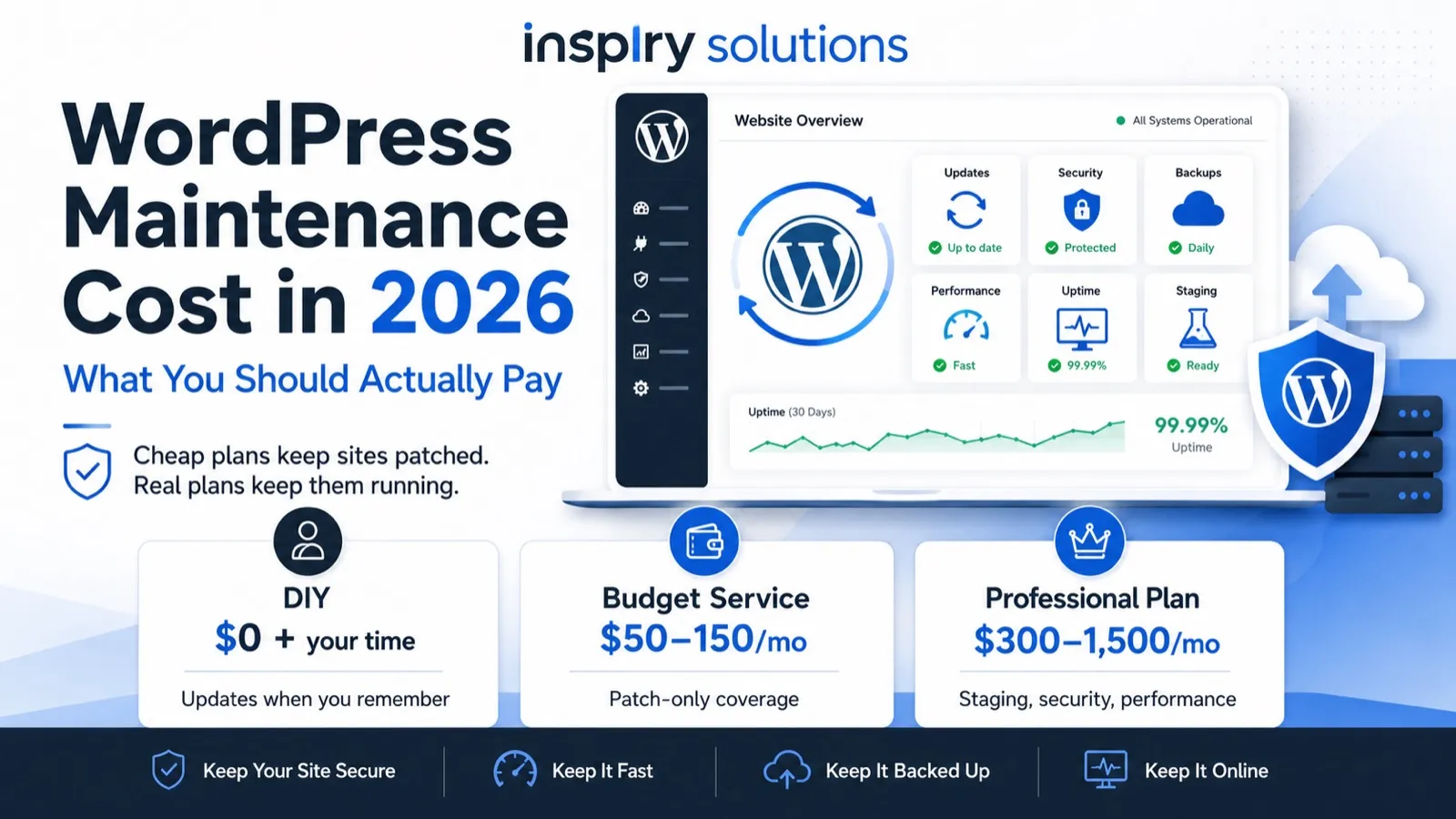
Compare maintenance budgets through the work included, recovery readiness and responsibility for fixing problems, not just a monthly price.
WordPress maintenance
Plugins update, PHP versions change, a form quietly stops sending and pages get slower. We test and apply updates, keep daily backups, monitor the site and fix problems as they come up, on a monthly plan that says what is included and what is quoted separately.

Websites change
You may not have edited a page in months. WordPress, its plugins, PHP and the services the site depends on have all moved on in that time.
Launch day
Tested and working
Today
Same website, different technical environment
What we look after
Core updates, daily backups and compatibility checks before anything changes on the live site.
Theme and plugin updates, tested on a staging copy before they reach the live site.
Security checks, vulnerability monitoring and sensible hardening.
Uptime monitoring on every plan. Performance monitoring and fixes from the Active plan.
Problems that affect crawling or indexing. SEO improvements are part of the Ongoing plan.
Small changes within your plan's monthly hours. New functionality on the Ongoing plan, or quoted separately.
Monitoring
Uptime monitoring on every plan. Performance monitoring from the Active plan.
Uptime monitoring and security checks are part of every plan, and each update is checked on the live site after it goes out. That catches a lot early. It will not catch everything, so when something does slip through we tell you what happened and fix it.
After this week’s plugin updates we tested the contact form on the live site and found it had stopped delivering email. It is fixed and tested again.
“Hi, I think your contact form might be broken? I've tried twice.”
Illustration, not client data
Monitoring does not stop things breaking.
It shortens the time before someone fixes them.
We monitor uptime and security. We do not promise a site that never goes down: the server belongs to your host.
Updates
We do not run every update straight on the live site. Core, theme and plugin updates go onto a staging copy first, are checked for conflicts, and only then reach production.
Staging copy
Live site
Escalation
None of these starts as an emergency. Left alone, each one usually turns into something more expensive to put right.
Security
No plugin makes a site secure on its own. What lowers the risk is routine: updates applied, access kept tight, daily backups and someone checking. We do not promise a site that can never be hacked.
The aim is to reduce the avoidable risk and to have a recent backup if something does go wrong.
Ongoing improvement
Once the routine work is under control, the time in your plan can go on making the site better, not only on keeping it running.
Updates, backups, monitoring and fixes
Every planPerformance monitoring and technical fixes
From the Active planSEO improvements, development and new functionality
Ongoing planReporting
It says what was fixed, what was updated, what we are keeping an eye on and what we suggest next. The example below shows the format.
Illustration, not client data
Why work with us
Mian has worked with WordPress since 2014: themes, Elementor, WooCommerce, plugins, databases, hosting, DNS and email delivery. That makes it quicker to tell which layer a problem is in.
Senior developerWhen something keeps breaking, we investigate why instead of applying the same temporary fix every month.
Diagnosis before patchingMian reviews every site we look after, so you are not explaining its history to someone new each time.
Founder-ledSites we look after include Legal Expert, Final50 and Write Track Admissions. See the case studies
Maintenance plans
For stable websites that mainly need routine maintenance.
Included
Quoted separately
From $99/mo
For businesses that rely heavily on their website.
Included
Quoted separately
From $199/mo
For businesses that want ongoing development as well as maintenance.
Included
Quoted separately
From $600/mo
Prices are in USD and are starting prices: we confirm the price for your site before a plan begins. Plans run month to month. Anything listed as quoted separately is priced and agreed with you before the work starts.
Maintenance vs rebuild
If the site has become too slow, too fragile or too difficult to maintain, continuing to patch it may be the wrong investment. We will tell you when a rebuild is the better answer. A rebuild is a separate project with its own quote, not part of a maintenance plan.
How we work
A maintenance plan is easy to pad. These are the things we leave out, and what we do in their place.
We will not
What we do instead
A maintenance plan should leave the site more reliable, not more complicated.
Questions
Yes. We start by reviewing the plugins, theme, hosting and backups, deal with anything risky first, and then maintain the site month to month. Write Track Admissions is one example: an existing WordPress site that we now look after.
No. Core, theme and plugin updates are tested on a staging copy before they reach the live site, and checked again once they are live. The aim is that an update does not quietly break a form, a layout or a checkout.
Yes. Every plan includes daily backups, so there is a recent copy to restore from if an update, a hack or a simple mistake breaks something.
Yes. Uptime monitoring is part of every plan. It tells us when the site goes down so we can start working on it. Uptime itself depends on your hosting, so we monitor it and respond to it, but we cannot promise it.
Yes, and that is a large part of the work: finding the cause of a problem instead of patching the symptom. Fixes and small changes are included in every plan, up to 2 hours a month on Essential and 5 hours on Active. Anything that needs more time is quoted before we start.
Yes. Security checks, vulnerability monitoring and sensible hardening are part of every plan. They lower the risk, but nobody can honestly promise that a site will never be compromised. If it happens, there is a daily backup to work from.
Yes. Performance monitoring and fixes are included from the Active plan, at $199 a month. If the site has become slow, we look for the cause first instead of adding another plugin. A full performance project is a separate service with its own quote.
Yes. Small changes and content support are part of every plan: up to 2 hours a month on Essential and 5 hours on Active, with development support on Ongoing. Larger changes and new features on Essential and Active are quoted separately.
Work beyond your plan's monthly hours, new features and larger changes on Essential and Active, emergency recovery that needs more than the plan covers, and rebuilds. Each of these is quoted separately and agreed with you before any work starts.
We will tell you. If the site needs replacing, continuing to patch it wastes your money, so we explain why and what a rebuild would involve. A rebuild is quoted as its own project and is not part of a maintenance plan.
Response times are agreed as part of your plan. The Active and Ongoing plans include priority support, so urgent issues on those plans are handled first. New enquiries get a reply by email within one working day.
No minimum term. WordPress maintenance plans run month to month, from $99 a month for Essential. The separate monthly growth retainer, which includes maintenance, has a three-month minimum.
Inspiry Solutions is a founder-led studio. Mian Rizwan, who has worked with WordPress since 2014, reviews every site we maintain, and you can talk to him directly about yours.
Further reading
What looking after a WordPress site involves, what a plan should cover and when a monthly plan makes sense.
Compare maintenance budgets through the work included, recovery readiness and responsibility for fixing problems, not just a monthly price.

Compare subscription and project pricing using real delivery capacity, ongoing needs, total costs and a clear handover path.
Sound familiar?
If any of these sound familiar, it makes sense to have one person responsible for the site.
Next step
Send the site address and what is worrying you. Mian will reply by email with a short initial review of your issue: what he would check first and which plan, if any, fits.
We only use your details to reply to you. Privacy notice
We reply by email within one working day.