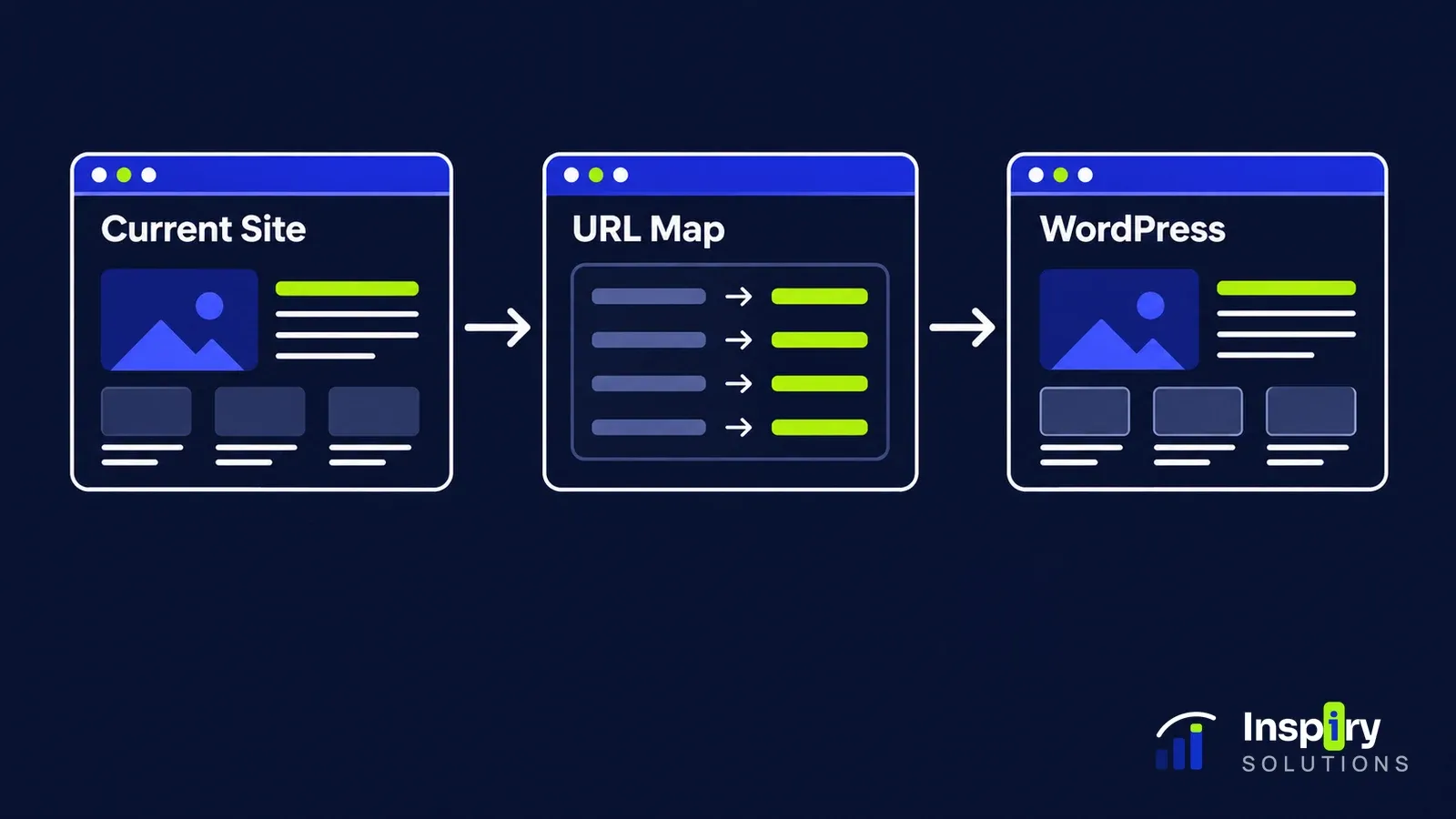
301 redirects for SEO help preserve search visibility when URLs change by sending visitors and search engines to the most relevant replacement pages. The safest approach is to build a redirect map before launch, match valuable old URLs to appropriate destinations, implement permanent redirects and test the results. Redirects cannot guarantee unchanged rankings, especially when content or relevance changes. However, careful planning reduces avoidable errors, protects access through existing links and helps search engines understand where content has moved.
If you are redesigning a website, combining pages or changing domains, this guide explains how to plan redirects properly. You will learn which URLs matter, how to choose destinations, what to give your developer and what to monitor after launch.
301 redirects for SEO: what they tell Google
A 301 redirect is an HTTP response telling browsers and search engines that a page has permanently moved. When someone visits the old URL, the server sends them to the replacement address.
For SEO, this provides a strong signal that the new URL should become the preferred, or canonical, address in search results. Google generally treats 301 and 308 as permanent redirects, while 302 and 307 indicate temporary moves.
Google explains these distinctions in its official documentation on redirects and Google Search.
Redirect type comparison
| Type | Permanent or temporary | When to use | SEO effect |
|---|---|---|---|
| 301 | Permanent | Moving or replacing a URL permanently | Strong canonicalisation signal |
| 308 | Permanent | Permanent moves requiring request method preservation | Same permanent signal as 301 |
| 302 | Temporary | Short-term changes or campaigns | Original URL may remain preferred |
| 307 | Temporary | Temporary moves preserving the request method | Temporary canonicalisation signal |
| Meta refresh | Depends on delay | Fallback when server redirects are unavailable | Immediate refresh can signal a permanent move; delayed refresh is temporary |
| JavaScript redirect | Depends on implementation | Last resort when other methods are unavailable | May be followed, but less reliable |
| 410 Gone | Neither; not a redirect | Permanently removed content without a replacement | Signals that the resource is gone |
Server-side redirects are generally preferred because crawlers receive the instruction directly. Meta refresh and JavaScript redirects require additional processing and are weaker alternatives.
A permanent redirect does not automatically make a replacement page equally relevant. The destination still needs to satisfy the purpose of the original content.
When you need redirects
You usually need a 301 redirect when a URL changes permanently and visitors or search engines may still request its old address.
Common situations include:
- Changing slugs:
/old-service/becomes/new-service/. - Reorganising folders:
/services/roofing/moves to/roofing/. - Merging pages: Several articles become one comprehensive guide.
- Deleting valuable pages: An old page has a relevant replacement.
- Changing domains: The business moves to another domain.
- Switching to HTTPS: HTTP requests redirect to HTTPS equivalents.
Redesign projects require particular attention because navigation, content and URL structures may change together. Our guide to protecting SEO during a redesign covers the wider checks.
Not every deleted page needs redirecting.
If content has permanently disappeared, has no suitable replacement and offers no value worth preserving elsewhere, a 404 Not Found or 410 Gone response may be more appropriate.
For example, redirecting a discontinued specialist service to an unrelated homepage does not recreate the information visitors expected.
The decision should follow relevance rather than an attempt to eliminate every 404 error.
For larger changes, our technical SEO service can help identify valuable URLs and prepare destination decisions before development begins.
Build the redirect map
A redirect map is a planning document showing where each old URL should lead after a website change.
It records the original address, replacement destination, reason for the decision and testing status. Without one, developers may rely on broad rules or incomplete URL lists.
The objective is to account for important old URLs and make deliberate decisions about their replacements.
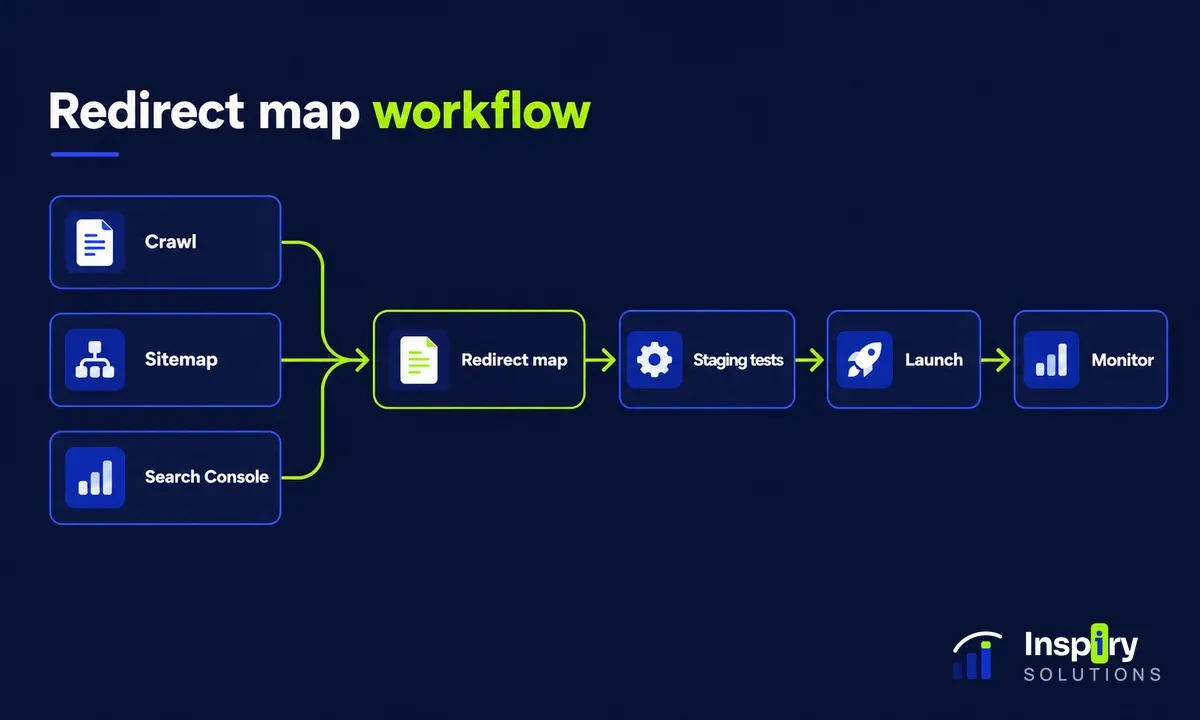
Where to find every old URL
Collect URLs before changing the live website.
Use several sources because no single source provides a complete historical picture:
- Website crawl: Capture accessible pages, internal links and existing redirects.
- XML sitemap: Export listed URLs and check whether they remain valid.
- Google Search Console: Find pages receiving search clicks and review historical performance.
- External links: Identify pages referenced by other websites.
- Analytics: Find landing pages associated with enquiries or conversions.
- Existing redirect lists: Identify older addresses that already redirect elsewhere.
Combine the sources, remove duplicates and preserve complete original URLs.
A crawler may miss pages no longer linked internally. Search Console or backlink records may reveal valuable addresses absent from the current sitemap.
For platform migrations, also review our guide to redirects when moving to Shopify. Product, collection and content URL structures require careful matching.
Columns a useful map needs
A spreadsheet is usually sufficient. Give each source URL its own row so the developer can implement and verify the decision.
| Column | What to record |
|---|---|
| Old URL | Complete original address |
| New URL | Intended final destination |
| Status code | 301, 308, 404 or 410 |
| Reason | Renamed, merged, removed or domain change |
| Owner | Person approving the mapping |
| Tested | Pass, fail or pending |
Optional columns include search clicks, external links, priority and implementation notes.
For example:
- Old URL:
https://example.com/services/old-roofing/ - New URL:
https://example.com/services/roof-repairs/ - Status code:
301 - Reason:
Service page merged - Owner:
Marketing lead - Tested:
Pending
This turns the redirect map into an actionable development brief.
Prioritise URLs receiving organic traffic, attracting external links or generating enquiries. These deserve individual checks rather than automatic pattern matching.
Google recommends preparing URL mappings during migrations. Its site move documentation explains how old addresses should connect to new destinations.
Keep dated versions of the map so last-minute changes do not leave the developer and marketing team following different instructions.
Choosing the right destination
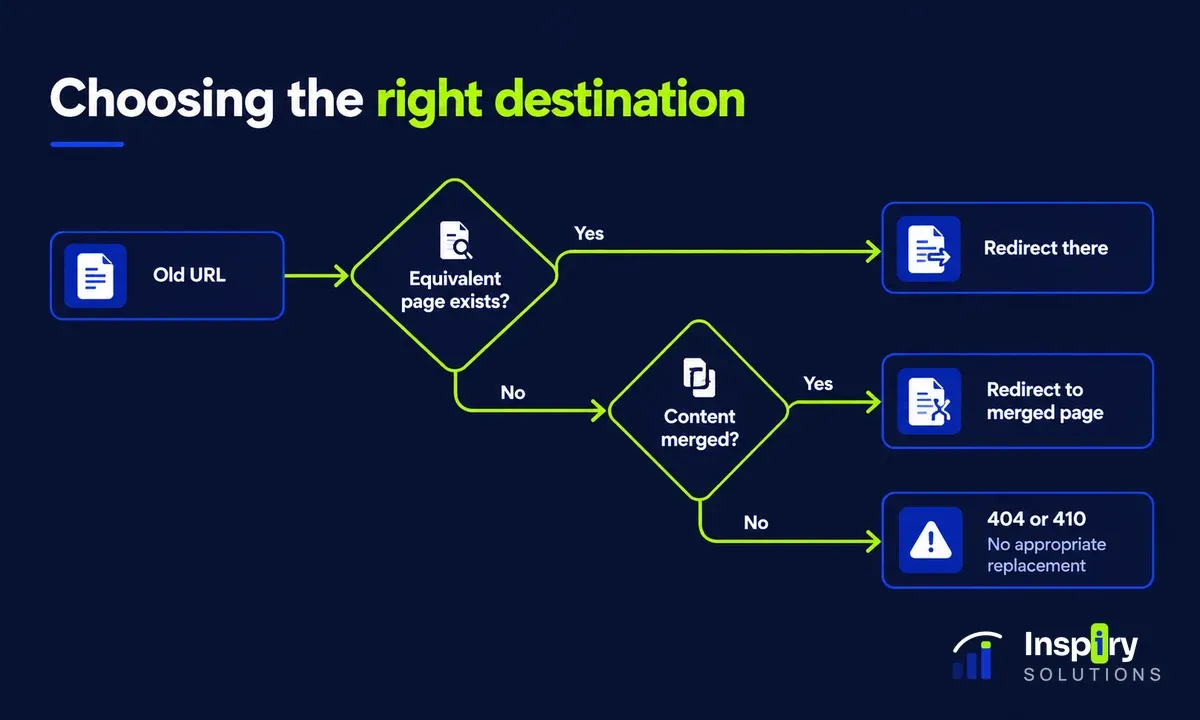
The most important question is whether the new page genuinely replaces what the old page offered.
Use this decision order:
- If an equivalent page exists, redirect there.
- If content has been merged, choose the relevant merged page.
- If a suitable replacement needs creating, assess whether the content justifies it.
- If nothing relevant exists, consider returning 404 or 410.
For example, an old commercial roof repair page should lead to a replacement covering commercial roof repairs, not a generic services page when a closer match exists.
One tempting shortcut is to redirect old pages to homepage URLs. This removes visible missing-page errors but can create another SEO problem.
When numerous unrelated URLs point to an irrelevant homepage, Google may interpret them as soft 404s. This means Google considers the expected content effectively missing despite the technical response.
A homepage redirect is appropriate only when the homepage genuinely replaces the original page.
For merged articles, preserve useful material before implementing redirects. Review the old headings, questions and distinct topics to ensure the replacement covers what visitors previously needed.
A redirect should support a meaningful content move, not conceal the disappearance of valuable information.
4 common redirect pitfalls
Most problems arise from incomplete planning, conflicting rules or insufficient testing.
These four issues deserve specific checks.
Redirect chains
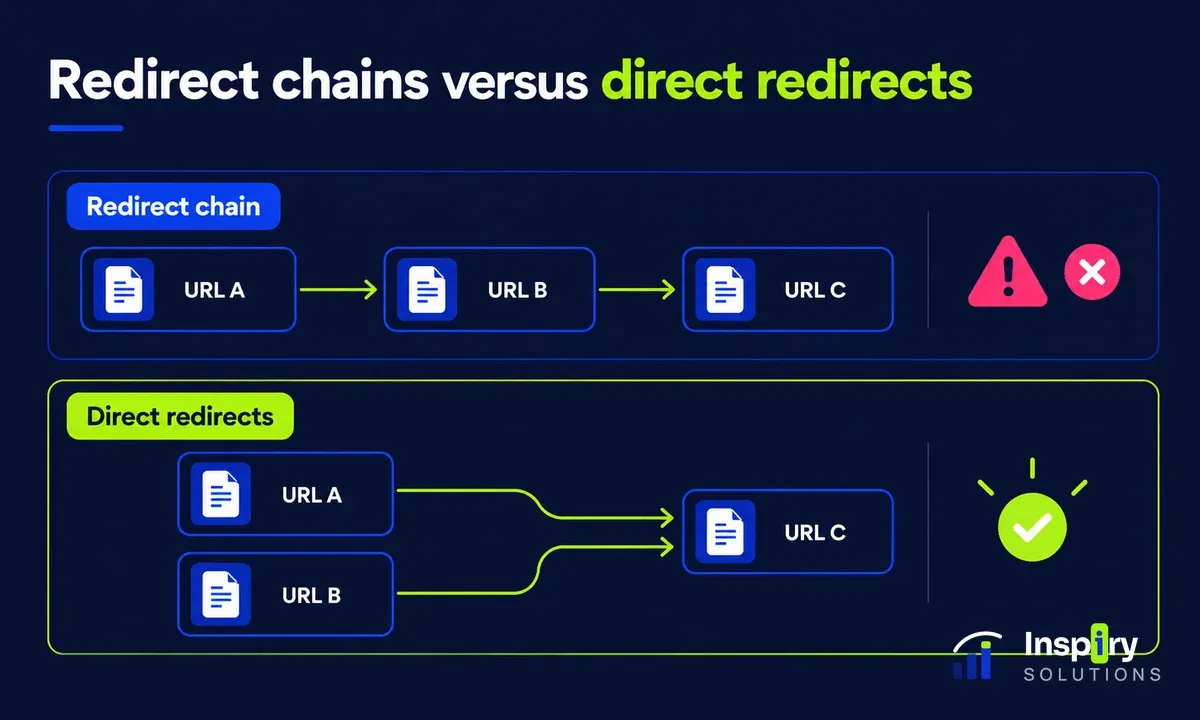
A redirect chain occurs when an old URL points to another redirected URL before reaching its final destination.
For example:
/page-a/ → /page-b/ → /page-c/
Visitors may eventually reach the correct page, but multiple requests are required. Chains introduce delays and complicate crawling.
They often develop when new redirect rules are added without reviewing existing ones.
How to fix it: Update the original rule so /page-a/ points directly to /page-c/. Keep /page-b/ pointing to /page-c/ for visitors using that address.
The redirect map should record final destinations rather than intermediate steps.
Redirect loops
A redirect loop occurs when URLs repeatedly send visitors between addresses without reaching a final page.
For example:
/service-a/ → /service-b/ → /service-a/
The browser eventually stops with a redirect error.
Loops can result from conflicting HTTPS settings, domain rules or multiple WordPress plugins controlling redirects.
How to fix it: Trace the full redirect path, identify conflicting instructions and select one canonical destination.
Use an HTTP response checker or crawler to verify that the corrected path reaches the intended page.
Lost query strings and trailing slashes
Query strings are parameters added after a question mark. They may contain campaign tracking values, search filters or application settings.
For example, ?utm_source=newsletter may need preserving after a redirect.
Some configurations discard parameters unintentionally.
Trailing slashes also create inconsistencies. /services and /services/ may behave differently depending on server settings.
How to fix it: Test URLs containing relevant parameters and both trailing slash variants.
Standardise the preferred URL format and confirm the final destination works correctly.
Do not automatically preserve sensitive or obsolete parameters.
Internal links still pointing at redirected URLs
Even when redirects work correctly, internal links may still reference old addresses.
This makes visitors and crawlers request outdated URLs unnecessarily. It also increases dependence on legacy rules.
How to fix it: Crawl the updated website and export internal links returning 301 responses.
Update navigation, buttons, footer links and blog references to their final destinations.
Check canonical tags, breadcrumbs and template-generated links as well.
External visitors should still reach new content through old URLs, while internal visitors should reach it directly.
Implementing redirects on WordPress
WordPress redirects can be configured at the server level or through a plugin.
The appropriate method depends on hosting access, rule complexity and who will maintain them.
Server-level redirects
Apache servers may use .htaccess, while Nginx uses its own configuration syntax. Managed hosting providers sometimes offer dedicated redirect controls.
Server-level rules are useful for domain migrations, large URL changes and redirects that should run without loading WordPress.
However, incorrect configuration can interrupt access. Back up settings and test changes carefully.
WordPress redirect plugins
A wordpress redirect plugin or SEO plugin with redirection features provides an interface for maintaining individual mappings.
This can suit marketing teams that regularly change URLs.
The risk is allowing rules to become scattered across plugins, hosting controls and server configuration.
Choose one authoritative location for the redirect list and document exceptions.
During hosting changes, follow the broader checks in our guide to moving WordPress hosting safely.
Before implementation:
- Export and back up the redirect map.
- Review existing rules for conflicts.
- Confirm the server supports the intended configuration.
- Assign responsibility for future changes.
- Test representative URLs before deployment.
A plugin manages redirects. It does not replace the need for correct destination decisions.
Hypothetical example: six thin pages merged into two
Hypothetical example: A firm merges six thin service pages into two stronger pages.
Three pages cover related roof repair services. The other three describe maintenance, inspections and preventative checks.
Instead of redirecting all six to the homepage, the firm creates two useful replacements.
| Old page | New destination |
|---|---|
| Small roof repairs | Roof repair services |
| Emergency roof repairs | Roof repair services |
| Commercial roof repairs | Roof repair services |
| Roof inspections | Roof maintenance services |
| Preventative roof checks | Roof maintenance services |
| Scheduled roof maintenance | Roof maintenance services |
These mappings assume each destination adequately covers the original topic.
The content editor consolidates useful information and checks that important service details remain available.
The developer implements each 301 redirect using the approved map.
Finally, the team updates blog links to the replacement pages so internal visitors avoid unnecessary redirects.
This cannot guarantee unchanged rankings, but it preserves a clearer relationship between the old content and its replacement.
Test before and after launch
Redirect testing should be a defined deliverable, not an assumption that the rules work because they have been entered.
Testing begins before launch and continues after publication.
Before launch
Where staging supports realistic redirect testing, configure the proposed rules and use a crawler in list mode.
List mode checks a supplied URL list rather than discovering pages through navigation.
Import the old URL column and compare results with the redirect map.
Check:
- Does each source return the intended status code?
- Is the destination exactly the approved URL?
- Does the final page return 200 OK?
- Are there unexpected chains or loops?
- Does the replacement contain relevant content?
- Are query parameters handled correctly?
Staging environments may use different domains or server configurations. Test equivalent paths where necessary, then repeat checks against the actual source URLs after launch.
After launch
Run the original URL list against the live website.
Export failures and compare actual destinations with the approved map.
A successful redirect must reach the correct content, not merely any working page.
Next, crawl the new website and verify that internal links, canonical tags and XML sitemap entries reference final URLs.
The sitemap should list preferred new addresses rather than redirected pages.
Google Search Console provides another monitoring layer.
Its Page indexing report documentation explains statuses including “Page with redirect”.
Old URLs appearing in that category can be expected after migration. Check that redirects are intentional and important new pages remain eligible for indexing.
Search Console reports are not immediate. Use HTTP testing for launch verification and indexing reports for ongoing checks.
Record failures, fixes and retest dates so outstanding problems remain visible.
Common questions
Do 301 redirects lose PageRank or rankings?
Google has stated that permanent redirects do not lose PageRank simply because a redirect is used. However, rankings may change if the replacement page is weaker, less relevant or substantially different from the original. Other website changes can also affect visibility. No one can promise rankings will remain exactly the same after migration.
Should I redirect deleted pages to the homepage?
Only redirect a deleted page to the homepage when it genuinely replaces the original content. Irrelevant mass redirects may be treated as soft 404s. Choose the closest equivalent page or a relevant merged destination instead. If neither exists, allowing the URL to return 404 or 410 is often more appropriate.
301 or 302: which should I use?
The 301 vs 302 redirect decision depends on whether the change is permanent. Use 301 or 308 when an address has permanently moved. Use 302 or 307 for temporary changes, such as maintenance pages or short promotions where the original URL will return. Choose according to the intended duration rather than convenience.
How long should 301 redirects stay in place?
Google recommends keeping redirects for at least one year after a site move. Keeping them longer is usually low cost and helps protect access through bookmarks, search results and external links. For important pages, retaining permanent redirects indefinitely can be sensible if the destinations remain relevant and the configuration stays manageable.
Are too many redirects bad for my site?
The number of redirects is not necessarily the problem. Large websites may legitimately require many permanent mappings after restructuring. Redirect chains, loops, incorrect destinations and internal links pointing to redirected URLs are more important issues. Keep the redirect list organised, check its behaviour and remove unnecessary intermediate steps rather than deleting useful rules.
How long to keep redirects, and what to watch
Redirect management continues after launch.
For site moves, Google recommends keeping redirects for at least one year. Longer retention is usually safer when old URLs still attract visitors or external links.
Before removing a rule, check whether its source URL still receives requests or has valuable incoming links.
During the first several weeks, monitor:
- 404 errors: Identify important old URLs without suitable replacements.
- Landing page traffic: Compare new page performance with the previous URLs, allowing for normal variation.
- Indexing: Check whether intended new pages are indexed and unexpected exclusions appear.
- Redirect failures: Investigate incorrect destinations, chains and loops.
- Enquiries: Confirm forms and important conversion paths still work.
Assign ownership of the redirect map to a technical SEO lead or website manager.
That person should approve later URL changes, maintain the master document and coordinate testing whenever content moves again.
For platform changes, our guide to moving from Wix or Squarespace covers additional content and URL considerations.
A well-maintained redirect map documents where valuable content moved, why each decision was made and how future changes should be handled.
Planning a redesign, merge or domain move? We build and test the redirect map with you, implement it, and watch the indexing report afterwards as part of our technical SEO service. Start with a free audit of your current URLs.