A website redesign can protect useful search visibility when it treats URLs, content and indexing as part of the release. Inventory important pages, map changed destinations, test public output and monitor after launch. No process guarantees unchanged rankings, but this checklist helps prevent avoidable migration mistakes.

How a redesign can disrupt useful traffic
Consider a hypothetical business launching a cleaner-looking site. Afterwards, enquiries fall and several useful landing pages disappear from search. The design alone does not explain the change: missing pages, altered content, broken routes and indexing settings all need investigation.
A website redesign is also a migration whenever it changes addresses, templates or content. Search engines must crawl and process the new output. Preserve the purpose of important pages and make any move explicit rather than assuming a fresh design automatically carries the old site’s performance with it.
Why website redesigns destroy rankings
Four common website redesign risks deserve checks before launch:
- Changed URLs without relevant redirects leave visitors and crawlers on missing destinations.
- Content removed for visual simplicity may no longer answer the same customer questions.
- Titles, descriptions, canonical preferences and structured data may not carry across.
- Heavier media or scripts may regress the experience visitors actually receive.
Before the redesign: inventory everything
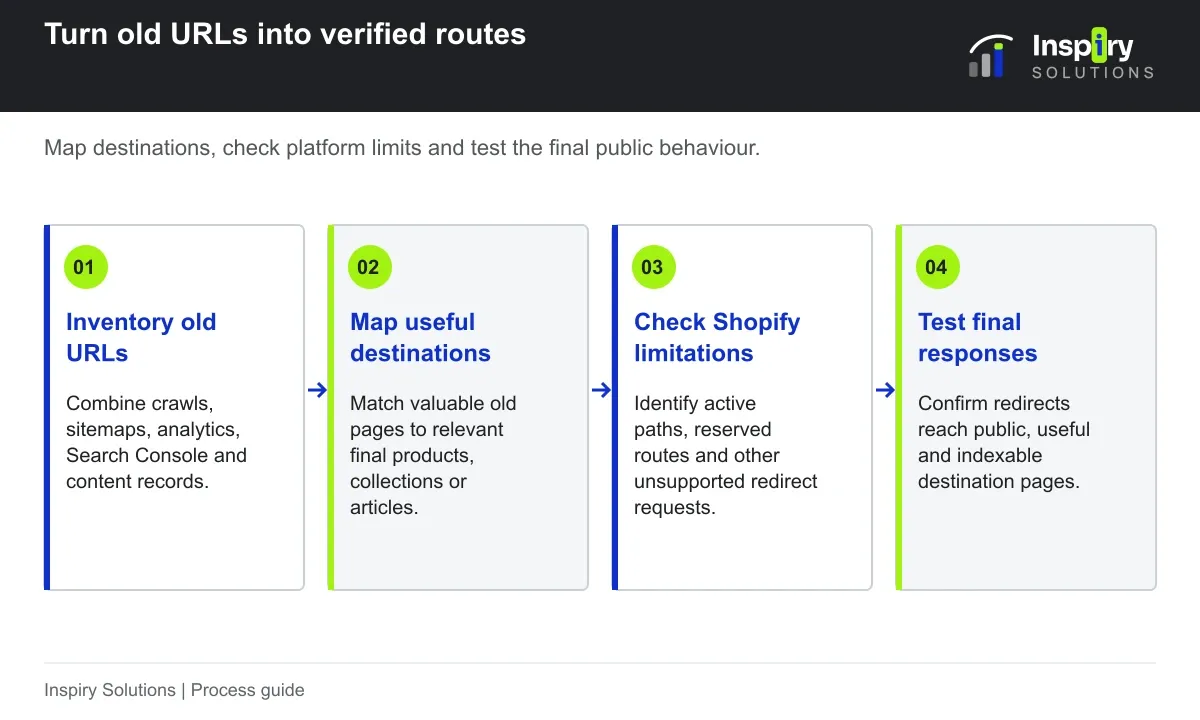
Start the inventory before design approval. The effort depends on the site’s size and complexity; a large catalogue or several domains needs more than a quick afternoon export. If you are migrating from a website builder such as Wix or Squarespace, export the URL list while you still have access to the old account.
- Crawl the current site and export CMS URLs, including documents and useful archive pages. Record URLs that a crawl alone might miss.
- Export relevant Search Console pages and queries, noting seasonality and important enquiries.
- Record titles, descriptions, canonical preferences and applicable structured data.
- Save representative performance tests with their conditions so comparisons are meaningful.
During the build: preserve what Google already trusts
The build phase is where good intentions meet deadlines. Four rules keep it safe:
- Map changed URLs to relevant equivalents using permanent, direct redirects where appropriate. Do not send unrelated retired pages to the homepage.
- Preserve useful purpose and information on priority pages. Content can improve, but avoid removing answers merely to fit a layout.
- Check titles, descriptions, canonical output and accurate structured data in the new templates.
- Give a named owner responsibility for public indexing access and removal of staging restrictions at release.
After launch: the four-week watch
Launch day is not the finish line; it is the start of the monitoring window.
- At launch, confirm public access and submit the correct sitemap.
- Inspect important old and new routes. Repair unintended missing pages; an intentionally retired page without a replacement can legitimately return 404 or 410.
- Repeat equivalent performance tests and verify enquiry and purchase journeys.
- Monitor pages and queries against a comparable baseline. Investigate persistent changes without assuming every fluctuation is a migration defect.
Our technical SEO migration work treats these checks as part of a website redesign, not a ranking guarantee. If you are weighing a visual refresh against a deeper rebuild, compare the implementation choices in our WordPress theme guide.
Nine website redesign checks for the launch decision
Before approving a website redesign, give each of these checks an owner and a recorded result. A checklist marked complete without evidence is difficult to investigate later.
- Inventory coverage. Combine crawl, sitemap, CMS and analytics records. Include important documents, campaign pages and routes with useful external links.
- Destination relevance. Open both the old page and proposed replacement. A website redesign redirect should preserve the visitor’s purpose, not merely send them somewhere that exists.
- Direct routing. Test the response chain. Remove avoidable redirect hops, loops and destinations that lead to an error.
- Content usefulness. Compare priority questions, services, contact information and product details. Shorter copy is acceptable when it still answers the task.
- Indexing access. Check the public robots directives, page-level noindex settings and authentication barriers. Verify output outside the logged-in staging session.
- Canonical consistency. Confirm that important pages point to intended, accessible destinations and that internal links support the same URL choice.
- Sitemap accuracy. Include intended public canonical pages, not staging routes, redirects or retired URLs.
- Business journeys. Test forms, bookings, account actions and relevant checkout flows. A website redesign is not ready simply because its homepage looks correct.
- Monitoring and recovery. Save the release version, owners, baseline and rollback conditions. Decide who investigates a failed route or missing enquiry after launch.
Website redesign monitoring without a ranking promise
Separate immediate technical evidence from search-engine processing. You can test that a redirect resolves correctly today. You cannot force a search engine to process every changed URL on the same timetable. Keep those two facts distinct when reporting progress.
Review important landing pages and customer outcomes alongside Search Console. Compare equivalent periods and account for campaigns, seasonality and changed offers. A traffic drop deserves investigation, but does not by itself prove which part of a website redesign caused it.
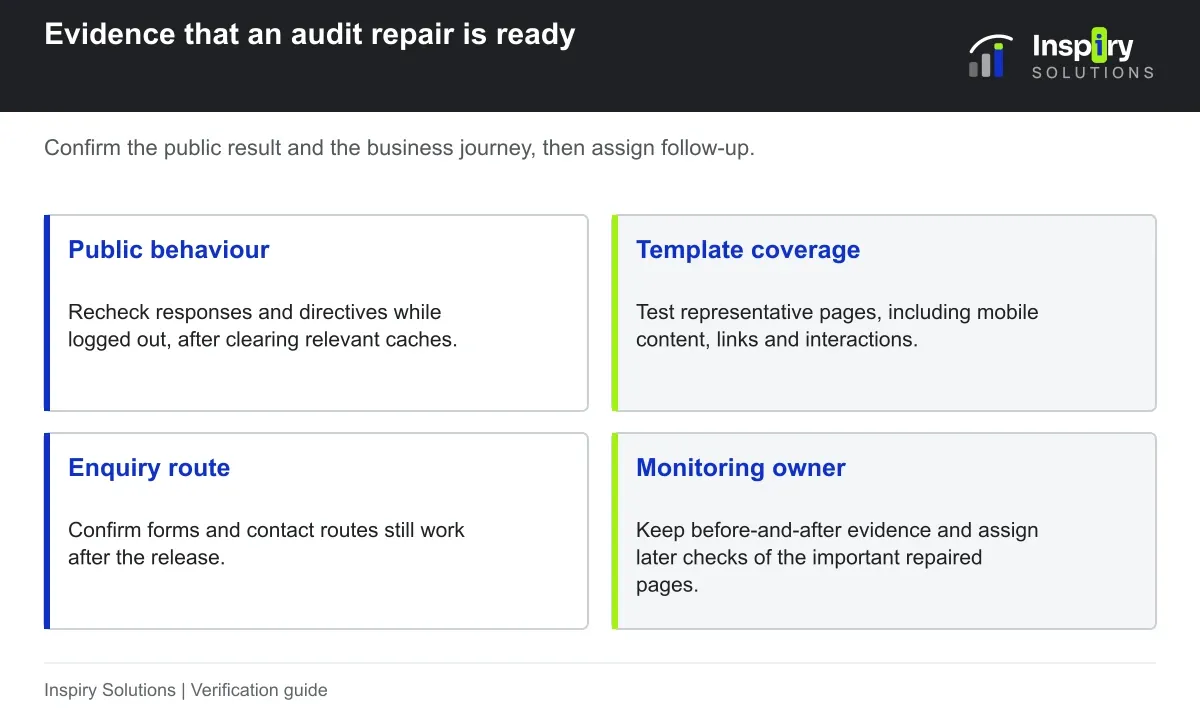
When a defect is confirmed, record the affected template and test another representative page after the fix. A single repaired URL is not evidence that all routes using the same template now work.
Plan the engineering and monitoring budget using our website cost guide. If WordPress care follows the release, assign continuing responsibility through a clear maintenance scope rather than leaving the project team informally on call.
A small website redesign route-map example
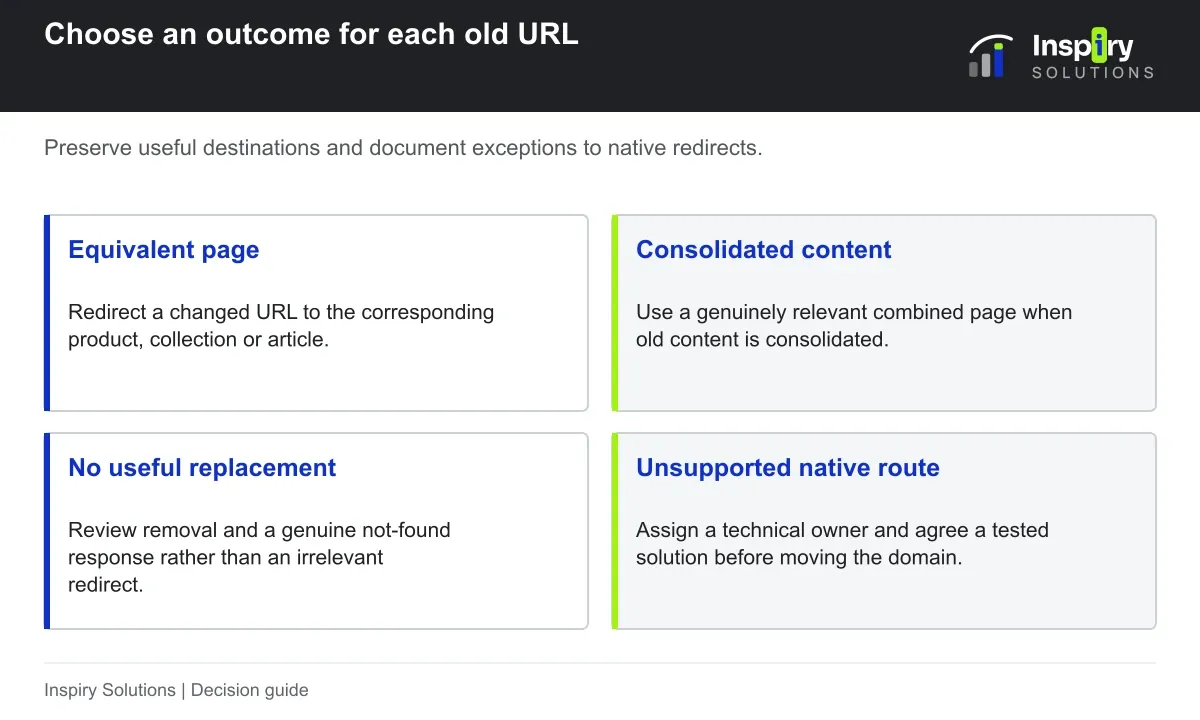
Imagine an old service page at /services/bookkeeping/ moving to /business/bookkeeping/. Record both addresses, the reason for the move and the expected permanent redirect. Test that the old address reaches the relevant new page directly and that the new page returns usable content, not another redirect or a soft error.
Now consider an old event announcement with no continuing purpose. Do not route it to bookkeeping just because that page is important. Decide whether an archive provides a genuinely useful replacement; if not, document the intentional removal. The route map should distinguish a move, a consolidation and a retirement.
For the retained service page, check the heading, title, contact route and canonical output. Open it on a phone and send a safe enquiry. Record the result alongside the response test. That combination protects both discovery and the visitor task, while a successful redirect alone only proves the address changed.
Use this pattern for representative pages before testing the full inventory. If a rule affects an entire directory, include edge cases such as trailing slashes, old query parameters and the intended host variant. Keep the website redesign map with the release notes so a later developer can understand why each destination was chosen.
Keep website redesign evidence useful after handover
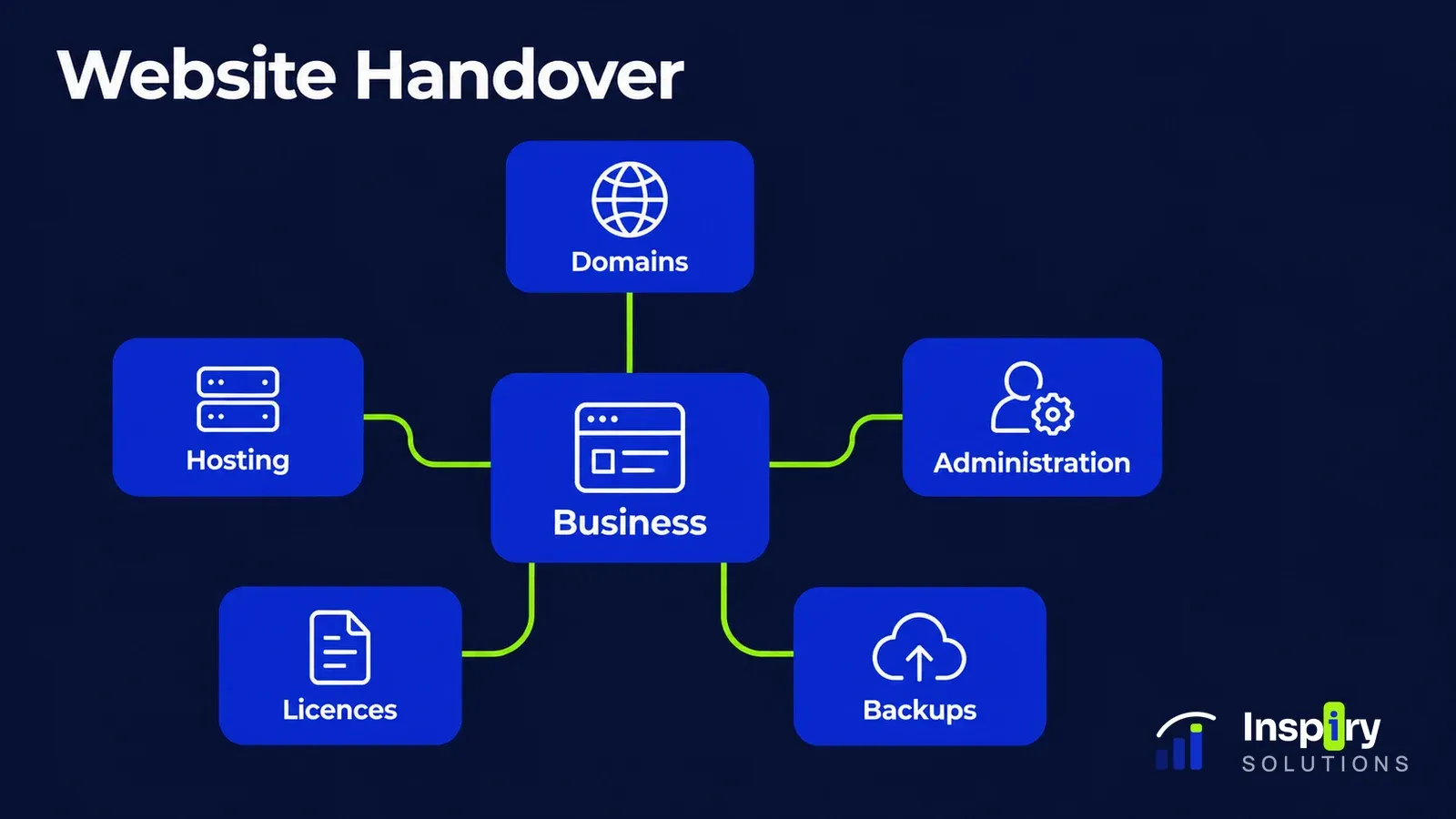
Store the route map, template checks and release notes with the project documentation. Record who can change redirects and where the public sitemap is generated. A future editor should know whether a missing page was deliberately retired or accidentally omitted.
Give the monitoring owner a short priority list rather than an unfiltered export of every URL. Include the pages producing important enquiries, the routes changed by the website redesign and the templates with the most complex functionality. Explain the baseline and its limits.
Agree how issues are triaged. A broken form needs immediate operational attention; a search impression fluctuation needs contextual investigation. Keep a confirmed technical defect separate from an unproven explanation of traffic. This makes reports more accurate and the next action clearer.
Finally, close the release with unresolved items visible. Record their owners, planned checks and expected evidence. Handover is not a claim that every future visit or ranking will remain unchanged; it is a practical way to keep responsibility and knowledge intact.
For the technical detail behind a safe launch, see our WordPress migration checklist and canonical tag mistakes to avoid in WordPress.
Common questions
How long does it take rankings to recover after a website redesign?
There is no fixed recovery timetable after a website redesign. Crawl frequency, site size, changed content and technical defects affect processing. Monitor the actual pages in Search Console, fix confirmed problems and avoid promising a return to previous rankings within a set number of weeks.
Do 301 redirects preserve all my SEO rankings?
No redirect guarantees rankings. A relevant permanent redirect helps users and search engines find a moved page; the destination still needs useful equivalent content and accessible output. Google’s site-move guidance explains the migration process and the need for monitoring.
Should I redesign my website or just restyle it?
A visual refresh may be enough when the structure and content still support the business. A website redesign may be justified for broken workflows, an unsuitable platform or a confusing information structure. Both approaches need regression testing: preserving URLs does not make a changed template risk-free.
Does every old URL need a redirect during a website redesign?
No. Redirect a moved page to a genuinely relevant replacement. If content is intentionally removed and no suitable destination exists, a correct 404 or 410 can be appropriate. Do not redirect unrelated content to the homepage merely to avoid errors.
Should I change all the content during a website redesign?
Change what needs improving, but preserve useful answers and page purpose. Combining major content, platform and URL changes makes diagnosis harder. Record the reasons and compare priority pages carefully before approval.
Who should own website redesign SEO checks?
Name an accountable owner who can coordinate content, routing, templates and indexing evidence. Design, development and marketing may implement different tasks, but the release decision needs one clear record of what passed and what remains unresolved.
Your next step
Make your website redesign an evidence-led release, not a ranking promise. Preserve useful destinations, test public output and keep responsibility for post-launch monitoring clear.