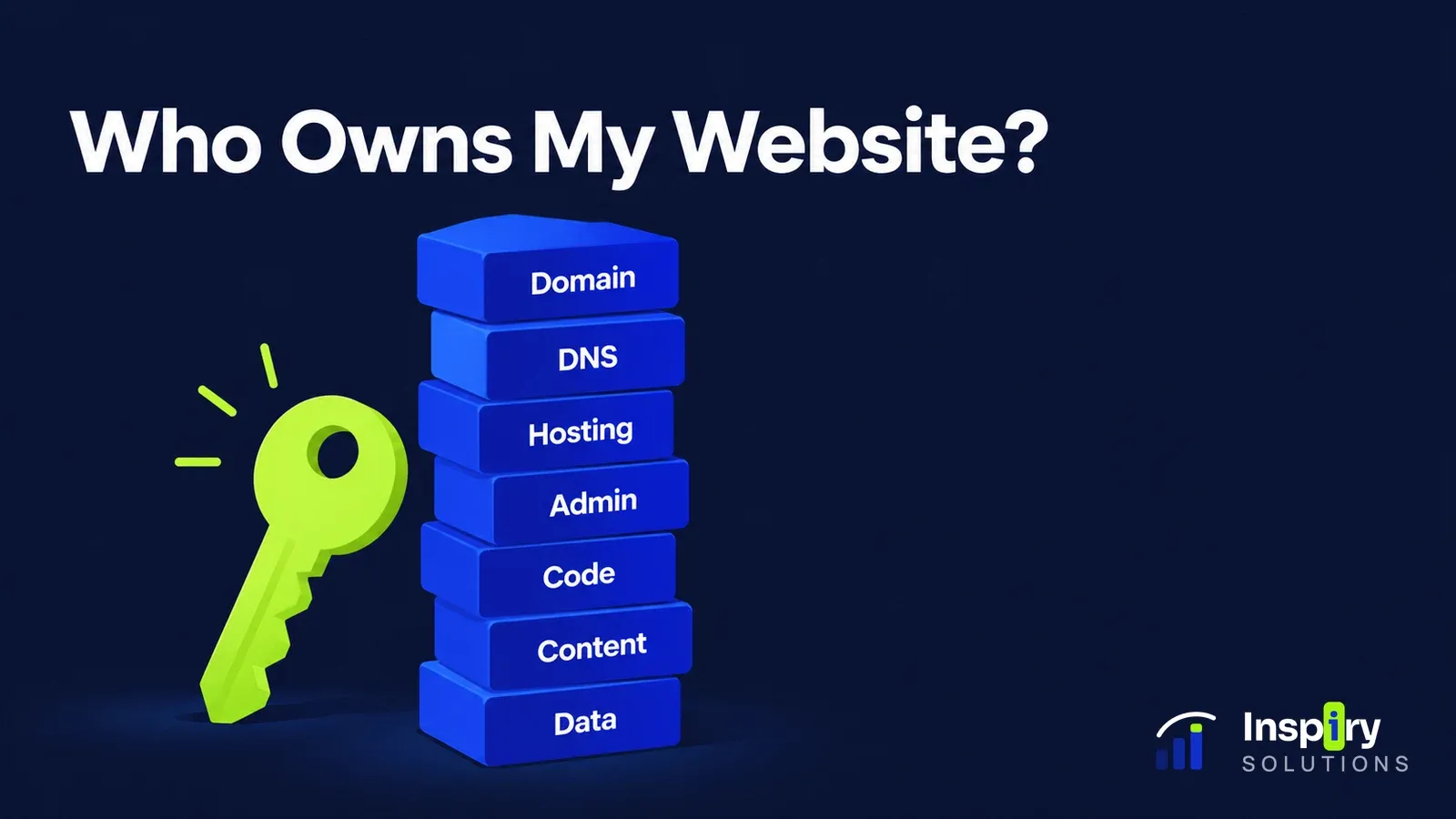
A website handover checklist lists everything your business should own and test before paying the final invoice: the domain, DNS and hosting accounts, analytics, administrator logins, licences, custom code, backups and documentation. Agree the list in the contract before the build starts, then check each item yourself at launch. The four checks that matter most are logging in, confirming ownership roles, testing a restore and making sure forms and tracking reach your accounts.
Why the website handover checklist belongs in the contract
A website can look finished without being ready for the business to take control.
Legal ownership and practical access are related but different. Our guide to who legally owns domains, code and content explains the wider ownership questions. This article concentrates on what you should receive and test at launch.
Agree deliverables before development begins
A useful contract appendix identifies each account or asset, its intended owner, the person responsible for transferring it and the evidence required for acceptance.
The list should include:
- Domain registration and DNS management
- Hosting and WordPress administrator access
- Analytics and search performance accounts
- Premium software licences and renewals
- Custom themes, plugins and source files
- Website backups and restoration instructions
- Forms, integrations and third-party services
- Editor documentation and support arrangements
Connect final payment to completion
Set a clear acceptance process before the final invoice becomes payable.
For agencies, responsibilities must remain clear even when another studio builds the website. See how white label partnerships hand over for the relationship between delivery partners, agencies and end clients.
At Inspiry Solutions, our WordPress builds with full handover include a completed handover list, so the client has a clear record of what has been delivered.
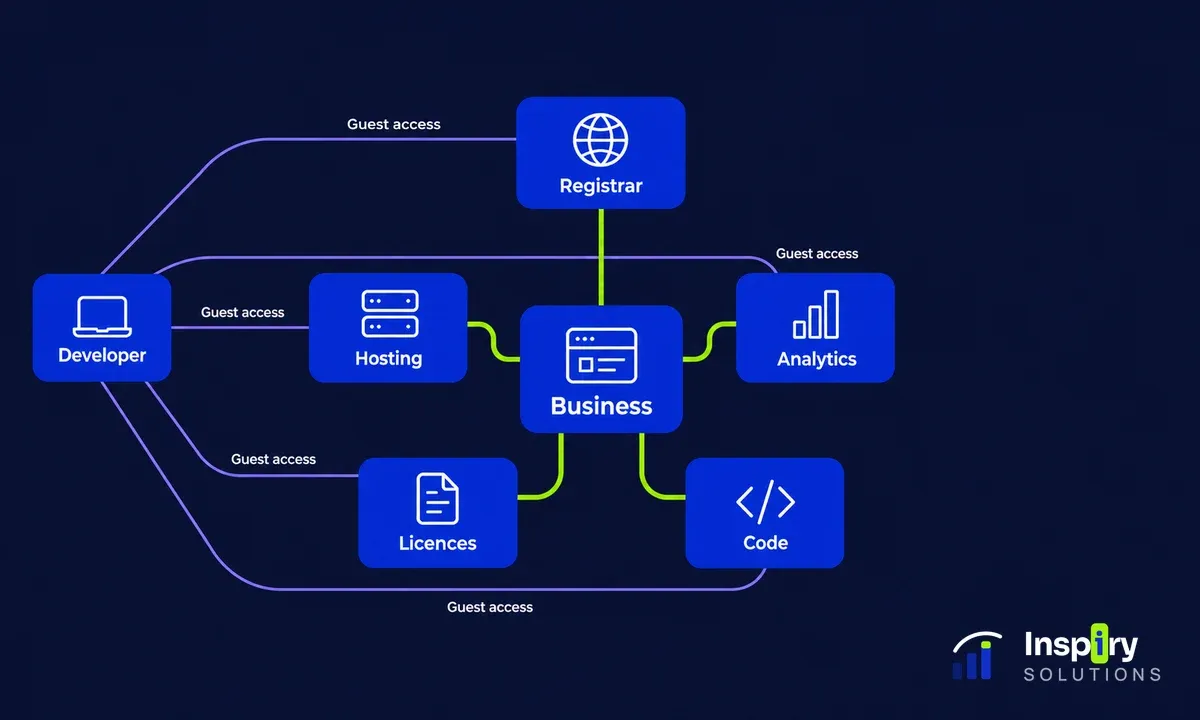
Accounts in your name
Your business should control the accounts that determine whether the website stays online, who can administer it and where its performance data is stored.
Domain registrar, DNS and hosting
The domain registrar manages the registration of your website address.
For hosting, confirm that you can obtain the website files and database if you leave the provider.
Analytics and Search Console
Google Analytics helps measure website activity.
Your organisation should have appropriate control over both.
Check the relevant property, account permissions and access recovery arrangements. Google’s Analytics Help documentation is a starting point for understanding account administration.
For search performance, Google Search Console explains the platform and its purpose.
Also check Google Tag Manager if it is used.
Move developer-created accounts safely
If the developer created an account using their own email, ask whether the service supports changing the account holder, transferring ownership or adding a new administrator.
Do not remove the developer immediately.
Some accounts cannot be transferred directly.
The final website handover document should identify the actual account holder, not simply state that access has been provided.
Logins and roles
Having logins is not the same as having control.
Create your own administrator account
For a standard single-site WordPress installation, the business should have at least one administrator account controlled through its own email address.
An administrator can manage core site settings and users.
The official WordPress roles and capabilities documentation explains these differences.
If the site uses WordPress Multisite, network administration has additional permission requirements.
Keep developer access separate
Create named accounts for developers, editors and other staff.
A maintenance developer may need administrator privileges, but a content writer usually does not.
Avoid sharing one administrator account between several people.
Check whether the developer also has hosting, file transfer, database or deployment access outside WordPress.
Store credentials securely
Use a password manager to store or share credentials rather than sending passwords through ordinary email.
Enable multi-factor authentication where supported, especially for domain, hosting and administrator accounts.
The handover record should identify where credentials are stored, who controls recovery and which team members have access.
Test all essential logins from a separate browser session.
Licences and subscriptions
Premium plugins, themes, hosting tools and third-party services can create ongoing obligations after the website launch.
A licence may cover updates, technical support, advanced features or access to a particular service.
Record every paid dependency
Ask for a subscription register containing:
- Product or service name
- Purpose on the website
- Account holder and billing owner
- Licence arrangement or usage rights
- Renewal date and renewal method
- Approximate consequence of expiry
- Contact responsible for support
Pay particular attention to form builders, page builders, security tools, booking systems, payment integrations and paid APIs.
Not every plugin needs a separate client-owned licence.
Understand what expiry means
An expired licence does not necessarily cause an installed plugin to stop working.
Do not accept either assumption without checking the relevant supplier’s terms.
Ask who receives renewal notices, whether billing is automatic and how the business can take over the subscription if necessary.
Hypothetical example: A business launches a website with a premium enquiry form plugin. The original developer purchases the licence through their own account but never documents the renewal date.
Later, the subscription lapses. A service-dependent form feature stops operating, and the business only discovers the problem after enquiries cease arriving.
The business renews the licence after identifying the issue.
A proper handover table would have shown the plugin name, licence account holder, renewal date, payment responsibility and the feature at risk.
This example is illustrative. The precise consequences of an expired licence vary by product, which is why a working test and documented renewal process matter more than a generic promise of continued functionality.
Code, backups and documentation
Your website handover should include the technical materials another competent developer would need to maintain or recover the site.
A WordPress administrator login provides access to the content management system, but it does not necessarily provide every source file, deployment instruction or external integration setting.
Obtain custom code and repository access
Request copies of custom themes, child themes and plugins created specifically for the project, subject to the agreed intellectual property and licensing terms.
If source code is maintained in a repository, such as Git, confirm who owns the repository and whether your business can access its complete relevant history.
Ask for a concise explanation of where custom functionality lives, how updates are deployed and whether changes depend on a private build system.
You do not necessarily need unrestricted ownership of third-party libraries.
Receive a recoverable backup
A backup should include the WordPress database and the files necessary to recover the website.
The official WordPress backup guidance explains the components involved.
Ask for a recent backup, its creation date, storage location and restoration procedure.
Keep a protected copy somewhere the business controls.
More importantly, test recovery.
Our guide to a restorable backup routine explains how to organise backups and validate recovery without relying on assumptions.
Document editing and integrations
The editor guide can be short.
Include the actions that ordinary staff should avoid, such as editing production code or changing global templates without a review.
The integration list should identify contact forms, customer relationship management (CRM) tools, payment gateways, booking services, email delivery systems and analytics.
For each integration, record its purpose, account holder, configuration location and testing procedure.
Build one handover folder
Organise the deliverables so they can be located without searching through old conversations.
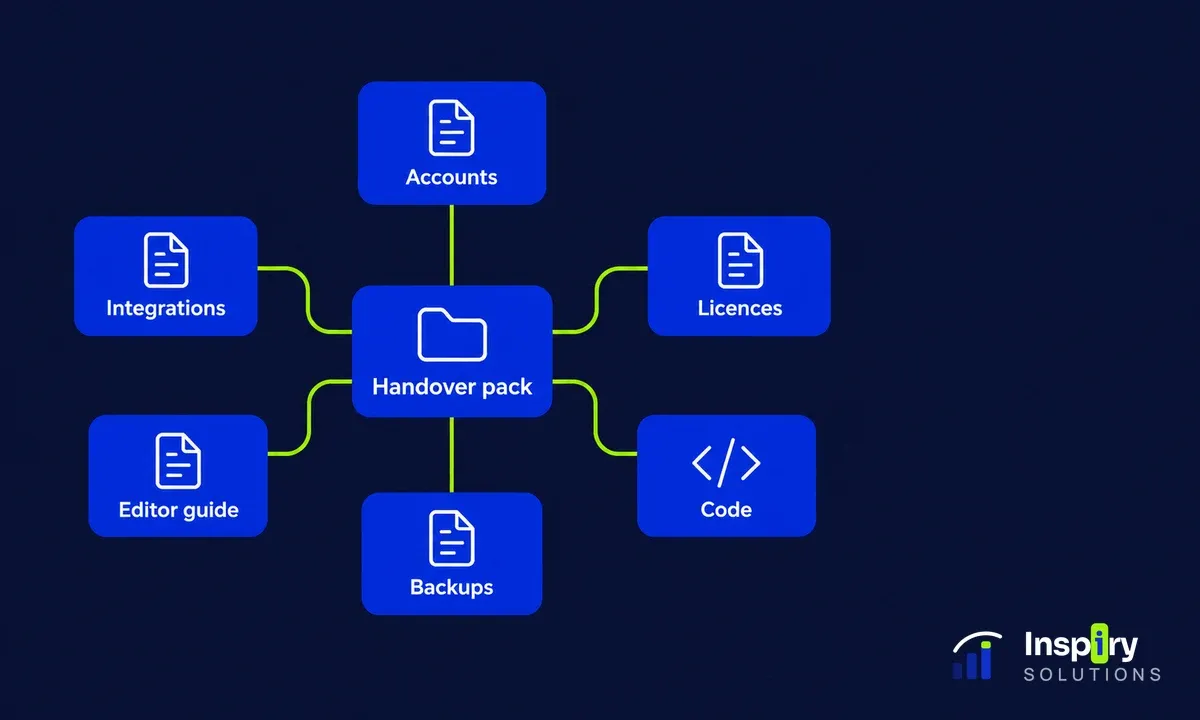
A practical website handover document can link to secure credentials, account records, licence details, source files, backups, editor instructions and support contacts.
Use one index document, with restricted folders for sensitive materials.
Domain, DNS and email records
Domain and email configuration deserves separate attention because problems here can affect services beyond the website.
A DNS mistake can prevent visitors reaching the site, interrupt business email or interfere with verification records used by connected services.
Record renewal and registrar details
Confirm the domain’s registered holder, registrar account, renewal date, payment method and auto-renewal setting.
Check that the business can receive renewal messages and recover access if the primary account administrator leaves.
Auto-renewal reduces manual work but is not a guarantee.
Export the DNS configuration
Request a record of the active DNS zone and identify where its authoritative configuration is managed.
Important entries may include:
- A and AAAA records for website addresses
- CNAME records for aliases and connected services
- MX records for email delivery
- SPF, DKIM and DMARC records for email authentication
- TXT records for domain verification
SPF identifies permitted email senders, DKIM supports message authentication using signatures, and DMARC describes how receiving systems should handle certain authentication failures.
The record should include the actual configured values, their purpose and the provider responsible for each service.
Never change DNS simply to test whether your account has access.
Establish an escalation contact
Document who to contact if the domain stops resolving, email fails or a DNS change causes unexpected behaviour.
Keep registrar, hosting and email-provider details separate, even when they come from the same company.
Specify who is authorised to request changes.
Four checks before you sign off
The final website handover checklist should be verified, not merely marked complete by the developer.
These four checks provide a practical acceptance sequence for a business owner without requiring advanced technical skills.
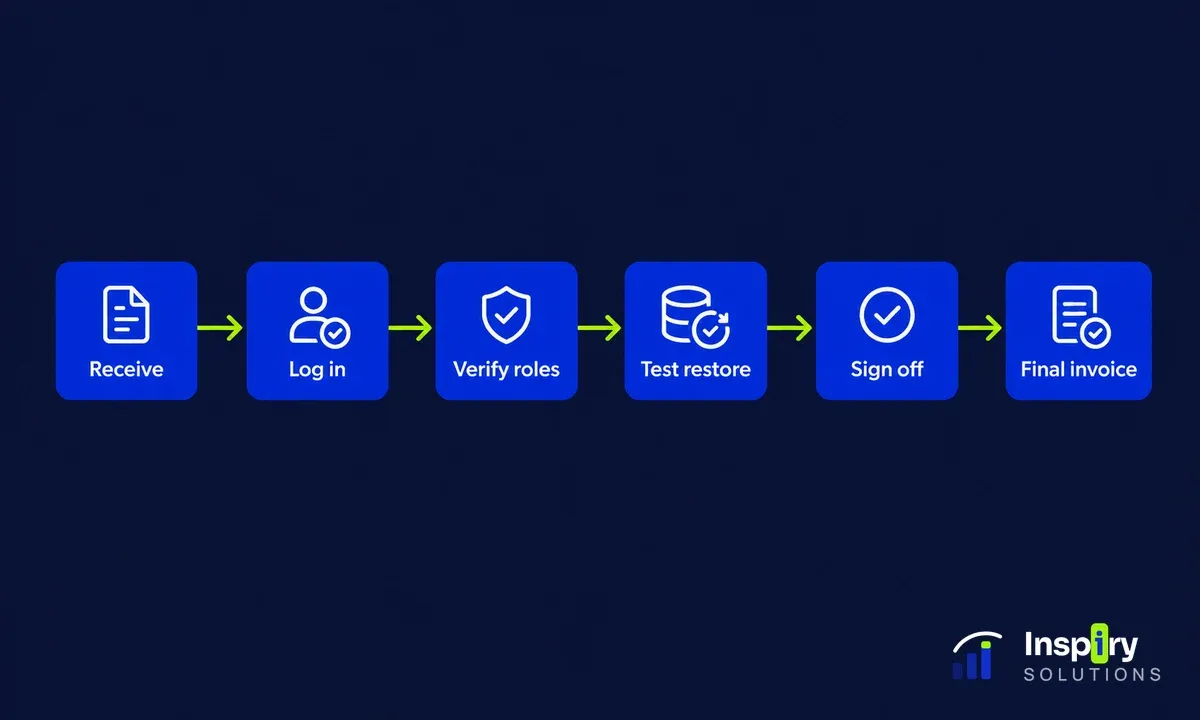
Log in to each account yourself
Open a private browser window and sign in to the domain registrar, DNS provider, hosting service and WordPress dashboard using credentials controlled by your business.
Repeat this for Analytics, Search Console, Tag Manager and any essential paid service.
Confirm that recovery email addresses, multi-factor authentication and billing contacts are correct.
Record the result in the handover checklist.
Check the ownership roles
Inspect the users and permission levels for each essential service.
Check whether a developer can remove your access or whether only the developer controls recovery.
Where ownership cannot be transferred, inspect the contractual rights to export data or move services.
Keep evidence of the verified roles, but avoid storing sensitive account information in an unrestricted folder.
Test a restore, or watch one
Ask the developer to restore the delivered backup in a separate staging environment or demonstrate a recent successful recovery from the same backup process.
A staging environment is a non-public copy used for testing.
Confirm that important pages load, content appears, images are present and core functionality works.
Never perform an unplanned restore over the live website.
If a demonstration is impossible, record the limitation and require a documented recovery method before accepting the item as fully verified.
Confirm forms and tracking reach your accounts
Submit a clearly identified test enquiry through each important form and confirm that it reaches the intended mailbox or CRM.
Check automated replies, notification recipients and any booking confirmations.
Then inspect the relevant Analytics property and tracking configuration.
Test payment integrations using supported test modes rather than creating unnecessary live charges.
If anything fails, record the page URL, action performed, expected result, actual result and supporting evidence.
Handover checklist
Use this table as a launch acceptance record.
| Item | Should be owned by | How to verify | Received (yes/no) |
|---|---|---|---|
| Domain registrar account | Business | Sign in and inspect registration and renewal settings | No |
| DNS | Business or contractually controlled provider | View current zone records and confirm management access | No |
| Hosting account | Business or provider under an exit agreement | Confirm access and ability to export site data | No |
| WordPress admin account | Business | Sign in independently and inspect role | No |
| Google Analytics | Business | Open correct account and property, then inspect access | No |
| Search Console | Business | Confirm correct property and owner verification | No |
| Tag manager | Business | Inspect account, container and administrator access | No |
| Premium plugin and theme licences | Business or documented agency subscription | Verify account holder, usage rights and renewal dates | No |
| Theme and custom code | Business, under agreed rights | Receive files or repository access and confirm completeness | No |
| Latest backup and restore steps | Business | Inspect backup and verify a safe restoration test | No |
| Editor guide | Business | Follow instructions to make a safe content change | No |
| Integration list (forms, CRM, payments) | Business | Review accounts and complete relevant test actions | No |
| Support terms | Both parties | Read accepted scope, response process and exclusions | No |
A failed item should remain open until corrected or formally accepted as an exception.
The completed table belongs in the final documentation so another developer can understand the launch position without reconstructing it later.
Common questions
What should a web developer hand over after launch?
A developer should deliver account ownership or agreed account control, an administrator login, relevant licences, custom code or repository access, a recent backup and short documentation. The package should also identify integrations, DNS configuration and support arrangements. Ask for evidence that essential accounts and recovery procedures work, not merely a document containing credentials.
Should the hosting account be in my name?
Yes, ideally the hosting account should belong to your business, or be covered by a contract that clearly states you can take control or migrate the website. The developer can still have access as a user or authorised technical contact. Check billing, recovery permissions and your ability to export the website before agreeing to the arrangement.
Do I need the website’s code if it runs on WordPress?
Yes, particularly for custom themes, custom plugins and project-specific functionality. Without the relevant source code, another developer may struggle to maintain the website or safely modify its features. Standard third-party WordPress components have their own licensing arrangements, so request clear documentation showing which code is custom and what rights your business receives.
What if my developer will not hand over access?
First check your contract and identify which accounts are already in your name. Domain registrars and hosting providers generally have account recovery routes for verified owners, although their procedures and evidence requirements differ. Preserve project records, request the missing deliverables in writing and avoid disruptive account changes without understanding their consequences. Seek appropriate legal advice if contractual rights remain disputed.
After launch: support and changes
A successful website launch handover establishes who controls the website.
Without this distinction, business owners may assume that every future request is covered by the original project fee.
Define the included support
Ask for written confirmation of the post-launch support scope, including the support period, how faults are reported and which issues are excluded.
Separate defects against the agreed specification from new feature requests, content changes and future software maintenance.
Record the contact method, escalation process and responsibility for third-party problems.
An agency and an individual freelancer may have different availability and responsibilities. Our guide to how agencies and freelancers fail differently explains why the operating arrangement matters beyond launch.
Agree how changes are priced
Decide whether new work requires a separate quote, a time-based approval or a recurring support agreement.
Define who can authorise a change, where requests are submitted and how completed work is reviewed.
A small website handover document should identify the preferred request process.
Choose maintenance or self-management
If your team will manage the website, assign responsibility for updates, backups, security monitoring, renewals and routine functional tests.
If a provider will handle maintenance, confirm what the plan covers and what remains your responsibility.
For budgeting, read what ongoing care should cost. The relevant question is not simply whether you have a maintenance agreement, but whether important tasks have named owners.
Review the handover record whenever hosting, staff, suppliers, plugins or connected services change.
A website can remain operational for years while its documented access quietly becomes outdated.
Before approving a website launch, save the completed checklist, confirm the four sign-off checks and keep the evidence in a location controlled by your business.
Prioritise anything that could prevent you from renewing the domain, recovering the website, receiving enquiries or moving to another developer.
If an item is missing, request a specific correction and retest it. A completed website is not the same as a completed website handover.
If you are about to launch, or inherited a site with missing access, send us the URL for a free audit. Every Inspiry WordPress development project ends with this handover list completed.
Explore our WordPress development and handover service or email hello@inspirysolutions.com. We will review the URL and send a plain-language reply within two working days.