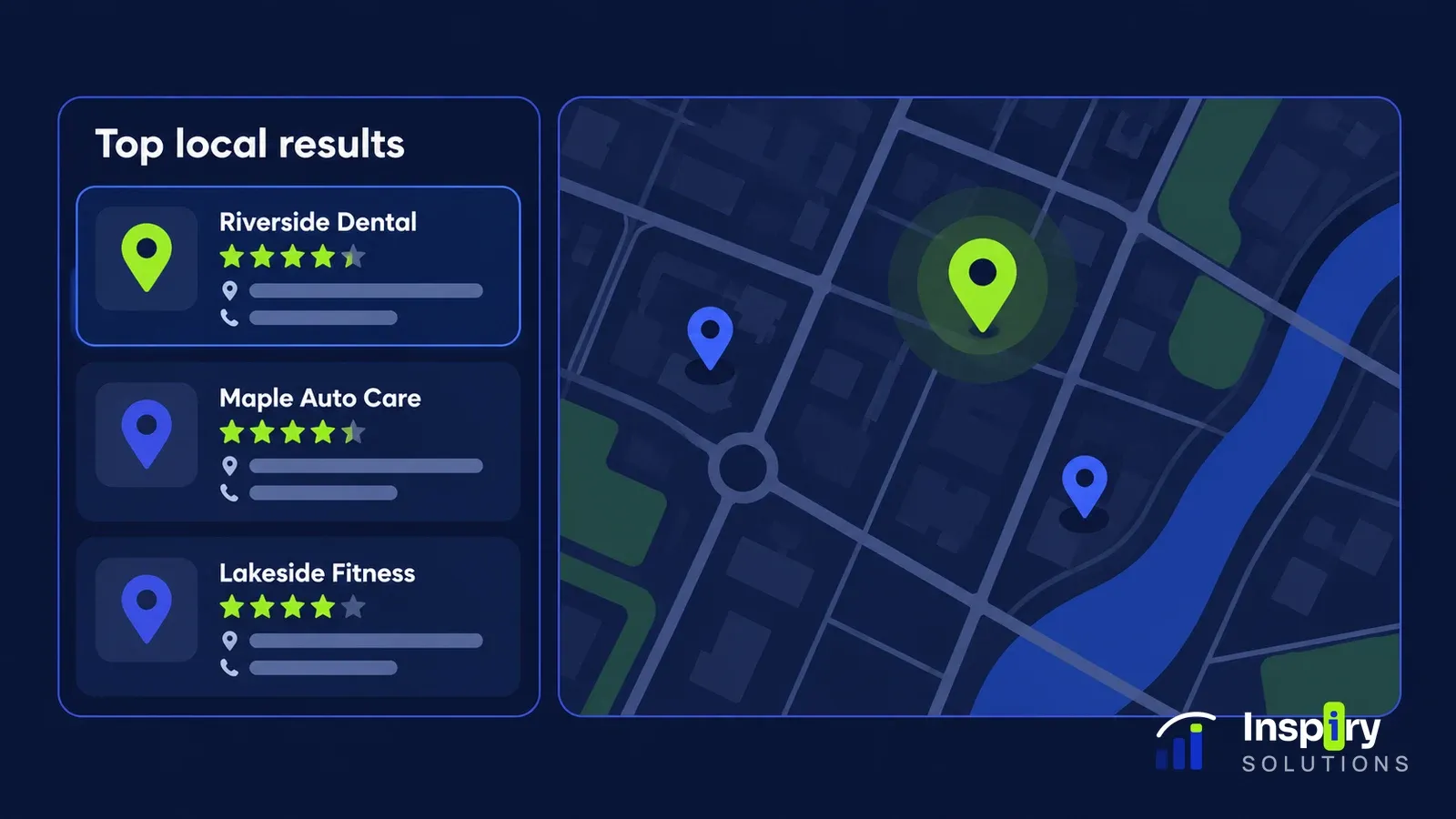
To get more Google reviews, ask every customer for honest feedback at the right moment, send a direct review link, and make requesting feedback part of your routine. You do not need discounts, competitions or complicated software. Assign one person to manage requests, send a short message after each completed job, and allow customers to share their genuine experience. The aim is a consistent process that follows Google’s policies, not a sudden increase in five-star ratings.
If your service business rarely receives feedback, this guide explains when to ask, what to say, which practices Google prohibits and how to track progress using a simple spreadsheet.
Why review volume and recency both matter
Google reviews help customers evaluate your business and contribute to local search prominence.
Google defines prominence as how well-known a business is. Its local ranking guidance confirms that review quantity and positive ratings can help local rankings.
However, Google also considers relevance and distance. More reviews do not automatically mean a higher position.
For context, see how reviews fit into map rankings.
Why consistency is more useful than a campaign
Imagine two electricians. One collected several reviews during a promotion but has received little recent feedback. The other regularly asks customers after completed jobs.
The second business provides more recent experiences for potential customers to examine.
This does not guarantee ranking improvements. A steady flow helps maintain a current picture of the business and makes the process easier to manage.
Aim for consistent requests rather than occasional campaigns when enquiries slow down.
Reviews affect more than Google Maps
Customers may read ratings, comments and business replies before contacting you.
A specific review mentioning punctuality, communication or workmanship provides more context than a star rating alone.
Public feedback may also contribute to information available in AI-powered search experiences. Read how reviews feed AI assistant answers for the wider picture.
However, reviews cannot replace accurate business details, useful service pages or a reliable website.
That is why our local SEO work for service businesses considers the whole local search presence rather than treating feedback as an isolated tactic.
What Google does not allow
Google permits genuine feedback requests but prohibits practices designed to manipulate ratings or suppress negative experiences.
These requirements appear in Google’s Maps prohibited and restricted content policies.
Review them before introducing a process and periodically afterwards. Quarterly checks are a sensible internal practice, not a Google requirement.
Incentives and purchased reviews
You cannot offer discounts, gifts, payments or prize-draw entries in exchange for Google reviews.
This applies even if customers can choose any rating.
Buying fabricated feedback, using fake accounts or arranging ratings from people without genuine experiences also violates Google’s policies.
If you are asking, “Can you incentivize Google reviews?”, the answer is no.
Review gating and selective requests
Review gating means screening customers before inviting them to leave public feedback.
For example, a company might ask everyone whether they were satisfied, then send its review link only to positive respondents.
Google does not allow this selective approach.
Ask all eligible customers consistently, regardless of expected feedback.
You can resolve unfinished work before recording a job as complete. However, do not permanently exclude dissatisfied customers or use satisfaction scores to determine who receives a request.
Conflicts of interest and pressure
Owners and employees should not write supposedly independent customer reviews for their business.
Staff must not create reviews for customers, dictate ratings or demand particular wording.
Google also prohibits pressuring customers to leave reviews while on the premises.
Participation must remain voluntary.
Allowed vs not allowed
| Tactic | Allowed by Google? | Why |
|---|---|---|
| Asking every customer | Yes | Genuine, unbiased requests are permitted. |
| Sending a direct review link | Yes | Simplifies voluntary feedback. |
| Offering a discount for a review | No | Incentives can manipulate feedback. |
| Asking only happy customers | No | Selective solicitation is prohibited. |
| Staff writing reviews | No | Creates conflicts of interest or fake engagement. |
| QR code at reception | Yes, with conditions | It must be optional, without pressure to review on-site. |
| Replying to every review | Yes | Genuine, professional replies are permitted. |
Google may remove suspicious reviews, display warnings or restrict review-related Business Profile features.
Removal does not always mean misconduct. Automated systems can make mistakes.
The safest approach is to request honest feedback without incentives, screening or pressure.
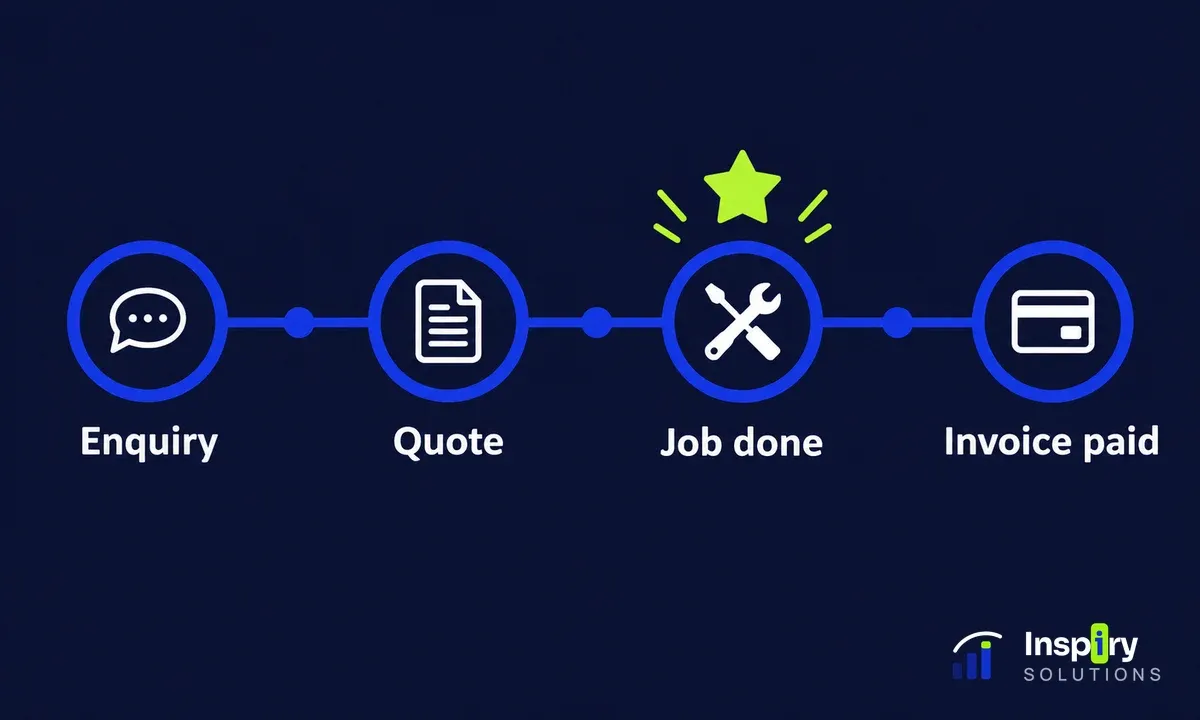
Pick the right moment in the customer journey
Customers need enough experience to provide meaningful feedback.
Someone who has requested a quote cannot assess your workmanship.
For most service businesses, the natural opportunity comes when the agreed work is complete.
Match the request to your service
Different services have different completion points.
- Electrician or plumber: after completing the repair.
- Roofing contractor: after final inspection or sign-off.
- Cleaning company: after the scheduled visit.
- Garage: after vehicle collection.
- Accountant: after completing a defined service.
- Dental practice: after the appointment, respecting privacy and professional rules.
- Property service: after handing over keys or finishing agreed work.
A same-day repair and a six-week renovation need different triggers.
Document the appropriate completion point for each service type.
What about invoices and complaints?
Payment is not always the best trigger. Some customers experience completed work before receiving an invoice.
If a genuine service issue or invoice dispute remains unresolved, clarify it before marking the job complete.
However, do not delay requests solely because someone complained. That can become review gating.
Apply consistent completion criteria regardless of expected feedback.
A useful operational target is to send requests within 24 hours of completion, where practical. This is not a Google requirement.
How to get more Google reviews with a four-step process
To get more Google reviews consistently, integrate requests into normal job administration.
Assign one process owner, such as an office manager or receptionist.
The service provider confirms completion. The process owner sends the message, records the date and handles reminders.
This prevents forgotten or duplicated requests.
Get your short review link
Open your managed Google Business Profile and find the option to ask customers for reviews.
Copy the link and save it in your shared message template.
Before using it:
- Open it on a mobile phone.
- Confirm it shows the correct business.
- Check access to the review interface.
- Save the tested link for your team.
You can shorten the link or convert it into a QR code.
Businesses with multiple locations need the correct link for each location.
Google explains this in its customer review management instructions.
Also check the rest of your Business Profile setup for accuracy.
Write a two-line request
Keep requests short, neutral and relevant to the completed service.
SMS template
“Hi [Name], thanks for choosing [Business] for your [service]. If you have a moment, we’d appreciate an honest Google review: [review link]”
Email template
Subject: How was your experience with [Business]?
“Hi [Name], thank you for choosing us for [service]. We’d appreciate your honest feedback on Google whenever convenient: [review link]
Thanks, [Team name]”
This google review request email template can be adapted to existing customer communications.
In-person request
“Thanks for choosing us. We’ll send you a link in case you’d like to share your honest experience on Google.”
These messages do not request five stars, suggest wording or offer rewards.
When learning how to ask customers for reviews, neutrality matters more than persuasive language.
Send it within 24 hours of the job
Add requests to the normal completion workflow.
- The technician marks the job complete.
- The office manager checks the record.
- The saved request is sent.
- The date is entered in the tracking sheet.
The 24-hour window keeps the experience fresh. It is not a ranking rule.
Use the customer’s established communication channel with appropriate permission.
Follow applicable messaging and privacy requirements. Never bypass an opt-out by switching channels.
Where practical, include the request in an existing completion message.
One polite reminder, then stop
Some customers intend to review a service but forget.
One reminder after about three days is reasonable.
Reminder template
“Hi [Name], just a quick reminder about our Google review link if you’d like to share your experience: [review link]. No pressure, and thanks again.”
Stop if the customer declines, opts out or has already reviewed your business.
You may not identify every review because Google account names can differ from customer records.
Never pressure customers to confirm submissions.
After the reminder, close the request.
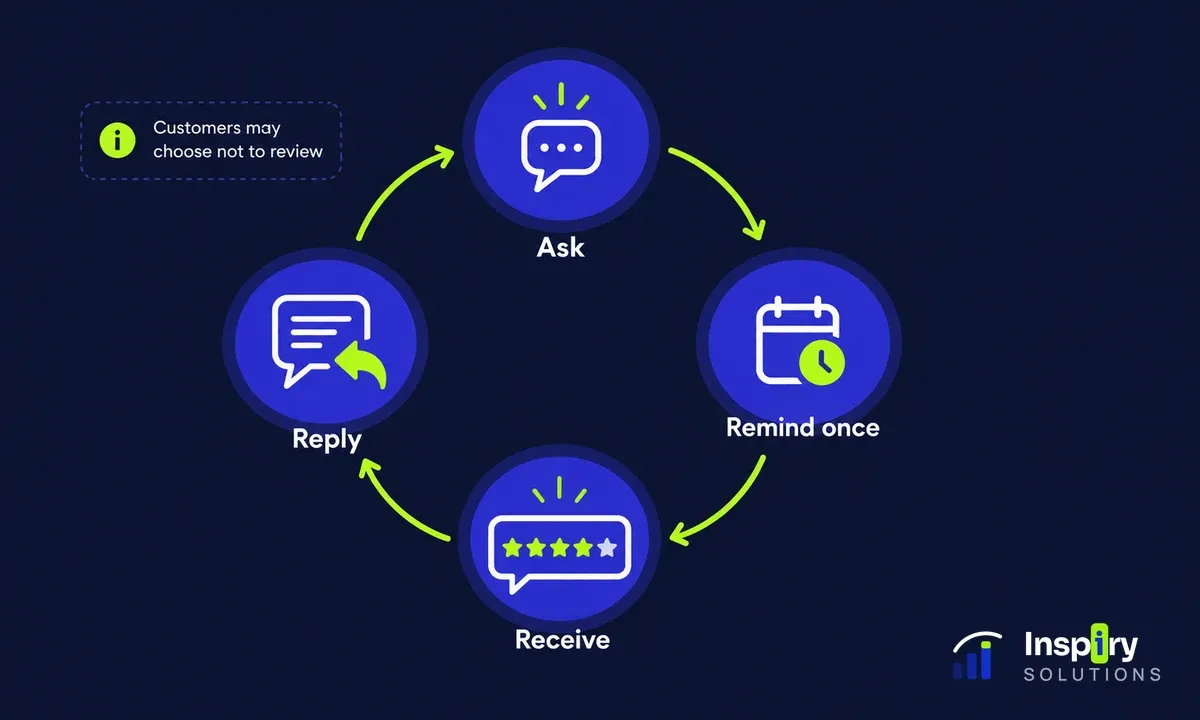
The cycle is simple: ask, remind once if appropriate, receive any voluntary review and reply.
If no review appears, the process still ends.
Hypothetical example: a two-van electrician
A small electrical contractor operates two vans and receives about one Google review per quarter.
The office manager notices that completed jobs rarely trigger feedback requests.
The company adds a two-line text containing its review link to the job sign-off routine.
Every eligible customer receives the same neutral message, normally that evening.
One reminder may follow after three days unless the customer declines or opts out.
The manager records request dates, reminders and any reviews that can reasonably be matched.
At month end, the team compares requests sent against reviews received.
These figures are illustrative. No increase in reviews, rankings or enquiries is assumed.
The practical improvement is clearly assigned responsibility and consistent timing.
Making it easy on the website
Your website can support feedback requests without turning every page into a review campaign.
Include the Google review link in an existing job-completion email, beneath the service summary and contact details.
A thank-you page following a genuinely completed service can also provide an optional link.
Avoid requesting reviews immediately after an initial enquiry, before the customer has experienced your service.
Display reviews without misleading visitors
You can show genuine testimonials or direct visitors to your Google Business Profile.
Keep the presentation accurate. Do not rewrite criticism or suggest selected five-star feedback represents every customer.
If using a widget, identify the review source and keep information current.
Structured data is machine-readable information describing page content.
Google’s review snippet structured data guidance excludes self-serving LocalBusiness and Organisation reviews from review-star rich results.
Displaying third-party Google reviews on your website does not make those ratings eligible for your own LocalBusiness review stars in Search.
Keep widgets lightweight
Review widgets can add scripts and external requests that slow pages.
Before installing one, check:
- Does it load unnecessarily on every page?
- Can it appear only where relevant?
- Does it cause delays or layout movement?
- Would a simple review link work instead?
Test performance before and after installation.
A widget should help visitors without making the website harder to use.
Tracking whether the process is working
Review counts alone cannot show whether your team consistently requests feedback.
Measure activities your team controls separately from customer decisions and Google’s publication of reviews.
Start with a simple monthly sheet
A spreadsheet is enough for most small service businesses.
| Column | What to record |
|---|---|
| Job reference | Internal completed-job identifier |
| Completion date | When the service finished |
| Team owner | Person responsible for the request |
| Request sent | Date or not yet sent |
| Reminder sent | Date, declined or not required |
| Review received | Yes, no or unknown |
| Review date | Date displayed on Google |
| Reply status | Replied or awaiting reply |
Avoid unnecessary personal information in shared reports. Use internal job references.
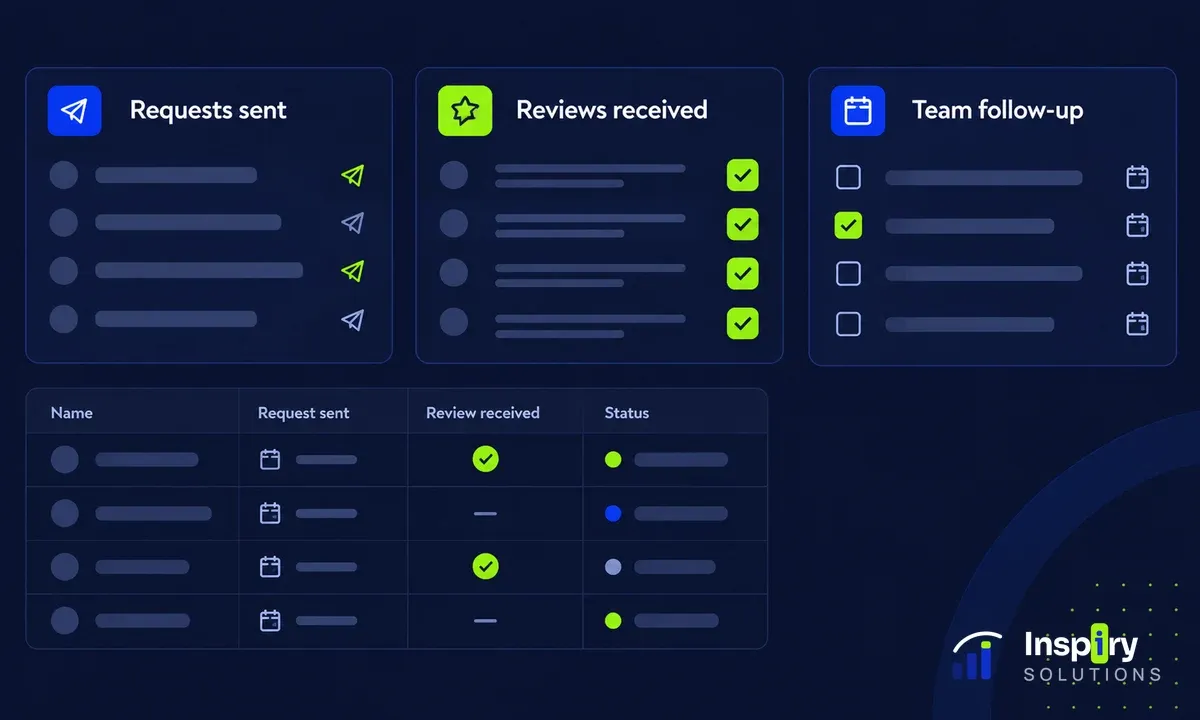
Three measurements worth reviewing
1. Requests sent versus reviews received
Count monthly requests and newly published feedback.
These figures are not directly comparable. Some reviews appear later or cannot be matched to customers.
Treat the comparison as an approximate indicator, not an exact conversion rate.
2. Average days since the last review
Record the age of your latest review monthly.
For a useful average, calculate the mean gap between recent review dates.
A long gap may suggest inconsistent requests, but does not automatically explain ranking changes.
3. Team participation
Compare eligible completed jobs against requests sent.
Identify missed procedures or completion records that never reach the office.
Do not reward staff for particular ratings. Measure whether requests were made, not five-star outcomes.
Review the numbers once a month
Set a monthly date to check your spreadsheet and Business Profile.
Record new reviews, unanswered feedback, requests sent and missed opportunities.
If ten jobs qualified but only six requests were sent, investigate the four missing requests.
Perhaps completion records were delayed or customers opted out.
Fix the workflow rather than simply sending more messages.
The process should continue working when your team becomes busy.
Common questions
Can I offer a discount in exchange for a Google review?
No. Google’s policy prohibits incentivised reviews, including discounts, gifts, payments and prize draws. This applies even when customers can leave any rating. Reviews found to violate the policy can be removed. Ask for honest feedback without offering anything in return, and never reward customers for changing or deleting an existing review.
Is it allowed to ask only happy customers for a review?
No. Selectively asking satisfied customers or screening people before sending a public invitation is known as review gating, which Google does not allow. Ask every eligible customer in the same way, regardless of expected sentiment. You can resolve unfinished service issues, but satisfaction must never determine who receives a request.
How do I find my Google review link?
Open your managed Google Business Profile and locate the option to ask for reviews. Copy the provided link and test it on a mobile phone. You can shorten it or turn it into a QR code if helpful. Check that it opens the correct business location before including it in messages or printed material.
Why did some of my Google reviews disappear?
Google’s automated systems may remove reviews that appear to break its policies. Suspicious patterns, including reviews associated with the same network or device, can sometimes be filtered, although a shared network alone does not prove wrongdoing. Legitimate feedback can also be affected. There is no guaranteed way to restore a removed review.
Should I reply to positive reviews too?
Yes. A short, specific reply shows that your business is active and values customer feedback. Thank the reviewer and acknowledge something relevant without exposing private details. Never paste exactly the same response under every review. Reply professionally to negative feedback too, without arguing publicly or pressuring customers to change their ratings.
Make the first ten requests this month
Start with a manageable exercise rather than buying software or launching a large campaign.
List your ten most recent eligible completed jobs with an appropriate contact channel.
Do not select only happy customers. That would contradict Google’s review gating rules.
If fewer than ten qualify, include future completed jobs.
Use this checklist:
- Confirm each service was completed.
- Retrieve and test your review link.
- Choose one neutral message template.
- Assign someone to send requests.
- Record each message date.
- Send no more than one polite reminder.
- Review feedback at month end.
For recent jobs, send the template today where appropriate. For older work, consider whether the request remains relevant.
After a month, check whether the team followed the process consistently.
Do not measure success only by five-star ratings. Customers control their feedback, and Google controls what remains published.
A repeatable request routine can help collect genuine feedback, but cannot guarantee review volume or local rankings.
If reviews are only one part of a profile that is not showing up, our local SEO service looks at the whole picture, scoped to your website. Start with a free audit by sending your website URL to hello@inspirysolutions.com and get a plain-language reply within two working days.