Internal linking connects pages on your own website so people and search engines can find related information. For a service business, build clear routes from your homepage to service hubs, individual services and supporting guides. Add contextual links where they answer the reader’s next question, using descriptive anchors and working destinations.
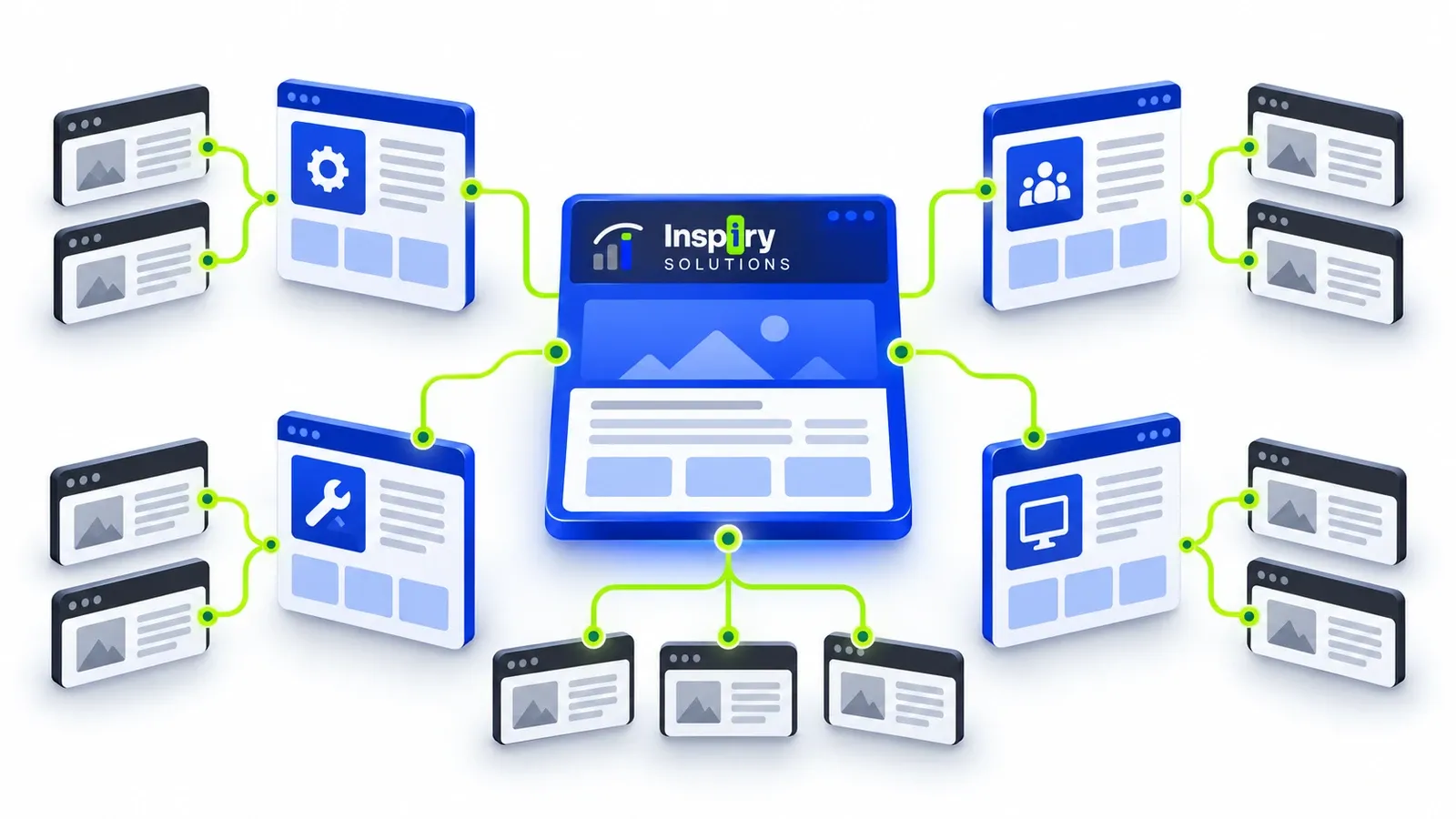
The challenge is usually editorial rather than mathematical. A business may publish useful articles but leave its most valuable service pages isolated. Another may insert the same sales link everywhere. A practical architecture gives each page a role and makes the next destination understandable to someone considering your services.
Set internal linking priorities with a page inventory
List the pages currently published, including services, articles, location pages, case studies and contact routes. Record each page’s intended audience, principal question and current destination for the next step. Include pages known to the CMS but missing from your crawl.
Mark the services the business can genuinely deliver and the markets it actually supports. Those priorities inform navigation and editorial planning. They should not justify inserting unrelated links or manufacturing pages for every possible phrase.
Use the WordPress audit checklist to organise this inventory, then identify overlaps. Two pages answering the same customer question may need consolidation or clearer differentiation before additional links are added. An architecture review works well alongside technical SEO assessment, because an inaccessible or unintended duplicate destination undermines a carefully written link.
Seven internal linking steps for service websites
1. Give each page a clear role
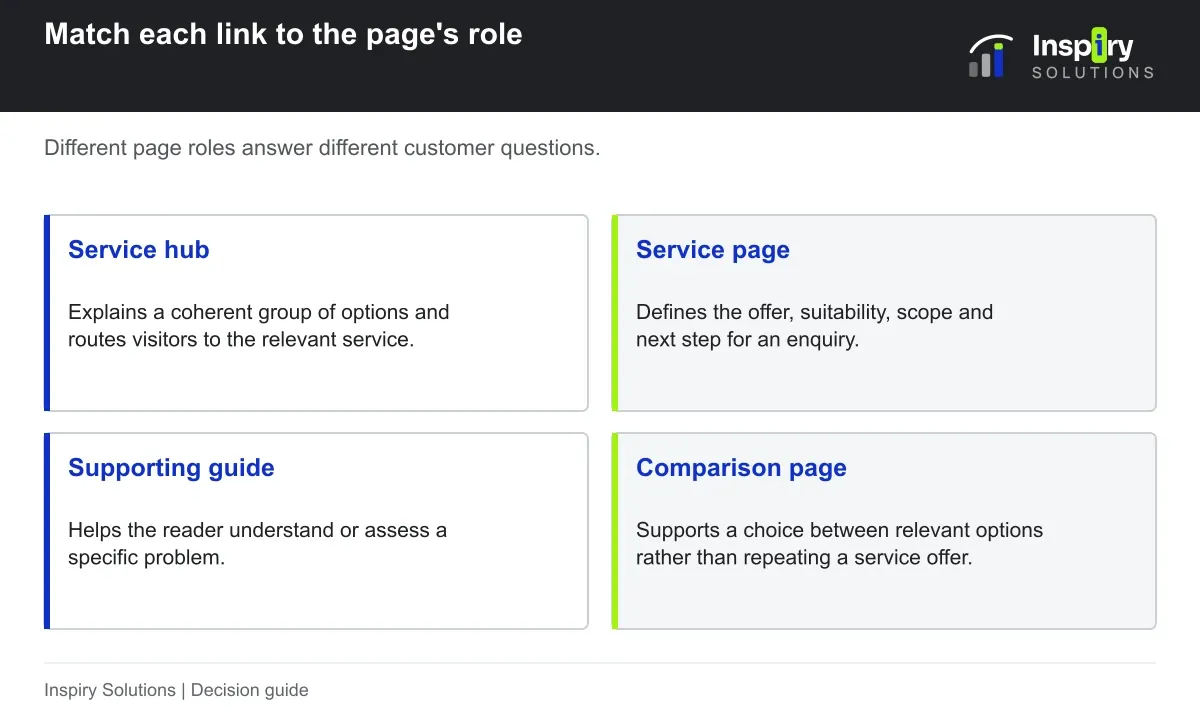
A service page explains an offer: who it suits, what is included, important boundaries and how to enquire. A guide helps readers solve or assess a problem. A comparison supports a decision. A hub introduces a coherent group of services or resources.
Write the role in one sentence before choosing links. If an article helps readers assess a slow website, the relevant next step could be a performance service or a diagnostic guide. It does not automatically need a link to every development package.
Internal linking becomes easier when pages have distinct purposes. If no published page answers the next useful question, record a content gap. Do not send readers to a loosely related page simply to satisfy a target number.
2. Build hubs around meaningful service groups
A hub gives internal linking a clear starting point: it should help visitors understand their choices. Group services using customer language rather than internal department names. Include a brief explanation of each option and a direct route to the relevant detail.
For example, a digital agency could group diagnostics, development and ongoing care while explaining where each fits. Keep the grouping small enough to scan and specific enough to be useful. A directory of dozens of unexplained links is a weak substitute for a considered hub.
Google’s sitelinks guidance recommends a logical site structure and links to important pages from relevant pages. Sitelinks themselves are automated; a hub is a navigation decision, not a promise about a search-result format.
3. Connect related services through actual dependencies
Use internal linking between services when one explains a dependency or a sensible next phase. A performance page might explain when a template needs rebuilding, while a development page might point to performance assessment before defining the scope.
For an existing WordPress website, a link to WordPress development belongs where the discussion moves from configuration changes to template work. The surrounding sentence should make that relationship clear.
Keep the destination consistent with the promise. If the anchor suggests a maintenance plan, linking to a general company page creates an unnecessary detour. Check the destination’s current content rather than relying on its old page title.
4. Link guides to services at the relevant decision point
Place a service link where internal linking supports the reader’s next decision, after the problem is clear. A guide can explain checks a business can perform itself, then identify where specialist help may be useful. The link should extend the information rather than interrupt it.
A discussion of slow interactions can point to website performance support when implementation or diagnosis becomes the next task. Earlier paragraphs might instead point to an explanation of the measurement.
Also review the reverse direction. Service pages can link to resources that help customers evaluate scope or prepare an enquiry. This makes the architecture useful to people who arrive directly on a commercial page rather than through the blog.
5. Write anchors that describe the destination
Choose internal linking anchors that fit the sentence and set an accurate expectation. “Website redesign planning” gives more information than “click here”. Read the link aloud with its surrounding paragraph; it should sound like part of the explanation.
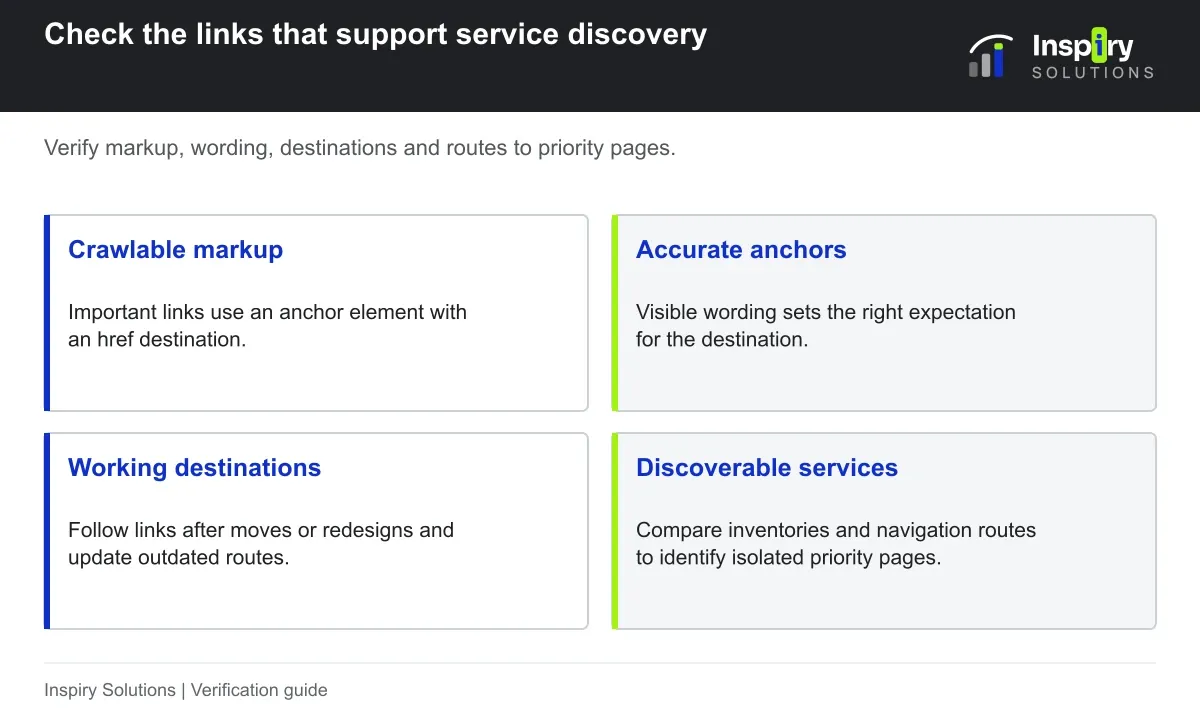
Google’s link best practices favour descriptive, relevant anchor text and crawlable anchor elements with href attributes. A clickable interface element does not automatically provide that markup.
Do not force the same keyword phrase into every link. Natural variations are reasonable when they still describe the same destination accurately. Avoid a sentence containing several adjacent links where the reader cannot tell why each one is needed.
6. Make priority pages easy to reach
Walk through the site as a new visitor. Can you reach a main service from the navigation or a clearly labelled hub? Can you return to the parent topic after reading a detailed guide? Fix unnecessary detours and ambiguous labels.
Use click depth to investigate internal linking routes, not as a universal ranking rule. A specialised resource may reasonably sit deeper than a main service. The question is whether its route matches how someone would look for it.
Location architecture needs the same judgement. A business serving several areas should connect relevant service and location information without filling every page with town lists. Align these decisions with its local SEO strategy and truthful service coverage.
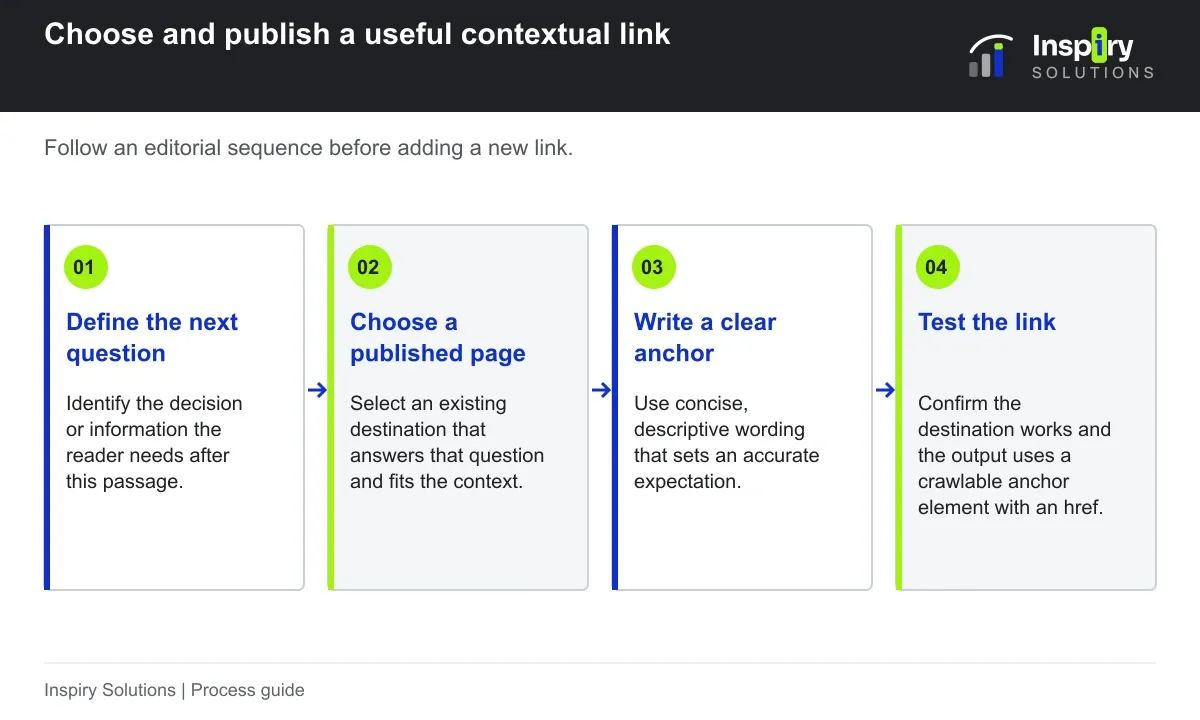
7. Add internal linking decisions to publishing
Before publishing a guide, choose the most useful existing destinations and identify older pages that could reasonably link to it. This creates incoming routes as well as outgoing links. Edit the older page only where the new resource improves its explanation.
Record the source, anchor, destination and reason. An editor should be able to explain each relationship without invoking an SEO score. Keep a queue for links that depend on future content, then add them only after the destination is published.
Use this review when commissioning articles, updating services and removing old offers. Architecture degrades when publishing becomes a one-way sequence of new pages with no review of the existing site.
A hypothetical service-site map
Hypothetical example: a regional building-survey business offers homebuyer surveys, commercial inspections and defect investigations. It also publishes guides about survey preparation and common property concerns. The following map illustrates relationships; it is not a report of an actual client or outcome.
| Page | Main question | Useful next link |
|---|---|---|
| Services hub | Which survey suits this property? | Relevant survey service |
| Homebuyer survey | What does the survey include? | Preparation guide and enquiry route |
| Preparation guide | What should I arrange beforehand? | Homebuyer survey scope |
| Defect guide | When should I request an inspection? | Defect investigation service |
| Service-area page | Can this business attend my property? | Available services and contact details |
The preparation guide should not link to a commercial inspection merely because both pages need more links. It should explain a relevant next decision. Likewise, a service-area page should help customers establish availability, rather than repeat generic service copy with a different place name.
For an agency operator, this internal linking map becomes a discussion document. Ask the client whether each relationship reflects real delivery and common enquiries. Their answers can reveal missing information that no automated link recommendation can supply.
Implement useful links in WordPress templates
Check the actual output of menus, cards, buttons and related-post modules. Important navigation should contain real destination links. Test keyboard access and descriptive link names as part of usability, especially where a whole card is clickable.
Use breadcrumbs when they help show a page’s position. Google’s breadcrumb documentation explains their hierarchical role. Visible navigation and any associated structured data should describe the real organisation of the site.
For internal linking, template links and editorial links serve different purposes. A navigation menu helps visitors move between broad sections. A link inside a paragraph explains a specific relationship. Keep both useful rather than assuming one can replace the other.
When planning a website redesign without losing SEO, preserve valuable relationships as well as URL mappings. After launch, test the destination of links embedded in older articles, not just the new menu.
Maintain and measure the architecture
Review internal linking when services change, pages move or content becomes outdated. Update the source link to the current appropriate destination instead of leaving a known detour indefinitely. Compare CMS inventory, sitemap inventory and crawl discoveries to investigate possible orphan pages. If an important page remains missing from search, use the indexing diagnosis guide to investigate its access and indexing status.
Measure outcomes at the page and journey level: can visitors reach the next useful information, do they use those links, and are priority destinations accessible and discovered? Changes in search impressions need context; they cannot automatically be attributed to a link edit.
Assign maintenance to a named editor or team. WordPress maintenance planning should allow for content and navigation checks as well as updates. A short regular review of changed pages is often more actionable than a large link spreadsheet that nobody owns.
Frequently asked questions
How many internal links should one article contain?
Let useful next questions determine the amount of internal linking. An in-depth guide may need several; a short service update may need fewer. Review relevance and readability instead of applying a fixed quota to every page.
Can an article link to the same destination twice?
Yes, if the second link helps at a separate decision point. Avoid repeating it automatically in every section. Ask whether a reader arriving at that section would benefit from the route.
Are footer links enough for service pages?
Footers can support broad navigation, but they do not explain every relationship. Add relevant routes from service hubs and supporting content where the context helps someone understand why to visit the destination.
What should a small new service website do first?
Make each main service reachable through clear navigation and provide an understandable enquiry route. Then publish supporting resources that address real customer questions. Avoid building an elaborate hierarchy before the basic page roles are clear.
Should an agency automate internal linking?
Automation can suggest internal linking candidates or identify broken routes. An editor should still review destination relevance, anchor wording and page purpose. Repeated automatic links deserve inspection when services or terminology change.
Can internal links guarantee better service rankings?
No. They support discovery, navigation and understanding, but rankings depend on more than architecture. Set measurable implementation goals and assess search performance with the site’s broader content and business context.
Keep internal linking aligned with customer decisions
Effective internal linking starts with clear page roles and ends with a useful next step. Build understandable hubs, connect services and guides through real relationships, and maintain the destinations as the business changes. A concise architecture that people can follow is more valuable than a large link count without editorial purpose.