A technical SEO audit checks whether search engines can discover, access and understand the pages your business wants to rank. For WordPress, prioritise indexability, response codes, canonical URLs, internal links and mobile rendering before performance refinements. The useful outcome is an evidence-backed repair plan, with an owner and acceptance test for every issue.

A business website can look polished while a shared template quietly excludes service pages from search. Conversely, a crawler can report hundreds of warnings that have little bearing on enquiries. This checklist explains what to examine and why, so owners and agency operators can judge an audit by its decisions rather than the size of its export.
Define the technical SEO audit scope before crawling
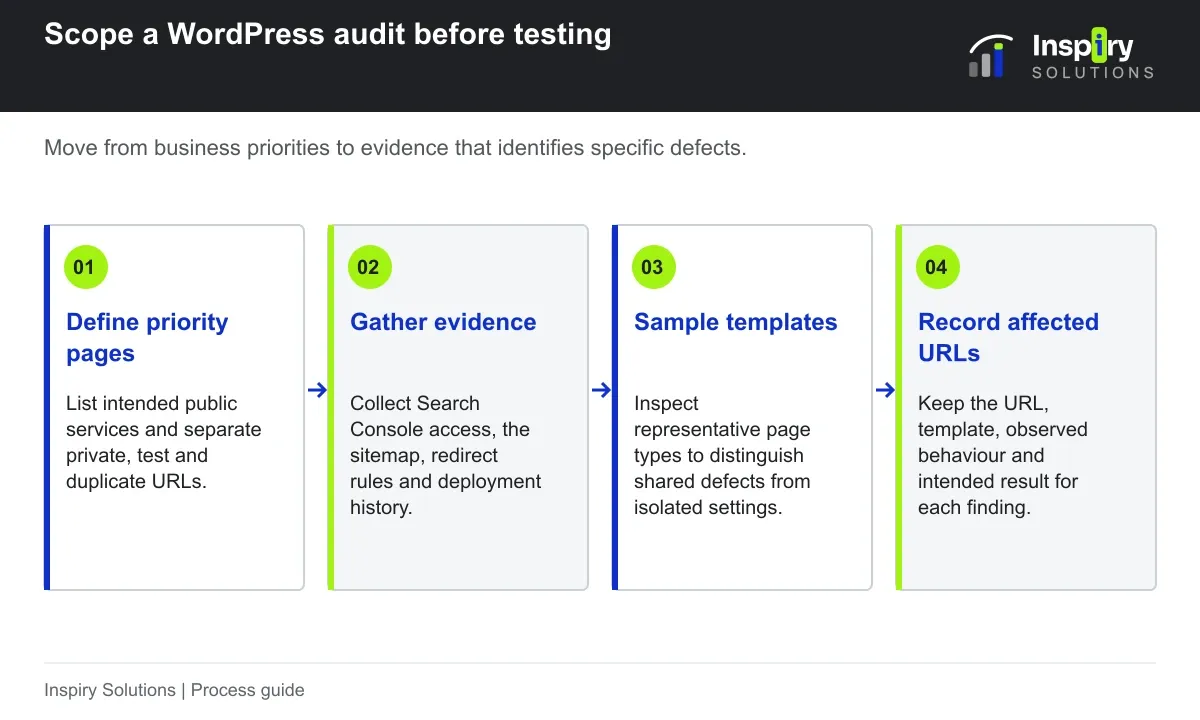
Start with business priorities: which services matter, which locations are genuinely served, and which pages generate qualified enquiries? Create a list of intended indexable URLs. Separate these from account areas, internal search results, test pages and campaign duplicates.
For a technical SEO audit, gather Search Console access, a recent sitemap, the current redirect rules and a deployment history. Ask about theme replacements, SEO plugin changes, domain moves and security incidents. These details help explain patterns that a crawler cannot diagnose alone.
Sample each template in the technical SEO audit: homepage, service page, article, category archive, location page and contact page. For a larger site, also crawl the full accessible inventory. A single template defect deserves different treatment from one incorrect article setting. Define whether technical SEO support includes implementation and verification, as well as the report.
Checks 1-4: access and indexability
1. Confirm WordPress search visibility settings
Check the production site’s Reading settings and the SEO settings for individual pages and content types. WordPress documents its search engine visibility setting as a request to discourage indexing, not an access restriction. A site can remain visible to visitors while asking search engines to exclude it.
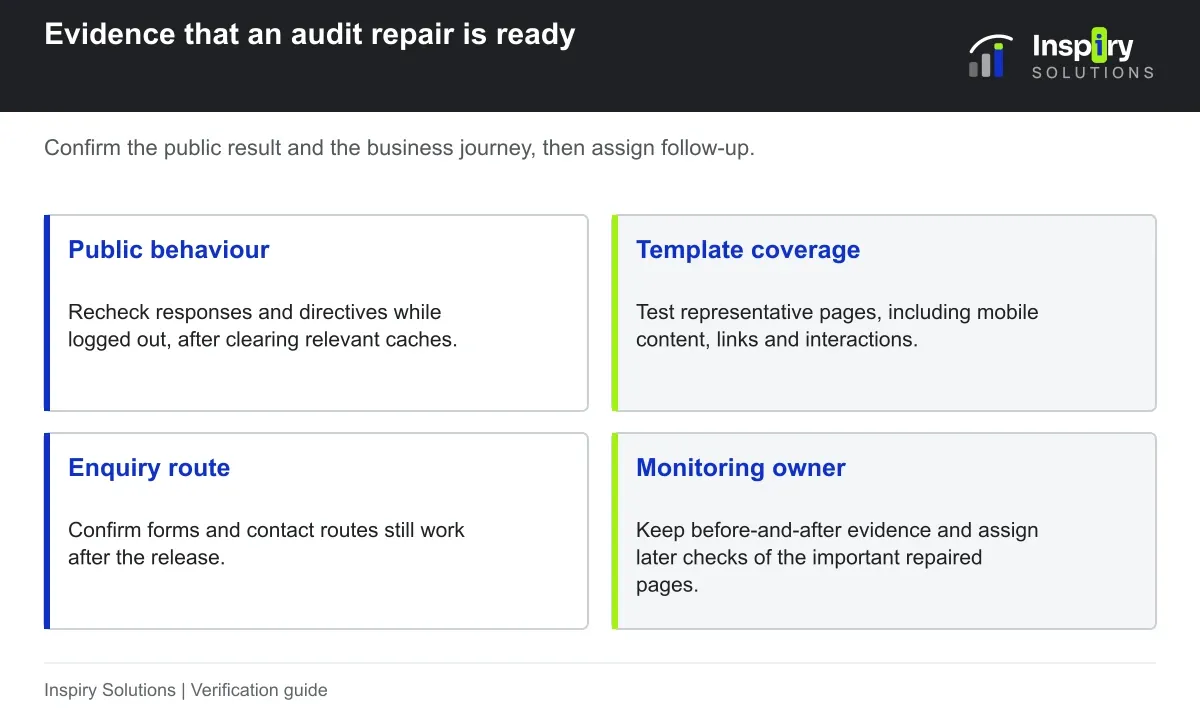
For the technical SEO audit, record both the configured setting and the robots directives delivered publicly. After changing a setting, clear relevant caches and check again while logged out. Keep development environments protected separately; a production launch should not depend on someone remembering one checkbox.
2. Check crawling access and server responses
Public access checks in a technical SEO audit begin with logged-out requests to important pages. Look for successful responses, unexpected errors, security challenges and redirect loops. Review robots.txt against the intended page inventory. An accidentally blocked service directory should take priority over cosmetic metadata warnings.
Google’s technical requirements distinguish eligibility from guaranteed indexing: Googlebot needs access, a working page and indexable content. Use that distinction in the report. State the observed barrier and the affected URLs, rather than promising rankings once the barrier is removed.
3. Compare intended pages with indexing evidence
Indexing evidence in a technical SEO audit comes from inspecting the homepage and priority landing pages in Search Console. Record the last crawl date and reported indexing outcome. Compare pages sharing a template to identify repeated exclusions. Avoid treating every unindexed URL as a defect: duplicates and intentionally retired pages have different purposes.
A useful finding reads, for example, “The live service template emits an unintended exclusion directive on these URLs.” A weaker finding merely says, “Many pages are not indexed.” The former gives a developer something specific to repair and retest.
4. Review the XML sitemap inventory
Match the sitemap to the intended URL inventory for the technical SEO audit, then check that it loads. Look for staging domains, old paths, redirects and pages deliberately excluded from search. Identify which component generates it so that fixes survive the next automatic rebuild.
Google’s sitemap guidance describes sitemaps as a discovery aid. Submission does not replace navigable links or guarantee indexing. Compare the sitemap with your page inventory, then investigate omissions rather than uploading every URL you can find.
Checks 5-8: URLs and architecture
5. Inspect canonical preferences across templates
A technical SEO audit should record the canonical emitted by representative pages, including their parameter variants. Check whether the chosen destination is the intended public page and whether it can be accessed successfully. Investigate a service page naming the homepage or an old staging address as its preference.
A technical SEO audit needs the delivered canonical output as well as the SEO plugin setting. Themes, custom filters and other plugins can affect it. Ask the developer to identify the component responsible before changing several settings at once. Coordinating this work with WordPress development makes template repairs easier to maintain.
6. Test redirects and retired URLs
Document redirect mappings in the technical SEO audit, matching important old paths to their intended replacements. Test the complete journey, including protocol and hostname variations. A redirect to an irrelevant page may hide a broken link from visitors without helping them complete their original task.
Prefer a direct route to the relevant destination when consolidating existing chains. If a service has been removed without a useful replacement, document that decision instead of inventing a catch-all mapping. Include redirect preservation in any website redesign plan.
7. Find broken links and isolated service pages
Follow the site from its main navigation. Can a prospective customer reach each priority service through an understandable route? Check contextual links inside relevant articles as well as menus. Compare your known page inventory with the pages discovered through links to reveal possible orphans.
For broken links in the technical SEO audit, record the source page, anchor text, destination and repair. Replacing a broken link with the right current page is more useful than simply deleting it. Review repeated footer links separately from editorial links so that a large total does not conceal poor contextual navigation.
8. Decide what archives and duplicates should do
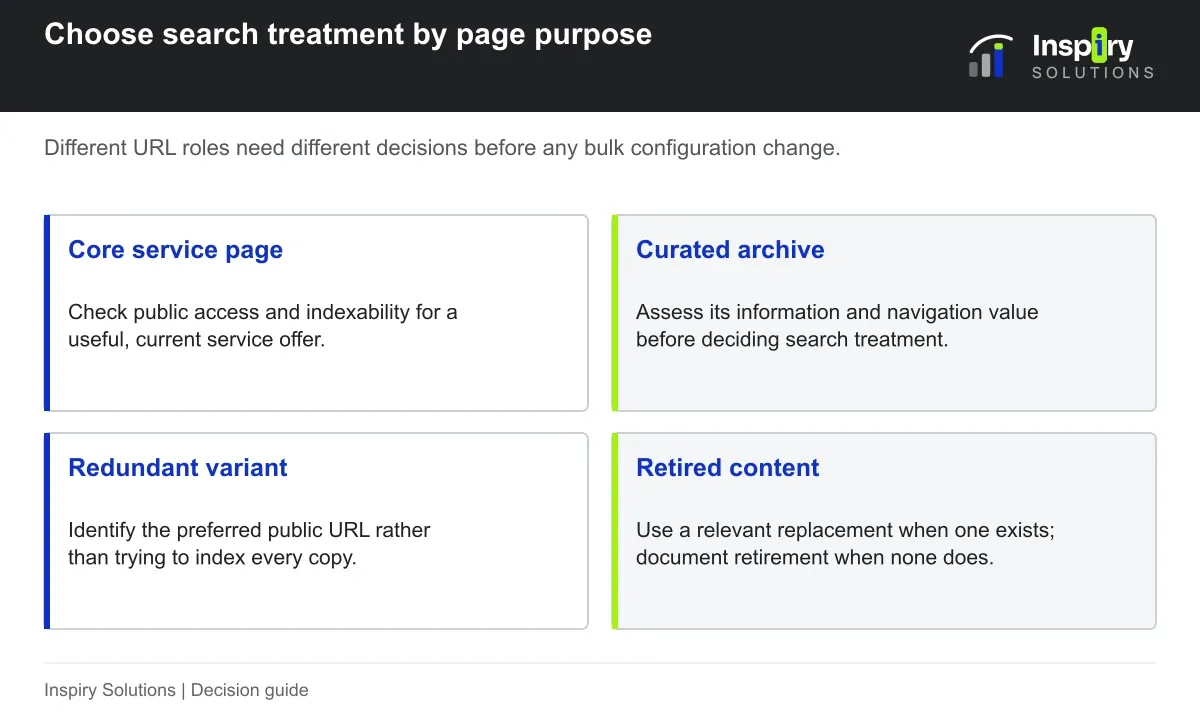
WordPress may expose category, tag, author, date and attachment-related URLs, depending on its configuration. Review what each accessible page actually offers. A curated category hub can be useful; an empty tag archive rarely deserves the same attention as a core service.
The technical SEO audit should define a policy by page type before applying bulk changes. Record which pages stay publicly indexable, which remain useful only for navigation, and which should be retired. Do not remove a taxonomy simply because it creates extra URLs: check its existing traffic and editorial role first.
Checks 9-12: experience and templates
9. Compare mobile content and interactions
Review the same service page on a narrow screen and a desktop. Check whether substantive copy, internal links, headings and contact details remain available. Test accordions, mobile menus and consent overlays. A layout screenshot alone cannot confirm that these elements work.
Use Google’s rendering tools where appropriate to compare the technical SEO audit sample with the expected mobile content. Note dependencies that fail, missing sections and links generated only after unusual interactions. Give the developer a reproducible page and state, rather than a general instruction to improve mobile SEO.
10. Measure performance with the right evidence
The current Core Web Vitals are LCP, INP and CLS. web.dev specifies good thresholds of LCP at or below 2.5 seconds, INP at or below 200 milliseconds and CLS at or below 0.1, assessed at the 75th percentile and segmented by mobile and desktop.
Keep real-user measurements distinct from a single laboratory score. If field data is unavailable, report that limitation. Trace slow behaviour to concrete causes such as oversized imagery, lengthy scripts or unstable layout elements. Scope any website performance improvements against those findings. The Core Web Vitals business guide helps connect these measurements with customer experience.
11. Review titles, headings and structured output
The technical SEO audit should also check whether titles and primary headings accurately distinguish the services. Look for duplicated template labels, empty descriptions and unexpected markup produced by overlapping plugins. Fix patterns at their source before manually editing dozens of pages.
When structured data is present, compare it with visible information and validate the relevant page type. Record what the markup represents and who maintains it. A successful validation result should not be presented as proof that an enhanced search appearance will be shown.
12. Check maintenance risks that can recur
Review update procedures, backups, staging controls and responsibility for monitoring. Ask how the team checks SEO output after a plugin upgrade. A resolved defect can return when a template or configuration is replaced without the same acceptance tests.
Include forms and enquiry routes in release testing. Search visibility has limited business value if visitors cannot contact you. Link recurring checks to the WordPress maintenance budget, with explicit tasks rather than an undefined monthly promise.
Turn technical SEO audit findings into a repair plan
Prioritise by business impact, breadth and confidence. An observed exclusion affecting all service pages deserves urgent action. A suspected improvement on a rarely visited archive can wait for further evidence. Keep separate columns for severity and implementation effort.
| Field | What to record |
|---|---|
| Evidence | URL, template, observed output and test date |
| Decision | Expected behaviour and reason for the change |
| Delivery | Owner, dependency and rollback approach |
| Acceptance | Repeatable technical check and later monitoring |
Hypothetical example: a plumbing company launches three service pages from a staging template. All inherit the wrong exclusion setting. The immediate task is to correct the production rule and confirm public output. The follow-up is to inspect the important URLs after Google revisits them and add an indexability check to future launches.
Keep the original evidence alongside the repaired result. This allows an owner to distinguish completed technical work from later changes in search performance. Agree who will monitor the affected pages and when the team will revisit unresolved outcomes.
Frequently asked questions
How often should a WordPress site be audited?
Use a baseline technical SEO audit, then repeat relevant checks after migrations, redesigns and significant template or plugin changes. Choose a routine review interval based on publishing frequency, complexity and how costly a missed defect would be.
Can an owner start with free tools?
Yes. Search Console, PageSpeed Insights and manual page checks can reveal important problems. Access and interpretation matter more than a long tool list. A larger inventory may justify a crawler and developer support.
Does a high audit score mean the site will rank?
No. A tool score reflects its chosen rules and weighting. Ask which findings affect your priority pages, whether the evidence is current and how the proposed fixes will be verified.
Should every warning lead to another plugin?
No. First identify the existing component responsible. Configuration or template repairs may solve the issue. Adding another plugin without understanding ownership can create conflicting output and additional maintenance work.
Must every WordPress URL be indexed?
No. Start with the pages that serve a clear public purpose. Test pages, redundant variants and private areas need different treatment. Document the intended outcome before attempting to increase the indexed total.
What should an agency deliver after the audit?
Expect a prioritised issue list, affected URLs, supporting evidence, implementation ownership and acceptance checks. Ask for a concise explanation of remaining uncertainty and a schedule for monitoring the important repaired pages.
Make the technical SEO audit actionable
A technical SEO audit earns its value when it leads to clear, verified improvements on the pages that matter to the business. Establish the intended behaviour, fix confirmed barriers, test representative templates and maintain the evidence. Treat search outcomes as something to monitor, not something an audit score can guarantee.