You can track ChatGPT traffic in GA4 by identifying sessions referred from AI assistant domains, then measuring their landing pages and enquiries. Google Analytics 4 (GA4) now includes an AI Assistant default channel for recognised sources, while explorations and custom channel groups offer more control over what you include. The important limitation is that analytics measures identifiable visits, not every time an AI tool recommends your business. A useful report therefore combines AI referrals, meaningful website actions and an explanation of what remains invisible.
This guide is for business owners and marketing leads who want a repeatable measurement setup without specialist analytics knowledge. You will learn where to find existing traffic, build a three-step exploration, create your own channel group and report results without overstating the contribution of AI search.
What GA4 can and cannot show about AI traffic
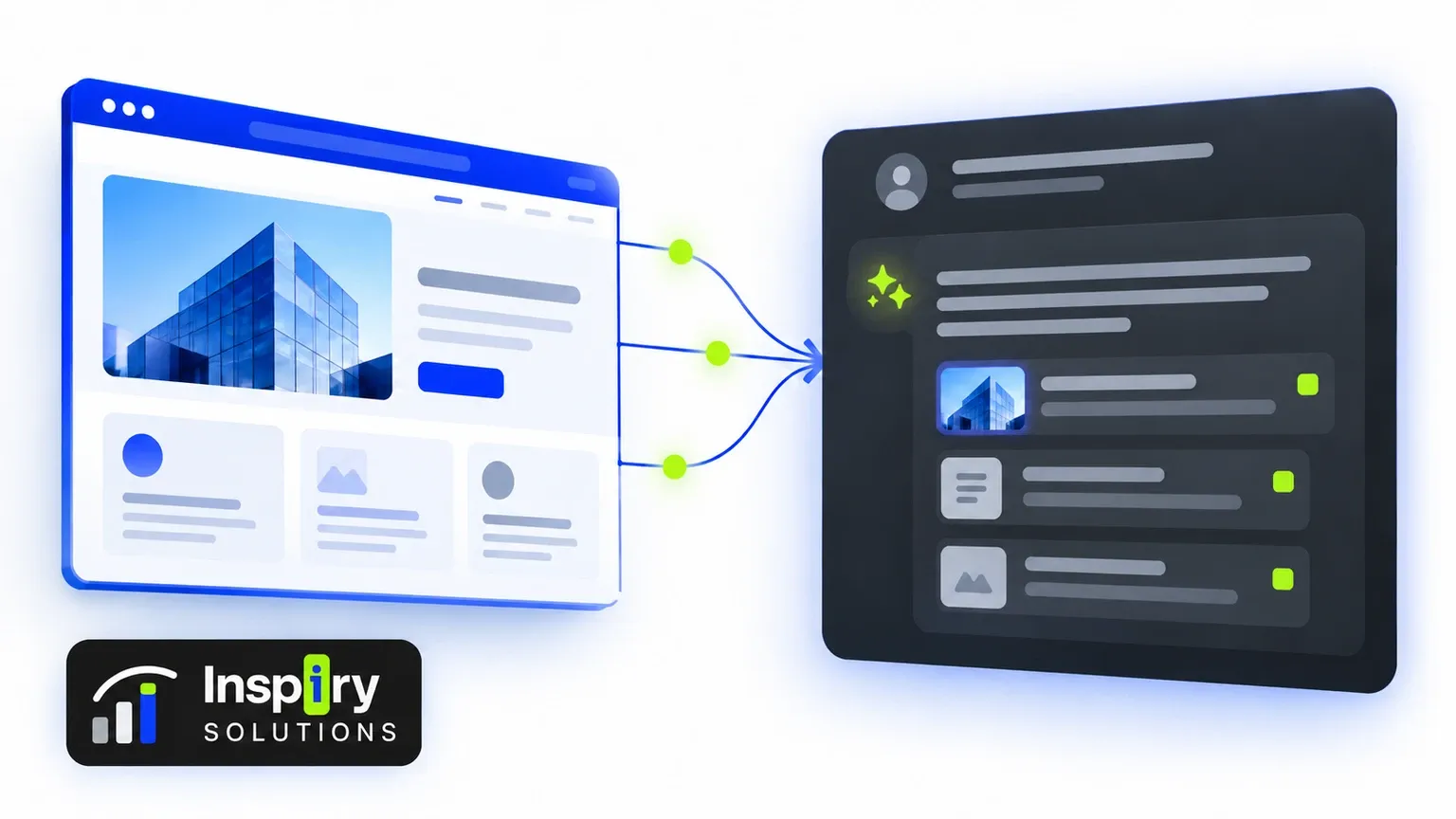
GA4 can identify traffic from AI assistants when a visit carries enough information to establish its source. That may be a referring website, commonly called a referrer, or campaign information attached to the destination URL.
For example, someone asks ChatGPT to recommend a consultancy, follows a link to your website and submits an enquiry. If the visit is identifiable and the form is tracked correctly, GA4 can connect those website actions to the session’s acquisition source.
There is an important distinction between visibility and visits.
- AI visibility: Your business appears in an answer generated by an AI assistant.
- AI referral traffic: Someone follows a link from an assistant to your website.
- AI-assisted enquiry: Someone discovers you through an AI answer and later contacts your business.
- Tracked key event: A valuable website action that your analytics implementation records.
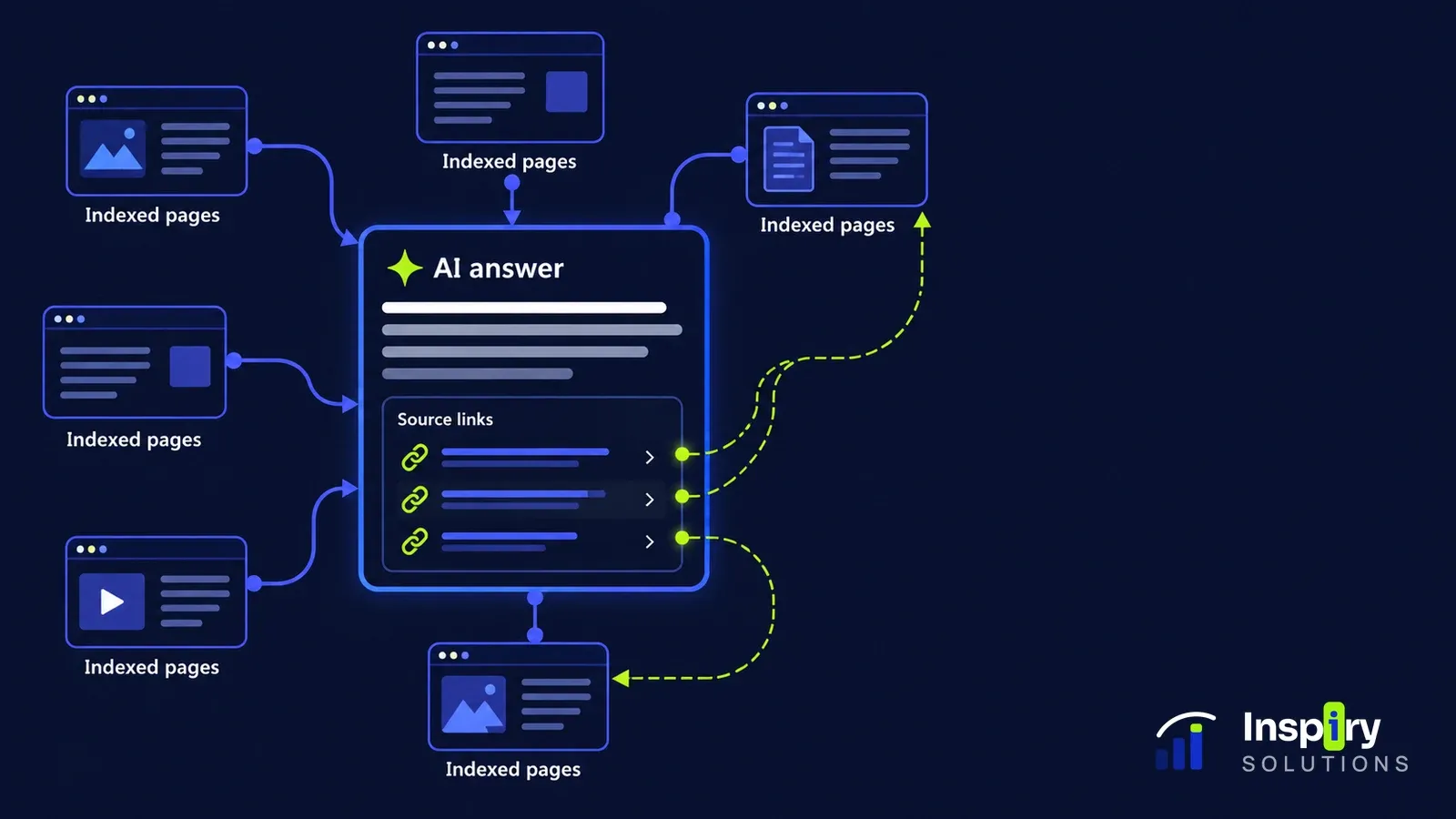
GA4 measures the last three only when there is sufficient tracking information. It cannot count all the AI answers mentioning your business, including answers that generate no clicks.
Google Analytics includes an AI Assistant channel in its default channel grouping. It recognises some assistant sources automatically, but coverage depends on Google’s classification and the information received.
For businesses wanting to improve their appearance in AI-generated recommendations, AI search visibility support should start with understanding the existing evidence rather than treating referral counts as a complete measure of exposure.
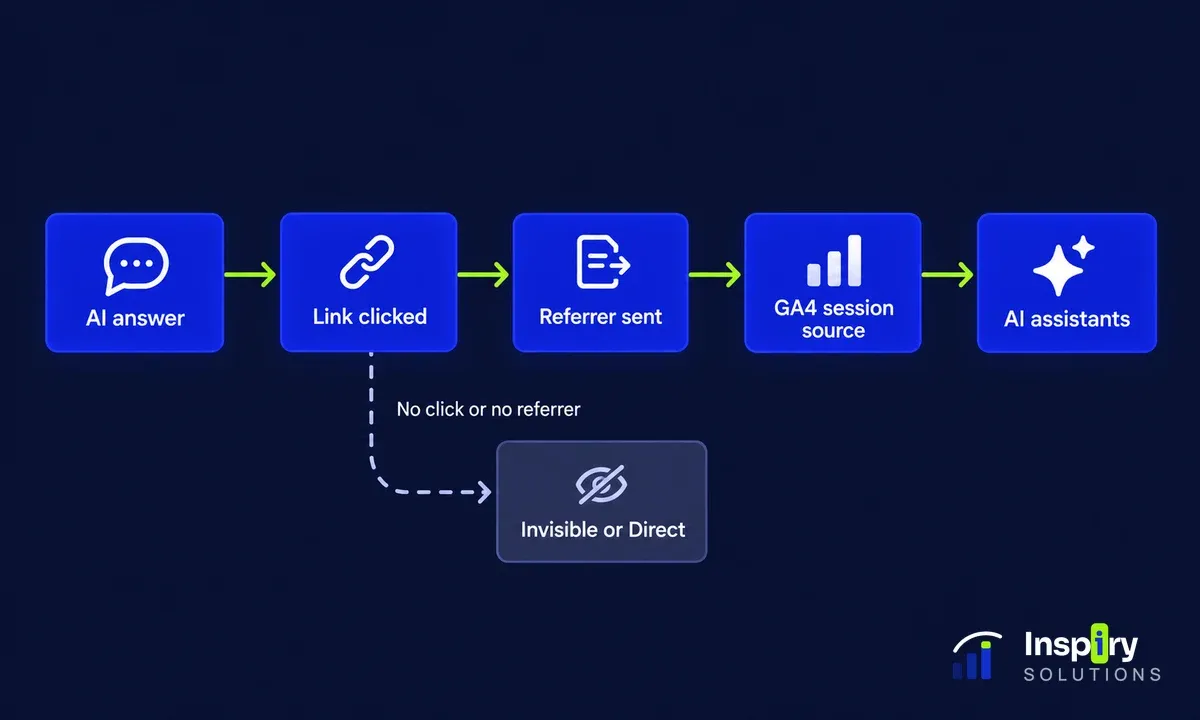
The central rule: AI referral sessions represent measurable website arrivals, not total AI visibility.
Find AI referrals in your existing reports
Open your property and follow these steps:
- Select Reports.
- Open Acquisition > Traffic acquisition, usually within Life cycle or Business objectives.
- Set a useful date range, ideally covering several months.
- Check the Session default channel group dimension for AI Assistant.
- Change the primary dimension to Session source / medium to inspect individual sources.
- Search the table for identifiable assistant domains.
The distinction between dimensions matters. Session source identifies where a visit originated, while session medium describes the acquisition method. Google’s traffic-source dimensions documentation explains why session-scoped values are appropriate for analysing visits.
Some recognised assistant referrals may carry the medium ai-assistant rather than referral. Older data or sources outside Google’s recognised list may still appear in Referral or elsewhere.
AI source domains to investigate
Use the following table as a starting checklist, not as a complete or permanent list of referrers.
| AI source | Referrer domain to check for in your own GA4 data | Where it appears in GA4 | Common blind spot |
|---|---|---|---|
| ChatGPT | chatgpt.com, with older openai.com patterns worth checking | AI Assistant, Referral or another classification depending on identification and date | App or browser opens a page without usable referral information |
| Perplexity | perplexity.ai | AI Assistant or Referral, depending on classification | Answers viewed without a website click |
| Gemini | gemini.google.com | AI Assistant for recognised referrals | Links opened without identifiable source details |
| Microsoft Copilot | copilot.microsoft.com | AI Assistant or Referral, depending on classification | Browser and app transitions may lose referrer information |
| Google AI Overviews and AI Mode | google.com | Google Organic Search | Not separately identified as AI feature clicks in standard reports |
| Claude | claude.ai | AI Assistant or Referral, depending on classification | Visits without usable referrer information |
These domains are candidates to verify, not guarantees about what every platform sends. Your actual Session source values are the evidence that matters.
For ChatGPT referral traffic analysis in GA4, compare both the source and medium rather than searching only the Referral channel. Otherwise, you could overlook visits classified under the newer AI Assistant channel.
Track ChatGPT traffic in GA4 with an exploration
An exploration is a flexible GA4 report that lets you choose dimensions, metrics and filters. A free-form exploration is particularly useful for examining identifiable AI sessions without changing your existing standard reports.
Create the filter
Open Explore > Free form and give the exploration a descriptive name, such as “AI assistant referral analysis”.
Set the date range, then import these dimensions:
- Session source
- Session source / medium
- Landing page + query string
- Session default channel group
Import these metrics:
- Sessions
- Engaged sessions
- Engagement rate
- Key events
For the first table, place Session source in Rows and Sessions, Engaged sessions and Key events in Values.
Next, create a filter on Session source using matches regex. A regular expression, shortened to regex, is a pattern that matches multiple text values.
A practical starting pattern is:
(^|\.)((chatgpt|perplexity|claude)\.(com|ai)|gemini\.google\.com|copilot\.microsoft\.com)$Test it against the actual source values you found earlier. Expand the expression only when you have evidence of another relevant domain.
Use the official Google Analytics Help Centre to confirm the current exploration controls if your interface differs.
Add landing pages
Once the source filter works, create another tab in the exploration or adjust the existing table.
Place Landing page + query string in Rows. Add Sessions, Engaged sessions and Key events as Values.
For example, an AI assistant might send visitors directly to:
- A service page explaining your offer.
- A pricing page that answers commercial questions.
- An article addressing a specific problem.
- A contact page used by someone ready to enquire.
Compare engaged sessions and key events for individual landing pages. A page attracting visits without meaningful actions may need clearer information, stronger internal navigation or a more relevant next step.
Save and share
Name each exploration tab clearly, such as “AI sources” and “AI landing pages”.
Document the following alongside the report:
- Which domains the filter includes.
- When you last reviewed the pattern.
- Which key events represent real enquiries.
- Whether manual campaign sources are included.
- Which tracking limitations apply.
Create an AI assistants custom channel group
A custom channel group is a collection of rules that puts traffic sources into categories. It does not create new visitor data or reveal previously unidentifiable sessions.
To configure one, open Admin > Data display > Channel groups.
Select the option to create a new channel group, using a copy of the default grouping as your starting point where available.
Name the group something descriptive, such as “Marketing channels with AI assistants”.
Then:
- Add a channel called AI assistants.
- Configure its condition using Session source and a regex matching your verified assistant domains.
- Position the new channel above Referral.
- Review its position relative to other potentially overlapping channels. If the copy already contains the default AI Assistant channel, decide which of the two should match first so the same sessions are not split across similar rows.
- Save the group and inspect the results in Traffic acquisition.
The order is important because GA4 evaluates custom channel rules from top to bottom and assigns matching traffic to the first applicable channel.
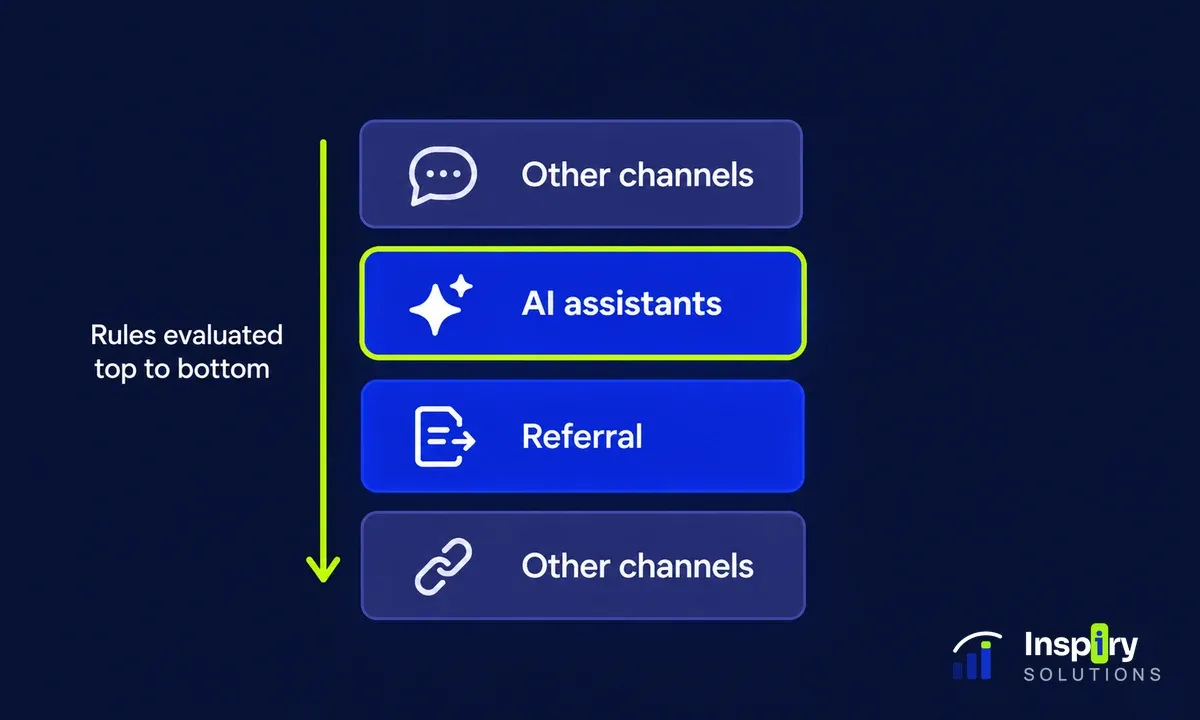
Custom grouping improves reporting organisation. It should never be described as a method of recovering traffic that GA4 did not identify.
Measure quality, not just visits
For most service businesses, the stronger question is whether identifiable assistant visitors become qualified enquiries.
Configure important actions as GA4 key events. These might include a successful enquiry form submission, an appointment confirmation or a properly tracked booking.
Compare AI assistants with Organic Search using the same reporting period and consistent metrics.
| Metric | What it tells you | What it does not prove |
|---|---|---|
| Sessions | How often identifiable visits occurred | Total exposure in AI answers |
| Engaged sessions | How many visits met GA4 engagement conditions | Strong purchase intent |
| Engagement rate | Proportion of sessions classified as engaged | Business value on its own |
| Key events | How many configured important actions occurred | Number of qualified customers |
| Top landing pages | Where visits began | Whether an AI answer recommended you positively |
| Confirmed enquiries | Contacts validated through your business process | Every channel that influenced the decision |
For example, make sure the form submission event fires only after successful submission. Tracking a submit-button click as a completed enquiry can inflate your results when forms fail validation.
If you are working on earning mentions in ChatGPT, measure changes in visibility separately from referral sessions and enquiries. These are related, but different, outcomes.
Hypothetical example
A consultancy finds 40 sessions a month from chatgpt.com in the Referral channel.
After adding an “AI assistants” custom channel and a question to its enquiry form, the business discovers that most identifiable visits land on one pricing page.
Two enquiries during a quarter mention using an AI tool to discover the consultancy.
These figures are illustrative, not a client result.
The useful conclusion is that the pricing page receives measurable assistant visits and some enquiries report AI-assisted discovery. It would be misleading to claim that every enquiry resulted from those 40 monthly sessions.
This distinction matters when deciding what to improve next. The consultancy can review its pricing content, verify enquiry tracking and continue monitoring without inventing an attribution story.
What the numbers miss
Visits classified as Direct
Some AI applications, browsers and redirects do not pass usable referrer information.
When GA4 has no identifiable acquisition source, a visit may appear as Direct, although GA4’s attribution rules can make the precise classification more complicated.
Do not label every unexplained Direct session as AI traffic. That simply replaces incomplete measurement with an unsupported assumption.
Google AI Overviews and AI Mode
Google’s AI Overviews and AI Mode require separate treatment from referrals originating on independent assistant domains.
Google explains in its AI features documentation that performance from these experiences is included in Search Console’s Performance reporting under the Web search type.
Our explanation of how AI Overviews link to sources covers the visibility side of this distinction.
You can use Search Console to evaluate overall search clicks, impressions and landing-page patterns. Google’s Performance report guidance explains how these measurements work.
For a step-by-step interpretation, see a practical Search Console guide.
Avoid claiming that changes in Google organic traffic were caused specifically by AI Overviews without supporting evidence.
Recommendations that never become clicks
A person may read an AI answer, remember your business name and return later through a branded Google search.
Someone else might use an AI recommendation to create a shortlist, then visit you several days later through another source.
This is why an audit of AI answers about you offers different evidence from referral analytics. It examines what assistants actually say, while GA4 examines identifiable website activity.
Missing or inaccurate enquiry tracking
Even when AI referrals are identified correctly, the associated enquiries may be undercounted.
Common causes include:
- Forms that do not trigger an event after submission.
- Booking tools operating on another domain without appropriate measurement.
- Telephone enquiries with no call tracking.
- Consent settings that limit collection.
- Duplicate events that distort conversions.
Test the complete enquiry journey, not just the initial click.
Ask customers how they found you
A simple form question can provide an additional source of evidence:
How did you hear about us?
Possible options include:
- Google Search
- ChatGPT or another AI assistant
- Recommendation from someone
- Social media
- Other
- Not sure
Keep the question optional where appropriate, and avoid forcing a single attribution explanation when customers used several channels.
A form answer about ChatGPT discovery is valuable evidence of customer-reported influence. It is not necessarily proof that an identifiable AI referral session occurred.
Report it honestly
Start with the measurements you can verify.
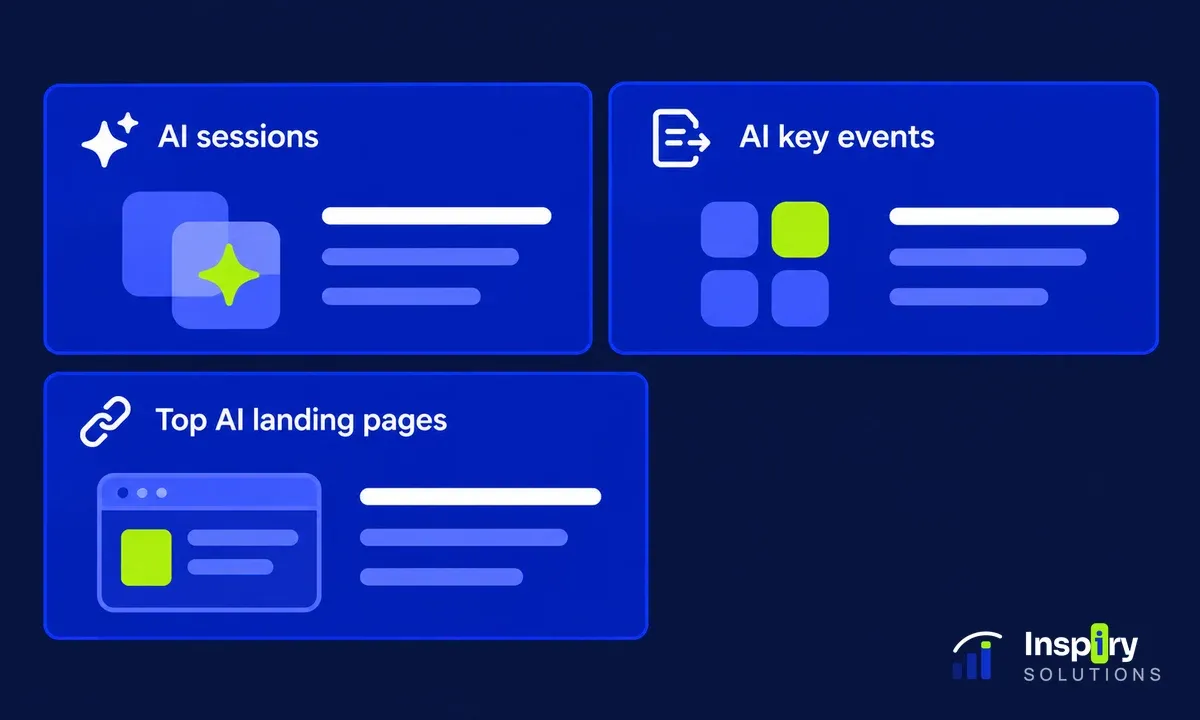
A practical reporting structure is:
| Report item | What to include |
|---|---|
| AI assistant sessions | Total identifiable sessions and reporting period |
| Source breakdown | Recognised assistant sources, checked against observed data |
| AI key events | Recorded enquiries, bookings or other configured actions |
| Top AI landing pages | Pages receiving identifiable assistant visits |
| Comparison | Relevant Organic Search metrics using equivalent definitions |
| Tracking limitations | Missing referrers, Google AI features and offline actions |
| Changes made | New channel rules, tracking fixes or website updates |
Present absolute counts before percentage changes, particularly where the numbers are small.
Include a short written interpretation. For example:
“Identifiable AI assistant sessions reached service and informational pages during the reporting period. Recorded key events are shown separately. These figures exclude recommendations without trackable website visits and do not isolate Google’s AI Overviews.”
This is a model reporting statement, not a claim about actual performance.
The objective is a decision-making report, not a larger-looking performance number.
Common questions
Does GA4 have a built-in AI traffic channel?
Yes. Google Analytics includes an AI Assistant channel in its default channel grouping for some recognised assistant referrals. You should still check Google’s current default channel definitions because classifications can change. A custom channel group lets you define and maintain your own AI assistants category regardless of the default setup.
Why does some ChatGPT traffic show as Direct?
Some applications and browsers do not pass the referrer information that identifies the previous website or assistant. When that information is unavailable, GA4 may classify the visit as Direct, depending on other acquisition signals. You cannot reliably separate all such ChatGPT visits from genuine Direct traffic. A regex cannot recover source information that was never received.
Can I see Google AI Overviews clicks separately?
Not reliably through the standard GA4 acquisition reports or ordinary Search Console Performance breakdowns. Google says AI Overviews and AI Mode traffic is included in Search Console’s Performance report under the Web search type. Those clicks are not split out from other Google organic clicks as a dedicated AI feature total. Treat them separately from identifiable referrals from independent AI assistants.
Is AI referral traffic worth tracking for a small business?
Yes, especially if enquiries matter more than overall visit counts. Even modest AI referral activity may reveal which services or articles attract interested visitors. Track completed enquiry forms, bookings and other meaningful key events, then compare them with customer-reported discovery sources. Avoid judging performance from sessions alone, particularly when the data covers a short period.
How often should I update the AI regex?
Review it whenever a new AI source appears in your referral data or your reporting results change unexpectedly. A quarterly check is a practical minimum. Keep a dated copy of the previous pattern, test any additions against actual Session source values and avoid matching generic words that could capture unrelated traffic. Google’s native classification may also evolve independently of your custom rules.
Set it up once, review quarterly
You do not need an elaborate analytics dashboard to begin measuring assistant referrals. You need consistent definitions, correctly configured key events and a clear understanding of what your reports exclude.
Use this checklist to complete the setup:
- Check the existing AI Assistant channel in GA4.
- Inspect Session source / medium for identifiable assistant domains.
- Build a free-form exploration with an appropriate source regex.
- Add landing pages, engaged sessions and key events.
- Create a custom AI assistants channel group if more control is needed.
- Verify successful enquiry and booking events.
- Review the dashboard monthly and the source rules quarterly.
- Document missing referrers and Google AI feature limitations.
Want AI referrals tracked properly and tied to real enquiries? Send your website URL to hello@inspirysolutions.com for a free audit and a plain-language reply within two working days, or see how our AI visibility service sets up measurement before any optimisation work.