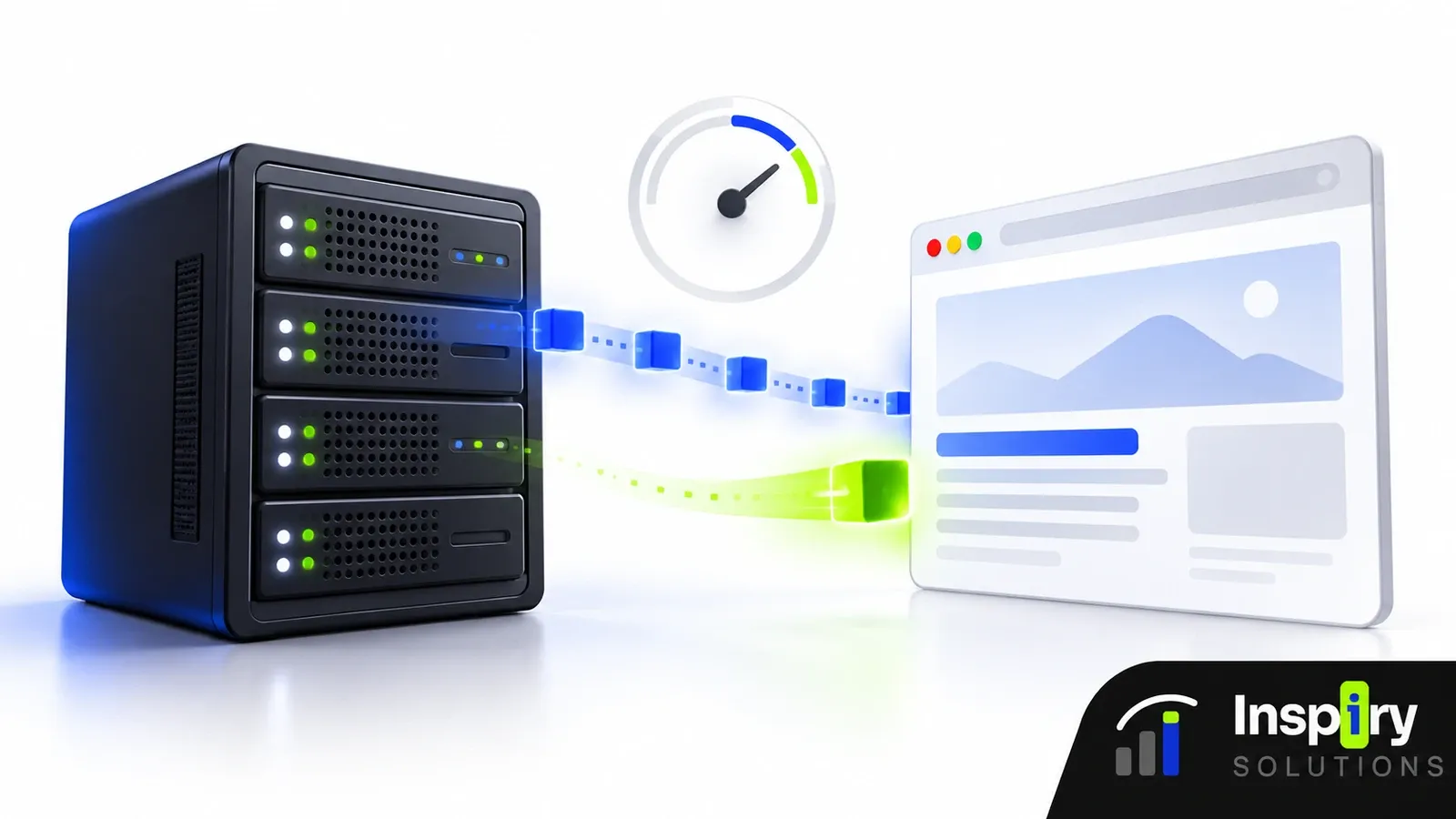
Headless WordPress makes sense when a business needs to publish content across several platforms, has demanding technical requirements or wants more control over how its website is built. For a typical service business, however, standard WordPress is often the more practical choice. A separate front end can improve performance and flexibility, but it also introduces development work that WordPress normally handles for you. The right decision depends on what your website must do, who will maintain it and whether the benefits justify the ongoing complexity.
What headless WordPress means
A standard WordPress website uses WordPress to manage content and generate the pages visitors see. Editors write pages in the dashboard, and WordPress combines that content with a theme and any relevant plugins to produce the public website.
With headless WordPress, those responsibilities are separated.
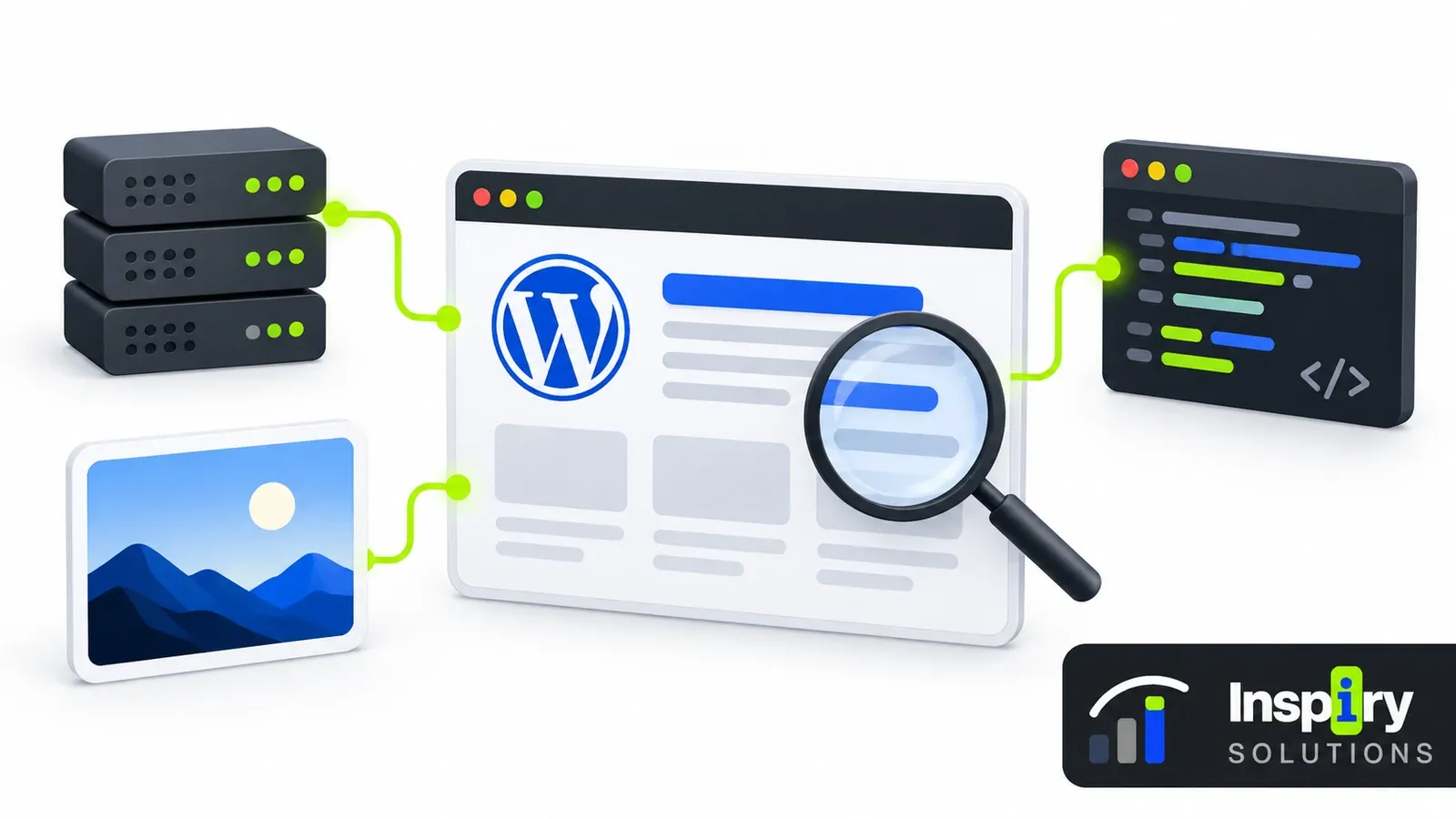
WordPress remains the content management system (CMS), where editors create pages, articles and other information. A separate application builds the website that visitors use.
That public-facing application is called the front end. It controls page layouts, navigation, visual elements and how content appears in the browser.
The two systems communicate through an application programming interface, or API. Think of an API as a structured way for one system to request information from another.
WordPress includes a REST API that can provide posts, pages and other content to an external application. The official WordPress REST API documentation explains how applications can exchange content with WordPress.
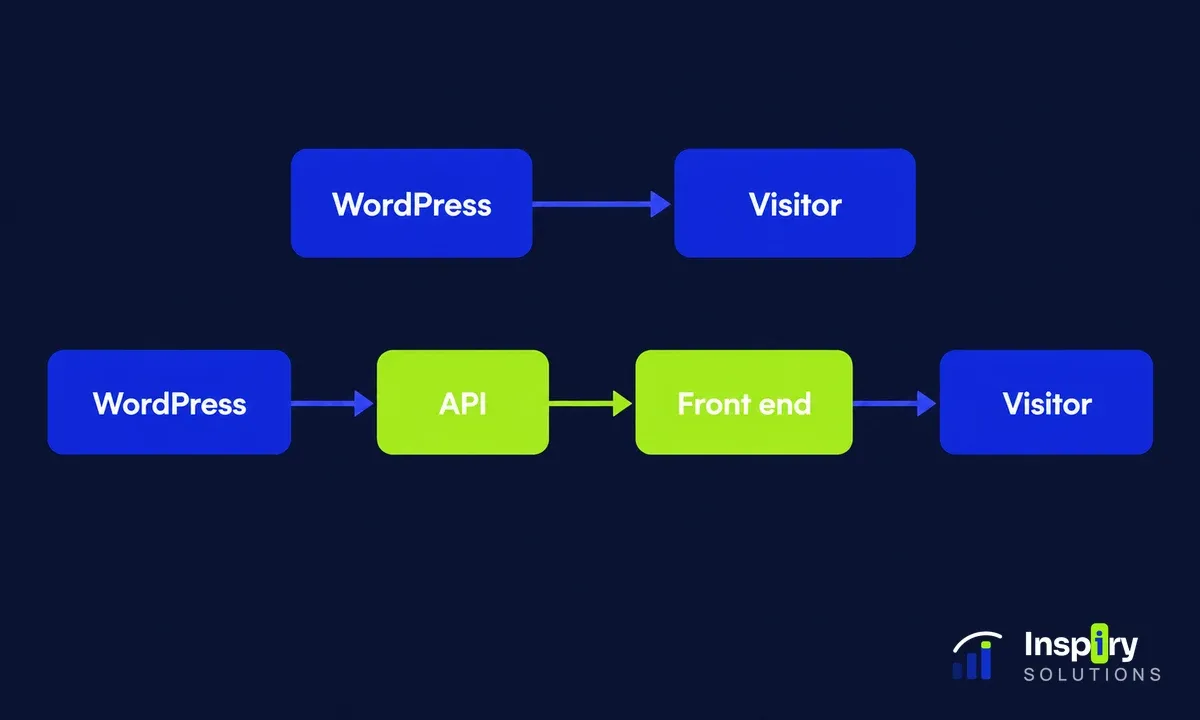
A developer might build the public website using Next.js, Astro or another suitable framework. The choice depends on rendering requirements, content updates, interactive features and the skills available to maintain the project.
The important difference is ownership of the public website. In a conventional setup, WordPress provides much of the page-generation infrastructure. In a headless setup, that responsibility moves to the separate application.
Where headless helps
There are legitimate reasons to choose headless WordPress. The strongest cases involve performance requirements, architectural flexibility or content used in several places.
Fast static or edge-delivered pages
A headless website can deliver pages that have already been generated, rather than asking WordPress to assemble every page when a visitor arrives.
These pre-built pages can be served through a content delivery network (CDN), which distributes website files from locations closer to visitors.
This can reduce the work required to deliver a page and make response times more predictable.
However, the architecture does not automatically guarantee a fast website. Large images, excessive JavaScript and poorly implemented features can still produce a slow experience.
A conventional WordPress site with effective caching can also serve ready-made pages. The real comparison is between two properly optimised implementations, not between a new headless application and an old, neglected WordPress installation.
Before making speed the deciding factor, understand Core Web Vitals in plain English and measure the actual pages your visitors use.
A smaller public attack surface
A headless architecture can separate the public website from the WordPress installation and limit which WordPress interfaces are exposed to visitors.
For example, the content dashboard might be accessible only through a restricted administration domain, while visitors interact with a separate static website.
The WordPress installation still needs updates, secure authentication, carefully managed plugins and reliable backups. The front end, hosting platform, dependencies and API permissions also require attention.
Content shared across several channels
Content reuse is often the most convincing business reason for this architecture.
Imagine a company maintaining product information that appears on its public website, mobile application and customer portal.
With an appropriate content model, editors can manage shared information in WordPress while several applications retrieve what they need through the API.
This reduces the need to maintain independent copies of the same content.
It also requires planning. A mobile application may need shorter descriptions or different image formats than the website. The data must be structured so each channel can use it correctly.
For projects requiring this flexibility, headless WordPress may justify its additional complexity.
For conventional brochure websites, the benefit is often limited.
At Inspiry Solutions, our standard and headless WordPress builds are considered against the site’s actual requirements rather than treating a particular technology as the default.
What you give up or rebuild with headless WordPress
The largest hidden cost of headless WordPress is not necessarily hosting. It is rebuilding useful behaviour that conventional WordPress already provides.
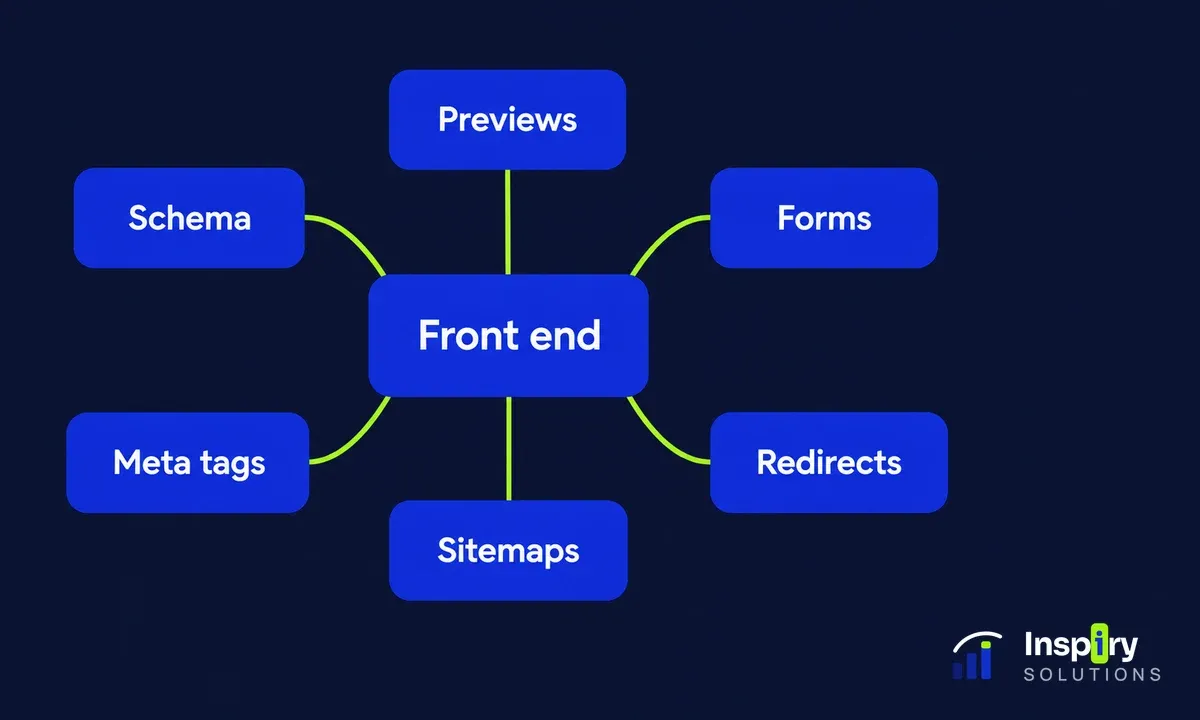
Before development starts, the project scope should explain who will build, test and maintain the following five areas.
1. Plugins that output front-end features
Some operate mainly inside the dashboard, managing custom fields, editorial workflows or backend data. Many of these remain useful in a headless installation.
Other plugins generate visible website features such as forms, menus, galleries, booking interfaces or interactive calculators.
A plugin might still store data in WordPress, but its normal HTML, styling and browser scripts may never run on the public website.
Before rebuilding, create a plugin inventory that separates administrative features from visitor-facing features.
For every visitor-facing plugin, record whether its functionality will be retained, replaced or removed. Require a working demonstration before accepting the migration.
2. Content previews for editors
Standard WordPress provides a familiar editing workflow. An editor can update a page, preview the draft and check how the result looks before publishing.
The front end must be able to retrieve unpublished content securely and display it in the correct layout.
That requires a preview mechanism, appropriate authentication and a way to prevent private drafts from becoming publicly accessible.
Without this work, editors might need to publish changes just to see the final appearance. That creates unnecessary risk for important service pages and campaigns.
Ask developers to demonstrate previews for draft pages, scheduled content and revisions.
3. Forms and site search
Contact forms, quote requests, booking tools and website search are common parts of a business website.
In standard WordPress, plugins can provide these features with comparatively little custom development.
In a headless setup, a form needs a visible interface, validation, secure submission handling and somewhere to send its data.
It may also require spam protection, email notifications, consent handling and integration with a customer relationship management system (CRM).
Site search brings similar questions. Which content should be searchable? How quickly must results update? Should unpublished or restricted information be excluded?
Test the full customer journey. A form that looks correct but fails to deliver enquiries is a business failure, regardless of how modern the architecture appears.
4. Redirects and URL changes
Businesses regularly rename pages, merge services and replace old content.
On a headless website, public requests usually reach the front end or its hosting platform first. Redirect rules must therefore be handled in the appropriate public-serving layer.
Without a reliable process, a routine editorial change can create broken links or leave visitors arriving at outdated addresses.
Decide who owns the redirect list, how changes are approved and how redirects are tested after deployment.
Include a migration check for existing URLs before replacing an established website.
5. SEO meta, schema and sitemaps
Traditional SEO plugins often generate page titles, meta descriptions, canonical tags and structured data as part of WordPress page output.
The front end needs an explicit process for receiving or generating the correct SEO information.
This includes titles, meta descriptions, canonical URLs, robots instructions, social sharing metadata and schema markup.
The critical test is the final page a search engine receives, not whether a field is populated inside the WordPress dashboard.
Running costs and who maintains it
Headless WordPress commonly involves a WordPress environment plus a separate front-end application.
On a standard website, an editor changes a paragraph, checks the preview and publishes it. WordPress updates the public content, subject to any relevant caching.
A dynamically rendered application may request updated content when the page is accessed.
A statically generated application might need a rebuild, a deployment or selective regeneration before visitors see the change.
Caching rules can introduce another step if the old version must be invalidated.
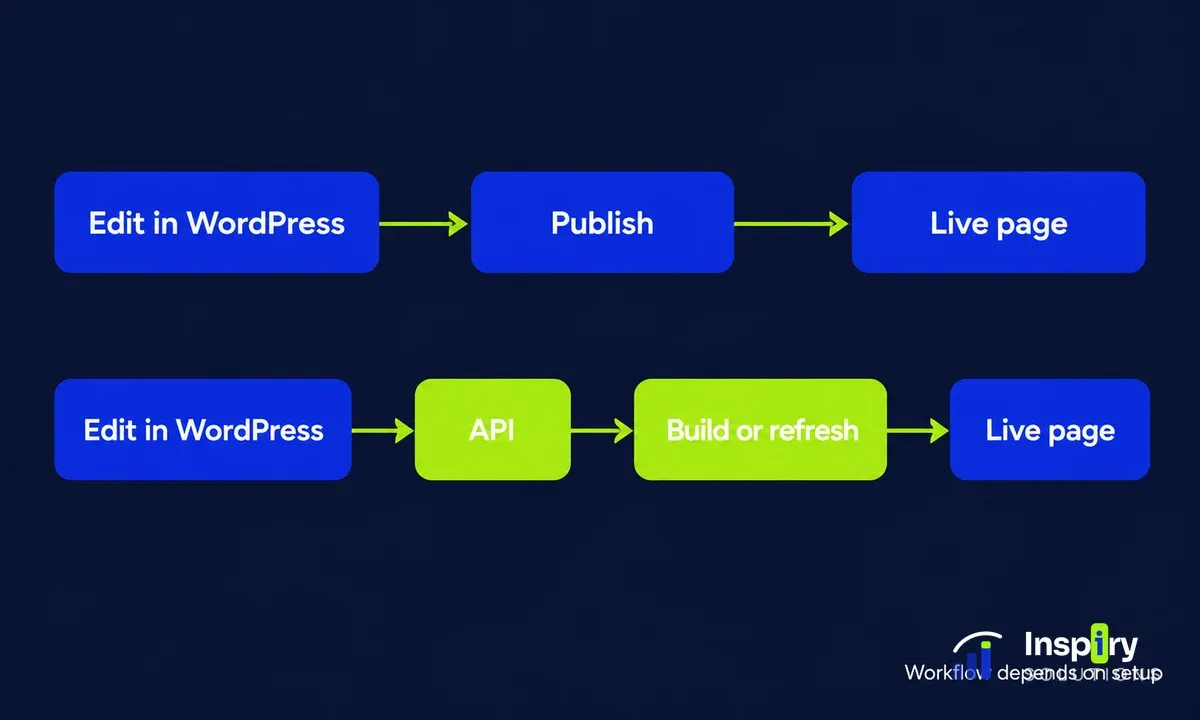
These processes can be automated. Good automation, however, still needs someone to configure, monitor and repair it when something fails.
On a custom headless front end, a layout change may require someone familiar with the framework, component structure and deployment pipeline.
Before signing a development proposal, clarify:
- Who maintains WordPress, the API and the public application?
- Who updates software dependencies and handles security alerts?
- Can editors publish content without developer involvement?
- Who investigates failed builds or content synchronisation problems?
- How are backups, rollbacks and incident recovery managed?
- What happens if the original developer is unavailable?
A headless CMS for a business website should have an ownership model that survives the original project team.
A low initial build quotation is not necessarily good value if routine marketing work later requires specialist development.
SEO and rendering on a headless site
Headless WordPress is not inherently worse for search engine optimisation.
With server-side rendering, a server generates the page’s HTML before sending it to the browser.
With static generation, that HTML is prepared ahead of time and served when requested.
Both approaches can make important page content available directly in the initial HTML.
Client-side rendering works differently. The browser receives a page that relies more heavily on JavaScript to construct visible content.
Google can process JavaScript, but rendering introduces additional considerations. Google’s official JavaScript SEO guidance explains how JavaScript-generated content is processed and why implementation details matter.
For important business pages, server-rendered or pre-built content is usually a sensible starting point.
Check that each public page returns the intended title, meta description, canonical URL and indexability instructions.
Structured data should describe the content actually displayed. Sitemaps should include appropriate public URLs, and redirects should be tested at their final destinations.
Do not assume that configuring an SEO plugin inside WordPress completes these responsibilities.
Inspect representative service pages, articles and any other important templates. Compare the rendered content with the expected page and investigate missing elements.
Headless or standard WordPress: a decision table
The table below shows which approach is usually more suitable for common situations.
| Scenario | Standard WordPress | Headless WordPress | Why |
|---|---|---|---|
| 10-30 page service site edited by marketing | Recommended | Usually unnecessary | Marketing needs straightforward editing, previews and familiar plugins |
| Content shared across website and app | Possible with custom integration | Often recommended | Several applications can use one structured content source |
| Heavy reliance on form and booking plugins | Recommended | More development required | Existing visitor-facing features may need replacing |
| Strict performance budget with in-house developers | Worth evaluating | Strong candidate | An experienced team can control rendering and delivery |
| Multiple front ends from one content source | Possible, but less natural | Recommended | Separates content management from several presentation systems |
| Small team with no developer on retainer | Recommended | Higher operational risk | Custom application maintenance needs reliable technical ownership |
The table is a starting point, not an absolute rule.
The decisive factors are content requirements, available skills and the total ownership cost.
Ask developers to explain what standard WordPress cannot reasonably deliver before approving a separate front end.
Common questions
Is headless WordPress faster?
It can be, especially when pages are generated in advance or rendered efficiently on the server and delivered through a CDN. However, a well-optimised standard WordPress website is often fast enough for a typical business. Both approaches can suffer from large images or excessive scripts. Measure the current bottlenecks before deciding that headless is the solution.
Do WordPress plugins work on a headless site?
Plugins that operate mainly inside the WordPress dashboard usually continue to work, although compatibility depends on their specific functions. Plugins that generate front-end features often need to be rebuilt, integrated differently or replaced. Review important plugins before development begins, particularly those responsible for forms, bookings, search and other customer-facing interactions.
Is headless WordPress bad for SEO?
Not inherently. Pages rendered on the server or generated in advance can provide accessible HTML for search engines. The front end must still handle page titles, meta descriptions, canonical tags, structured data, redirects and sitemaps correctly. SEO success depends on the implementation and content quality, not simply whether WordPress is headless.
Can editors still preview pages?
Yes, but only when the development team implements a preview system within the separate front end. WordPress does not automatically provide the complete public-page preview experience for a custom application. Include previews in the initial scope and test them with real editors before launch. Drafts should remain private until they are approved for publishing.
Is headless more secure?
The public website can expose less of WordPress, particularly when the administration system is separated from visitor-facing infrastructure. This may reduce some attack opportunities, but it does not eliminate security work. WordPress still needs updates, protected logins and backups. The front-end application, APIs, hosting environment and software dependencies also need ongoing security maintenance.
Faster without going headless
Performance concerns often trigger conversations about replacing WordPress entirely.
That can be an expensive response to a problem that has not been properly diagnosed.
Start with server response time, including Time to First Byte (TTFB). This measures how long it takes before the browser starts receiving the server’s response.
A slow response can involve hosting limitations, uncached pages, expensive database operations or inefficient application processing.
Understanding why server response time is slow helps distinguish server problems from front-end problems.
Google’s guidance on optimising Time to First Byte describes practical areas to investigate, including redirects, hosting and caching.
Check image dimensions and compression, font loading, unnecessary scripts, third-party widgets and resources that delay important content.
Evaluate caching at the page, server and CDN levels.
Also check whether performance problems affect every page or only particular templates, devices or visitor journeys.
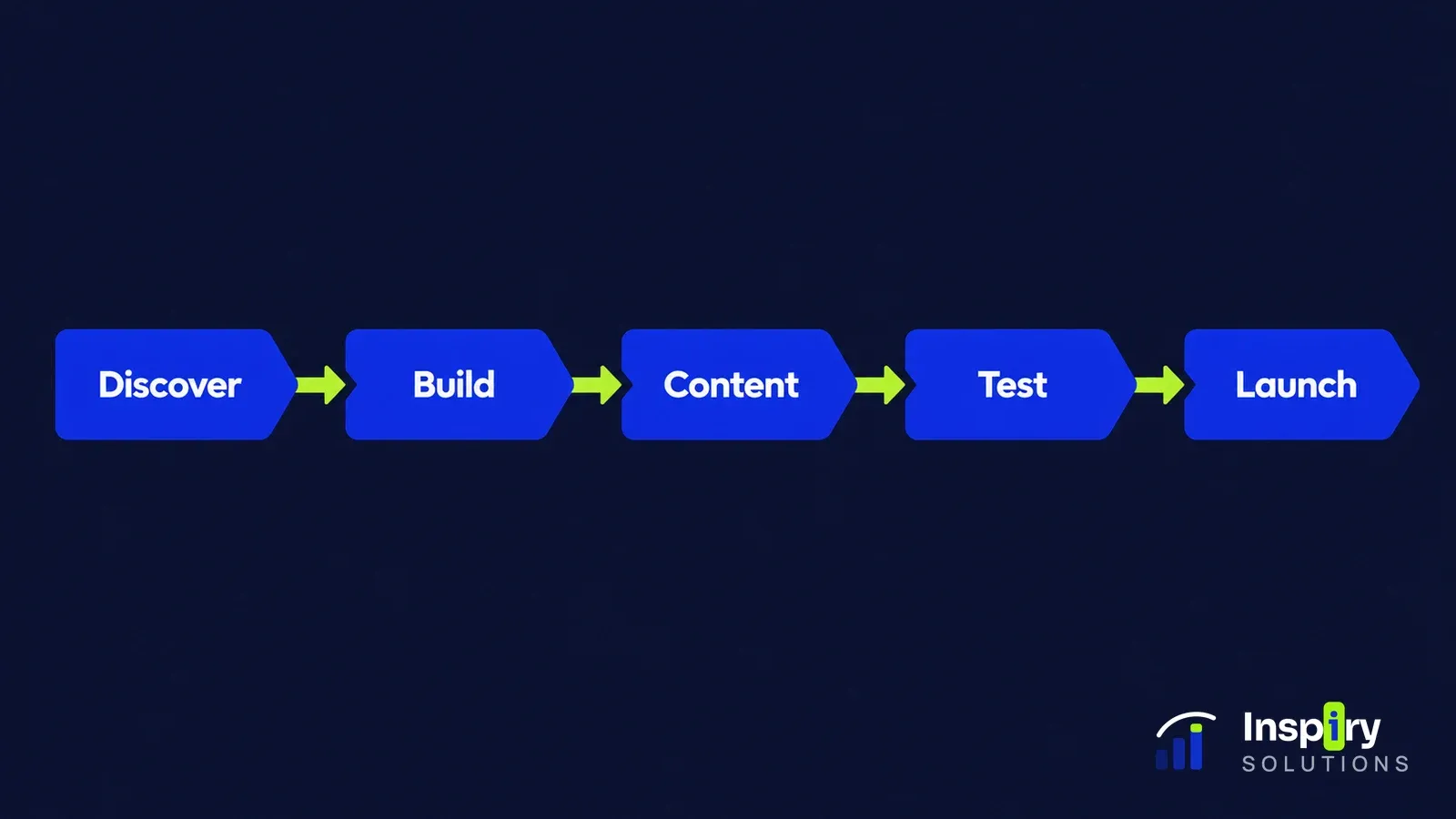
The practical sequence is to measure, identify the bottleneck, make a targeted improvement and measure again.
Headless is worth revisiting when the business needs several content channels, existing rendering limitations cannot reasonably be addressed or a specialist development team is available to own the platform.
For businesses unsure where to start, performance diagnosis before a rebuild provides a more useful basis for investment than assuming a new framework will solve every speed issue.
Hypothetical example: A consultancy with a 20-page WordPress website.
Its marketing lead wants faster pages and has heard that a headless rebuild could improve the experience.
An initial review finds slow server responses and several oversized images. There is no mobile application, and the marketing team relies on familiar WordPress editing tools.
The appropriate first step is to improve caching, investigate server processing and optimise those images.
In this hypothetical situation, those targeted changes resolve the identified performance problems without separating the content system from the website.
The consultancy keeps its established editing process and avoids the additional maintenance responsibilities of a custom application.
Now consider a different organisation that publishes the same structured information to a website and mobile application.
Its developers already maintain both platforms, and content must remain consistent across them.
A headless approach could make sense because the shared content source provides a meaningful operational benefit.
Both organisations use WordPress, but their requirements differ.
The lesson is that architecture should follow the content and operational needs of the business.
A headless website is justified when its specific advantages outweigh the functionality and maintenance work it introduces.
Both scenarios are illustrative, not client results.
Identify how editors publish content, which integrations generate enquiries, whether information must reach other applications and who will maintain the system after launch.
Request a proposal that covers both development and ongoing operation.
For a standard WordPress build, ask how performance, security, editing flexibility and plugin compatibility will be handled.
For a headless build, request explicit plans for previews, forms, search, redirects, metadata, deployment and recovery.
Compare the complete systems, not just the initial designs or performance demonstrations.
Before you commit to a headless rebuild, send us the site for a free audit so we can show where the time actually goes. Our WordPress development service builds both standard and headless setups.
Email hello@inspirysolutions.com with your website URL and the main problem you want to solve. You will receive a plain-language reply within two working days.
Send your website URL to hello@inspirysolutions.com for a plain-language reply within two working days.