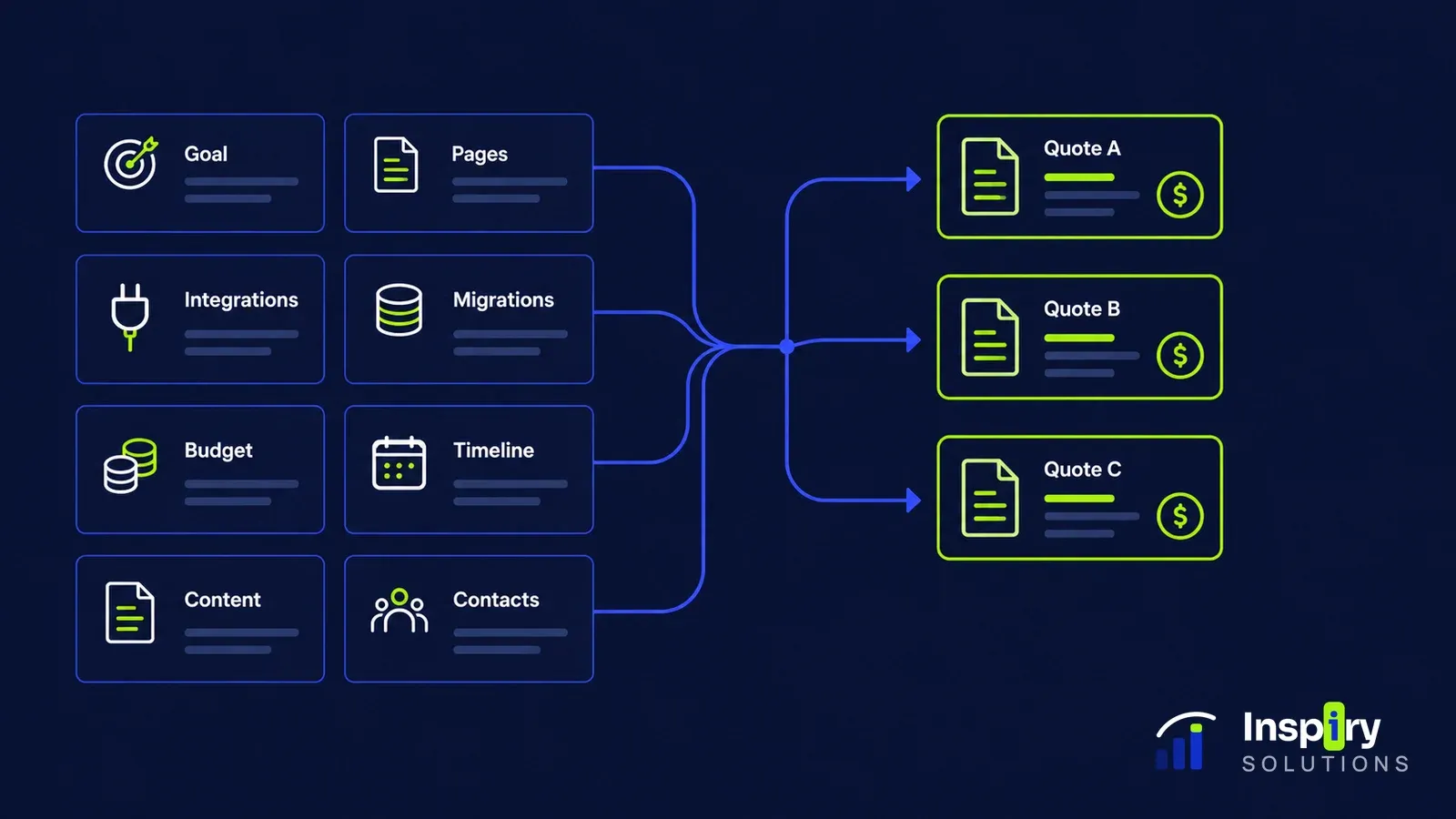
A WordPress website build timeline depends on scope, content readiness, decisions and whether an existing site needs migrating. A small website using an existing theme can move quickly when content is ready, while a business website with custom templates and integrations needs considerably longer. A substantial rebuild can take additional time because existing content, URLs and search visibility need protecting. These are planning ranges, not delivery promises. A reliable launch date comes from reviewing requirements, assessing the existing website and agreeing responsibilities.
If you are planning a new business website or replacing an older one, this guide explains how to assess a proposed schedule, identify common delays and understand where tasks can overlap without compromising testing.
The short answer: it depends on four things
How long does a website take to build? Page count matters, but four other factors often have a greater influence on the website project timeline.
1. Scope and technical requirements
A five-page brochure website differs from a 25-page business site with conditional forms and external integrations.
Unique templates matter as much as page count. Twenty pages using three templates may be easier to build than eight pages requiring different designs and functionality.
2. Content readiness
Developers can prepare layouts using draft text, but final copy and images affect spacing and presentation. Changes after design approval create additional work.
The timeline should identify who supplies, approves and uploads content.
3. Decision speed
Every approval creates a dependency. Conflicting feedback from several stakeholders can consume more time than implementation.
One authorised decision maker and agreed feedback deadlines make scheduling more predictable.
4. Existing website migration
A rebuild may require an inventory of existing URLs, content decisions, redirects and search monitoring. These tasks should be assessed before quoting the WordPress site build time.
The useful question is how long the complete process takes, including work your organisation must supply.
Your WordPress website build timeline in five phases
A practical WordPress website build timeline has five phases: discovery and audit, design and templates, build and integrations, content entry, and testing and launch.
Each phase produces deliverables that can be reviewed before dependent tasks progress. Post-launch monitoring should also appear in the original project plan.
Our WordPress development process begins by assessing requirements and technical conditions rather than assigning an unsupported completion date.
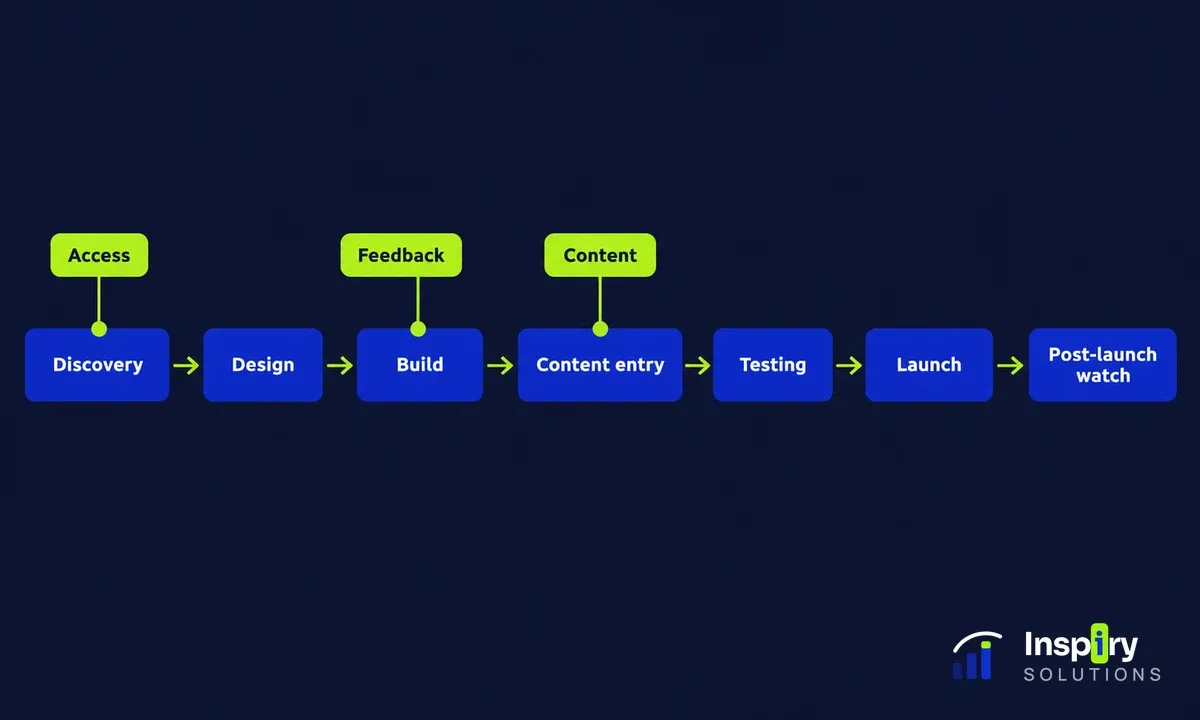
Some activities overlap. Content preparation can begin during discovery, and developers can configure WordPress while designs are finalised. However, implementing layouts should not depend on unresolved design decisions.
1. Discovery and audit
Discovery establishes what the website must achieve and what already exists.
For a new website, this involves reviewing the brief, required pages, audience, hosting, features and integrations. For a rebuild, it also includes examining existing templates, plugins, URLs, content and technical problems.
A useful discovery output includes:
- Agreed pages and navigation structure.
- Required templates, functionality and integrations.
- Content responsibilities and outstanding materials.
- Technical problems and migration requirements.
- Decision makers, approvals and dependencies.
The client approves the scope before design and development commitments become fixed.
Discovery may be straightforward for a small website or considerably heavier for a complicated rebuild. Skipping it usually moves unresolved questions into later, more expensive stages.
2. Design and templates
Design establishes how the website communicates information and guides visitors between pages.
Designers prepare representative layouts, such as the homepage, service pages, archives and contact page. Reusable components may include navigation, testimonials, calls to action and forms.
An established theme generally requires fewer original design decisions than a fully custom visual system.
The distinction between a custom theme versus a premium template therefore influences design workload and future maintenance.
Clients should review content hierarchy, mobile presentation, navigation and functionality, not simply colours.
Design sign-off authorises implementation of agreed templates. Significant structural changes afterwards may require rework and a revised schedule.
3. Build and integrations
This phase converts approved designs into a functioning WordPress website.
Developers configure the theme, implement responsive templates, create reusable components and connect required functionality. Accessibility, performance and technical SEO foundations should be addressed within the agreed scope.
Integrations may include contact forms, CRM systems, booking tools, payment providers or external data services.
Complexity depends on more than plugin count. A documented integration may be straightforward, while a custom workflow requiring authentication, error handling and testing can be demanding.
Clients must supply account access, credentials and decisions about information flowing between systems.
Development can overlap with content preparation, but third-party functionality cannot be fully verified without working accounts.
The output is a staging website ready for real content and detailed testing.
4. Content entry
Content entry transforms a technically complete structure into a usable business website.
Tasks include placing approved copy, selecting images, formatting headings, adding internal links and checking page-specific calls to action.
WordPress supports page editing through its block editor, described in the official WordPress Block Editor documentation. Other projects use visual page builders or custom fields.
Content entry is frequently underestimated because empty templates can appear complete.
Real copy reveals awkward headings, unsuitable image crops and missing information. It may also expose differences between approved designs and actual page requirements.
The client approves final copy and imagery. The developer verifies presentation across templates and devices.
This phase must be completed for the relevant pages before full acceptance testing.
5. Testing and launch
Testing confirms that the website works as intended before visitors use it.
Checks include navigation, forms, responsive layouts, browser behaviour, accessibility, integrations, tracking and redirects where applicable.
Critical defects must be corrected and retested before release.
The client approves the staging website against agreed acceptance criteria. Developers then perform deployment and production checks.
Technical responsibility does not automatically end at publication. Broken links, forms and indexing issues require monitoring after launch.
A complete WordPress website development timeline therefore includes the post-launch period.
What usually slows a website project down
Unresolved dependencies often threaten a website timeline more than development speed.
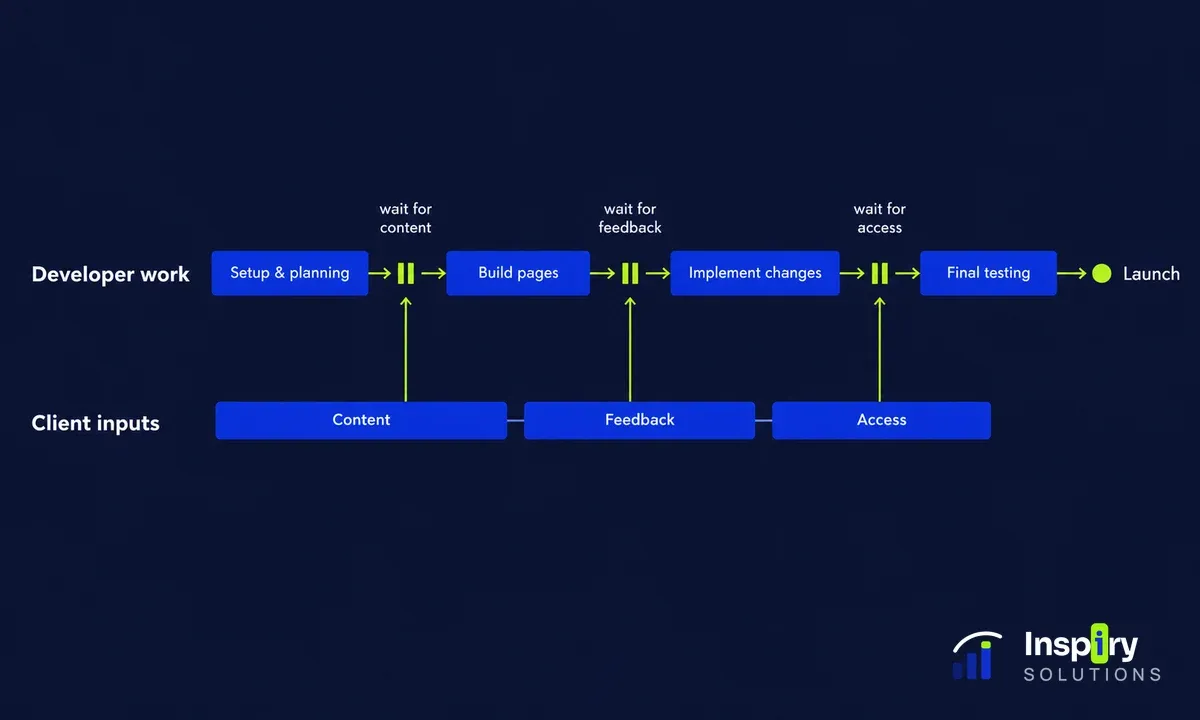
Late content and images
Designers can use placeholders, but unfinished service descriptions and missing imagery eventually prevent meaningful testing.
Late content may require adjustments to spacing, sections and mobile layouts.
Feedback from too many approvers
Multiple stakeholders can contribute useful perspectives, but separate reviews can introduce contradictory changes.
Consolidated feedback from one authorised decision maker reduces revisions.
Missing account access
Developers may need hosting, domain registrar, DNS, analytics, Search Console and integration access.
DNS determines where a domain points, while hosting serves the website. Missing access can block deployment.
Integrations discovered during development
A CRM connection, booking workflow or payment requirement introduced halfway through the WordPress build may change forms, templates, data handling and testing.
Identify these requirements during discovery.
New scope after design approval
Additional pages, navigation changes and features create work beyond the original plan.
The requests may be justified, but schedule and cost implications must be assessed.
Hypothetical example: A 15-page accountancy website finishes design and development on schedule, but the client has not provided final copy for several service pages.
Instead of delaying everything, the business could launch its homepage, core services, about page and contact page after proper testing. Additional pages could follow when approved.
However, staged publication must respect navigation and SEO requirements. Removing existing indexed pages during a rebuild without an appropriate plan introduces risk.
The lesson is that one late input can delay several dependent tasks. Identifying the critical path early creates more options.
Small site, business site and rebuild compared
A WordPress website build timeline changes with design complexity, technical requirements and migration work.
The following comparison describes relative effort, not guaranteed delivery periods.
| Phase | Small site (5-8 pages) | Business site (10-30 pages, custom templates) | Rebuild of an existing site | Main dependency on the client |
|---|---|---|---|---|
| Discovery and audit | Light: straightforward scope | Moderate: multiple templates and requirements | Heavy: existing systems and content review | Complete brief, existing URL and access |
| Design | Light: established layouts | Heavy: custom templates and approvals | Moderate to heavy: current content and structure | Brand assets and timely feedback |
| Build and integrations | Light: standard functionality | Moderate to heavy: custom features | Heavy: compatibility and migration work | Integration access and feature decisions |
| Content entry | Light: fewer pages | Moderate to heavy: more content types | Heavy: review, migration and restructuring | Final copy, images and content approvals |
| Testing | Moderate: forms and devices | Heavy: templates, forms and integrations | Heavy: old URLs, new functions and compatibility | Acceptance testing and defect feedback |
| Launch and post-launch watch | Light to moderate: deployment checks | Moderate: tracking and functional checks | Heavy: redirects, indexing and monitoring | Domain access, launch approval and escalation contact |
An eight-page website with complicated functionality could require more work than a larger website using established templates.
Likewise, preserving existing URLs and functionality may make one rebuild easier than another involving a new domain and substantial content migration.
A credible proposal should explain the tasks behind its estimated duration, not rely on page count.
For budget considerations, see what a website costs by project type.
How a rebuild adds time a new site does not need
A website redesign timeline must account for what happens to existing content, URLs and functionality, not merely how quickly replacement pages can be built.
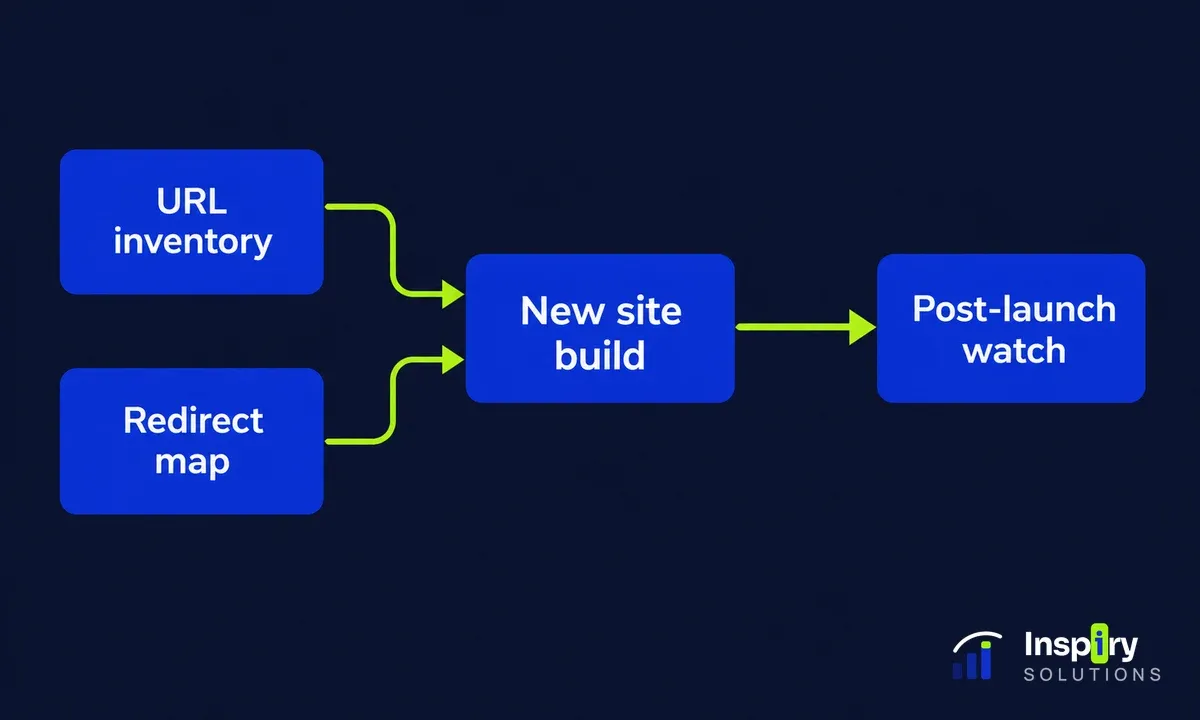
Start with a URL inventory
List existing pages, posts and important resources. Review the sitemap alongside analytics and Search Console data where available.
Identify URLs receiving traffic, attracting external links or supporting important customer journeys.
Classify each address as something to preserve, replace, redirect or retire.
Decide what content stays
Review content and classify pages as keep, improve, merge or remove.
This prevents outdated information and structures from being copied automatically.
Approve content decisions before finalising redirect mappings.
Prepare the redirect map
Redirects send visitors and search engines from old addresses to suitable destinations.
When URLs change permanently, Google’s guidance on permanent redirects explains server-side permanent redirects.
Avoid sending unrelated old pages to the homepage simply because their replacements do not exist.
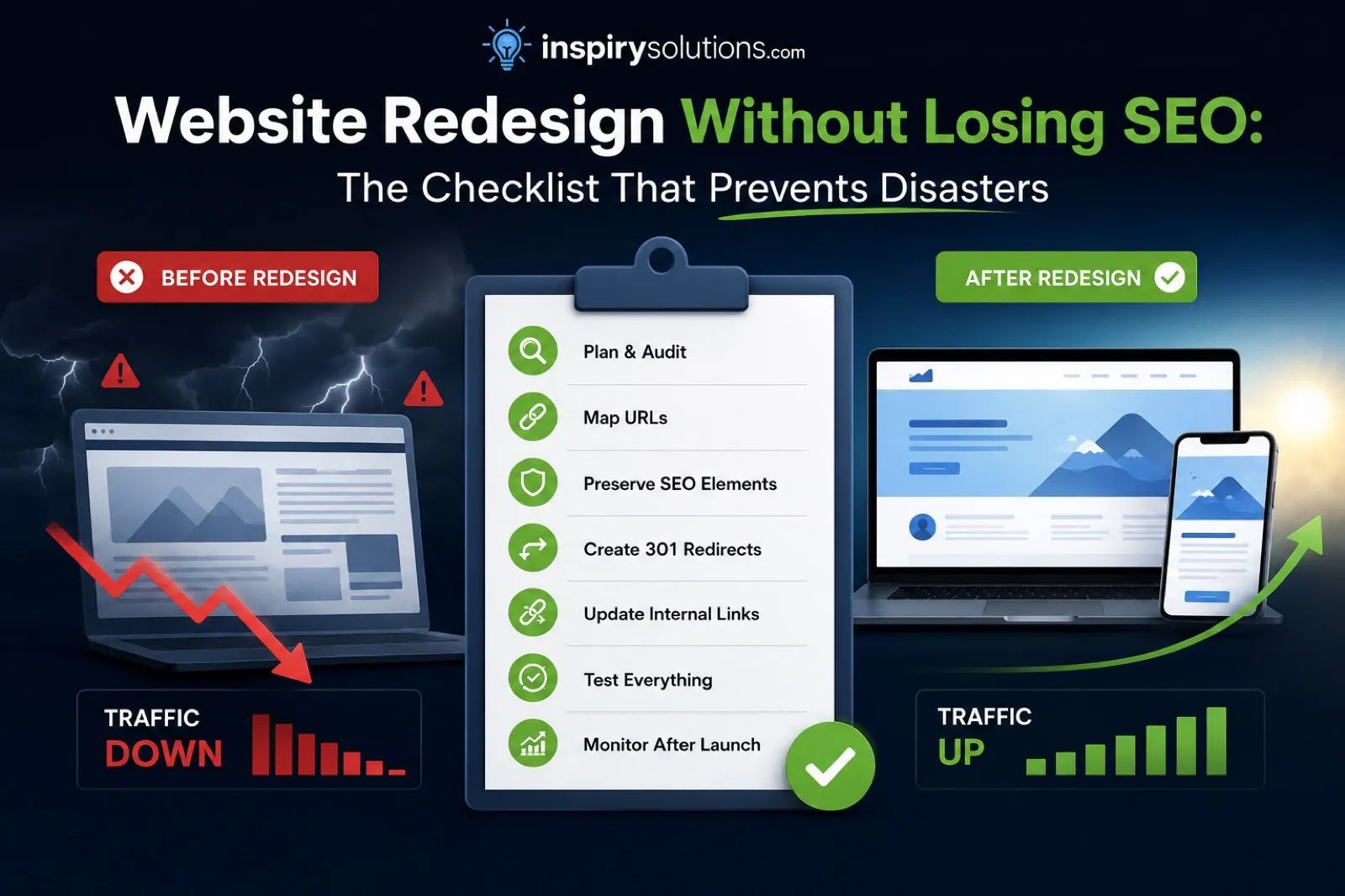
Our redesign checklist that protects rankings explains the wider preparation involved.
Crawl before and after launch
A website crawl checks accessible URLs, internal links, responses and other technical information.
Crawl the staging website before launch and compare important findings with the existing site.
After publication, verify redirects, links, canonical URLs and indexing settings. Canonical URLs identify preferred page versions when similar addresses exist.
Google’s site move documentation recommends URL mapping, testing and monitoring.
Search performance can fluctuate during migration even with careful preparation. Skipping inventories, redirects or monitoring increases the likelihood of preventable issues going unnoticed.
Include this work in the original rebuild schedule rather than discovering it immediately before publication.
Launch week and the first month after
A website timeline ending when pages become publicly accessible is incomplete.
Launch replaces or updates a live system while visitors still need working contact methods and access to important information.
Before publication, agree who performs each check, approves the release and authorises emergency changes.
A practical launch checklist includes:
- Confirm production domain, hosting and SSL certificate.
- Verify forms, notifications and important user journeys.
- Check DNS changes and their destination.
- Test redirects and important internal links.
- Confirm analytics and conversion tracking.
- Remove unintended staging restrictions or noindex settings.
- Check sitemap availability and indexing configuration.
- Verify responsive layouts and critical functionality.
- Record a backup and recovery plan.
A noindex instruction asks search engines not to include a page in their results. Accidentally retaining staging restrictions can prevent pages from appearing as intended.
After launch, review Search Console for indexing problems and investigate unexpected 404 responses. A 404 means the requested page was not found.
The first few weeks should include recurring checks on essential pages, forms and redirects, especially following migration.
Before publication, distinguish launch blockers from minor improvements.
A broken enquiry form is a blocker. A small spacing adjustment on a functioning secondary page may reasonably follow launch.
This prevents cosmetic changes from repeatedly delaying publication while ensuring critical problems receive attention.
Name the post-launch monitoring period, responsible person and reporting process in the WordPress website build timeline.
What you can do to shorten the timeline
You cannot eliminate every technical dependency, but you can reduce avoidable waiting and repeated work.
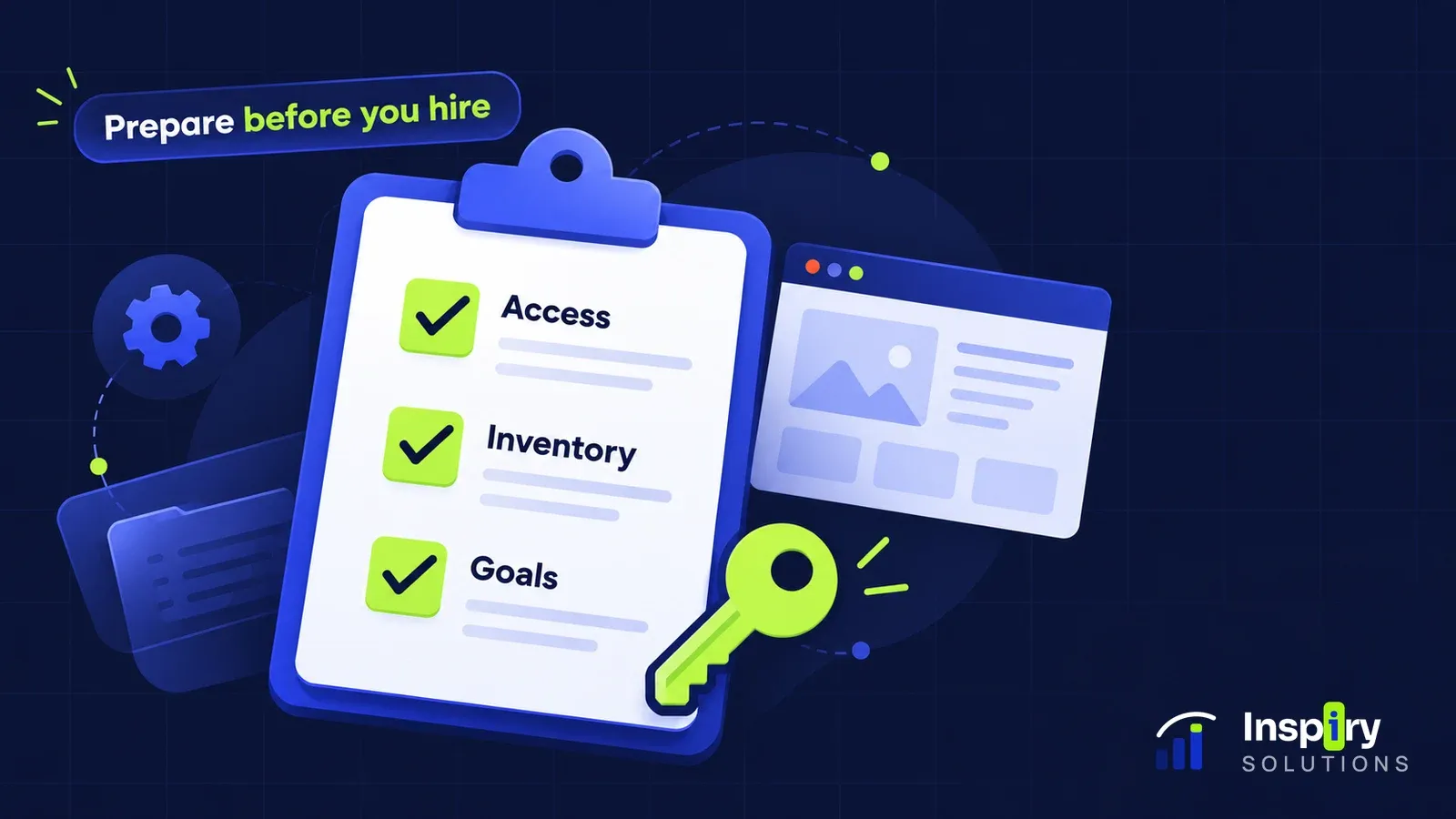
Prepare materials before kickoff
Collect approved copy, brand assets, photography, hosting information, domain access and integration requirements.
Our guide on what to have ready before kickoff explains the information developers need.
Appoint one decision maker
Authorise one person to consolidate feedback and approve scope, layouts and final content.
Other stakeholders can contribute, but the development team should receive one agreed response rather than conflicting instructions.
Agree feedback windows
Set practical review periods for milestones, such as two or three working days when your organisation can support them.
Document what happens when approvals arrive late. A launch date should not remain automatically fixed when dependencies change.
Prioritise core pages
Identify pages essential for the initial release, including main services, contact information and legally required content.
Other additions may follow if they are not dependencies for essential functionality.
Every published page must still pass appropriate testing.
Avoid unnecessary change during implementation
Evaluate new features separately from approved work.
If a requirement becomes essential, document its impact and revise the schedule.
A dependable WordPress build is not necessarily the one with the fewest tasks. It is the one with the fewest unresolved decisions and repeated corrections.
How to read a timeline in a proposal
A professional proposal should demonstrate how the project reaches launch, not merely promise a completion date.
Look for defined stages, estimated effort, milestones, deliverables and approval requirements.
The schedule must distinguish developer responsibilities from client tasks.
For example, developers might deliver templates for approval while the client supplies photography and final service descriptions.
The proposal should also identify tasks that overlap and dependencies that prevent other work from progressing.
Examine its assumptions.
A timeline requiring all content before kickoff is unrealistic when your organisation has not started writing it.
Our guide to writing a brief developers can quote explains how to define requirements before seeking proposals.
Watch for these warning signs:
- One promised completion date without milestones.
- No dedicated testing or defect correction.
- Unclear content and approval responsibilities.
- No migration allowance for an existing website.
- No process for handling scope changes.
- No defined post-launch support or monitoring.
Before signing, establish who controls critical dependencies and how missed deadlines affect delivery.
Ask whether the quoted completion date assumes content, third-party approvals and account access will arrive at particular milestones.
A useful proposal explains how the schedule changes when requirements or dependencies change.
For an existing website, request a technical review before accepting a fixed timeline. Undocumented integrations, plugins and hosting limitations can invalidate estimates based on appearances alone.
The objective is not the shortest quoted delivery period. It is a schedule supported by evidence, realistic assumptions and accountable responsibilities.
Common questions
Can a WordPress website be built in a week?
A very small WordPress website using an existing theme can sometimes be built within a week if content, branding, hosting and requirements are ready. However, custom designs, integrations and migrations make that schedule unrealistic for many projects. Responsive testing, functional checks and launch verification should not be skipped merely to meet an ambitious deadline.
What delays a website launch most often?
Late content and slow feedback commonly delay projects because they prevent developers from completing pages and obtaining approvals. Missing domain, DNS or hosting access can block deployment. New features requested after design sign-off create additional work. A realistic website project timeline identifies these dependencies and explains how delays affect subsequent milestones.
Does a redesign take longer than a new website?
Often, yes. A redesign may involve existing content audits, URL inventories, migration planning and redirect testing. The website redesign timeline should also allow for post-launch monitoring through Google Search Console. However, a straightforward redesign retaining existing URLs, content structure and functionality may require less additional work than a complex new website.
Should we launch everything at once?
Not necessarily. A smaller collection of complete, tested core pages can launch first when remaining content is not essential. Additional pages can be published and tested afterwards without repeating every check on unchanged functionality. However, existing indexed URLs, navigation, redirects and business requirements must be considered before choosing a phased release.
How do I know if a quoted timeline is realistic?
A realistic WordPress website build timeline identifies phases, deliverables, client responsibilities, approvals and dedicated testing. It explains how missing content or access affects the launch date. For existing websites, a free audit can help identify migration requirements, technical problems and dependencies before committing to a delivery schedule based on actual project conditions.
Get a grounded launch date for your WordPress website
A reliable website schedule begins with understanding what needs building, what already exists and which decisions could delay progress.
If you want a grounded launch date rather than a guess, send us your current site or brief for a free audit. Our WordPress development service starts every project with that diagnosis.
Email hello@inspirysolutions.com with your website URL, requirements and intended launch date. We will review the information and provide a plain-language reply within two working days.