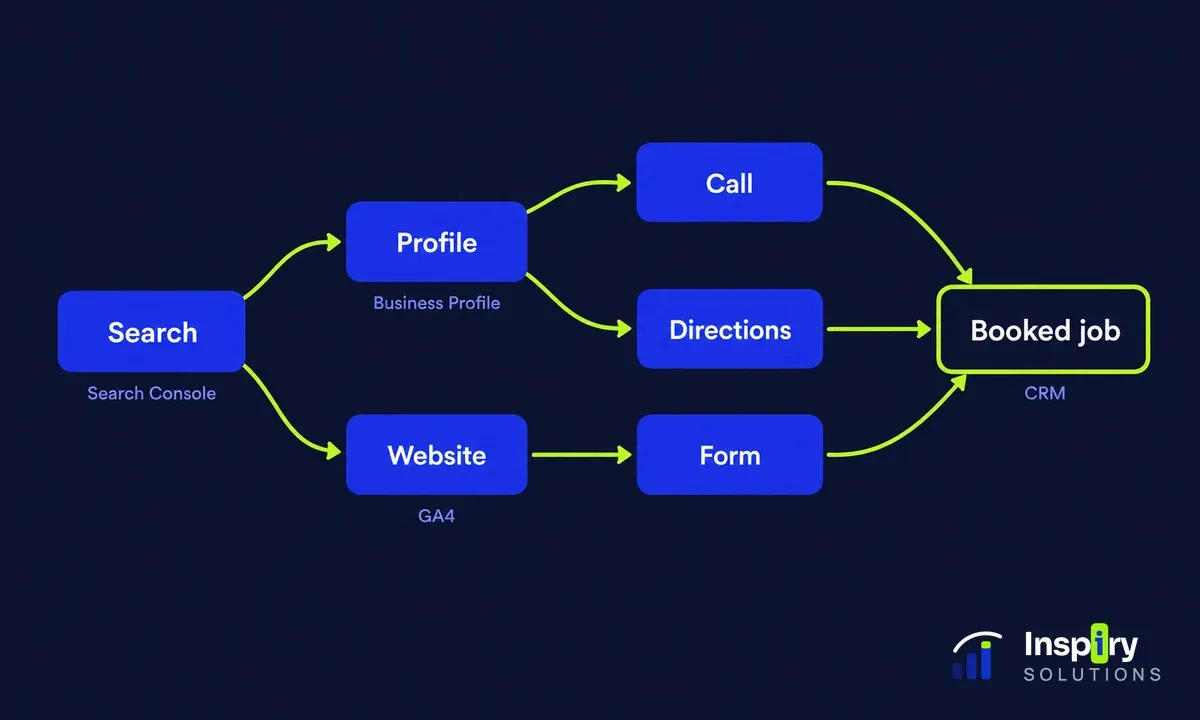
Local SEO reporting should show whether search visibility leads to calls, direction requests, website enquiries and booked work, not just better rankings. A useful report combines Google Business Profile performance, website analytics, Search Console and lead records. Each source measures a different part of the customer journey, so the aim is not to force the numbers to match. It is to show what happened, which activities may have contributed, where tracking is incomplete and what should happen next.
Why rankings alone are a weak local SEO report
A ranking report answers one narrow question: where did a website or business listing appear for a particular search?
Consider the difference between these statements:
- “Your business moved higher for a target keyword.”
- “Your profile received more call interactions, website visitors submitted enquiries, and the business recorded new appointments.”
It is also important to distinguish traditional search visibility from other discovery channels. Our guide to separating different kinds of visibility explains why different search experiences should not automatically be combined into one performance number.
A sensible reporting hierarchy is:
- Business outcomes, such as qualified leads and booked work.
- Customer actions, such as calls, directions and form submissions.
- Supporting visibility, such as impressions, rankings and reviews.
- Work completed and the next improvements to investigate.
Five local SEO reporting metrics that matter
The strongest local SEO KPIs help explain whether people are discovering the business and taking useful actions.
Calls from the profile
Source: Google Business Profile performance.
What it tells you: How frequently people selected the call option from the profile, where this interaction data is available.
Direction requests
Source: Google Business Profile performance.
What it tells you: How people interacted with the directions option associated with the listing.
Website clicks and form enquiries
Sources: Business Profile performance and Google Analytics 4 (GA4).
What it tells you: Whether people move from local discovery towards the website and complete measurable actions.
Impressions for local queries
Source: Google Search Console.
What it tells you: How often the site’s pages appeared in Google Search results for relevant queries, within Search Console’s reporting scope.
Review count and recency
Source: The public Google Business Profile review information and the business’s review records.
What it tells you: Whether the profile continues to receive customer feedback and whether that feedback is reasonably current.
For businesses wanting local SEO with outcome-based reporting, these measures provide a starting framework. The right balance depends on whether the business depends mainly on telephone enquiries, website forms, appointments or physical visits.
Business Profile performance data
Google Business Profile performance provides useful information about how customers discover and interact with an eligible, verified profile.
These figures help show what happened around the listing without requiring every customer to visit the website.
That is especially important for local SEO because someone can find a phone number and contact a business directly from search results.
What the performance view can and cannot tell you
Profile performance is primarily an interaction and discovery report, not a customer relationship management system.
A website click does not guarantee that the page loaded successfully.
Google may aggregate or process figures before they become available.
This means a monthly report should use a consistent extraction date and avoid presenting the figures as a complete record of every customer interaction.
The terminology and available measurements can also change, so check what the current performance interface actually provides before defining a metric.
Exporting monthly figures
For a practical monthly process:
- Open the relevant Business Profile and its performance reporting.
- Select the completed reporting month.
- Record available calls, direction requests, website clicks and visibility figures.
- Use an available export option where supported, or record the figures consistently.
- Save the reporting period and collection date alongside the data.
- Compare with the previous month and the equivalent period last year, where available.
For an agency managing multiple locations, keep each location identifiable.
The key is repeatability.
Tracking the website side
The website provides another part of the measurement picture.
To follow that journey, use GA4 for website activity and configured events, plus Search Console for organic search visibility.
These platforms answer different questions.
Tag the profile link
Add UTM parameters to the website link in Google Business Profile.
UTM parameters are labels added to a URL that help analytics software identify where visits originated.
For example:
https://example.com/?utm_source=google&utm_medium=organic&utm_campaign=business_profileThis identifies the source as Google and the campaign as business_profile.
In GA4, campaign and traffic-source dimensions can help you investigate these visits. Google’s documentation on traffic-source dimensions explains how acquisition information is organised.
Tagged visits are not guaranteed to match profile website-click counts.
Do not assume that a missing GA4 visit means the profile click never occurred.
Set up key events in GA4
A key event is a tracked website action that has been marked as important to business performance.
For service businesses, useful examples include successful enquiry form submissions, appointment requests and click-to-call interactions.
For forms, track a verified successful submission rather than simply counting clicks on the submit button.
For telephone links, track interactions with tel: links while making clear that the event measures a click, not necessarily a connected call.
If booking software is used, investigate whether it can reliably report booking completion back to the website analytics setup.
Google’s Analytics documentation provides guidance on event configuration, key events and campaign measurement.
Test each important event yourself.
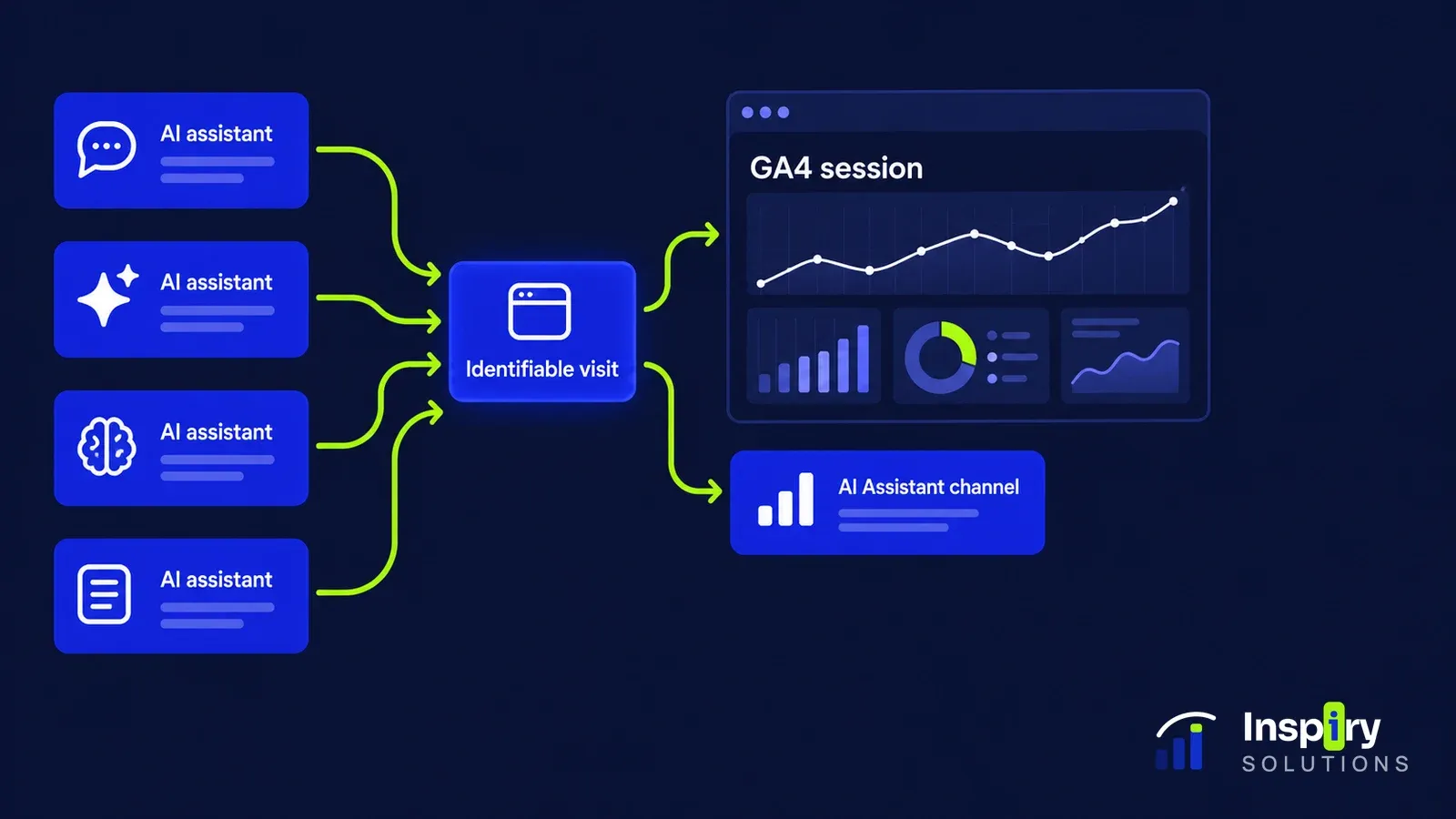
The same discipline applies to other referral channels. Our guide to tracking AI referral traffic in GA4 describes why source identification matters when traffic arrives from outside conventional search results.
Filter Search Console by page and query
Search Console helps explain how website pages perform in Google’s organic search results.
Start with the Performance report, choose a consistent date range and examine the pages associated with local services.
Then inspect queries involving relevant towns, areas and services. Google’s guidance on filtering search performance data covers page and query filters.
A filtered report can reveal which pages receive impressions and clicks from geographically specific searches.
However, not every local-intent query includes a place name.
Location filters and query patterns therefore provide useful indicators rather than a complete classification of local search traffic.
When evaluating service-area content, assess whether each page meets a genuine user need. The guide to judging area pages by suitability explains why creating more location URLs is not automatically an improvement.
For local SEO reporting, connect each meaningful page group with relevant enquiry activity where tracking permits.
Connecting leads to real work
A major reporting gap appears after the customer contacts the business.
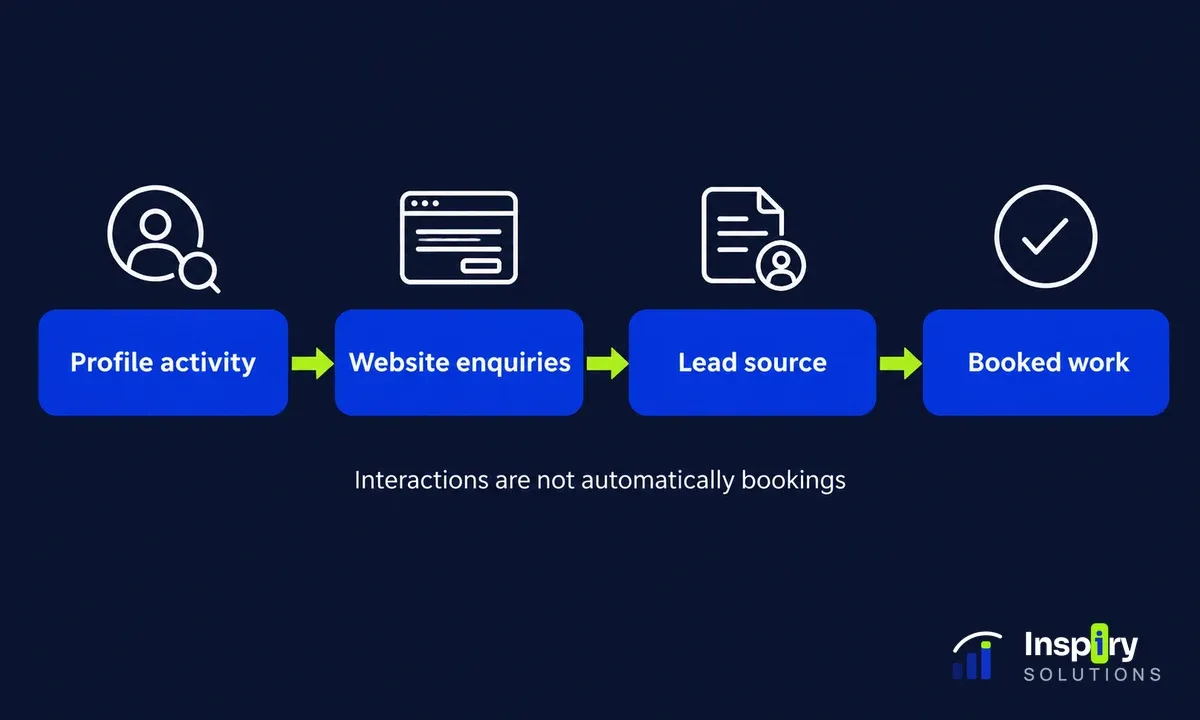
Analytics can measure a form submission, but it cannot automatically tell whether the enquiry was relevant, whether the business responded or whether work was booked.
Closing that gap requires simple business records, not just more marketing software.
Ask customers how they found the business
Add a question such as “How did you hear about us?” to the enquiry or booking process.
Staff can ask the same question during a phone conversation and record the answer using consistent options.
Customer recollection is imperfect.
Treat the answer as supporting attribution evidence, not an exact technical record.
Record the source in a CRM
A customer relationship management system (CRM) stores contact information and tracks enquiries through the sales process.
Even a small business can begin with a structured spreadsheet if a full CRM is unnecessary.
Useful fields include:
- Enquiry date and contact method.
- Reported or tracked source.
- Service requested and relevant location.
- Qualification status.
- Appointment or quotation status.
- Final outcome, where known.
Use agreed definitions for new, qualified and booked enquiries.
Protect customer information and avoid including unnecessary personal details in marketing reports.
Use call tracking carefully
Call tracking can help distinguish calls from selected marketing sources when the provider’s implementation supports that measurement.
However, multiple public phone numbers introduce operational and consistency risks if configured badly.
Google’s Business Profile guidelines say the number must connect to your business, be under its direct control and not redirect to other landing pages or numbers, and that additional phone numbers can be added.
Where appropriate, a tracking number can be used as the primary profile number while the established business number remains an additional number.
Keep the established main number consistent across other important business listings and the website’s core business details.
Do not swap numbers across public listings indiscriminately or introduce tracking that disrupts customers’ ability to contact the business.
Hypothetical example: An agency sends monthly map ranking reports to a dental practice, but the practice cannot see a corresponding rise in new patients.
The rankings alone cannot explain whether searchers are booking appointments or simply viewing the profile.
A revised reporting setup could add a tagged profile website link, verified GA4 booking events and a “How did you hear about us?” question in the reception or booking process.
The monthly report would then distinguish profile interactions, website booking events, enquiries attributed to Google by patients and confirmed new-patient bookings.
It would not claim that every booking resulted from local SEO.
No improvement is assumed in this example.
A simple monthly report layout
A local SEO report template does not need dozens of charts.
Organise the report into three blocks: outcomes, activity and next actions.
Metric source map
| Metric | Where it comes from | What it tells you | Known limits |
|---|---|---|---|
| Profile calls | Business Profile performance | Call-button interactions | Not confirmed connected calls |
| Direction requests | Business Profile performance | Interest in travelling to the location | Not verified visits |
| Profile website clicks | Business Profile performance | Interactions with the website link | Not necessarily loaded sessions |
| GA4 form submissions | Configured GA4 events | Recorded successful form activity | Consent, implementation and spam limitations |
| Search Console impressions | Search Console performance | Website visibility in Google Search | Does not cover all profile or Maps activity |
| CRM source | Lead and customer records | Reported or assigned source of enquiries and work | Incomplete or inaccurate attribution |
| Review count | Business Profile reviews | Volume and freshness of feedback | Not proof of sales or SEO causation |
Outcomes first
Place qualified enquiries, confirmed bookings and relevant call records at the top where the business can see them immediately.
If the owner cannot yet provide booking information, state that limitation explicitly.
Do not silently replace missing commercial outcomes with impressions or ranking improvements.
Activity second
Show profile interactions, website enquiry events, search visibility, review activity and important completed SEO tasks.
Include a short explanation of meaningful changes rather than presenting figures without context.
For example, a form tracking correction might cause measured submissions to increase without any actual change in customer demand.
Next actions third
End with a short set of recommended actions, each connected to a measurable problem or opportunity.
Examples include fixing an enquiry form, investigating a service page with declining clicks or reviewing how missed telephone calls are handled.
Compare month on month to identify recent changes and year on year where data exists to account for seasonal demand.
Also record unusual circumstances: temporary closures, advertising campaigns, website migrations, tracking changes or significant changes in opening hours.
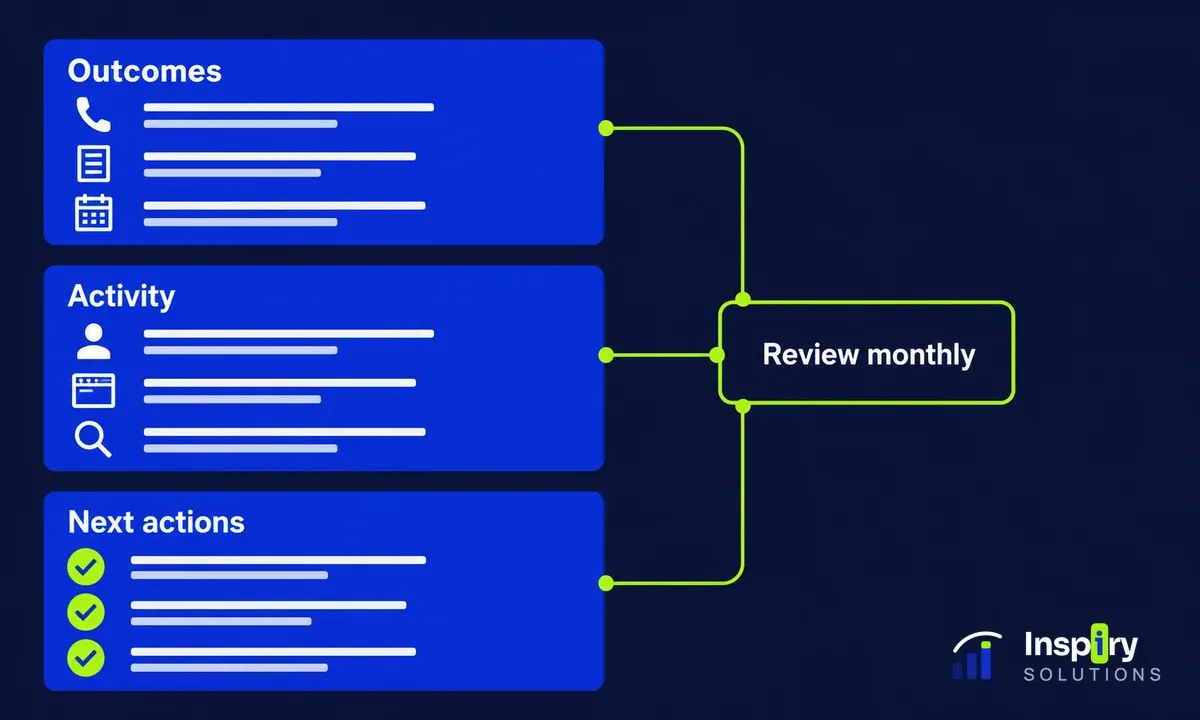
The completed report should make three things obvious: what happened commercially, what supporting activity was recorded and what will be checked or improved next month.
A useful report is one that supports a decision, not merely one that contains a large amount of data.
Reporting for agencies and white label partners
Agencies need reporting that clients understand and account managers can reproduce without rebuilding the definitions each month.
White label reporting adds another requirement: the work completed by a delivery partner must remain clearly separated from the client’s business outcomes.
At Inspiry Solutions, much of the technical development work supports agencies through white label arrangements.
Keep definitions consistent
Agree what counts as a profile call interaction, a website enquiry, a qualified lead and a booked job.
Use the same definitions across comparable reporting periods and document any change.
One client may count appointment requests while another counts completed appointments.
Standardise reporting methods without pretending that every business follows the same customer journey.
Separate delivery from outcomes
An agency or technical partner can implement tagging, repair analytics events, improve local pages and investigate technical issues.
Those are completed activities.
An increase in bookings is a business outcome that may depend on pricing, availability, response times, reputation and other factors outside the SEO team’s control.
Explain both, but do not automatically treat one as proof of the other.
Our guide to how white label partnerships should run covers the importance of ownership, communication and dependable delivery between agencies and technical partners.
Avoid vanity metrics
Reporting should not become a competition to show the greatest number of positive figures.
A long list of rankings can hide the absence of enquiries.
Likewise, more calls may not help if the business cannot answer them.
For agencies, the practical question is whether the monthly report helps the client understand progress, limitations and priorities.
Make changes in measurement visible, show where attribution is uncertain and avoid assigning commercial value to unqualified interactions.
Common questions
What should a local SEO report include?
A useful report should put outcomes first: calls, direction requests, enquiries and booked work where available. Supporting data should include impressions, reviews and actions taken during the reporting period. Finish with the next actions, their purpose and any measurement limitations. Rankings can provide context, but they should not replace evidence of customer interest or business outcomes.
How do I track calls from my Google Business Profile?
Business Profile performance can show call clicks, but these are not verified telephone conversations. Call tracking numbers may be used as the primary profile number, with the established main number retained as an additional number where appropriate. Keep that main number consistent elsewhere, follow Google’s phone number rules and use actual call records to assess connected and qualified enquiries.
Why do GA4 and Business Profile numbers not match?
GA4 and Business Profile measure different things at different points in the customer journey. Profile performance records particular listing interactions, while GA4 measures website activity when its tracking operates. Consent choices, browser restrictions and implementation issues can affect GA4 figures. Compare trends rather than expecting exact numerical matches, and investigate major discrepancies before interpreting them as performance changes.
How often should local SEO be reported?
Monthly reporting suits most businesses because it provides a regular opportunity to review enquiries, profile activity, website performance and completed work. Compare with the previous month, but also use year-on-year comparisons where reliable data is available to account for seasonality. Significant tracking problems or operational changes should be investigated when discovered rather than left until the next report.
Set up tracking before the next report
You do not need a complicated dashboard to improve local SEO reporting. Begin by identifying which business outcomes matter and checking whether your current measurement setup can record them.
Start with the website link in Google Business Profile. Add consistent campaign tagging and verify that GA4 can distinguish the resulting website traffic.
Then test important enquiry actions, including form submissions, appointment requests and click-to-call links.
Ask the owner to agree on three outcome measures, such as qualified enquiries, answered calls and booked appointments. Record where each figure comes from and who is responsible for maintaining it.
Finally, make sure the next report includes a source comparison, honest measurement notes and an action plan.
If your current report shows positions but not enquiries, we can set up tracking that ties local SEO to real leads as part of our local SEO service, scoped to your website. Start with a free audit and a reply within two working days.