LocalBusiness schema helps search engines understand a business location through structured data that matches the information on its website and Google Business Profile. To implement it correctly, choose an accurate business type, add relevant properties, place the markup on the appropriate location page and test the published result. For businesses with several premises, each branch needs its own identity. Schema clarifies information but does not guarantee better local rankings or rich results.
What LocalBusiness schema does and does not do
LocalBusiness schema describes a business using structured data, including its name, address, telephone number, opening hours and category.
It is commonly implemented using JSON-LD, which stands for JavaScript Object Notation for Linked Data.
Google’s local business structured data documentation explains supported properties and eligibility for search features.
However, valid markup does not guarantee higher rankings, rich results or greater visibility. Google decides which search features to display.
The information must also agree with the visible page and Google Business Profile. Incorrect details cannot be corrected simply by adding more properties.
Effective local SEO implementation combines accurate website information, location-specific content and consistent business details.
Choosing the right LocalBusiness schema type
The first decision is selecting a type that accurately describes the business.
Schema.org’s LocalBusiness type hierarchy contains LocalBusiness and more specific subtypes, including Dentist, Restaurant and Plumber.
Choose the most specific accurate subtype. A dental practice should generally use Dentist rather than the broader LocalBusiness type.
If no suitable subtype exists, LocalBusiness itself may be appropriate.
The markup must represent the actual operation.
A company offering several services does not necessarily need separate business entities for each service. Usually, those services belong to one business unless distinct operations genuinely exist.
LocalBusiness and Organization are different
Organization represents a company or wider organisation. LocalBusiness represents a local business entity, such as an individual branch.
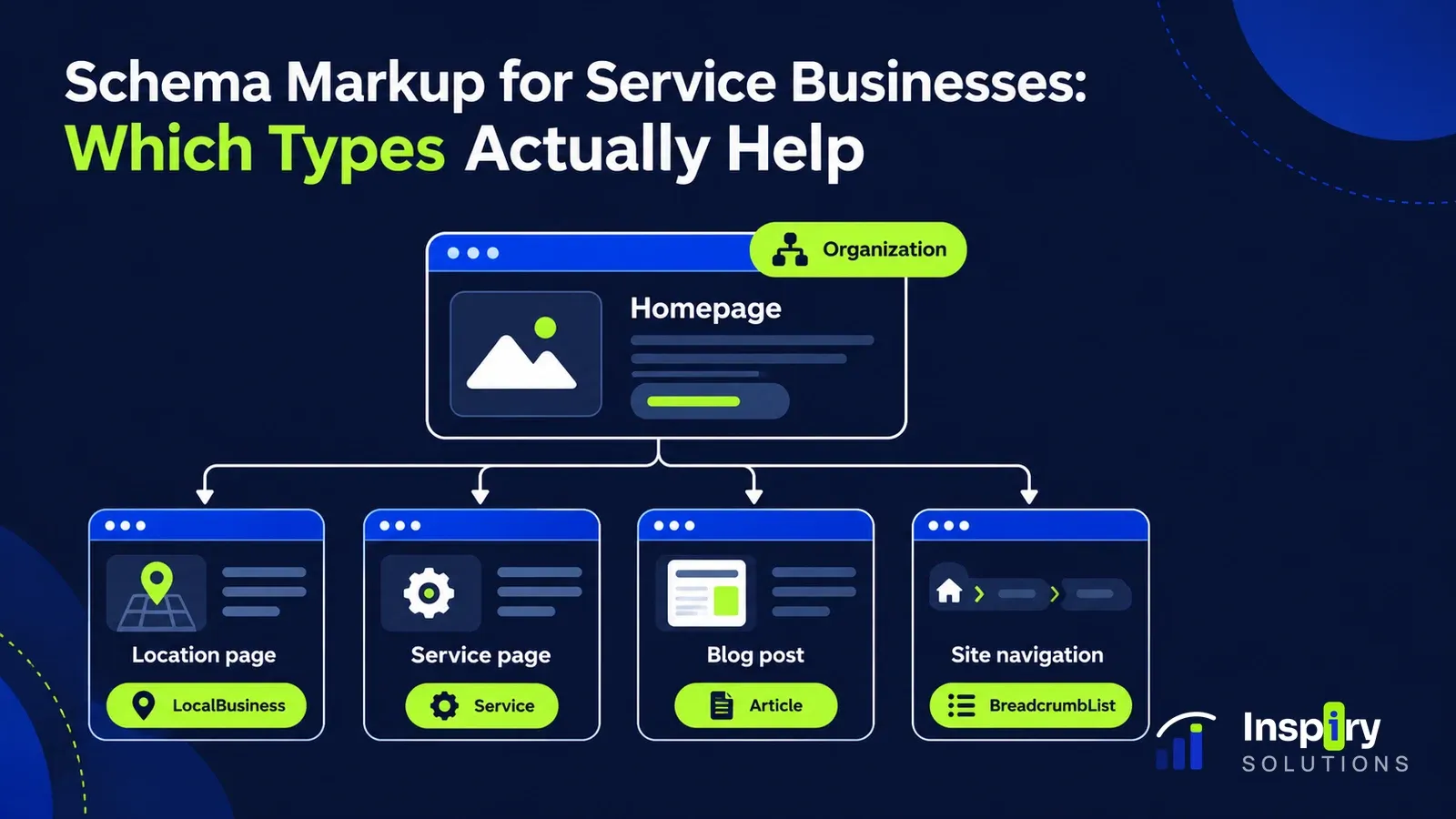
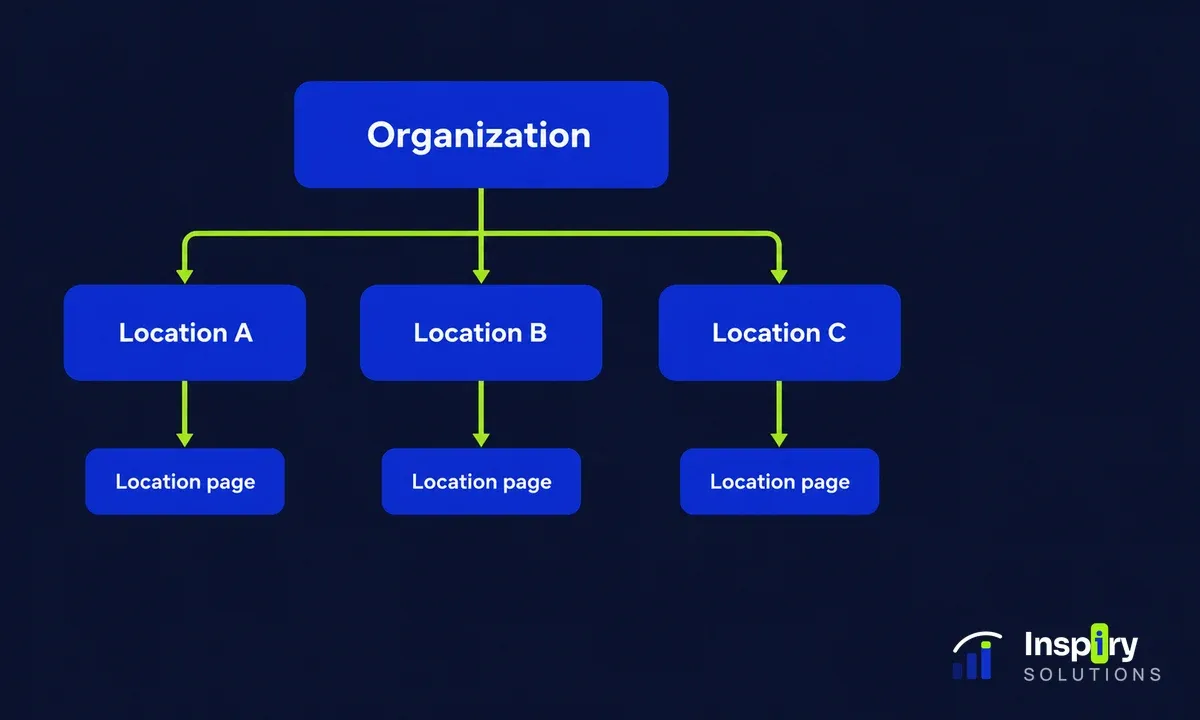
For a multi-location company, a practical structure is:
- Homepage: Organization markup identifying the parent company.
- Location pages: LocalBusiness markup identifying each branch.
- Relationships: consistent identifiers linking branches to the parent.
A single-location business may use its specific LocalBusiness subtype as the primary entity without adding a redundant Organization entity.
Other entities may also help describe services, webpages or website navigation. See other schema types that help service firms for related guidance.
The properties worth including
Google’s standard LocalBusiness guidance identifies name and address as required properties for its supported local business features.
Other properties provide additional context. These include telephone, url, geo, openingHoursSpecification, priceRange and image.
Prioritise accurate values over completing every available field.
Property checklist
Use this checklist for a business with a public address. The examples are fictional.
| Property | Required or recommended | Example value | Common mistake |
|---|---|---|---|
| name | Required | Example Dental Leeds | Adding keywords to the name |
| address | Required for standard Google eligibility | 10 Example Street, Leeds, LS1 1AA | Using head office details |
| telephone | Recommended | +44 113 555 0100 | Wrong branch number |
| url | Recommended | example.com/locations/example-town/ | Linking to the homepage |
| geo | Recommended | 53.8008, -1.5491 | Wrong coordinates |
| openingHoursSpecification | Recommended | Mon-Fri, 09:00-17:00 | Outdated hours |
| priceRange | Recommended | ££ | Misleading price information |
| image | Recommended | example.com/images/leeds.webp | Unrelated image |
| areaServed | Optional where relevant | Leeds | Exaggerated coverage |
Required status refers to Google’s standard LocalBusiness implementation, not every possible Schema.org use.
Match the visible business information
The website, Google Business Profile and JSON-LD should describe the same operation.
Check business names, public addresses, telephone numbers, opening hours and location URLs.
For example, a branch page displaying its local telephone number should not contain unrelated head office contact details in its schema.
Use a consistent source of location information wherever possible. This reduces errors when business details change.
Use opening hours carefully
The openingHoursSpecification property describes opening and closing times for particular days.
It can represent different weekday and weekend schedules, including shortened Friday hours.
Make sure the hours describe the correct activity. A 24-hour emergency telephone service does not necessarily mean customers can visit the premises at any time.
Account for seasonal changes, holidays and permanent schedule updates.
When published hours change, update the website, Business Profile and markup together.
An example of location-specific JSON-LD
This localbusiness schema example describes a fictional dental practice. Replace every illustrative value with verified business information.
{
  "@context": "https://schema.org",
  "@type": "Dentist",
  "@id": "https://example.com/locations/example-town/#business",
  "name": "Example Dental Practice",
  "url": "https://example.com/locations/example-town/",
  "telephone": "+44 0000 000000",
  "address": {
    "@type": "PostalAddress",
    "streetAddress": "10 Example Street",
    "addressLocality": "Example Town",
    "postalCode": "AB1 2CD",
    "addressCountry": "GB"
  },
  "openingHoursSpecification": {
    "@type": "OpeningHoursSpecification",
    "dayOfWeek": [
      "Monday",
      "Tuesday",
      "Wednesday",
      "Thursday",
      "Friday"
    ],
    "opens": "09:00",
    "closes": "17:00"
  },
  "parentOrganization": {
    "@id": "https://example.com/#organization"
  }
}
The @id uniquely identifies the entity. The parentOrganization reference should point to a consistently defined Organization entity elsewhere on the website.
Add verified images, coordinates and other properties when relevant.
Single location vs multiple locations
The correct placement of LocalBusiness schema depends on the business structure.
For a single premises, the homepage or dedicated contact page can carry the primary business markup.
Choose the page that clearly represents the location. Repeating identical business entities across unrelated pages is usually unnecessary.
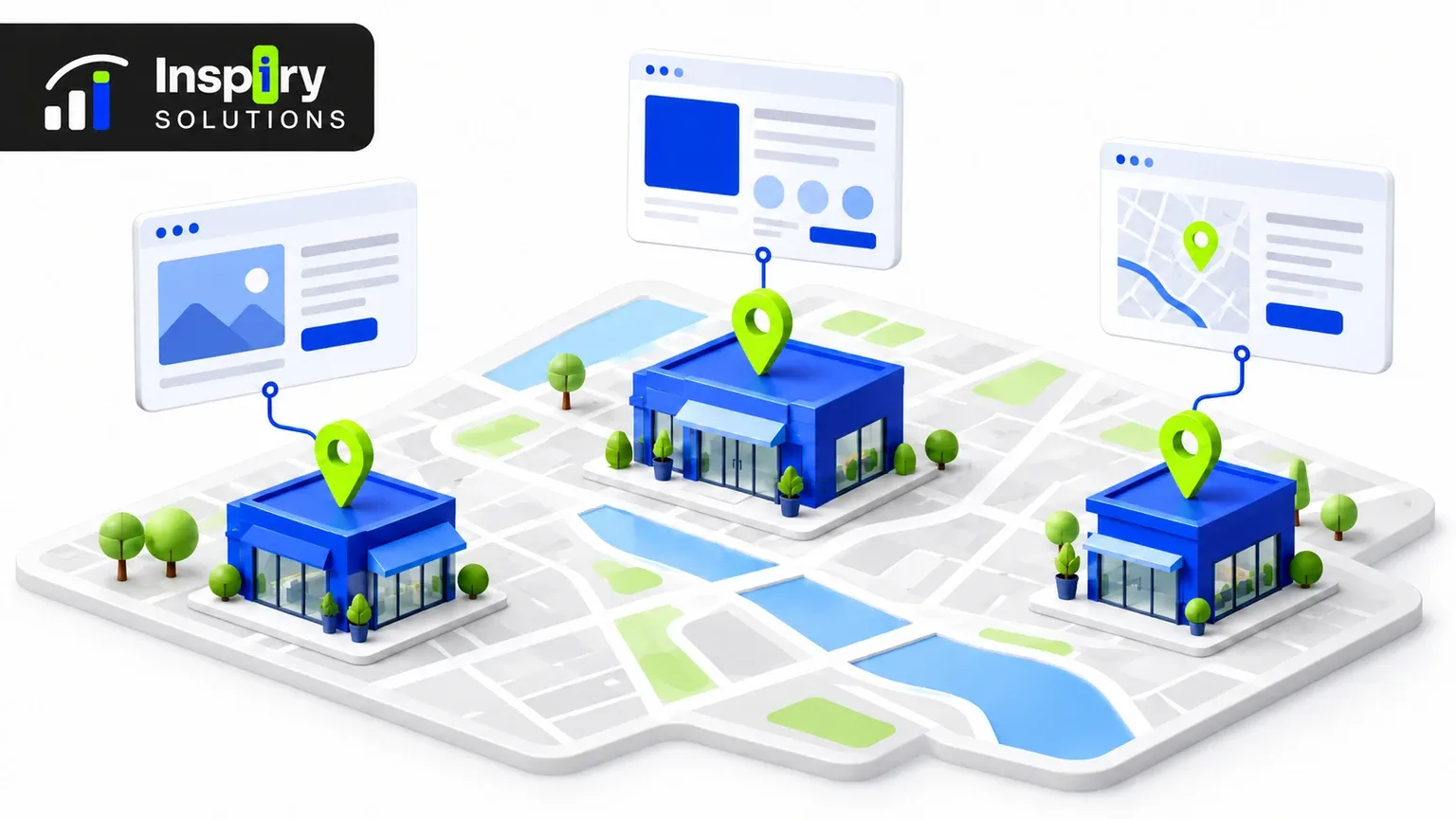
A multi-location business needs separate location identities, even when every branch belongs to one company.
Give every real location its own page
Each branch should have a dedicated page containing its public address, telephone number, opening hours and relevant services.
Its structured data should describe that specific branch, using a unique @id.
For example:
- Leeds: example.com/locations/example-town/#business
- York: example.com/locations/york/#business
- Bradford: example.com/locations/bradford/#business
These identifiers represent separate entities rather than copies of the head office.
A location template can share the same design while inserting different business data into each page.
For guidance on content and page structure, see building pages for each branch.
Connect branches to the parent
A parent Organization entity can identify the wider company on the homepage.
Each branch can reference that entity using parentOrganization and its stable @id.
This communicates the relationship without merging separate addresses, opening hours or telephone numbers.
Do not create unrelated Organisation identities for every branch when they clearly belong to the same company.
Equally, do not overwrite individual location information with head office details.
Hypothetical example
A hypothetical dental group has three practices but outputs one LocalBusiness block in its site footer, showing the head office address everywhere.
The fix is to remove that global location block.
Each practice page outputs its own Dentist markup with the correct address, opening hours and unique @id. All three reference one parent Organization on the homepage.
The developer then tests each published page separately, confirming its markup matches the corresponding practice.
This improves information consistency without guaranteeing higher rankings.
Service-area businesses without a public address
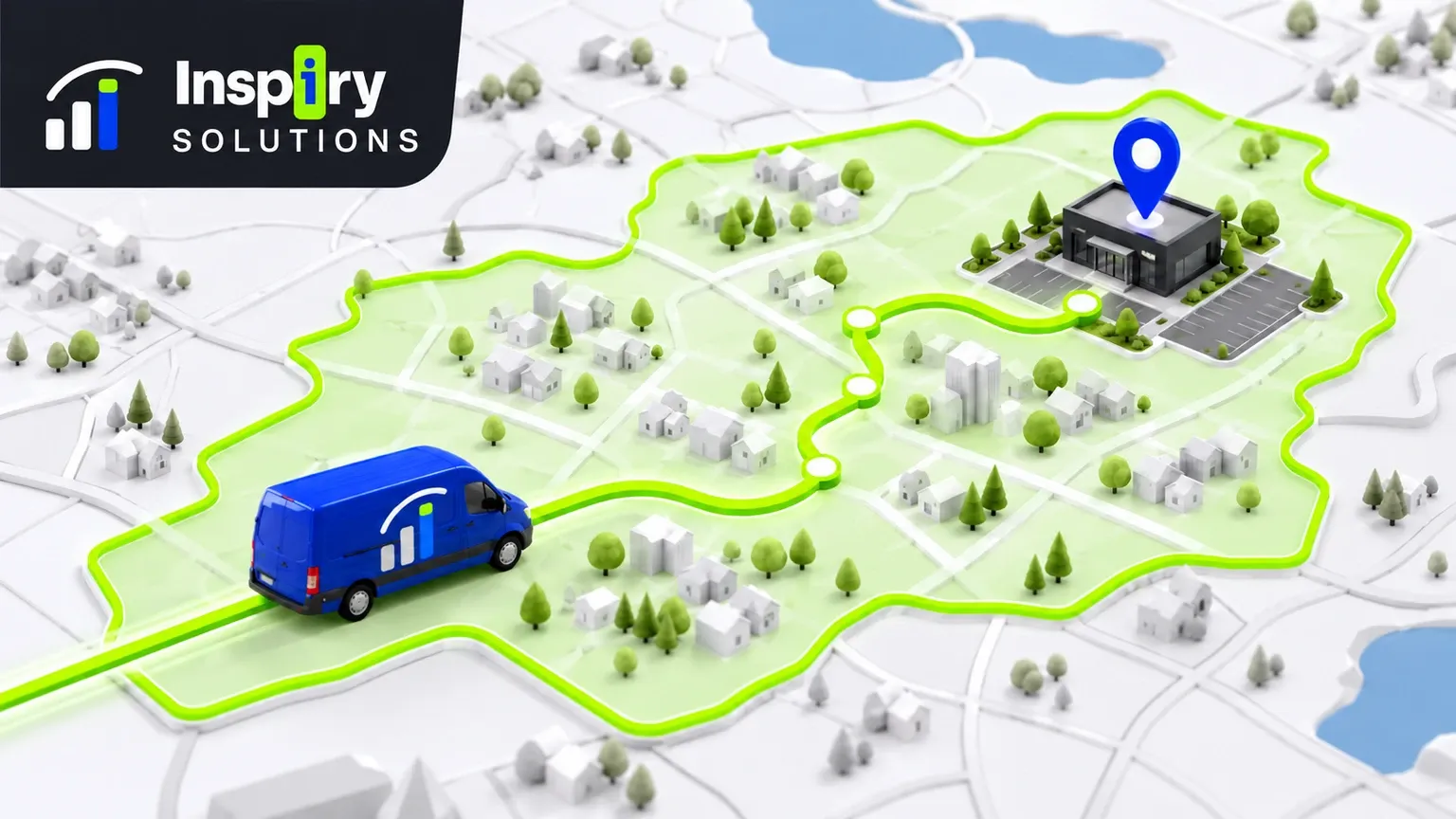
Some businesses visit customers instead of operating public premises. Examples include mobile trades, home-based services and certain repair companies.
These businesses may hide their addresses on Google Business Profile.
That distinction matters when deciding what information to publish in local business structured data.
Google lists address as required for its standard LocalBusiness features. However, businesses should not expose private addresses merely to satisfy a structured data requirement.
A technically valid implementation is not necessarily eligible for every Google search feature.
Use areaServed without exaggeration
The areaServed property can describe the genuine geographic coverage of a service business.
For example, a plumbing company may serve Leeds and surrounding towns without maintaining offices in those locations.
Coverage does not establish physical premises.
Do not create separate LocalBusiness entities for every town served unless there are genuine distinct business locations or other entities that justify them.
The same distinction applies to page creation.
Our guide to service area pages or location pages explains how to distinguish pages targeting service coverage from pages describing actual premises.
Do not invent a public premises
Never use a private home address, unrelated mailbox or another company’s premises to manufacture a public business location.
If customers cannot visit the address, do not describe it as a staffed office or showroom.
A service-area business can use its accurate subtype, website URL, public telephone number and areaServed information without exposing a hidden street address.
The resulting markup may be valid Schema.org data without meeting Google’s standard address requirements.
That is preferable to publishing misleading information simply to remove a validation warning.
Adding LocalBusiness schema in WordPress: five steps
WordPress can generate schema through themes, SEO plugins, specialist extensions or custom code.
Before selecting a method, inspect what the existing site already produces.
Work through these five steps on one representative location page. Once the output is correct, apply the tested pattern to the remaining locations.
1. Check what the theme and plugins already output
Run a published location page through a structured data validator.
Identify existing Organization, LocalBusiness and related entities. Record their @type, @id, name, address and URL.
Check whether the theme, SEO plugin or another extension generates each block.
Look particularly for global settings that repeat head office details across every location page.
Document the sources before disabling anything. This investigation also belongs in a wider WordPress technical audit.
2. Choose plugin settings or custom JSON-LD
A plugin is suitable when it supports the correct subtype, location-specific fields and stable identifiers.
Check its actual published output rather than trusting its settings screen.
Custom JSON-LD may be preferable when locations use complex templates or need relationships the plugin cannot manage.
Avoid generating the same business entity independently through several systems.
Choose one authoritative source for location information and confirm that the resulting markup represents the correct branch.
3. Store location details in custom fields
For multi-location websites, store location information in structured WordPress fields.
Useful fields include the business name, subtype, address, telephone, coordinates, opening hours, image and identifier.
A solution such as ACF can maintain these records while templates generate the visible information and JSON-LD.
This reduces duplicated editing.
When a branch changes its telephone number, the relevant record can update both representations.
Validate field values and escape generated output correctly.
4. Output one block per location page
Configure each location template to generate its own LocalBusiness entity.
Use the correct subtype and a stable @id, preferably based on a consistent location URL convention.
For an Elementor website, custom fields can supply visible contact details while controlled PHP generates matching structured data.
Do not use a single global address value for every location.
Test at least two different branches to confirm that the template inserts the correct records rather than repeating default information.
5. Remove duplicate or conflicting markup
Once the replacement works, disable superseded business markup at its source.
Multiple schema entities are not automatically wrong. A page may legitimately contain WebPage, BreadcrumbList and LocalBusiness information.
The problem is duplicated business identities containing conflicting names, addresses or identifiers.
Check whether plugins and themes still generate competing entities.
Clear relevant caches, inspect the published HTML and validate several pages.
Confirm that the final output matches what visitors see.
Testing and maintaining the markup
Validation should establish whether the markup is readable, whether its properties describe the correct business and whether the published page can be accessed.
Use Google’s Rich Results Test to check markup relevant to supported Google search features.
Then use the Schema Markup Validator to inspect broader Schema.org vocabulary and relationships.
These tools answer different questions. Passing either does not prove that every location detail is correct or guarantee a rich result.
What to check in each test
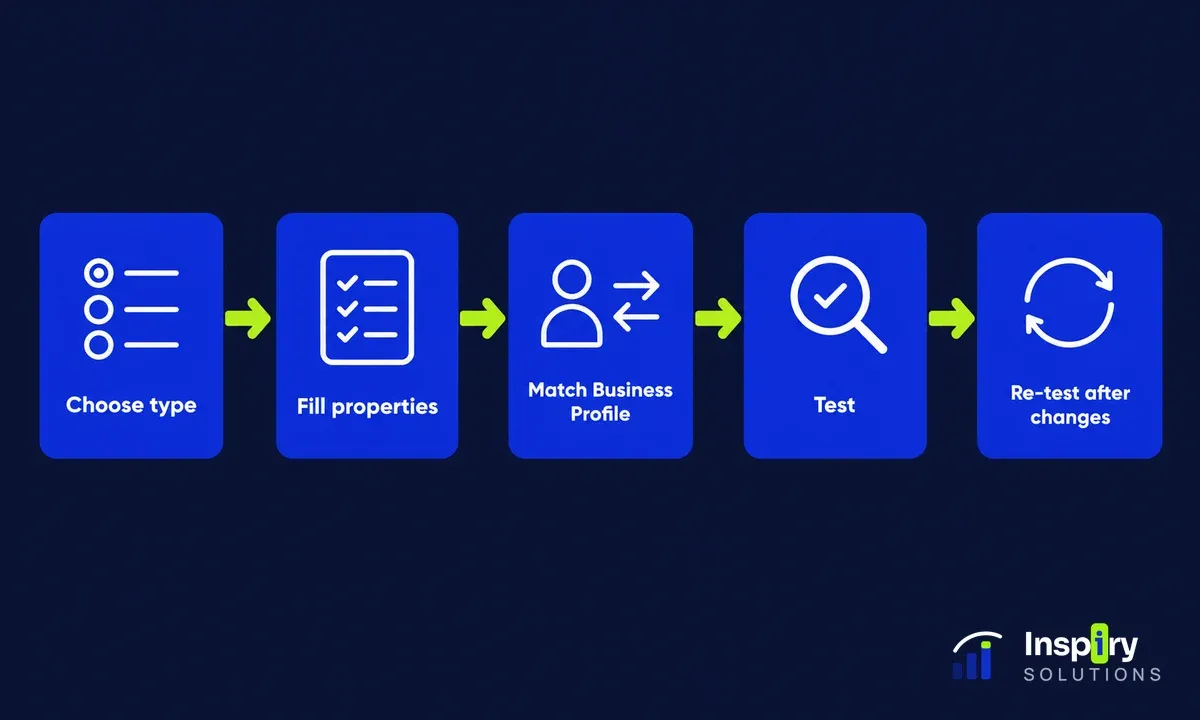
For each representative location page, check:
- Business subtype and name.
- Public address and telephone.
- Opening hours and location URL.
- Unique, stable @id.
- Relationships with the parent organisation.
- Relevant errors and warnings.
Compare the output with the visible webpage and Business Profile.
For larger sites, technical SEO audits that check structured data should also inspect templates, duplicate entities and location coverage.
A successful test is useful only when the values describe the correct business.
Check what Google can actually access
After deployment, inspect the published URL in Google Search Console.
Check indexing status, crawl accessibility and applicable structured data errors.
Search Console may show enhancement reports for supported schema features. However, not every structured data type has a dedicated report.
The absence of a LocalBusiness enhancement report does not automatically mean the markup is missing.
Use URL Inspection to review Google’s available information about the page.
Where necessary, request recrawling after correcting significant issues.
Maintain schema when business details change
Review structured data after a move, rebrand, changed telephone number, revised hours or new branch launch.
A practical sequence is:
- Update the authoritative location record.
- Check visible website information.
- Update the Business Profile.
- Validate the published JSON-LD.
- Review relevant Search Console issues.
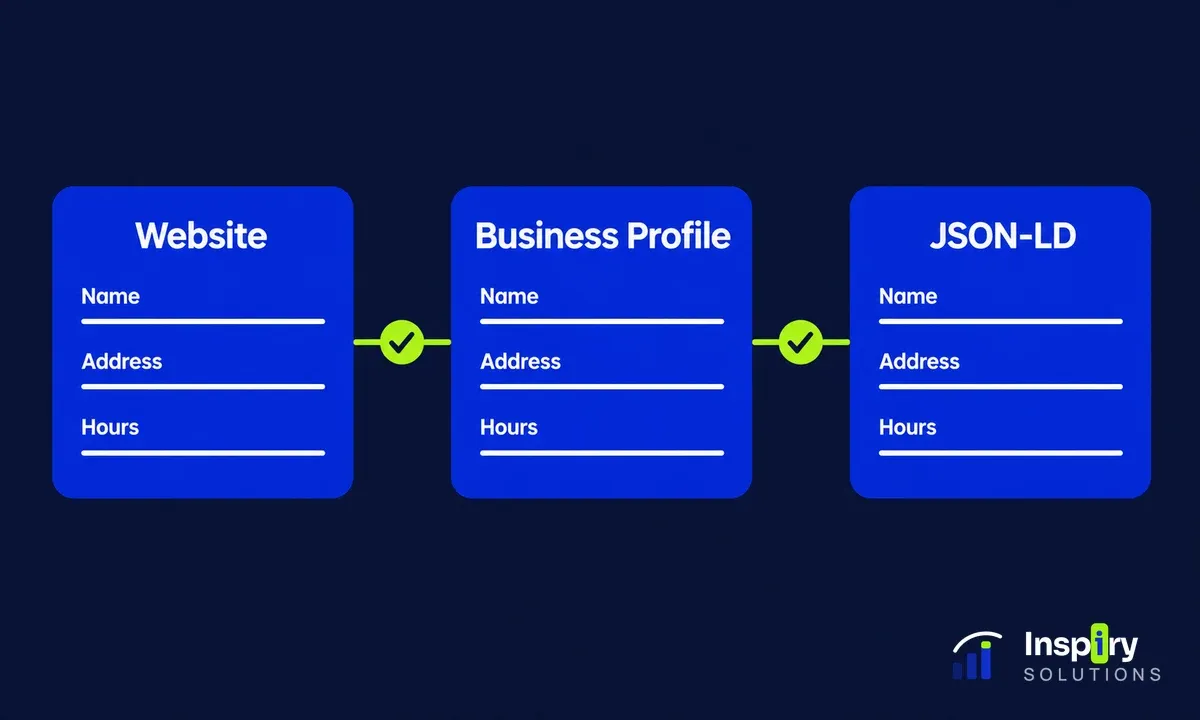
Assign responsibility for these updates rather than treating schema as a one-time task.
A basic change log can help keep website content, Business Profiles and markup consistent over time.
Common questions
Does LocalBusiness schema improve local rankings?
Google uses structured data to understand webpages and their business information. However, LocalBusiness schema is not a direct ranking boost and does not guarantee rich results. Accuracy and consistency are the main objectives. The markup should describe the actual business, match its visible location page and agree with its Google Business Profile rather than serving as an assumed shortcut to better rankings.
Should every page on my site have LocalBusiness schema?
No. Put LocalBusiness schema on the page representing the location, such as an appropriate homepage, contact page or dedicated branch page. Repeating the same block throughout a website can create confusing multi-location information, especially when every page contains the head office address. Other pages may use different schema types that more accurately describe their content.
What schema type should a service-area business use?
Choose the most specific LocalBusiness subtype that accurately describes the business, such as Plumber where appropriate. Do not publish a hidden address in structured data when it is not disclosed to customers. The areaServed property can describe genuine geographic coverage. Without a public address, the implementation may not meet Google’s standard LocalBusiness eligibility requirements, even when the Schema.org markup is valid.
How do I test my local business schema?
Use Google’s Rich Results Test to inspect supported search features and the Schema Markup Validator to check broader Schema.org markup. Test the published page rather than relying only on copied code. Compare the returned business information with the visible page and Business Profile. After changes, check Search Console for relevant errors and repeat testing when important location details change.
Can I mark up my Google reviews with schema on my own site?
Google’s review snippet guidelines do not support self-serving review snippets for LocalBusiness, including marking up a business’s own aggregate rating on its website. Displaying genuine customer reviews is fine, subject to applicable requirements. However, adding AggregateRating markup to those reviews is not a supported way to obtain review stars for your own business in Google Search.
Check your current markup in five minutes
Start by testing one published location URL in the Schema Markup Validator.
Check its business type, name, address, telephone number and @id. Compare those values with the visible webpage and Google Business Profile.
For multiple branches, test another page and look for duplicated head office information.
Record discrepancies before making changes.
If your theme and SEO plugin are both outputting location data, we can untangle it. Our local SEO service implements clean LocalBusiness markup, scoped to your website, and a free audit is the place to start.
Send your website URL to hello@inspirysolutions.com for a plain-language reply within two working days.