Multi-location SEO works best when each location page represents a real, distinct customer experience. Reuse your design and shared service explanations, but supply verified branch details, relevant services, access information and a clear enquiry route. Changing only a town name does not give customers a useful reason to choose that page.

The challenge is operational as much as editorial. A growing business needs consistency across branches without publishing incorrect hours, imaginary offices or dozens of competing pages. The following seven checks create a practical framework for owners and agencies managing that responsibility.
1. Separate real locations from service coverage
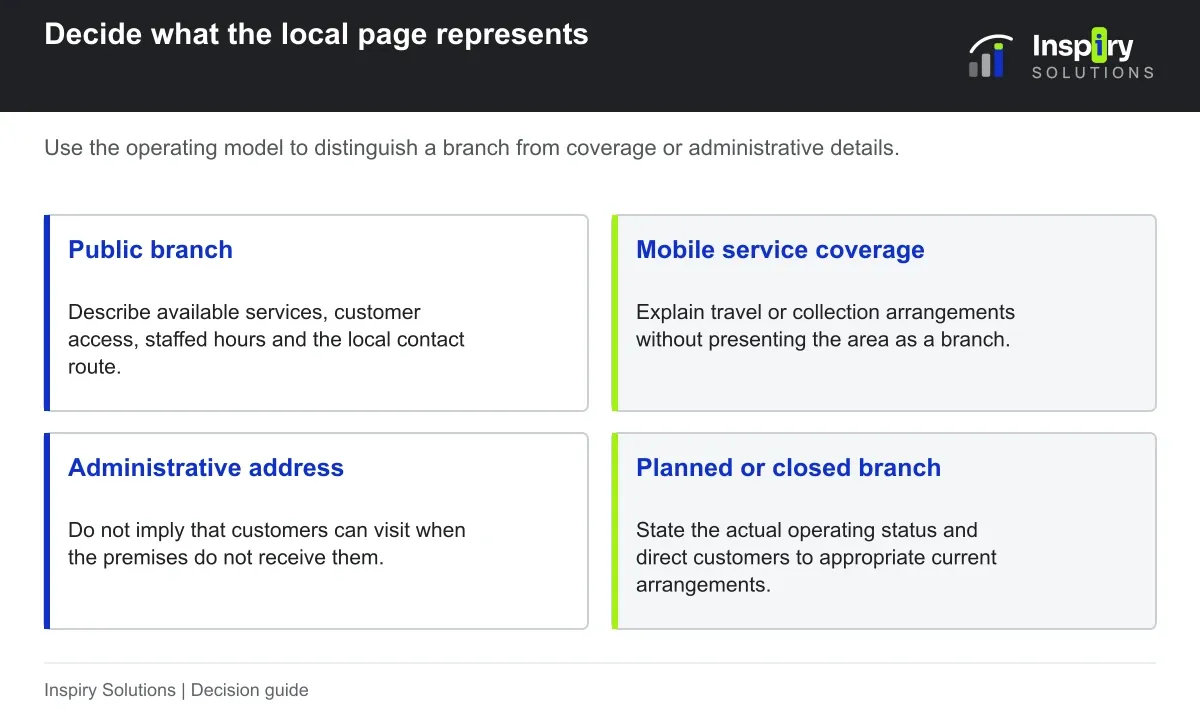
Begin multi-location SEO with an inventory before drafting pages. Record the public branch name, address, customer access, staffed hours, telephone number, services, booking route and person responsible for updates. Include temporary closures and planned openings, but distinguish these from operating branches.
A staffed office that receives visitors is different from a town covered by a mobile team. Both may deserve website content, but the claims and customer instructions differ. Do not present a service area as a branch simply to target a local search.
Hypothetical example: a repair business has workshops in Leeds and York and collects equipment from Harrogate. Leeds and York need branch pages describing visits and workshop services. Harrogate may need collection information, but it should not be described as a workshop location.
Start the multi-location SEO inventory by mapping each entry to the existing website and relevant business listing. Google’s business representation guidelines should inform profile eligibility. Website pages and Business Profiles have different purposes; creating a page does not make a business eligible for another profile.
2. Identify what makes each page useful
Shared wording is not automatically a multi-location SEO problem. Google’s canonicalisation guidance explains that some duplication is normal. The more useful question is whether a customer learns something specific about the location they selected.
Useful multi-location SEO content records details that affect the visit or purchase: entrance instructions, accessibility, appointment availability, local staff, services delivered there and collection arrangements. Use original branch photographs where permission and practical constraints allow.
Keep irrelevant local history out of the page. A paragraph about a town’s landmarks does not explain why someone should book your service. Likewise, repeating nearby neighbourhood names does not establish local expertise.
Use branch feedback to improve multi-location SEO content: ask what customers misunderstand. They might regularly receive visitors at the wrong entrance or enquiries for a service available only elsewhere. Those problems suggest useful content. A location page should reduce avoidable uncertainty, not merely contain different words.
Apply a simple multi-location SEO editorial test: if the branch name were hidden, could a customer still identify which location this page describes? If every useful detail remains interchangeable, gather more evidence or reconsider whether separate pages are needed.
3. Reuse a template, not an entire customer story
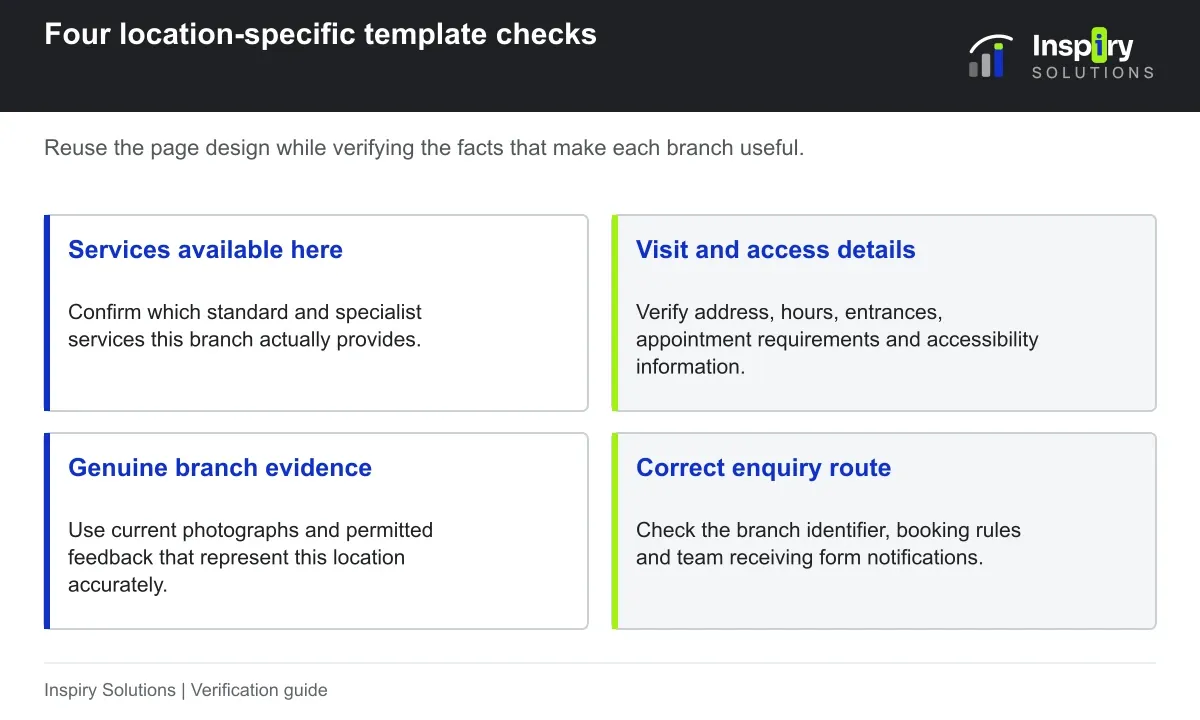
A shared template makes multi-location SEO management easier. Define required fields and optional modules so editors can publish consistent pages while reflecting real differences. Label fields clearly and prevent empty sections from appearing on the live page.
| Module | Shared element | Location-specific information |
|---|---|---|
| Introduction | Brand and core proposition | Branch role and customer suitability |
| Services | Definitions of standard services | Availability and exceptions |
| Visit details | Layout and field labels | Address, hours, access and directions |
| Evidence | Formatting and approval process | Genuine photographs and permitted feedback |
| Enquiry | Form components | Branch destination and booking rules |
A structured CMS implementation through WordPress development can keep those facts in reusable fields. Avoid maintaining opening hours separately in several page builders, footer blocks and forms.
Template choice also affects editorial control. The custom WordPress theme versus template guide is relevant when existing layouts prevent branches from publishing the information customers need.
Do not force a testimonial or team section onto every branch. Publish modules when there is reliable material. An empty or fabricated local story undermines the reason for creating a separate page.
4. Make location pages easy to find
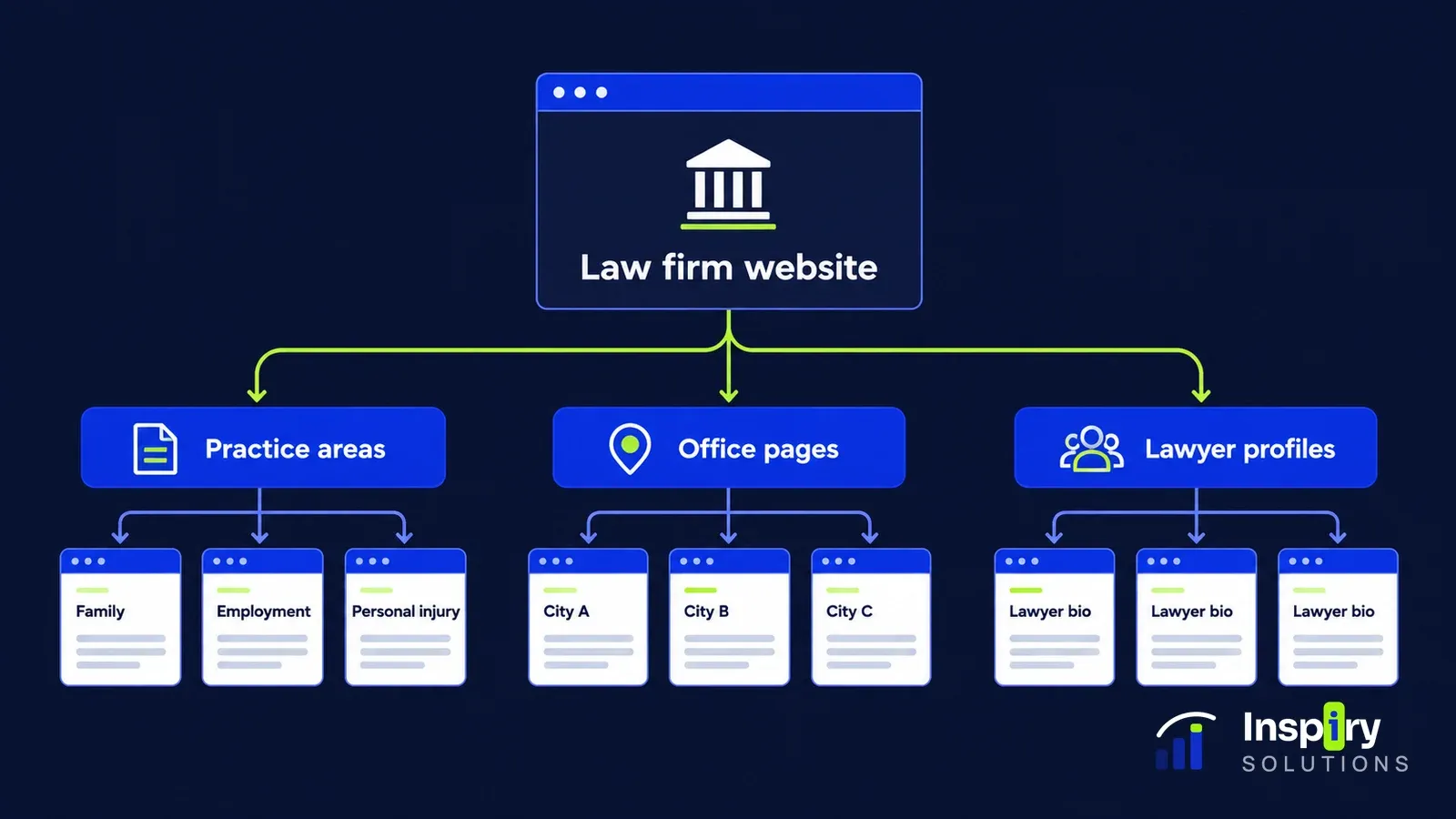
Support multi-location SEO with a useful locations hub and a searchable or clearly grouped list. Link directly to each branch page using meaningful names. For a modest branch network, straightforward text links may be more usable than a complex map interface.
Plan multi-location SEO navigation by connecting location pages to relevant service information. If one branch offers specialist repairs, link to the service explanation there. Let visitors return to the location list without relying on the browser back button.
Choose a stable multi-location SEO URL structure that reflects the organisation. Keep branch slugs readable and avoid inserting every possible service into the URL. Record the chosen structure so new locations follow the same pattern.
For an existing site, plan changes carefully. A website redesign without losing SEO requires a URL inventory, appropriate redirects and updated internal links. A branch-page project can create similar migration risks even when the rest of the design stays familiar.
Keep important links available without requiring users to select several filters. Test navigation on mobile and check that the correct branch remains selected when someone opens a service or booking form.
5. Review indexing, canonicals and structured data
In a multi-location SEO technical review, check that each intended location URL returns useful content and can be indexed. Review accidental noindex settings, canonical tags, redirects and sitemap entries. Compare the intended canonical with Google’s selected canonical where Search Console provides that information.
Distinct branch pages normally need their own canonical targets. Pointing every branch to the homepage asks search systems to consolidate those URLs rather than treat them as separate destinations. A canonical tag cannot compensate for weak local content.
Investigate duplicate selection in multi-location SEO by checking both page content and template output. A copied canonical field, identical page title or missing branch module may explain the problem. Have technical SEO support document the cause before changing every page.
Where appropriate, use accurate location-specific structured data. Google’s LocalBusiness documentation describes supported information and validation. Match the markup to visible branch facts, and do not mark a service-area page as an imaginary storefront.
Review scale as well as individual tags. Google’s spam policies identify doorway abuse. Pages targeting similar queries but offering little value before sending everyone elsewhere need a quality review.
6. Test what happens after a local search
Check each multi-location SEO page as a prospective customer. Can you confirm the branch offers the service, understand how to visit or book, and reach the correct team? The answer should remain clear even when the visitor enters directly from search.
Send a test enquiry for each branch using an agreed internal process. Confirm the notification destination and branch identifier. A form that displays York but emails the Leeds team can waste a valuable lead without producing an obvious website error.
Hypothetical example: a customer requests equipment collection from Harrogate. The form records the collection area, routes the request to the responsible workshop and explains that the collection time will be confirmed. It does not promise a booking merely because the form was submitted.
Measure location-page enquiries with enough detail to assess suitability. Record requested branch, service and outcome. Separate genuine demand from calls about directions, employment or services you do not offer. This connects local SEO to operational results rather than page traffic alone.
7. Give multi-location SEO an update process
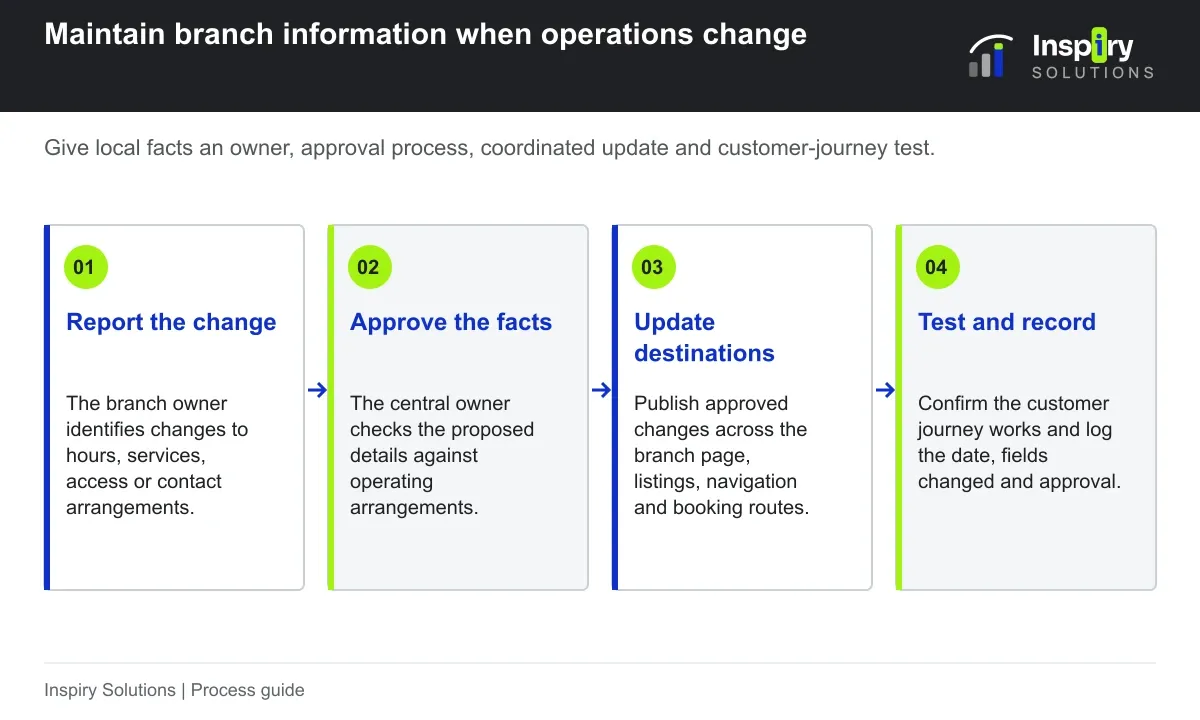
For ongoing multi-location SEO, assign a central owner for standards and a local owner for facts. Establish a review cycle for hours, services, access details and contact routes. Ask branch managers to report changes before they take effect.
Maintain a multi-location SEO change log with the date, affected fields and approval. This helps explain sudden differences in enquiries and makes agency handovers less dependent on personal memory. Where several editors work on the site, separate draft changes from approved publishing.
For a closure, decide whether customers still need historical information or should be directed to a replacement branch. Avoid automatically redirecting every closed location to an unrelated homepage. Update listings, navigation and booking routes together.
Build the cost of regular checks into your WordPress maintenance budget. A technically functioning page can still be operationally wrong. Accuracy deserves an owner just as backups and software updates do.
If you manage several branches and want a second opinion on your location pages, our local SEO service is scoped to your website. Related reading: service area pages vs location pages and common canonical tag mistakes in WordPress.
Frequently asked questions
Will shared service descriptions cause a duplicate-content penalty?
Shared descriptions do not automatically violate Google’s policies. Focus on whether each branch page provides useful, distinct information. Investigate canonical selection and thin content separately rather than assuming all repeated wording is penalised.
How long should a location page be?
Use enough content to answer the customer’s practical questions. There is no universal word count that makes a branch page useful. Do not add irrelevant paragraphs simply to meet a template target.
Should every nearby town have its own page?
Only when the page serves a distinct customer need and you can substantiate the coverage. A regional overview may be clearer for neighbouring areas with identical arrangements. A town name alone is insufficient justification.
Should all branch pages canonicalise to one page?
Not when they represent distinct locations intended for discovery. Review the content and technical configuration first. Canonical consolidation is appropriate for duplicate versions, not a blanket solution for a genuine branch network.
Can I reuse the same reviews everywhere?
Use feedback accurately and with permission. Explain whether it relates to the brand or a particular branch. Avoid presenting a review from one location as evidence of a customer’s experience at another.
Does every location page need a Business Profile?
No. Profile eligibility depends on the actual business setup and Google’s rules. A website can describe coverage or remote services without creating an eligible physical location.
Build around the real branch experience
Effective multi-location SEO combines a consistent publishing system with genuinely useful branch information. Start with the inventory, collect local facts, check technical signals and test enquiries. Maintain those details as the business changes. The goal is a location page that helps customers choose and contact the right team.
Use the technical SEO audit checklist to verify shared templates before expanding the location inventory.