Choosing multisite vs separate sites depends on who controls each website, how much they share and whether they may need to operate independently later. WordPress Multisite works well when one team manages several similar websites using common themes and plugins. Separate WordPress installs are usually better when brands need independent ownership, different functionality or stronger isolation. For multiple locations under one brand, a single website with dedicated location pages may be simpler than either option. The right structure is the one your team can maintain safely after launch, not merely the one that looks easiest to build.
What WordPress multisite is
WordPress Multisite is a built-in feature that allows several websites to operate within one WordPress installation.
Each site can have its own pages, posts, menus, users and domain.
The official WordPress Multisite documentation explains how a network works, including shared resources and the different URL structures available.
A WordPress network is simply a collection of sites managed through this shared installation. It is not automatically a single website with multiple pages.
Network admin and site admin
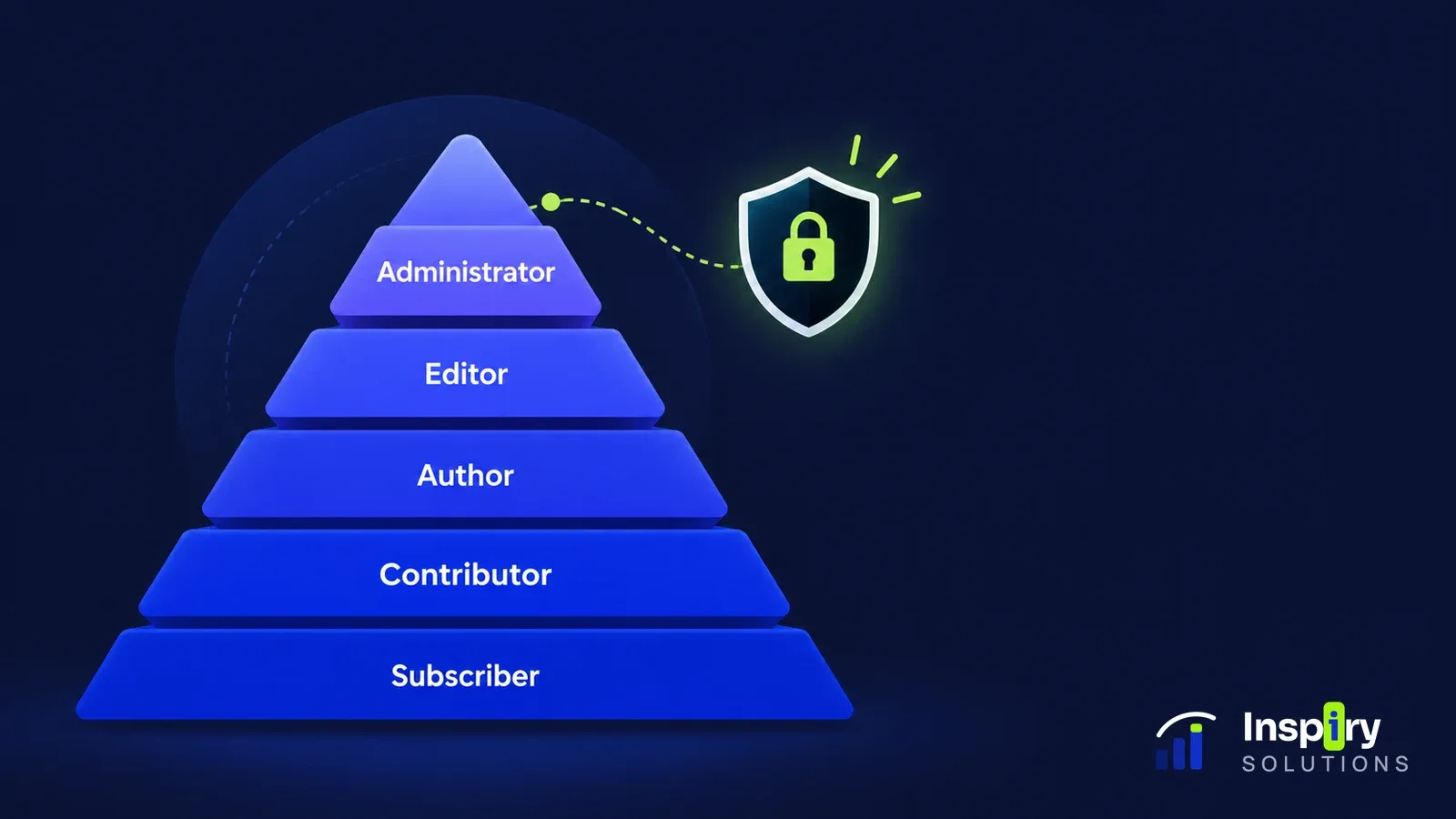
The network administrator, known as a Super Admin, controls the wider installation. This includes installing plugins and themes, managing sites and handling network-wide settings. Site administrators cannot install plugins or themes on a network; they can only use what the Super Admin makes available.
A site administrator manages the content and available features of an assigned website.
The official WordPress roles and capabilities documentation describes these permissions.
This distinction matters when different departments or agencies manage different brands.
If a marketing team needs to publish articles, update pages and manage enquiries, site-level permissions may be sufficient.
Clear roles and logins for business teams help prevent unnecessary administrator access.
Subdomains, subfolders and domains
- Subdomains: london.example.com and manchester.example.com
- Subfolders: example.com/london/ and example.com/manchester/
- Mapped domains: brandone.com and brandtwo.com within the same network
Domain mapping allows a network site to use its own domain rather than displaying the parent network address.
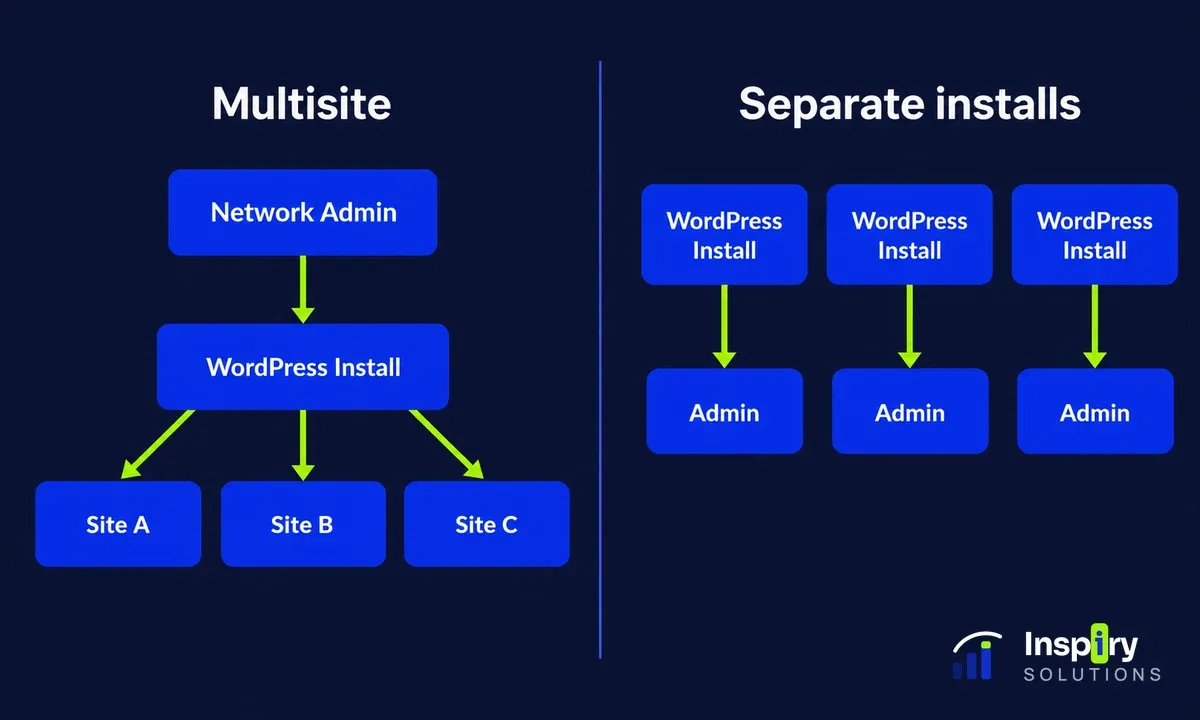
The important distinction is that every site in a multisite network depends on shared WordPress infrastructure, even when visitors see completely different domains.
First question: do you need separate sites at all?
Before comparing multisite vs separate sites, challenge the assumption that every brand, office or geographical area needs another website.
Creating more sites increases administrative responsibilities.
Sometimes those responsibilities provide a genuine business benefit.
One brand with several locations
When several branches trade under one brand, one website with a strong page for each location is often enough. Each location page can cover:
- Address and contact details
- Services available at that branch
- Opening hours and practical directions
- Relevant staff or facilities
- Local enquiries and booking options
- Genuine location-specific information
The business maintains one design system, one main navigation and one website infrastructure.
Effective location pages that avoid duplicate content can serve different geographical audiences without creating independent websites.
This also avoids maintaining multiple copies of standard service descriptions, policies and website functionality.
Separate brands with different audiences
For example, a corporate training company and a specialist recruitment brand may need different customer journeys, conversion goals, content structures and integrations.
However, that does not automatically mean they belong inside one WordPress network.
The organisation must still decide whether centralised technical control is desirable.
When planning multi-brand WordPress builds, start with the relationship between the businesses, then select the technical structure.
Hypothetical example
Hypothetical example: A group operates three dental practices under one brand and a separate cosmetic clinic brand.
The dental practices share services, branding and central management. One website with dedicated location pages would be a practical starting point.
The cosmetic clinic serves a different audience and needs its own identity, content and booking experience. It receives an independent WordPress installation.
In this hypothetical example, multisite is not needed at all.
This structure would avoid unnecessary technical complexity by challenging the original assumption that every location requires a separate website.
Where multisite works well
A WordPress network is most useful when websites share technical requirements and are managed by one team.
The strongest reason to adopt multisite is coordinated administration, not simply having several domains.
Shared design and functionality
Every region uses the same page templates, navigation patterns, form components and approved plugins.
Multisite allows developers to manage shared themes and plugin installations centrally.
This can simplify design updates and help maintain consistent functionality.
Individual site content remains independent, while centrally controlled components can be reused.
Central WordPress updates
A multisite network allows WordPress core, themes and plugins to be updated through shared administration.
However, centralisation does not remove the need for testing.
A plugin update affecting shared functionality could cause problems across multiple sites.
Many similar sites under one team
It may also suit a group of similar websites created from common templates.
The practical requirements are consistent design, compatible plugins, established approval processes and a team responsible for network maintenance.
Without those conditions, multisite can become a collection of conflicting requirements forced into one system.
Where separate installs work better
Each website can have its own hosting configuration, plugins, theme and maintenance schedule.
This creates more individual installations to manage but also gives each website greater autonomy.
Different brands and different owners
One business might depend on WooCommerce, while another requires specialist membership functionality.
A shared network provides little value if almost everything needs to be different.
Independent installations allow each team to make technical decisions without affecting the others.
Better isolation from problems
In a multisite network, core software, installed plugin code and hosting resources are shared.
A server outage, compromised network-level component or faulty shared update can therefore affect several websites.
With properly isolated separate installs, a problem on one website is less likely to interrupt another.
For business-critical websites, infrastructure separation may matter as much as WordPress configuration.
Easier ownership changes
A standalone WordPress site is generally easier to hand over because it already has independent files, data and administration.
That extraction introduces additional technical work and testing.
If a future sale or independent management is realistic, separate sites can reduce long-term migration risk.
WordPress multisite vs separate sites compared
| Factor | Multisite network | Separate WordPress installs |
|---|---|---|
| Updates | Core, themes and plugin code managed centrally | Updates managed per installation, potentially through central tools |
| Plugin choice per site | Network admin installs plugins; compatible plugins may be activated selectively | Each site can install its own plugins |
| User management | Shared network users with site-specific roles | Independent users and permissions per install |
| Isolation from problems | Shared infrastructure creates network-wide risks | Better isolation when hosting and security are separated |
| Backups and restores | Site-specific restoration may require specialised tools | Individual site backups and restores are generally simpler |
| Hosting requirements | Hosting must support multisite configuration and network operations | Wider range of standard WordPress hosting options |
| Cost to maintain | Central administration can reduce repeated tasks, but specialised support may cost more | Repeated tasks can increase work, although automation can help |
| Effort to split or sell one site | Requires extraction and migration | Usually simpler to transfer independently |
| Fit for regional sites of one brand | Good when regional sites genuinely need independent content and shared technology | Useful where regions need operational independence |
| Fit for unrelated brands | Usually less suitable when requirements differ | Often the safer, more flexible option |
Updates, plugins and hosting implications
The operational differences between multisite vs separate sites become most visible after the websites launch.
Content editors want predictable publishing. Marketing teams want reliable forms and integrations. Developers need safe updates and clear recovery procedures.
Those needs should shape the architecture.
Plugin compatibility must be checked
Not all plugins are designed or tested for WordPress Multisite. Some plugins support network activation, some work when activated for individual sites, and others may have limitations involving settings or licensing.
Never assume that a plugin works correctly across a network because it works on a standard WordPress installation.
Before choosing multisite, document every business-critical plugin and confirm the developer’s stated compatibility.
Test integrations such as booking systems, payment services, multilingual tools, forms and membership features on a staging network.
A staging network is a non-public testing copy used to validate changes before they reach visitors.
What a shared plugin update means
Plugins and themes are installed once for the whole network. Suppose a network contains several regional websites using the same form plugin. When a network administrator updates the plugin, the new code applies to every site where that plugin is active. If the update introduces a compatibility issue, forms on multiple websites could malfunction.
The correct response is not to avoid updates indefinitely.
- Record the plugin version and affected websites.
- Create and verify a suitable backup.
- Apply the update to a representative staging network.
- Test forms, integrations and important user journeys.
- Schedule the production update.
- Check every affected site and retain a recovery option.
The benefit of central updates comes with a responsibility to test across the network.
Hosting and resource requirements
Not every hosting plan provides suitable support for multisite, and several sites sharing one installation may also share server resources, so one busy site can affect the others.
Before purchasing hosting, confirm that the provider supports the intended subdomain, subfolder or domain-mapping configuration.
Also check SSL certificates, caching, staging environments, backup options and resource limits.
Separate WordPress installs offer more flexibility to assign resources and hosting providers independently.
This matters when one brand receives much more traffic or requires specialist hosting.
Backups and restoration
Ask your hosting provider whether individual site restoration is supported, not merely whether the whole network is backed up.
For separate sites, establish independent backup schedules and test restoration on staging.
When maintaining several WordPress sites, document who approves updates, who checks functionality and who owns recovery decisions.
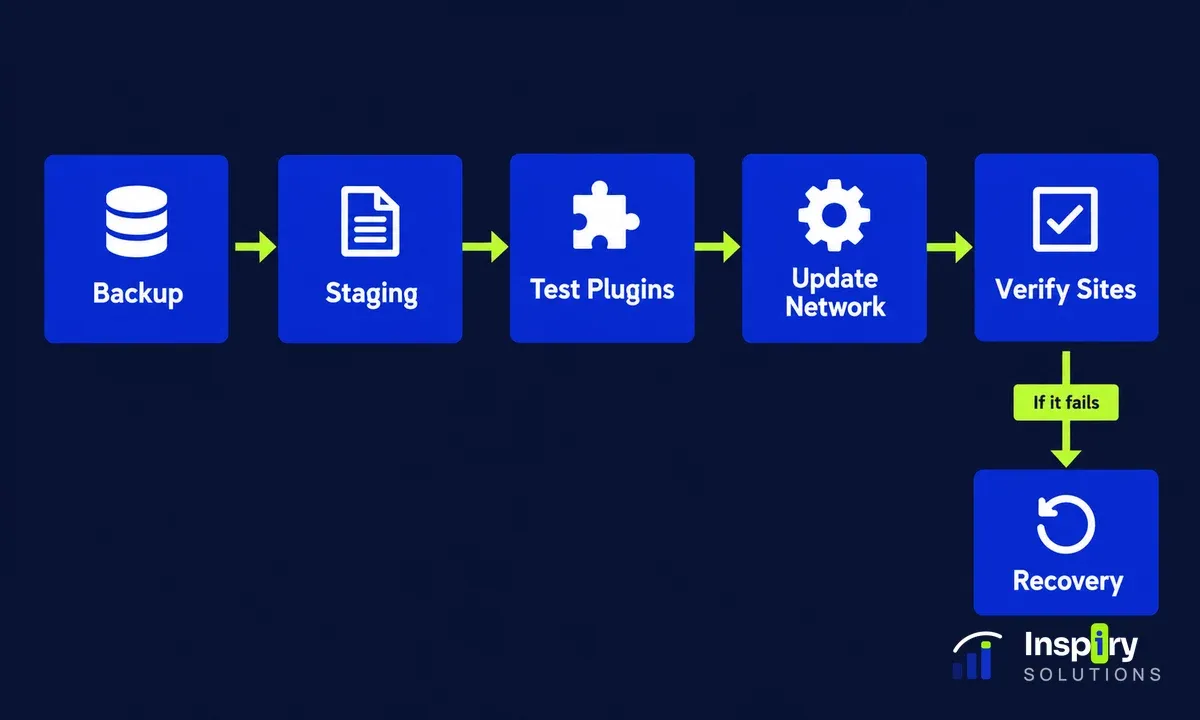
A reliable process should describe both the normal update and what happens when the update fails.
SEO considerations for either setup
Search engines evaluate accessible pages, their content, technical signals and relationships rather than awarding rankings because WordPress uses a particular installation structure.
The architecture still influences how easily a team maintains those signals.
Domains, subdomains and subfolders
Separate WordPress installs can also use different domains or subdomains.
That means choosing multisite does not automatically determine the public URL structure.
For a single brand with several locations, subfolders on one website may be straightforward.
For independent brands, separate domains may better reflect their identities.
Choose URLs based on brand strategy, content ownership and long-term management.
Avoid repeating regional content
If an organisation operates several regional sites, each should serve a genuine audience need.
Provide relevant local information, services, contact details and practical distinctions wherever possible.
If the pages have little meaningful difference, reconsider whether separate sites are justified.
For businesses targeting geographical areas, understanding service area pages or location pages helps identify the correct content approach.
International websites and hreflang
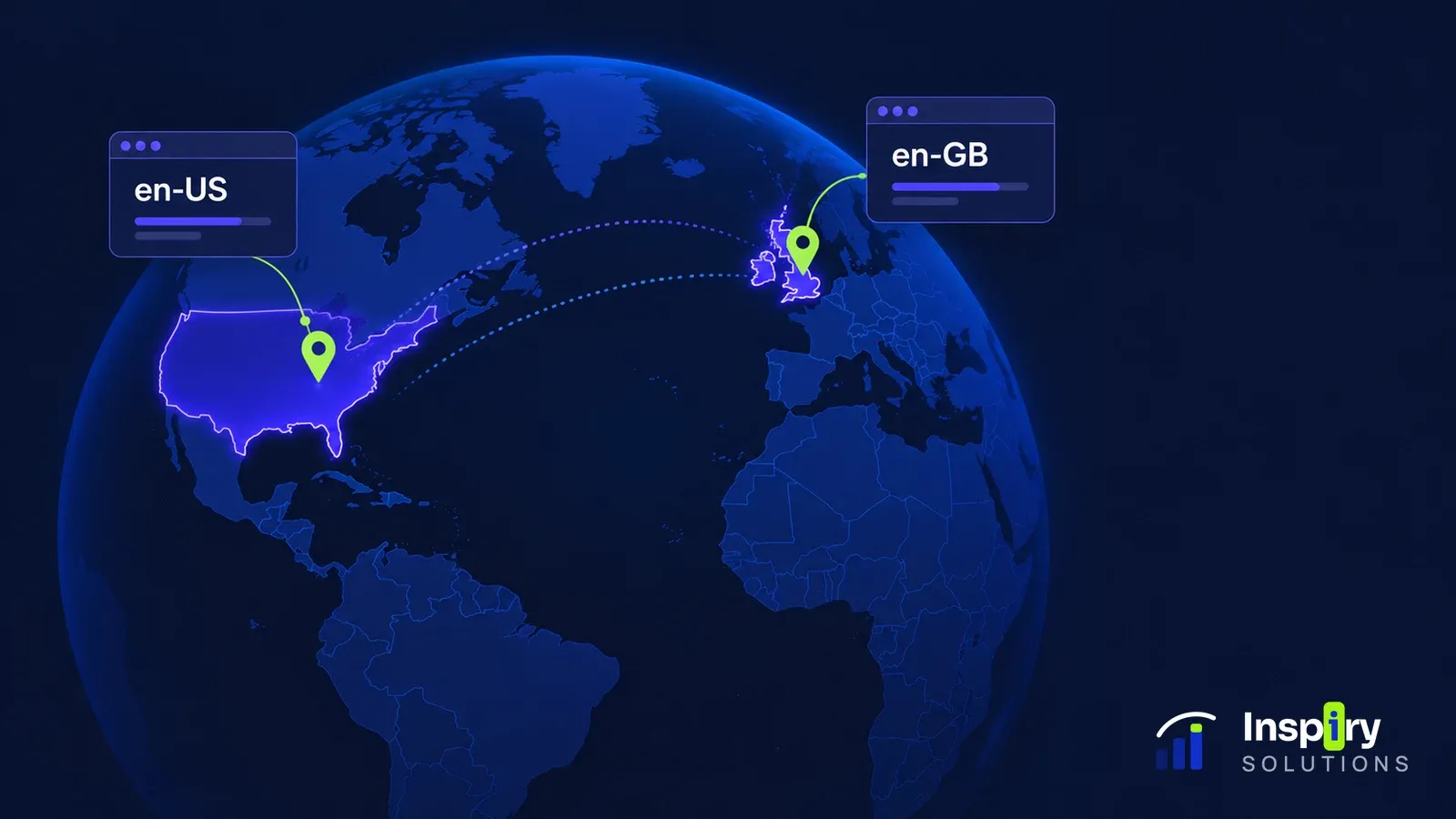
According to Google’s guidance on localised versions, hreflang can identify corresponding regional or language-specific pages.
For example, a business might maintain distinct UK and US versions of equivalent content.
In that situation, correctly implemented hreflang may be appropriate, regardless of whether the sites use multisite or separate installs.
Read more about when hreflang is needed for UK and US before adding international targeting markup.
Technical SEO responsibility
- XML sitemaps and indexability
- Canonical URLs
- Redirects after website changes
- Internal links and navigation
- Page titles and descriptions
- Structured data where appropriate
- Website performance and mobile usability
Separate installs allow individual control, yet inconsistency can develop without common technical standards.
Good SEO governance matters more than the installation model.
Moving between setups later
Businesses change. Brands are acquired, regional offices become independent and agencies take over individual websites. The architecture should allow for those possibilities.
Switching between multisite vs separate sites is technically possible, but it should be treated as a website migration.
It is not simply a WordPress setting that can be changed without preparation.
Splitting a site from multisite
- Audit the site’s content, plugins, themes and integrations.
- Back up the complete network and verify recovery.
- Prepare a new standalone WordPress installation.
- Export and migrate the relevant content and media.
- Transfer or recreate users with appropriate permissions.
- Configure plugins, forms, email and other integrations.
- Test page layouts, functionality and important URLs.
- Implement redirects where public URLs change.
- Check the live website after the migration.
Specialised migration tools or developer intervention may be necessary.
Combining independent sites
Merging separate sites into a WordPress network requires checks for compatibility and conflicting configurations.
Themes, plugins, user accounts and existing content structures may behave differently when moved into shared administration.
Duplicate usernames, overlapping settings and site-specific custom development deserve particular attention.
A staging migration allows developers to identify these issues before changing production websites.
Why future flexibility matters
That assumption might change when a new regional director, franchise partner or business owner requires independence.
If separation is likely, an initially convenient network could create avoidable future work.
The same principle applies in reverse.
Architecture should reflect credible business plans, not only the current organisation chart.
Common questions
Is WordPress multisite good for SEO?
WordPress Multisite is neutral for SEO. It does not automatically improve rankings or create a disadvantage. Domain structure, unique content, internal links, indexability and overall website quality matter more. Multisite may help standardise technical settings, but configuration mistakes can also affect several sites. Choose the structure that allows your team to maintain useful content and reliable technical SEO.
Can I move a site out of a multisite network later?
Yes, but moving a site out of multisite is a migration project rather than a simple setting change. Plan for content, media, users, plugin configuration and URLs. Some settings may require specialist migration work. Build and test the independent installation before changing the live domain, then verify redirects and important functionality after the move.
Do all plugins work on multisite?
No. Not all WordPress plugins are built or tested for multisite. Some support network activation, while others have limitations involving licensing, settings or individual site functionality. Check the plugin developer’s documentation and test essential features on a multisite staging network. This is particularly important for ecommerce, bookings, multilingual content and membership systems.
Should each location have its own website?
Usually not when several locations operate under one brand with similar services and central management. Strong location pages on one website are generally easier to maintain and keep consistent. Separate websites may be justified when locations have independent brands, ownership or substantial operational differences. Assess the content and business requirements before creating additional installations.
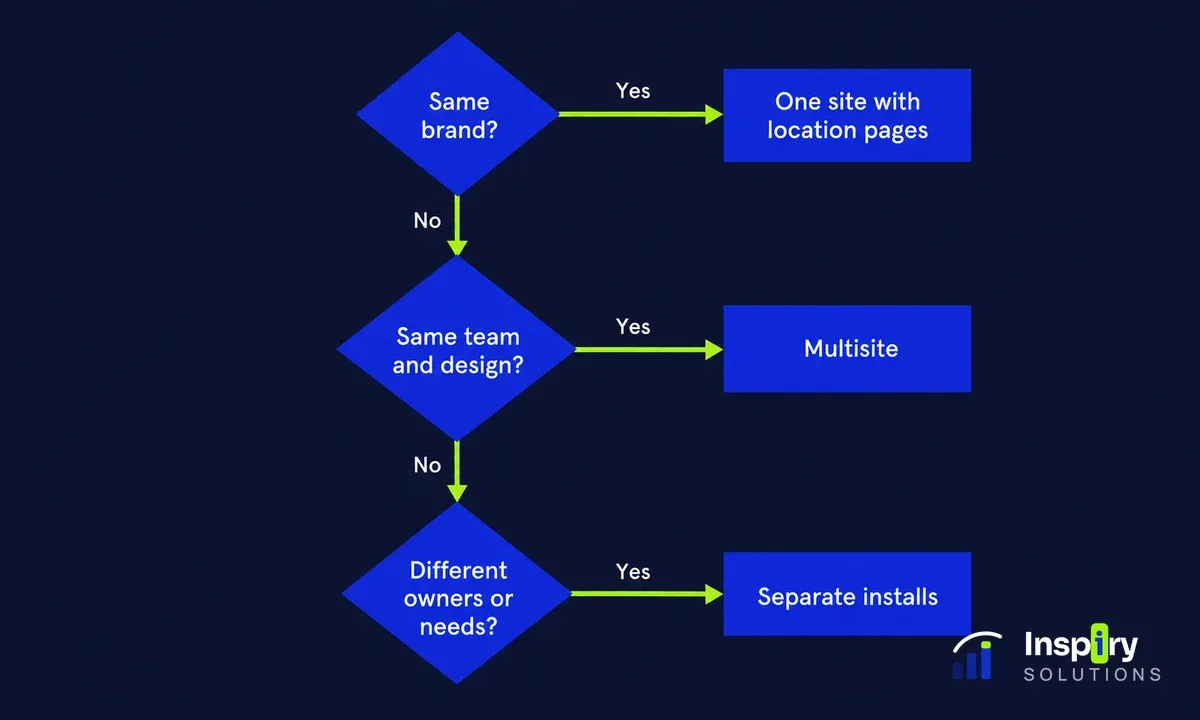
How to choose multisite vs separate sites: three questions
Avoid choosing based only on licence costs, hosting convenience or the apparent simplicity of a shared dashboard.
The following questions identify where control, technical similarity and future ownership point.
Who owns and runs each site?
If one team controls everything and local editors only publish content, multisite may be practical.
If several teams expect independent administrative authority, separate installs are usually more appropriate.
Where all locations belong to one brand and share the same website requirements, reconsider whether individual sites are necessary at all.
Document these responsibilities before selecting a platform structure.
How similar are the sites?
A collection of unrelated brands with different booking platforms, membership systems or ecommerce requirements is less likely to benefit.
Build a requirements matrix showing shared and unique functionality.
Then create a small multisite staging network and test every critical plugin.
If shared infrastructure produces workarounds and compatibility problems, separate installs offer a clearer route.
How likely is a split or sale later?
A site that is likely to be transferred should generally remain easy to separate.
If the sites are expected to remain centrally owned and technically similar, multisite becomes more attractive.
If the answer is uncertain, evaluate the cost and risk of a future migration before deciding.
Practical decision summary
The answers usually point towards one of three structures.
| Your situation | Likely starting point |
|---|---|
| One brand, several locations, shared services | One WordPress site with location pages |
| Several similar sites, one technical team, shared functionality | WordPress Multisite |
| Different brands, owners, requirements or likely future transfers | Separate WordPress installs |
These are starting recommendations, not automatic rules.
Before committing to multisite, demonstrate that critical plugins, hosting, backup restoration and editorial permissions work correctly in staging.
For separate sites, determine whether central management tools can handle routine updates without sacrificing independence.
The final decision should be supported by a tested maintenance plan and a credible route for future changes.
Before starting development, prepare a website inventory, confirm plugin compatibility, assign administrative responsibility and document backup and migration requirements. That work prevents architecture decisions from becoming expensive operational constraints later.
If you are planning sites for several brands or branches, send us the current setup for a free audit. Our WordPress development service will recommend the structure before any build starts.