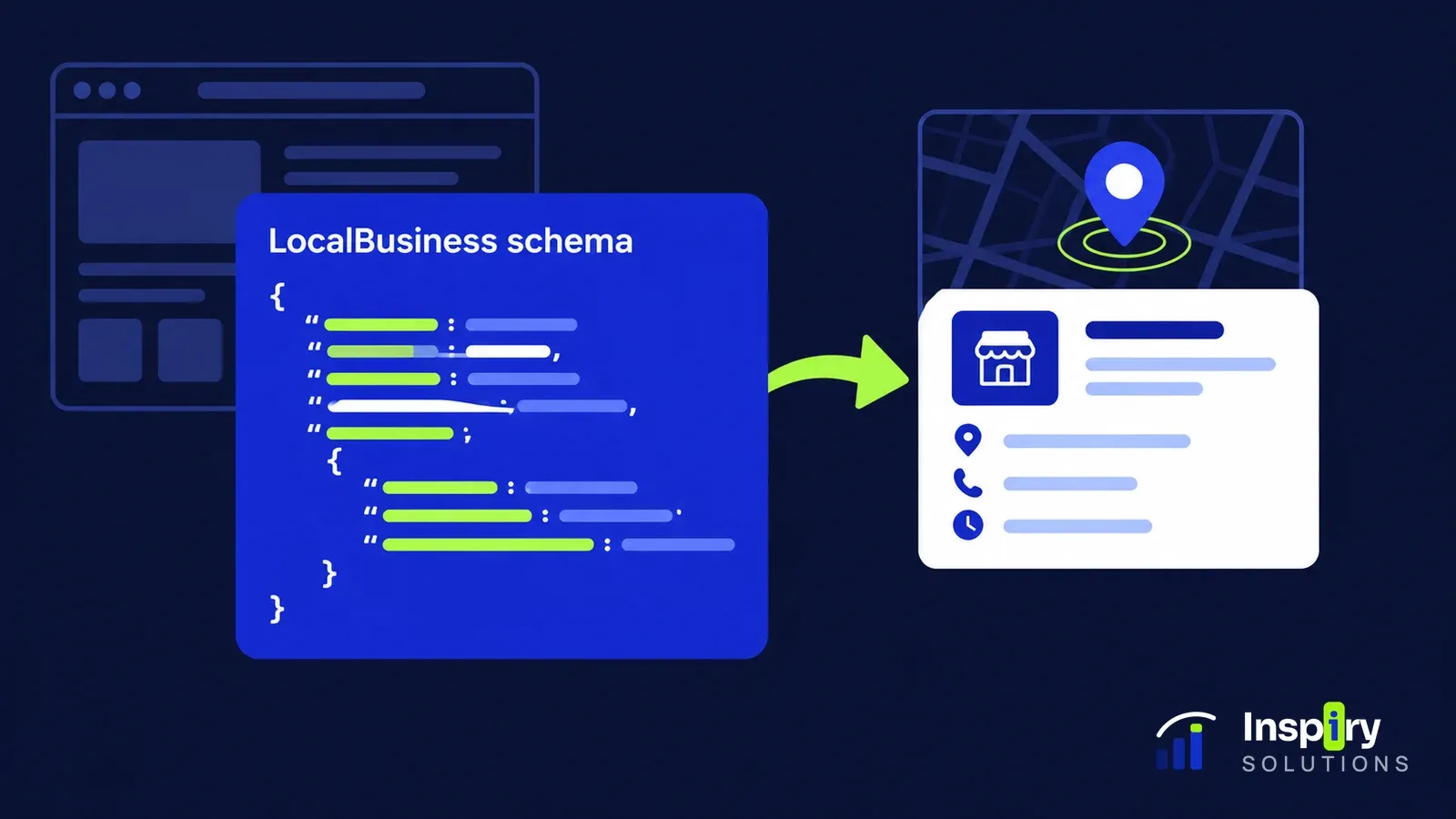
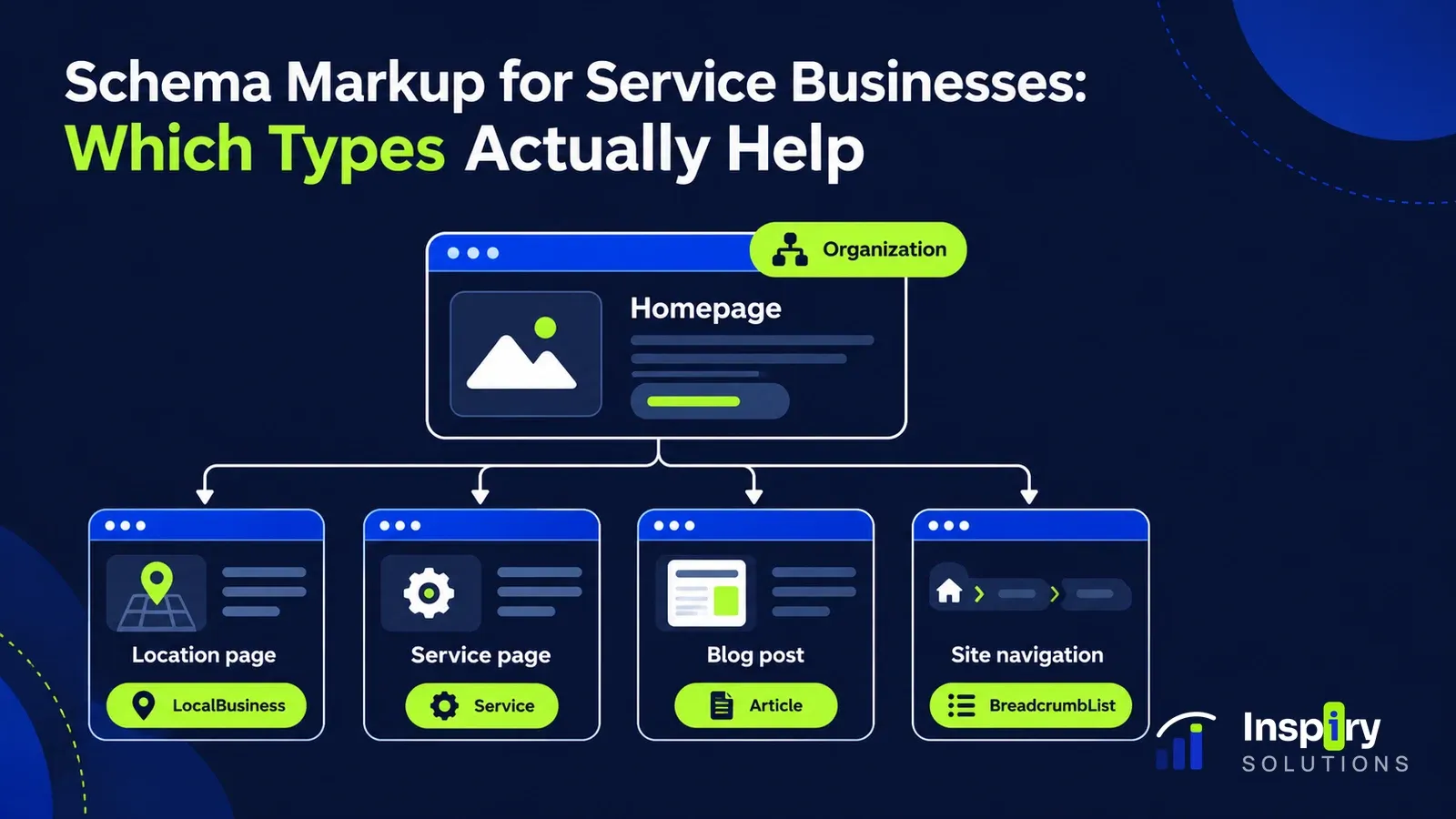
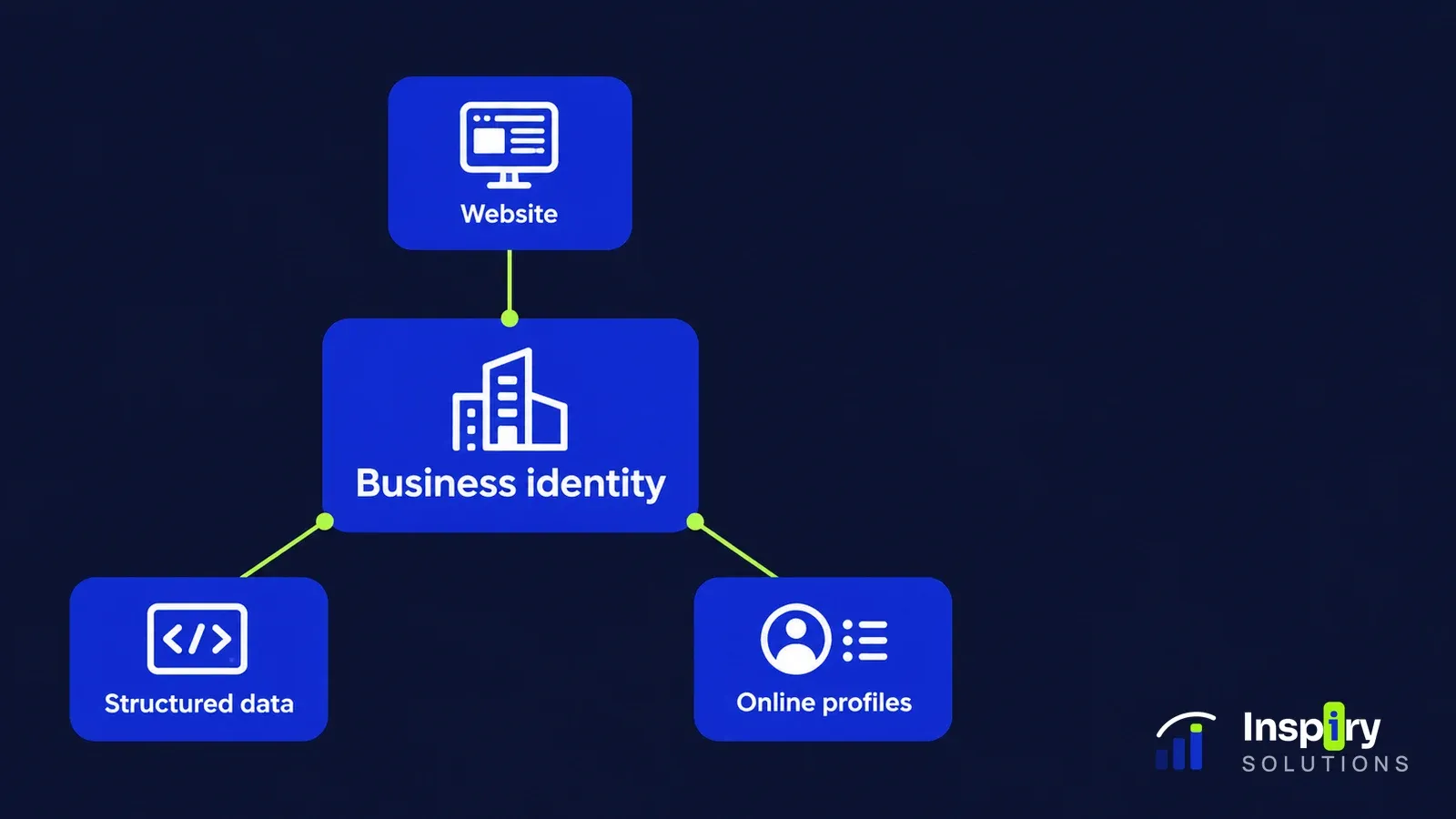
Organization schema is structured data that identifies your business through its name, website, logo, contact details and official online profiles. It gives search engines a machine-readable description of your organisation, while sameAs links connect that description to profiles representing the same business. A correct implementation can help Google distinguish your company from similarly named organisations. The priority is accuracy: one consistent identity, supported by information on your website and profiles, rather than multiple conflicting versions.
If you manage a business website, work in marketing or maintain WordPress sites, this guide explains which properties matter, how to choose trustworthy profiles, where to place the markup and how to test it.
What Organization schema does
Organization schema describes a business or other organisation using a standard vocabulary that software can interpret.
Google’s Organization structured data documentation explains that this information can help it understand administrative details and distinguish one organisation from another.
That does not mean installing the markup creates a knowledge panel, guarantees rankings or makes an AI assistant recommend your company.
The markup is one source of information among the website content, external profiles and other available evidence.
The usual implementation format is JSON-LD, which stands for JavaScript Object Notation for Linked Data.
An important concept is the entity identifier, written as @id.
For example, a website might identify its organisation as:
https://example.com/#organizationOther schema nodes, including WebSite and WebPage, can reference that identifier instead of independently describing a different organisation.
Organisation markup is also relevant when reviewing how identity affects AI mentions.
If identifying and correcting inconsistencies is part of a larger project, our AI visibility service reviews identity signals alongside technical website issues.
The properties worth including
Google does not specify mandatory properties for general Organization markup.
The full Organization vocabulary contains more properties than most small business websites need.
Do not add properties merely to make the JSON-LD longer.
For a broader explanation of business markup types, see schema types for service firms.
1. name and alternateName
The name property identifies the name your organisation uses publicly.
Take this value from your website’s branding, About page and business information.
The optional alternateName property represents another genuine name by which the business is commonly known.
For example, a company named Example Digital Studio might also be widely recognised as Example Studio.
2. url and logo
The url property normally contains the organisation’s canonical website address.
The logo property identifies an image representing the organisation.
Google’s guidelines say the logo image must be at least 112 by 112 pixels, crawlable and indexable, and in a format supported by Google Images.
Check the exact image URL instead of assuming a logo is valid because it appears in the website header.
A common mistake is leaving an obsolete media URL inside the organization schema after a redesign.
3. description
The description property provides a factual summary of what the organisation does.
Use the website’s About or company information as the starting point.
For example:
“Example Digital Studio provides website development and maintenance services for small businesses.”
The description should agree with the rest of the website.
4. address
The address property describes a physical or mailing address associated with the organisation, where applicable.
It usually uses a PostalAddress object containing relevant fields such as locality, region, postcode and country.
Use the actual address published in the business’s contact information.
For a remote company, do not invent a public office or imply that customers can visit an address that is not available for visits.
If the company operates several locations, determine whether those locations also need their own LocalBusiness entities rather than placing every location into a generic organisation description.
5. contactPoint and telephone
The telephone property provides a primary business phone number.
Use the number visitors are expected to call, preferably including its international country code.
The contactPoint property can describe a particular contact route, such as customer support or general enquiries.
For smaller organisations, a primary telephone may be sufficient.
Check that numbers match the website’s contact page.
6. email
The email property identifies a legitimate business contact address.
Choose an address already published on the website, such as a general enquiries address.
Do not create a fictional address solely to complete the schema.
If several departments have different addresses, ensure their purpose is clear instead of presenting every mailbox as the primary contact.
7. foundingDate and founder
The foundingDate property records when an organisation was established, where that information is known and relevant.
The founder property identifies the founder, usually through a Person or Organization entity.
Unlike foundingDate, founder is part of the wider Schema.org vocabulary but is not listed among Google’s recommended Organization properties.
These details should come from accurate company information.
8. sameAs
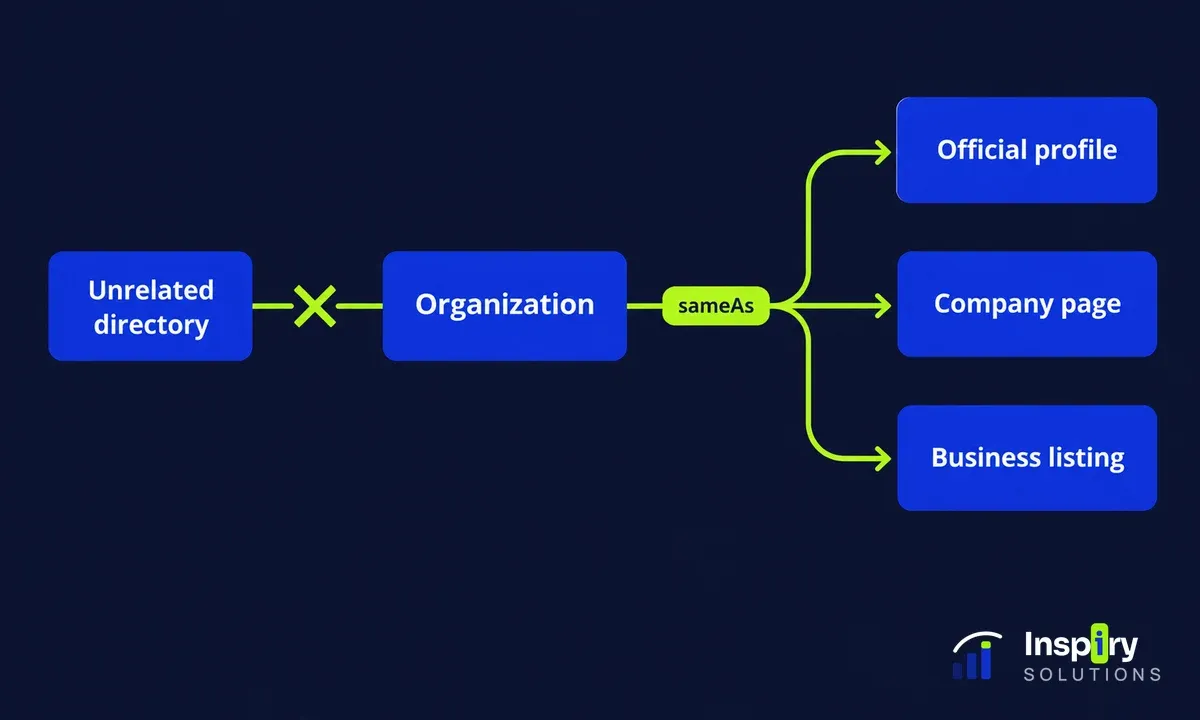
The sameAs property contains URLs for external pages that identify the same organisation.
These might include official company profiles on professional networks, social platforms or recognised business profile services.
A good sameAs schema list reinforces identity.
Use links that directly identify the business, not a platform’s homepage or a loosely related article.
For example, an official company profile is relevant.
The next section explains how to decide which URLs deserve inclusion.
Property reference table
Google lists the properties below as recommended where applicable, except founder, which belongs to the broader Schema.org vocabulary.
| Property | What it holds | Example value (hypothetical business) | Required or recommended per Google | Common mistake |
|---|---|---|---|---|
| name | Public business name | Example Digital Studio | Recommended | Keyword-stuffed business name |
| alternateName | Genuine alternative name | Example Studio | Recommended if applicable | Invented keyword variations |
| url | Official website address | https://example.com/ | Recommended | Staging or outdated URL |
| logo | Official logo image URL | https://example.com/images/logo.png | Recommended if applicable | Deleted or inaccessible file |
| description | Business summary | Website design and maintenance studio | Recommended if applicable | Promotional keyword stuffing |
| address | Physical or mailing address | Leeds, United Kingdom | Recommended if applicable | Invented office location |
| telephone | Primary contact number | Published business number | Recommended if applicable | Former or incorrect number |
| sameAs | External identity profile URLs | Official company profile URLs | Recommended if applicable | Unrelated directory links |
| foundingDate | Organisation establishment date | 2018 (illustrative) | Recommended if applicable | Guessing the founding date |
| founder | Founder entity | Example Founder | Not separately recommended in Google’s list | Wrong person or unsupported claim |
The table is a selection guide, not a requirement to populate every field.
For most businesses, confirming the primary name, website, logo, contact information and official profiles provides a sensible starting point.
Choosing sameAs links
The purpose of sameAs is identity confirmation, not link building.
Before adding a URL, ask a simple question: does this destination clearly represent the same organisation described on the website?
A useful profile normally contains recognisable branding, an accurate company name and information consistent with the official site.
A short, carefully selected list is preferable to a long collection of uncertain references.
Include
Suitable candidates include official company profiles on LinkedIn, Facebook, Instagram, YouTube and other platforms actually used by the business.
An established business profile on a review or professional platform may also be appropriate when it clearly identifies the organisation.
Check each candidate manually.
Open the profile, confirm the name and branding, inspect the website link where available, and verify that the business controls or can maintain the information.
If a company has changed its name, update its important profiles before treating them as consistent identity references.
This process supports the broader work of making your business unambiguous.
Leave out
Exclude profiles that belong to another business, individual employee or unrelated organisation.
Also leave out abandoned accounts, outdated pages and directory entries you cannot verify or maintain.
An independent directory listing is not automatically invalid.
If a page does not clearly identify your exact business, its presence may introduce confusion rather than resolve it.
Review your chosen URLs whenever branding, ownership, website addresses or social accounts change.
Organization vs LocalBusiness
The organization vs localbusiness schema decision depends on what the entity actually represents.
Organization is a broad type.
A company with a customer-facing location will often benefit from using the most specific suitable LocalBusiness subtype.
A remote consultancy without a public customer location may be better represented by Organization.
Google recommends selecting the most specific accurate subtype rather than using generic markup when a better description is available.
A parent organisation and individual branches can be represented separately when they are genuinely distinct entities, using consistent identifiers and appropriate relationships.
For location-specific fields, see marking up your locations once that guide is published.
The objective is a coherent description of the business, not the maximum possible number of schema types.
Where the markup should live on WordPress
For WordPress websites, organization schema should normally have one authoritative source.
Google recommends placing organisation information on the homepage or a single page describing the company.
The problem begins when several tools independently describe the same business.
A theme may generate an Organization node.
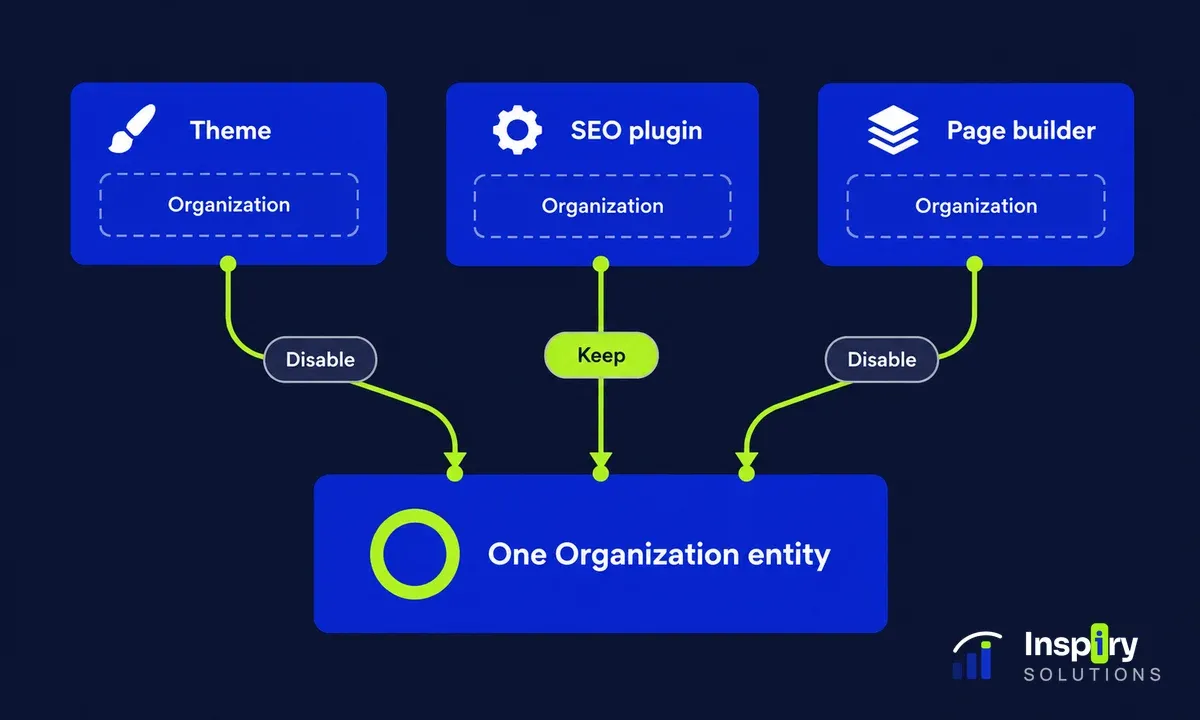
These blocks can use different names, logos, telephone numbers and @id values, making the resulting identity graph unnecessarily confusing.
Start by checking the source already provided by your SEO plugin.
In Rank Math, review the available organisation or local business settings and complete the applicable fields.
Do not automatically paste another JSON-LD script into Elementor or a header-injection plugin.
If another component already owns the organisation entity, either use that source consistently or disable its overlapping output before choosing a replacement.
How to inspect the output
Open the homepage and inspect its source code.
Search for application/ld+json, then review each structured data block for @type values such as Organization, LocalBusiness or their subtypes.
An entity may also appear inside an @graph array.
Count distinct organisation entities, not merely the number of script tags.
Compare their @id, name, logo and contact details.
Repeated references to the same entity are not necessarily duplicates.
If you cannot identify the source, our technical SEO support can trace markup back to the responsible plugin, theme or template.
An annotated example
The following organization schema example uses a fictional company and example.com addresses.
It illustrates a single organisation entity with a stable identifier, basic company details and external profiles.
The code contains valid JSON-LD without comments.
{
  "@context": "https://schema.org",
  "@type": "Organization",
  "@id": "https://example.com/#organization",
  "name": "Example Digital Studio",
  "alternateName": "Example Studio",
  "url": "https://example.com/",
  "logo": {
    "@type": "ImageObject",
    "url": "https://example.com/images/logo.png"
  },
  "description": "Example Digital Studio provides website development and maintenance services for small businesses.",
  "email": "hello@example.com",
  "telephone": "+44 20 7946 0000",
  "contactPoint": {
    "@type": "ContactPoint",
    "contactType": "customer service",
    "email": "hello@example.com",
    "telephone": "+44 20 7946 0000"
  },
  "foundingDate": "2018",
  "sameAs": [
    "https://www.linkedin.com/company/example-studio/",
    "https://www.facebook.com/example.studio/",
    "https://www.instagram.com/example.studio/"
  ]
}
All company details, profile addresses and contact values above are illustrative.
The @context establishes the Schema.org vocabulary, while @type identifies the entity as an organisation.
The @id supplies a stable identifier other nodes can reference.
The description, email, telephone and contactPoint provide additional facts.
Finally, the sameAs array connects the organisation to selected external profiles.
Notice that this example does not invent an address or founder.
Hypothetical example: A WordPress website outputs three Organization entities.
One comes from the theme and uses an old logo, one comes from the SEO plugin and one comes from a page builder widget.
The team first identifies all three sources and compares their properties.
It chooses the SEO plugin as the authoritative source, disables the two overlapping outputs and completes the plugin’s organisation settings.
Next, it verifies four official business profiles and adds their URLs to sameAs.
The team validates the updated homepage and confirms that the intended business entity is represented consistently.
This hypothetical example demonstrates a practical correction process, not a client case study or a guaranteed search improvement.
Validate and maintain it
Publishing JSON-LD is only part of the task.
Use the Schema Markup Validator to inspect syntax, recognised properties and entity relationships.
Then use Google’s Rich Results Test to check the Google-supported structured data features detected on the page.
An Organization entity may not produce a separate rich result preview.
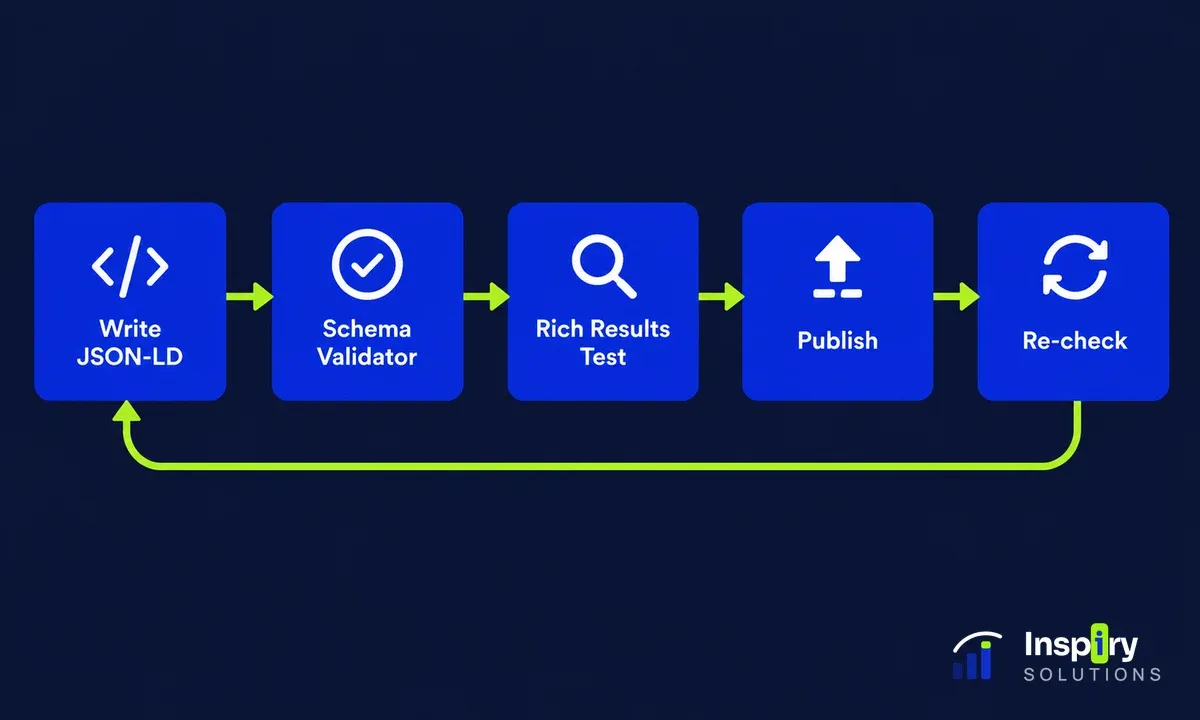
Follow this sequence:
- Review the published business facts and prepare accurate JSON-LD.
- Run the markup through the Schema Markup Validator.
- Check the page using Google’s Rich Results Test.
- Publish or update the authoritative implementation.
- Re-check the live URL after deployment and future changes.
A validator can identify technical problems, but it cannot determine whether your company really operates from a particular address or owns a social profile.
That verification requires human review.
Google’s structured data introduction explains that markup should accurately represent the content it describes.
Check the final public page, not only a staging preview.
Add organisation details to your redesign checklist, particularly when changing domains, logos, contact information or plugins.
These checks also belong alongside the checks in a WordPress SEO audit.
Re-test after meaningful updates rather than assuming existing markup will remain unchanged indefinitely.
Organization schema mistakes to avoid
Many markup problems come from inaccurate data management rather than difficult coding.
The following checks catch the issues most likely to weaken an otherwise useful implementation.
Publishing information the website does not support. Do not introduce addresses, founding dates or contact methods without verifying their accuracy and relevance.
Leaving conflicting Organization entities. Different components may output separate versions of the same company.
Treating sameAs as a backlink collection. A long list of directories, competitors and abandoned profiles does not create a stronger business identity.
Using an inaccessible logo URL. Verify that the image exists, loads correctly and remains available to crawlers.
Choosing a generic entity when a specific type fits. A physical shop or customer-facing service location may need LocalBusiness markup instead of a standalone generic Organization definition.
Editing schema without checking the rendered output. A custom block may look correct while the SEO plugin continues publishing conflicting information.
The best correction process is to identify the responsible source, change it once and validate the result.
Common questions
Do I need Organization schema if I have LocalBusiness schema?
LocalBusiness is a more specific type of Organization. If it accurately describes your business, you generally do not need a separate competing Organization entity for the same business. Use the most specific accurate type and avoid duplicate, conflicting entities. A parent company and individual locations may be represented separately where appropriate.
What should go in sameAs?
Use URLs of official profiles that represent the same organisation, including relevant company social accounts and verified business profiles. Check that each URL resolves to the correct company and contains current information. Leave out pages you do not control or that describe other businesses, particularly when their details are inaccurate or ambiguous.
Will Organization schema give me a knowledge panel?
Google does not promise a knowledge panel from markup. Organization schema helps Google understand details about an organisation and may inform how certain information appears in Search. Whether Google displays a knowledge panel depends on factors beyond the markup itself. Treat this as identity maintenance, not a guaranteed visibility feature.
Which page should carry Organization schema?
Usually the homepage or a single organisation information page is suitable. Some SEO plugins publish the same entity sitewide, which can also be appropriate when the output is consistent. The aim is one authoritative identity, not multiple conflicting definitions. Check that plugins and themes are not adding duplicates.
How do I test my Organization markup?
Use the Schema Markup Validator to inspect vocabulary and syntax, then Google’s Rich Results Test to check applicable Google-supported features. Review the resulting entities and compare their properties with published business information. Re-test after theme or plugin updates, particularly when those changes affect templates, SEO settings or structured data output.
Get one accurate source of truth
Organization schema works best when the website, markup and official business profiles describe the same organisation.
Start by identifying your current entity, confirming its key properties and removing conflicting definitions.
Do not add unnecessary properties or extra JSON-LD blocks simply to make the implementation appear more comprehensive.
An accurate, maintainable identity is more useful than a complicated but contradictory one.
If your site outputs duplicate or outdated Organization markup, send your URL for a free audit. Our AI visibility service fixes identity markup alongside the profiles it points to.