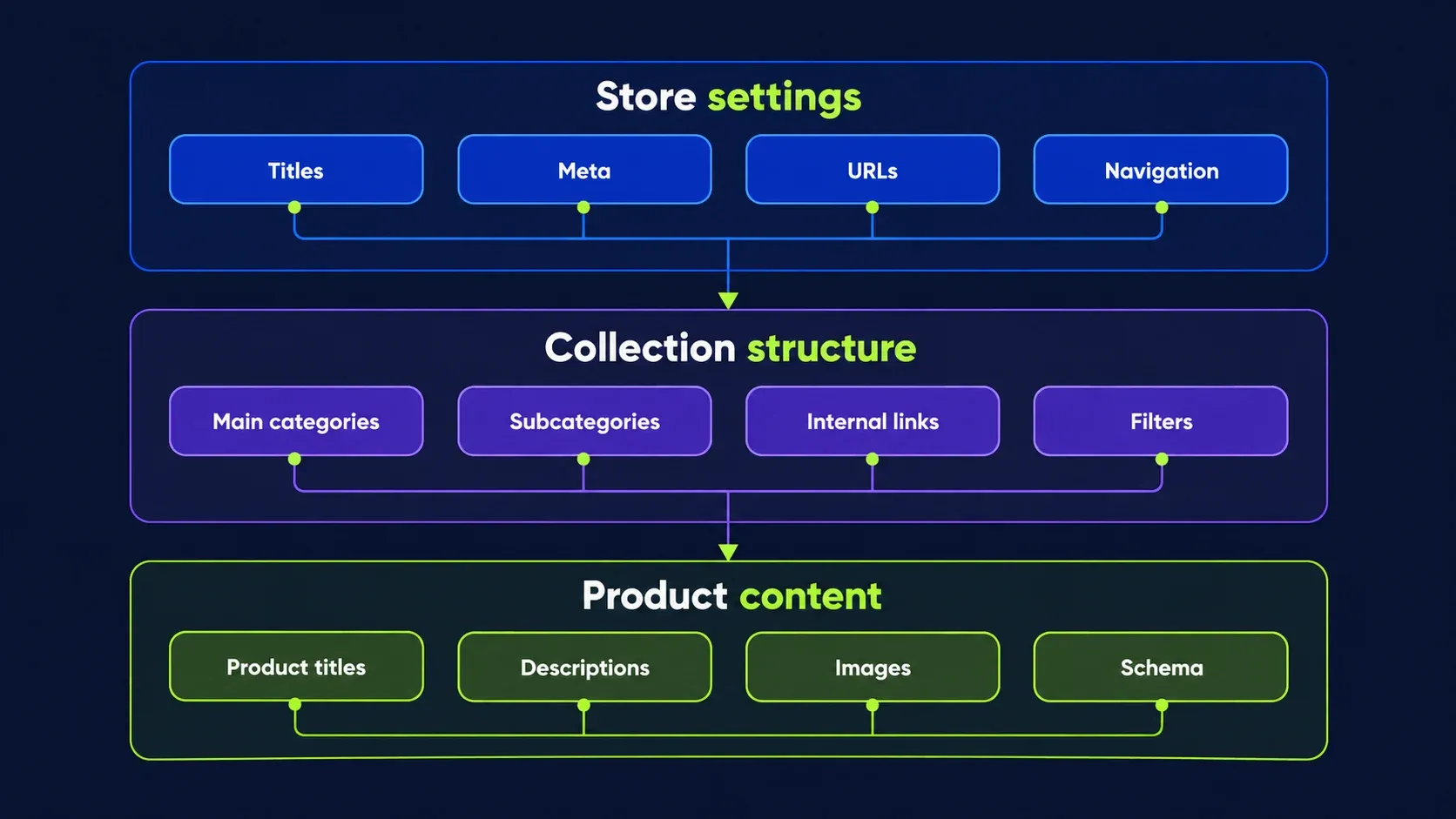
Shopify collection page SEO turns product categories into useful search landing pages by matching each collection to a clear search intent. Instead of relying on a product grid alone, choose the categories customers actually search for, add a short introduction above the products, place buying guidance below them, and keep duplicate filter URLs under control. The goal is not to make every collection rank. It is to give your most important categories a clear purpose, useful content and reliable links from the rest of your store.
This guide is for Shopify merchants whose category pages show little beyond product images and prices. You will learn which collections deserve attention, how to structure their templates, and how to improve one collection before repeating the process across your store.
Why Shopify collection page SEO carries category searches
A shopper searching for “waterproof walking boots” usually wants to compare several suitable products. A collection page can present different brands, sizes, materials and prices together, making it a more natural destination than an individual product.
Collections serve shoppers who are exploring a product type. Product pages serve shoppers investigating or purchasing a particular item. Both matter, but they should not compete unnecessarily for the same broad phrases.
A bare product grid offers limited context. Visitors must work out whether the range suits their needs from product names and images alone. Search engines can analyse those elements, but a clear heading, relevant introduction and supporting links provide additional information.
For example, a “Linen bedding sets” collection could explain the fabric, available set types and typical considerations when choosing bedding. That information helps visitors assess the range without opening every product.
Google’s guidance on ecommerce website structure recommends connecting category pages, subcategories and products through crawlable navigation links.
Choose which collections deserve to rank
Not every Shopify collection needs to become a search landing page. Some organise promotional products, others support navigation, and a smaller group represents the categories customers actively search for.
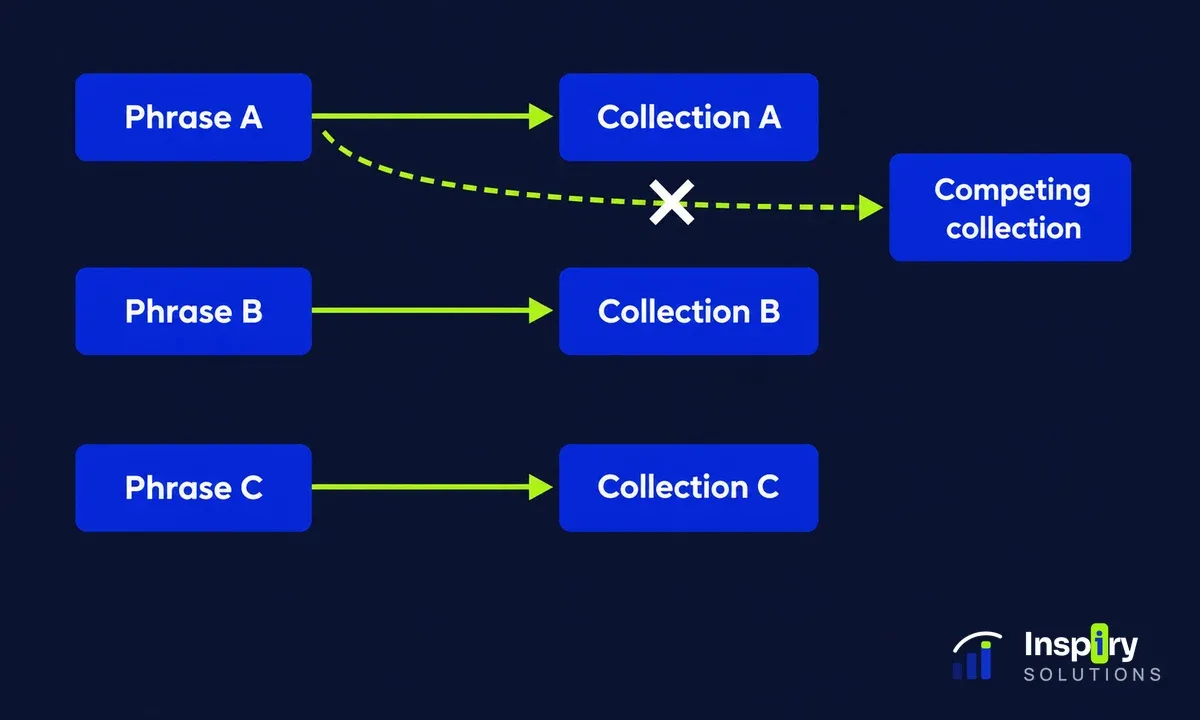
Assign one main search phrase to each priority collection.
For example, “linen bedding sets” could lead to a dedicated bedding collection. “Cotton duvet covers” should lead to a different collection only if its product range and search intent justify a separate page.
Avoid creating several nearly identical pages targeting the same phrase.
Manual and automated collections
In legacy Shopify setups, manual collections contain products selected individually. Automated or smart collections use conditions to determine membership. Shopify has also introduced a newer collections model that supports more flexible inclusion and exclusion rules, so the controls available depend on your store.
The Shopify collections documentation explains the available approaches and where collection details are managed.
Neither approach provides an inherent SEO advantage.
Identify overlapping categories
Compare collections that have similar names and significant product overlap.
Sometimes you should merge collections. Other times, keep both for navigation but stop actively promoting the weaker one as a search destination.
Hypothetical example
An outdoor clothing store has “Jackets”, “Coats” and “Outerwear” collections sharing most of the same products.
The merchant chooses “Waterproof jackets” as a primary landing page because it represents a clearer search intent.
They stop linking “Outerwear” from the main menu and add buying guidance covering waterproof fabrics, fit and practical features below the waterproof jacket product grid.
The other collections can remain where they serve genuinely different browsing needs.
The lesson is to clarify purpose before expanding content.
Write collection content that helps shoppers
The main content mistake is treating the Shopify collection page description as one large block that belongs above every product.
A better arrangement divides content into two areas: a short explanation above the grid and more detailed buying guidance underneath.
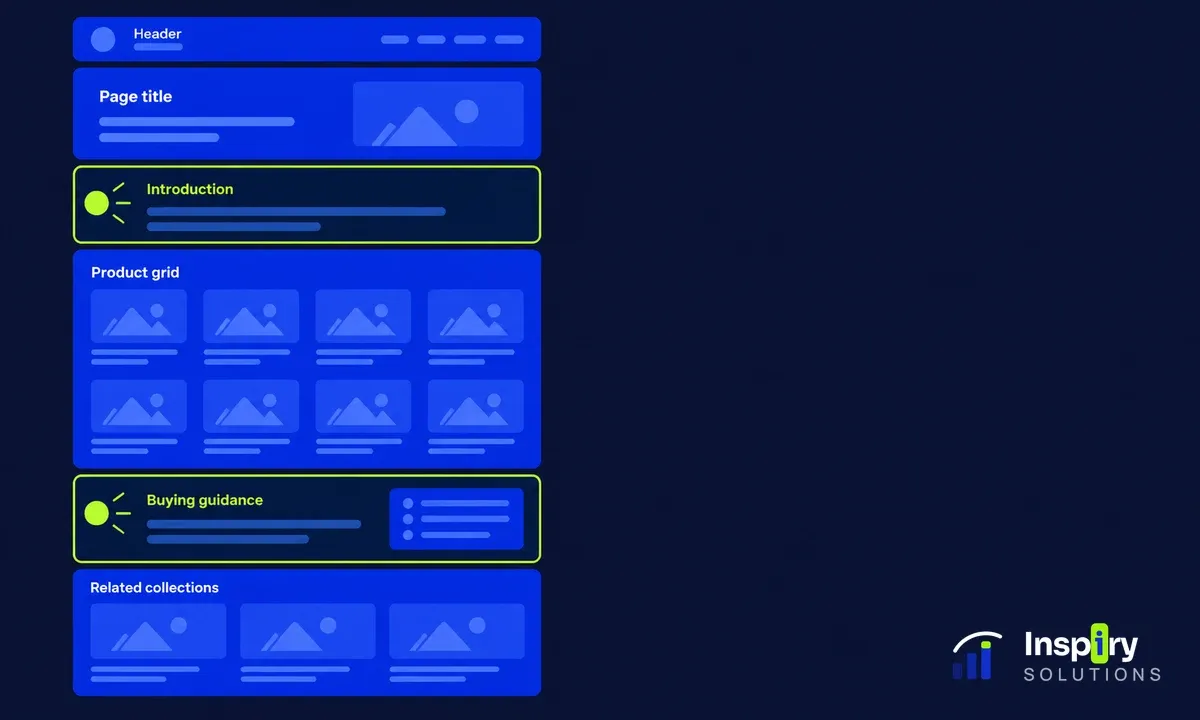
Above the grid
Begin with a clear H1 that identifies the range, followed by two to four useful sentences.
Explain what the collection contains, who it suits and what makes the available options different.
For a “Linen bedding sets” collection, a suitable introduction might be:
“Explore linen bedding sets for everyday comfort and a relaxed bedroom style. Compare colours, sizes and set contents to find bedding that suits your room. Check individual product details for fabric composition, care instructions and availability.”
This explains the category without pretending every item has identical specifications.
Below the grid
The area underneath products is better suited to detailed advice.
For linen bedding, useful sections might explain fabric composition, set contents, mattress sizing and washing instructions.
A comparison table can help shoppers distinguish product types. Short FAQs can answer recurring concerns about fit, materials or delivery eligibility.
Use specific headings so visitors can scan the guidance. The content should support a buying decision rather than repeat an entire collection of product descriptions.
Plan around your Shopify theme
Some older themes expose one collection description field and display all its content above the products.
That limitation should not force you to publish an oversized introduction.
Online Store 2.0 themes can use sections and metafields, which are custom data fields, to display different content above and below the grid. Implementation varies by theme.
This separation is part of the Shopify collection templates we build: a manageable introduction, product browsing tools and a dedicated area for useful buying content.
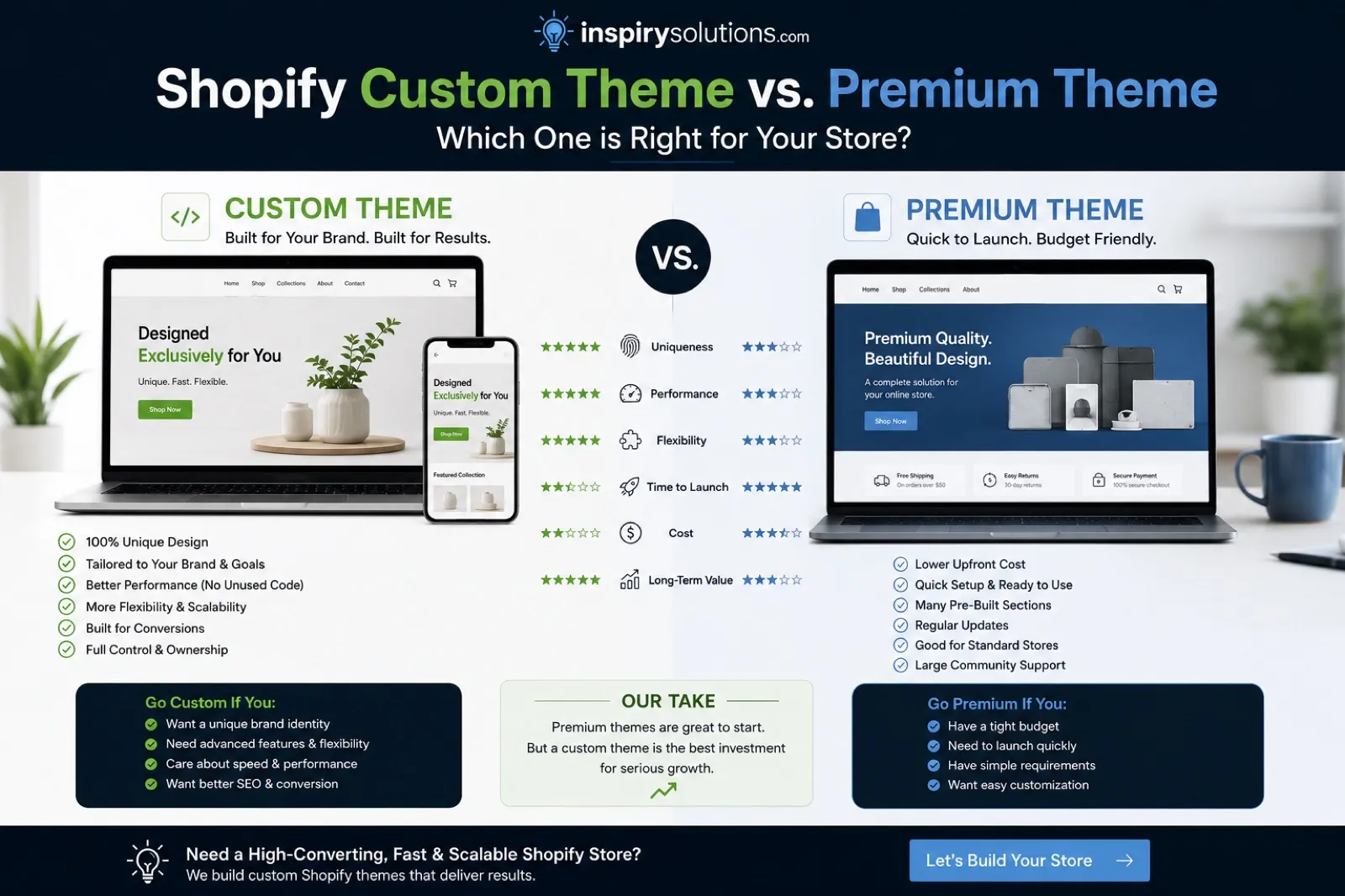
If your current theme makes these changes difficult, consider when a custom theme is worth it before adding another app or editing core templates.
For repeated collection layouts, a reusable template is usually preferable to individually rebuilding every page.
The template should allow the merchant to change content without editing code. It should also support optional sections because not every collection needs a buying table or FAQ.
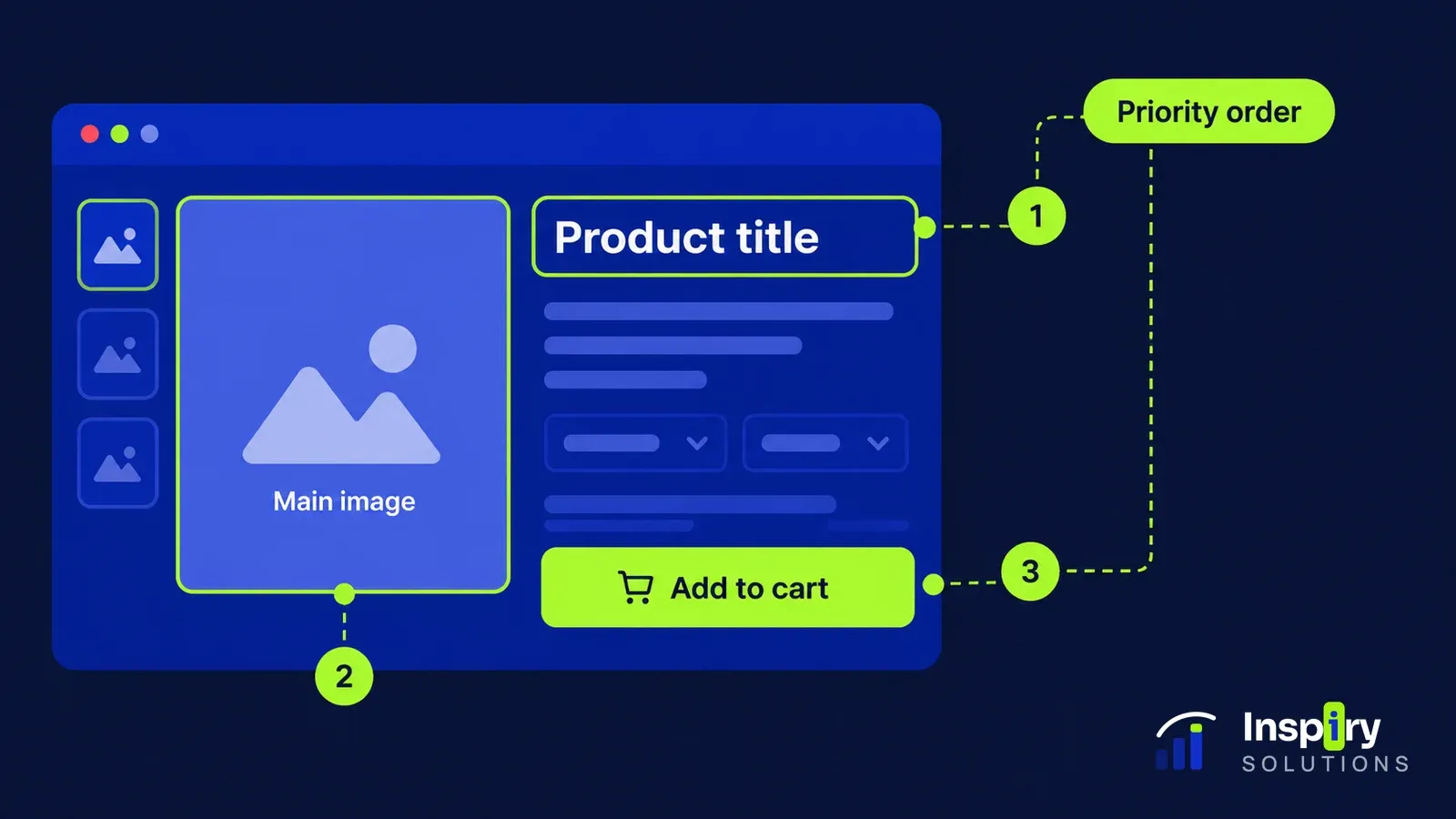
Keep the product grid central. Written content should make comparison easier, not compete with the products for attention.
Titles, descriptions and handles
The Shopify collection SEO title should describe the range accurately and distinguish it from similar pages.
Google explains this in its title link guidance.
Write meta descriptions as useful summaries, not keyword lists. They may influence how a page is presented in search, but Google can also select text from the page instead.
For example, /collections/linen-bedding-sets communicates the category more clearly than an unnecessarily long handle containing repeated attributes.
The following table provides a practical checklist for improving common collection template elements.
Collection page elements
| Element | What most themes show by default | What to change | Why it matters |
|---|---|---|---|
| H1 | Collection title | Use a clear category name | Identifies the product range |
| Intro above grid | Description or nothing | Add two to four specific sentences | Explains the range immediately |
| Product grid order | Default sorting | Prioritise useful, available products | Improves first-page browsing |
| Buying guidance below grid | Often absent | Add sizes, materials and selection advice | Supports product decisions |
| SEO title | Generated or editable title | Describe the main category clearly | Clarifies search result context |
| Meta description | Generated or editable summary | Write a relevant category summary | Helps explain the page in search |
| Handle | Collection-based URL | Keep it concise and readable | Makes URLs easier to understand |
| Filter and sort URLs | Multiple URL variants | Review crawling and canonical signals | Limits unnecessary duplication |
| Tag URLs | Tag-based collection variants | Check canonical and indexing behaviour | Prevents competing thin pages |
| Pagination links | Theme-dependent navigation | Keep real links between pages | Supports product discovery |
| Breadcrumbs | Present or theme-dependent | Link to meaningful parent categories | Shows category relationships |
| Related collections | Often missing | Link to genuinely relevant categories | Helps visitors continue browsing |
Filters, tags and sorting URLs
Storefront filters, tag URLs such as /collections/jackets/waterproof and sort options such as ?sort_by=price-ascending can create many URL variations of the same collection.
Check what canonical tag your theme outputs on filtered, sorted and tag URLs by viewing the page source. The result depends on the theme and any apps, so confirm it rather than assuming.
Do not try to turn tag pages into landing pages. If shoppers search for a distinct range, create a proper collection with its own content instead.
Shopify’s default robots.txt already includes rules for some sort and filter patterns. Check yours at /robots.txt before customising the robots.txt.liquid template.
For ordinary filter and sort variations that do not need independent search visibility, the unfiltered collection is often the preferred canonical destination.
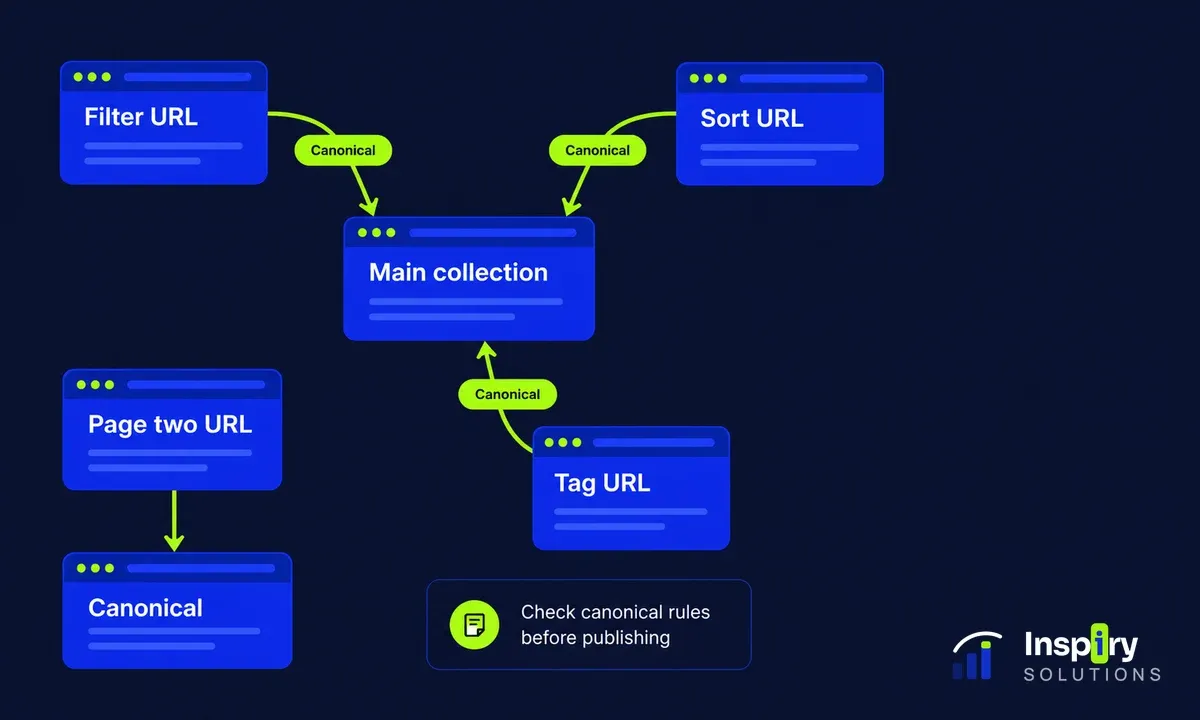
Google’s guidance on managing faceted navigation explains how filter-driven URLs can increase crawling work and why unnecessary URL combinations should be controlled.
Pagination and product order
Larger collections divide their product grids across multiple pages.
A URL such as /collections/waterproof-jackets?page=2 should remain reachable through ordinary navigation links when it contains products visitors need to discover.
Google recommends crawlable links between paginated pages in its ecommerce pagination guidance.
Check that pagination uses actual links, not buttons that depend entirely on JavaScript actions without crawlable destinations.
Do not automatically canonicalise every paginated page to page one. Later pages can contain different products, and Google’s pagination guidance treats paginated URLs as distinct pages.
For a typical Shopify collection, inspect what the theme outputs and whether products on later pages remain discoverable.
Product order matters to shoppers.
Consider placing popular, relevant and available products near the beginning so the first screen represents the category well.
Avoid allowing unavailable products to dominate the opening grid when suitable stock is available.
If a collection becomes excessively broad, investigate whether shoppers need narrower categories with genuinely different search intentions.
For example, an extensive footwear collection might support separate walking boot and running shoe collections.
Do not split it merely to create additional indexable URLs. A new collection should provide meaningful selection value and a recognisable category purpose.
Verify product discovery after any sorting, pagination or template changes, especially on mobile.
Internal links into and out of collections
A practical internal linking structure helps visitors and search engines identify your important product categories.
Start with the main menu.
Priority collections should be reachable through clear navigation labels. Do not hide a commercially important category behind an obscure menu label while prominently linking to several overlapping alternatives.
Breadcrumbs can explain where a collection fits within the store. For example, a waterproof jacket collection might sit beneath an outdoor clothing category.
Use genuine links wherever the relationship is useful.
Product pages should also offer a route back to an appropriate collection, commonly through breadcrumbs or a contextual category link.
A product can belong to multiple collections, so avoid forcing every product into an artificial single-category hierarchy.
Blog posts and buying guides provide another opportunity.
A guide about choosing linen bedding can link naturally to a linen bedding collection using descriptive anchor text. A care article can direct shoppers to the relevant materials category.
Avoid filling every article with identical category links. Choose destinations that genuinely match the subject.
Add related collections underneath the product grid or buying guidance when visitors might reasonably compare adjacent ranges.
For example, a waterproof jacket collection could link to walking trousers or outdoor base layers.
These are useful browsing relationships, not opportunities to repeat keywords indiscriminately.
Google’s ecommerce site structure advice emphasises linking important category and product pages through accessible navigation.
When reviewing a store, trace a route from the homepage to a priority collection, then to a product and back. Repeat the test on mobile.
If key pages are only reachable through a search box or temporary filter state, improve the navigation before assuming the solution is more written content.
Common questions
Should Shopify collection pages have descriptions?
Yes. A short description helps shoppers and search engines understand what the collection contains and who the products suit. Keep the introduction above the grid concise so merchandise remains visible. Put longer buying guidance below the products, where visitors can read it when needed. Every collection should have specific copy rather than descriptions reused across several categories.
Do Shopify tag pages get indexed?
They can, depending on the canonical tag your theme outputs and other indexing signals. Tag URLs are usually thin variations of a collection and rarely make strong standalone landing pages. Review the Page indexing report in Google Search Console, then inspect actual tag URLs and their canonicals before deciding what to change. Avoid blanket robots.txt changes without checking the consequences.
Are automated collections bad for SEO?
No. Automated or smart collections can work well for SEO when they represent a genuine search category and contain appropriate products. Their management method matters less than the usefulness of the resulting page. Watch for automated rules that unexpectedly include unrelated merchandise or remove important items. Review collection membership whenever product attributes, tags or inventory rules change.
Can one product be in many collections?
Yes, and this is normal in Shopify. A waterproof jacket might belong to outdoor clothing, waterproof jackets and seasonal collections. Product links within collections can produce extra URL paths, depending on the theme. The canonical should point to the preferred main product URL. Check the generated canonical tag and Google’s selected canonical when investigating duplicate product URLs, and review the store’s duplicate content guidance.
Upgrade one collection in 4 steps
Improving every collection simultaneously makes it difficult to understand which changes helped.
Use one important page as a controlled starting point. Record its current search visibility, content, template behaviour and internal links before editing.
Apply the changes below, then compare the same page over a meaningful period.
Pick a collection with impressions and few clicks
Open Google Search Console and review the Search results performance report.
Filter by a collection URL and examine the queries generating impressions. Look for a category page appearing for relevant searches but attracting relatively few clicks.
Check whether its title, product range and search intent match those queries.
A low click-through rate alone does not prove the page needs rewriting. Ranking position, search features and query intent also affect clicks.
Choose a collection where improving the content and presentation has a clear commercial purpose.
Record the original title, description, relevant queries and performance data before making changes.
Add the intro and buying guidance
Write a short introduction that identifies the collection and its intended shopper.
Keep it above the products, then add specific selection guidance underneath the grid.
Choose subjects supported by the actual range: materials, sizes, fit, care or differences between product types.
Where appropriate, add a concise comparison table or answers to genuine buying questions.
Check mobile layout before publishing. The products should remain easy to reach, and long content blocks should not create unnecessary scrolling above the grid.
Fix the fields, filters and links
Update the SEO title, meta description and collection image alt text where necessary.
Review the URL handle, but avoid changing an established address without a specific reason.
Inspect canonical tags on the main collection and its filter, tag and sort variations.
Confirm pagination links work and that relevant products remain discoverable.
Add meaningful links from navigation, appropriate guides and related collections.
Use the collection page elements table above as your final implementation checklist.
Compare after a few weeks, then roll out
After publishing, check that Google can crawl the intended URL and that its indexing signals remain consistent.
Compare Search Console impressions, clicks, queries and average position with the baseline. Use comparable date ranges and account for seasonality where possible.
Check shopper behaviour and enquiries or sales alongside organic performance where tracking is available.
A few weeks may reveal early changes, but it is not a guaranteed period for Google to recrawl, reassess or improve a page.
If the revised template works technically and is easier for shoppers to use, apply its structure to other suitable collections.
Keep each collection’s content specific rather than copying the same introduction and buying guidance everywhere.
Before expanding the work, use our full Shopify SEO checks to review the wider store, including technical issues that may affect collections and products.
If your collections are still bare grids, send your store URL for a free audit, or talk to us about Shopify development to build collection templates your team can fill in.
Email hello@inspirysolutions.com with your store URL. You will receive a plain-language reply within two working days.