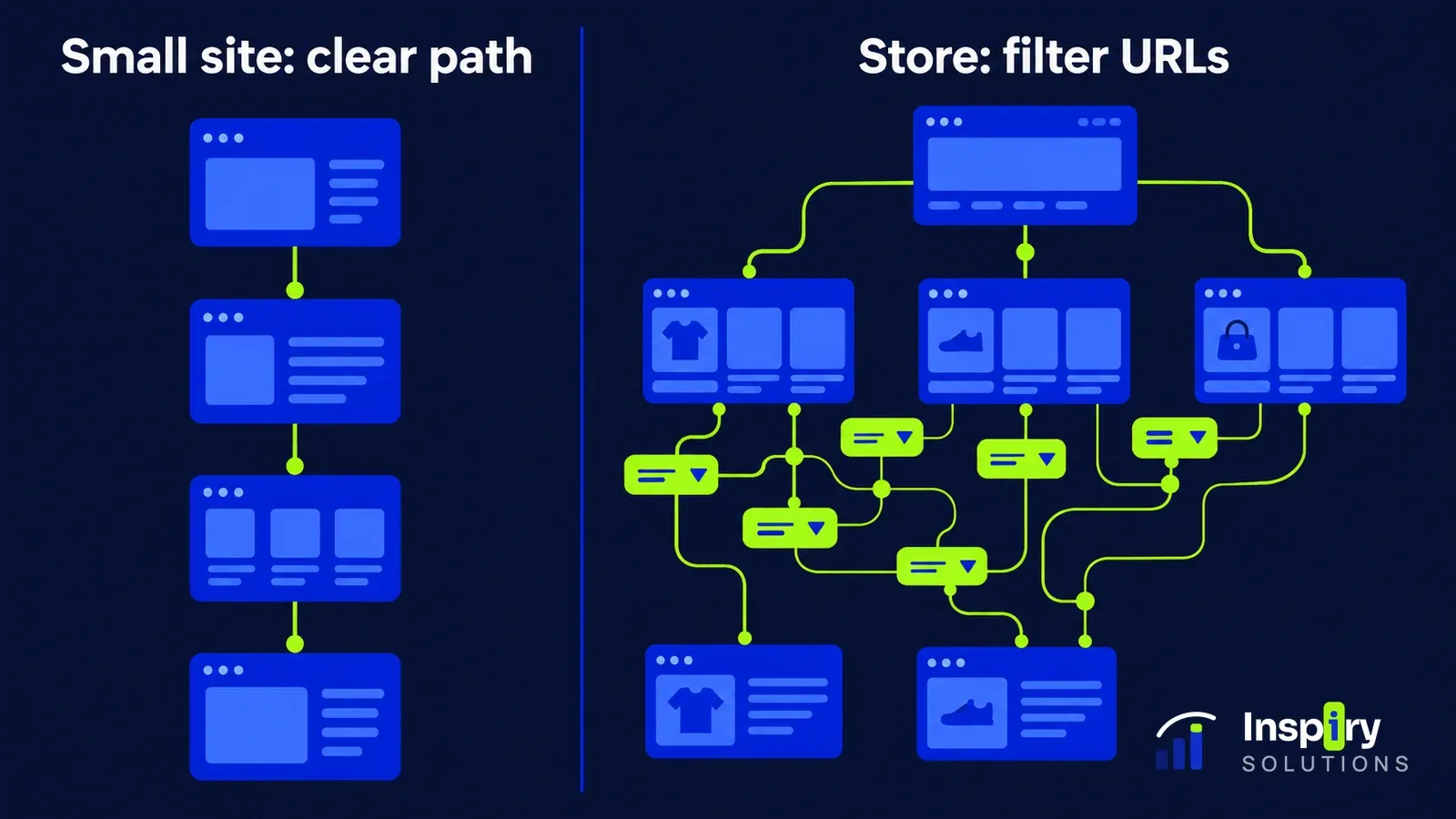
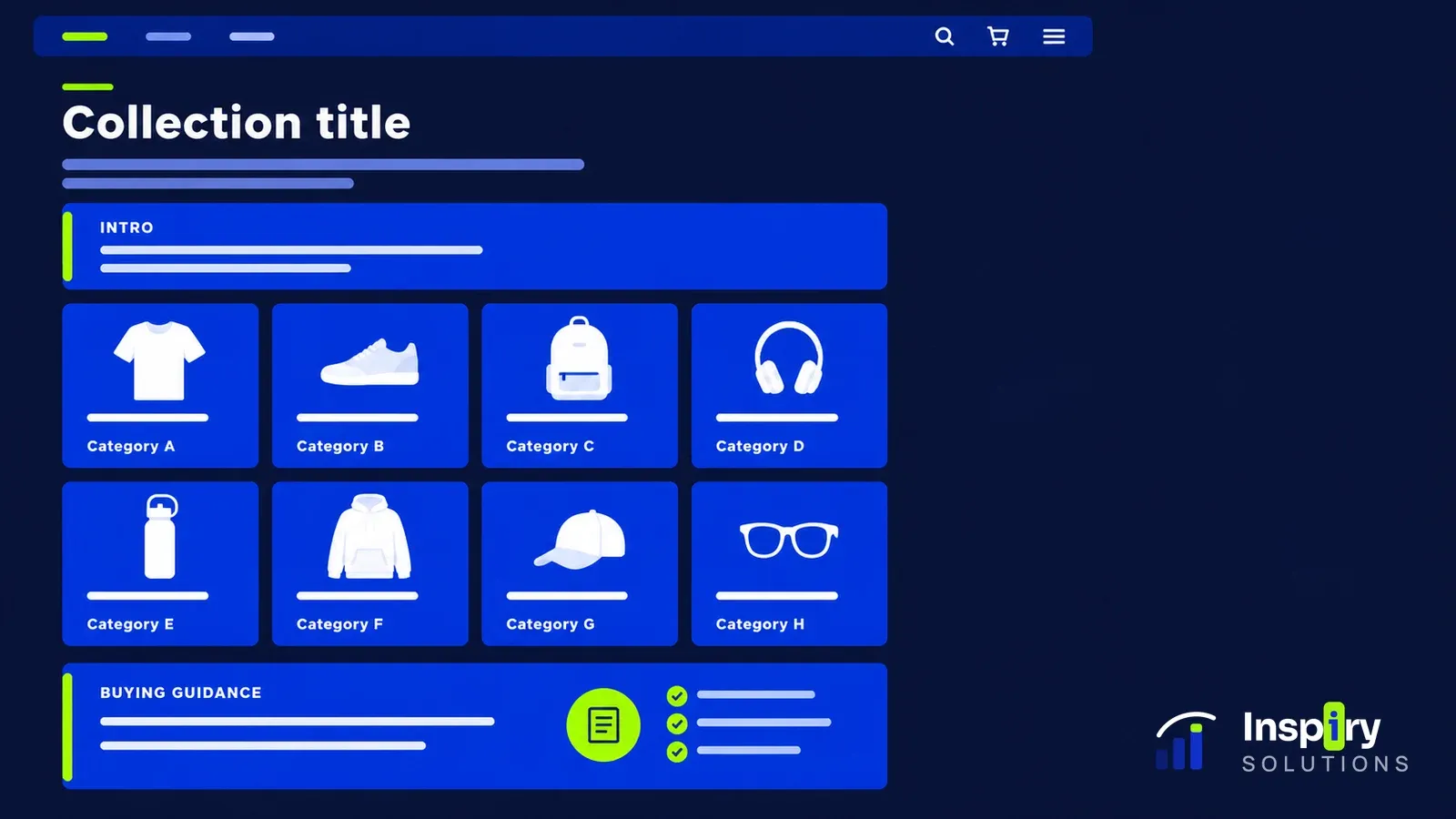
Faceted navigation SEO works best when you index only useful filter combinations, control unwanted URLs and keep pagination crawlable. Most online stores do not need hundreds of indexed versions of each category. They need a small set of landing pages that match real searches, alongside working filters for shoppers. Choose those pages using five practical tests, prevent unnecessary crawling of the remaining combinations, and give every paginated category page its own reachable URL. This approach applies to both WooCommerce and Shopify, although the implementation differs.
If your store has colour, size, brand, material, price or availability filters, this guide will help you decide which URLs deserve search visibility and which should remain shopping tools. It also explains how to check Search Console, avoid common canonical mistakes and document the rules before a developer changes anything.
Why faceted navigation SEO goes wrong on online stores
Faceted navigation lets shoppers narrow a product listing by selecting attributes. On a furniture category, someone might choose oak, black, large, under £500 and in stock. Each selection makes shopping more convenient, but it can also create another URL.
A simple category might live at:
/sofas/After shoppers select filters, the store might generate:
/sofas/?colour=black&material=leather&size=largeChange the material, price or sort order, and another URL appears. Selecting several options can produce more combinations than a store owner expects.
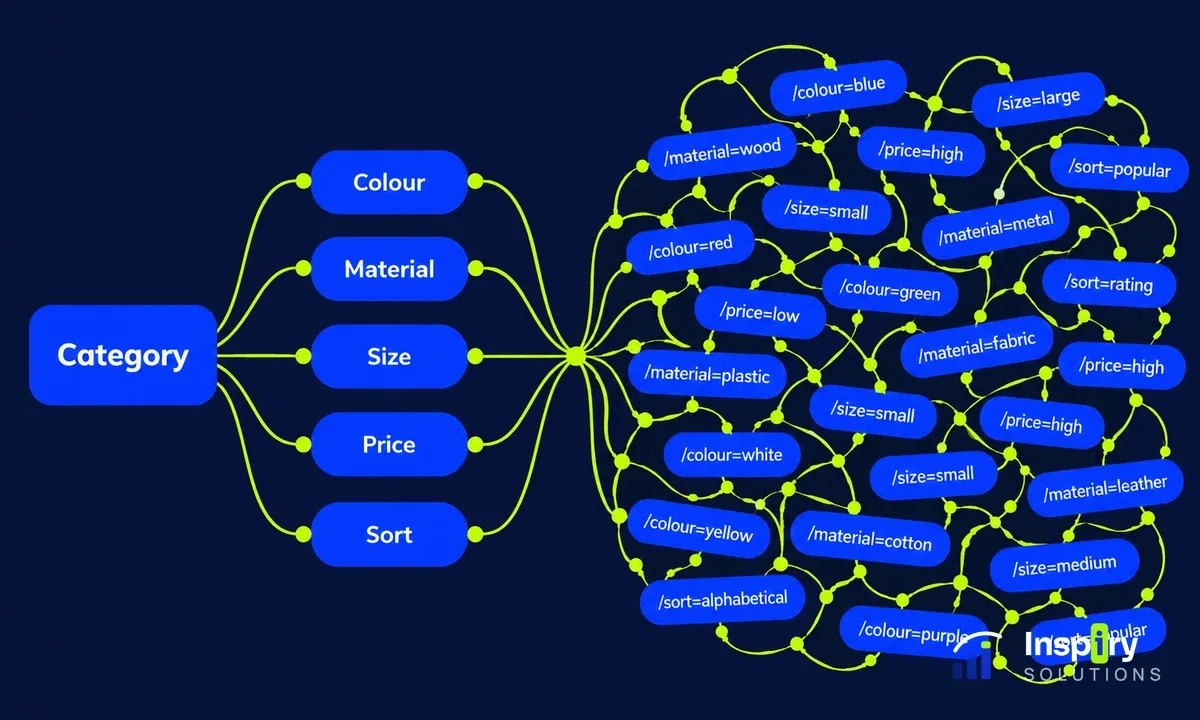
The resulting URLs can compete for Google’s attention with important product and category pages. They may also introduce duplicate titles, inconsistent canonical tags and unexpectedly expensive server requests.
Google’s guidance for managing faceted navigation explains that extensive filtered URL spaces can cause unnecessary crawling and slower discovery of useful content.
This is particularly relevant to larger catalogues. Crawl budget describes the crawling capacity and demand Google assigns to a site, rather than a fixed allowance of URLs. Our guide to when crawl budget matters explains why a modest catalogue may face different priorities from a store with thousands of changing products.
The objective of technical SEO for stores is not to force every URL into Google’s index. It is to make important pages easy to discover while avoiding unnecessary variations.
A useful rule is to separate two jobs:
- Shopping filters help customers narrow results.
- Search landing pages help people find a relevant product category from search.
Five tests for filter pages worth indexing
Before allowing any combination into search results, apply all five tests below. Passing only one or two is not enough.
The goal is to select a manageable number of filter pages that deserve distinctive content, reliable internal links and ongoing maintenance.
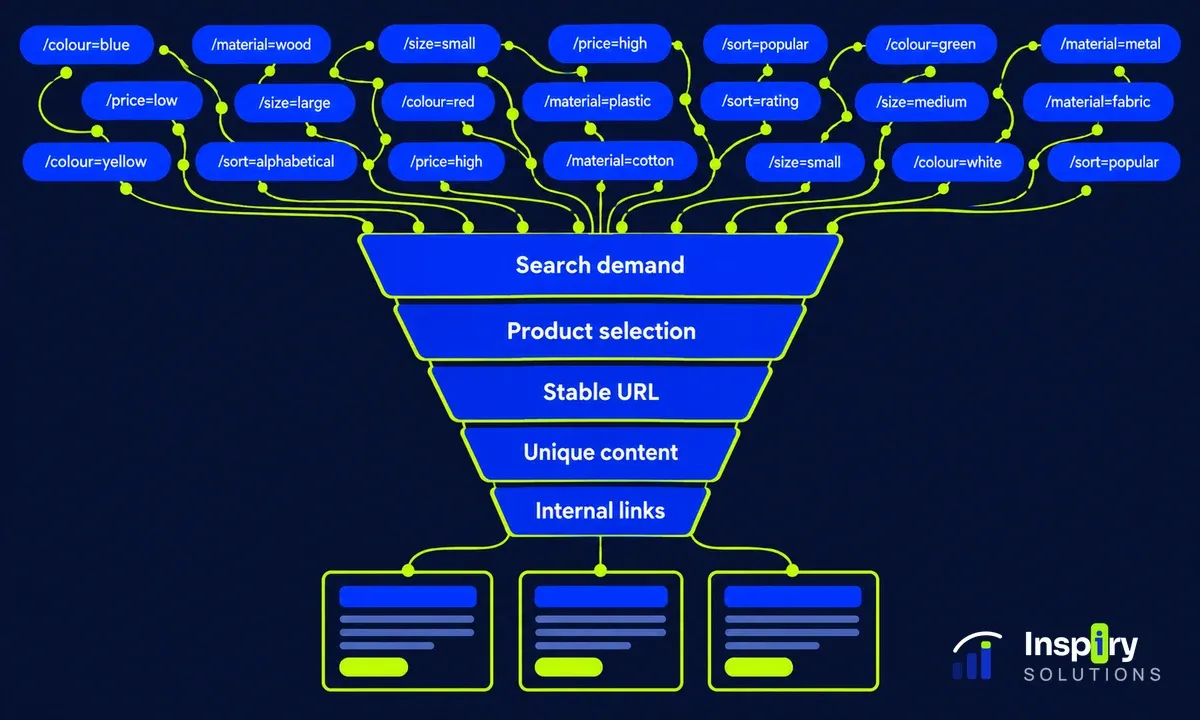
Real search demand for the combination
Start with what customers actually search for, not the number of options in your filter interface. “Oak dining tables” may represent a recognisable product category, while “oak dining tables sorted newest first” reflects a temporary browsing preference.
Check existing Search Console queries, internal site-search terms and how competitors organise their categories. Write down the exact query theme each proposed landing page will serve. If you cannot explain its purpose clearly, keep it as a shopping filter.
Enough products to make a useful page
A useful category should offer a meaningful selection rather than a single product surrounded by empty space.
Inspect the inventory after filtering. Check whether products are genuinely relevant, regularly available and sufficiently varied to justify a dedicated page.
Also consider seasonal changes. A landing page that becomes empty every few weeks creates a maintenance problem.
If the combination rarely contains worthwhile inventory, it should generally remain a filter state rather than a separate SEO destination.
A clean, stable URL
A chosen landing page needs one predictable address.
For example, a descriptive path such as /dining-tables/oak/ may be easier to manage than a lengthy query string containing several interchangeable parameters. A query URL can still be indexable, provided its structure is stable and technically sound.
Avoid allowing different parameter orders to create equivalent addresses. These variations should not become separate search destinations.
Decide the preferred URL format before implementing canonical tags, internal links and XML sitemap entries.
Test whether the page survives product updates, platform changes and repeated filter selections without generating alternative addresses.
Unique copy and a clear title
An indexable filter combination needs a reason to exist beyond showing fewer products.
Avoid generating hundreds of nearly identical paragraphs with only the colour or material replaced. That creates maintenance work without necessarily improving usefulness.
The copy does not need to be long. It needs to accurately represent the products and answer the searcher’s likely questions.
Internal links from relevant categories
Finally, ask whether the selected page deserves links from other parts of the store.
A useful material category might appear in the parent category’s navigation or as a descriptive link within related shopping guides.
Google’s ecommerce site structure recommendations emphasise making important category and product pages discoverable through site navigation.
If a combination is too obscure to justify even a contextual category link, reconsider whether indexing it serves a real purpose.
Passing all five tests does not guarantee ranking. It gives your store a defensible reason to maintain that URL.
Keep the rest out of crawling
Once you have chosen your landing pages, the remaining filter combinations need a clear policy.
A URL fragment is the part after #. It can represent a filter state without creating another separately crawlable URL for Google. However, implementing fragment-based filtering may require development work and careful testing.
Also distinguish between preventing crawling and preventing indexing. Robots.txt controls crawler access, but a disallowed URL can still be known to Google and may sometimes appear in search without its content being crawled.
Robots.txt rules for parameters
Robots.txt provides instructions about which URLs compliant crawlers should not request.
For a store using predictable query parameters, a developer might test rules such as:
User-agent: Googlebot
Disallow: /*?*filter_colour=
Disallow: /*?*orderby=
Disallow: /*?*min_price=
Disallow: /*?*max_price=
These are illustrative rules, not a ready-made configuration for every WooCommerce or Shopify store.
For example, a broad rule blocking every URL containing filter_colour= could also block a valuable colour combination you intentionally want indexed.
Follow our guide to writing robots.txt rules safely before deploying changes. Record the existing configuration, test representative URLs and keep a rollback copy.
When canonical or noindex is enough
A canonical tag identifies the preferred version of similar content. For instance, a price-sorted listing might reference its normal category URL as canonical.
A noindex directive tells a crawler not to include a page in search results, provided the crawler can access the page and read the directive.
Use the method that matches the problem:
- Robots.txt for preventing unnecessary crawling of known URL patterns.
- Canonical tags for selecting a preferred URL among accessible duplicates.
- Noindex for accessible pages that must be excluded from search results.
- Clean landing pages for combinations deliberately selected for indexing.
Facet policy table
The following is a starting policy, not a universal instruction. Search demand and product availability must determine exceptions.
| Facet or URL type | Search demand? | Index? | Control method |
|---|---|---|---|
| Category plus brand | Often worth checking | Yes, if all tests pass | Dedicated landing page and internal links |
| Category plus colour | Depends on category | Selectively | Landing page for chosen combinations; restrict other URLs |
| Category plus size | Often limited or variable | Usually no | Control parameter crawling |
| Price range | Usually browsing intent | Usually no | Robots.txt for unwanted price parameters |
| Sort order | Normally no distinct demand | No | Block sort parameters or consolidate accessible duplicates |
| In stock only | Usually temporary | Usually no | Prevent crawling of unwanted availability URLs |
| Multiple filters combined | Highly specific | Rarely | Restrict combinations; allow deliberate landing pages |
| Pagination page 2 and beyond | Supports product discovery | Crawlable, not necessarily indexed | Unique URLs, self-canonicals and HTML links |
Pagination that Google can follow
Pagination divides a large product listing into several pages. Proper pagination SEO ensures Google can discover the later pages and the products listed on them.
Each page needs a distinct URL, such as:
/chairs//chairs/page/2//chairs/page/3/
The links between pages should use ordinary HTML anchor elements with real href destinations. A button that only runs an onclick function is not an equivalent discovery mechanism.
Google’s pagination and incremental loading guidance recommends linking pages sequentially and assigning each page its own canonical URL.
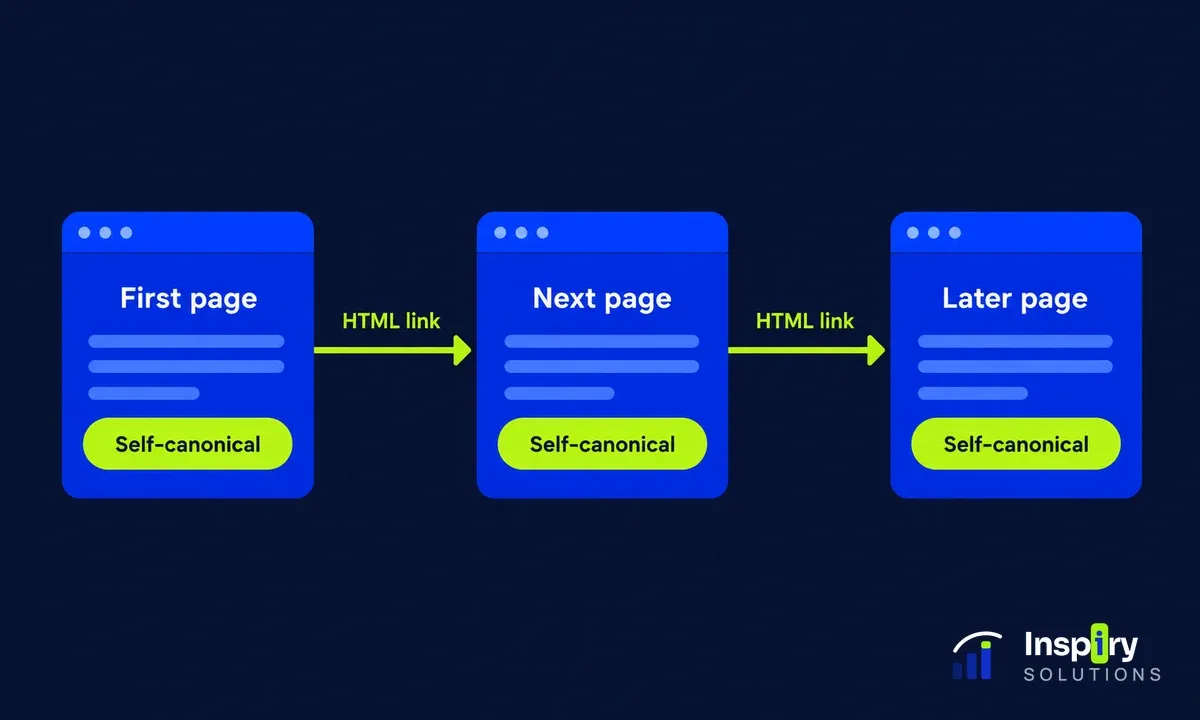
This is one of several canonical errors on WordPress worth checking after changing a theme, SEO plugin or category template.
What about rel next and prev?
Google no longer uses rel="next" and rel="prev" as indexing signals for paginated sequences, although its pagination guidance notes these links may still be used by other search engines. They do not replace crawlable HTML navigation.
Do not use URL fragments such as #page=2 for essential pagination. Google generally treats fragment variants as the same document when discovering content.
View all pages and infinite scroll
A view-all page can work for a small product set, but loading an enormous catalogue into one document may harm performance and usability.
Infinite scroll can be convenient for shoppers, yet it creates discovery risks when later products appear only after scrolling or clicking. Google generally does not perform those interactions as a human shopper would. If you use infinite scroll or a load-more button, keep a corresponding set of crawlable paginated URLs underneath the interface.
Test the links in rendered HTML, open later pages directly and confirm that each returns the expected products.
Pagination should remain reliable even when a visitor shares a later-page URL or refreshes the browser.
WooCommerce specifics
WooCommerce offers considerable flexibility, but its filtering behaviour depends on the theme, extensions and custom code.
Before changing settings, document which system creates each URL. The correct implementation also depends on how Shopify and WooCommerce differ in catalogue structure and customisation.
Standard layered navigation, product attributes and third-party filter plugins can generate different URL patterns.
A WooCommerce category may expose parameters resembling:
?filter_colour=black?filter_material=oak?orderby=priceThe official WooCommerce documentation is a useful starting point for checking product attributes, taxonomy settings and relevant filtering features.
Audit the actual filter URLs
Visit a representative product category and select each filter separately.
Record the resulting URLs, then test two or three filters together. Repeat after changing sort order or navigating to page two. Check source and rendered HTML too, because a filter plugin may update the visible address without producing equivalent crawlable links.
Handle sort parameters separately
Price ascending, popularity, rating and newest-first sort options usually present the same product collection in a different order.
They rarely require separate indexed landing pages.
Check parameters such as orderby, alongside custom sorting parameters introduced by plugins. Decide whether robots.txt restrictions or canonical consolidation is appropriate for the existing URLs.
Preserve sorting functionality for shoppers while preventing unnecessary search destinations.
Consider attribute archives
WordPress taxonomies can support product attribute archives, depending on WooCommerce configuration. A dedicated material archive may be a better destination than allowing arbitrary combinations of attribute parameters.
However, automatically enabling every attribute archive creates another potential duplication problem.
Shopify specifics
Shopify uses collections to organise products and supports filtering through its storefront features, themes and compatible apps.
Its URL patterns and platform controls differ from WooCommerce, so Shopify development work needs to account for the platform’s managed routing and theme architecture.
A collection commonly lives under /collections/, while filtered states may introduce query parameters such as:
?filter.v.option.color=BlackShopify’s collection documentation explains the collection model and the ways products are grouped for shoppers.
Choose landing pages deliberately
For commercially useful product groups, consider dedicated collections rather than relying on arbitrary parameter combinations.
A dedicated collection gives you a controlled URL, title, description and navigation destination.
Our guide to optimising Shopify collection pages covers the content and structural decisions that support these pages.
Check for product duplication across collections. Shopify storefronts can expose product links containing collection paths as well as direct /products/ URLs.
Review the theme’s canonical output and internal product links so alternative paths do not become competing search destinations.
Understand robots.txt.liquid limits
Shopify provides a robots.txt.liquid theme template for supported customisations of the generated robots.txt file. That allows additional crawler rules, but robots.txt changes cannot create new routes, force canonical selection or make Shopify support a URL structure it does not otherwise provide. Test any added rules against real collection, product, filter and pagination URLs.
Some filter behaviour also depends on the theme or installed apps, not robots.txt.liquid.
Monitor crawling and indexing
A facet policy is useful only if you can check whether the implementation follows it.
Review Crawl Stats
Open the Crawl Stats report and examine crawling activity, response codes and available URL examples.
Check whether parameter-heavy requests appear frequently in the examples. Remember that the report is not a complete export of every crawled URL.
On larger websites, server logs can provide more detailed evidence of which query URLs crawlers request.
After implementing restrictions, compare patterns over time rather than expecting crawling to stop immediately.
Check Page indexing
Review duplicate categories, crawled-but-not-indexed examples and any unexpectedly excluded landing pages.
Inspect representative URLs to compare the declared canonical with Google’s selected canonical when that information is available.
Also verify that robots.txt has not blocked pages that require crawling.
Measure selected landing pages
Use the Performance report to review impressions, clicks and relevant queries for your deliberately indexed filter pages.
Compare those pages individually rather than treating all parameter URLs as one performance group.
Look for mismatched search intent, weak inventory, poor internal linking or duplication with a broader category.
Hypothetical example
Hypothetical example: Consider a WooCommerce furniture store with 400 products. It offers colour, material, size, price and sort filters, and Search Console shows tens of thousands of crawled parameter URLs.
The store audits search demand and inventory, then chooses six material and brand combinations to become dedicated landing pages.
Those six pages receive stable URLs, relevant titles, useful descriptions and category links.
The remaining unnecessary filter parameters are blocked from crawling after the team checks for conflicts with important URLs.
The developer also replaces JavaScript-only pagination controls with crawlable links and checks self-canonical URLs for subsequent category pages.
All figures are illustrative, and the example makes no prediction of traffic improvements.
Common questions
Should filter pages be indexed?
Only combinations with real search demand and enough products should normally be considered. Build those as proper landing pages with useful content, stable URLs and internal links. Keep the rest out of crawling where they have no search purpose. Indexing every possible filter selection usually creates unnecessary duplication rather than useful category coverage.
Does Google still use rel next and prev?
No. Google no longer uses rel="next" and rel="prev" as an indexing signal. Plain crawlable links between pages matter instead. Each paginated URL should be accessible through an ordinary HTML anchor, allowing Google to discover subsequent listings and the products available there.
Should paginated pages canonical to page 1?
No. Each paginated page should usually be self-canonical, because it contains a different portion of the product listing. Canonicalising everything to page one can hide products deeper in the sequence by incorrectly treating later pages as duplicates. Keep those pages reachable and give each its own URL.
Is infinite scroll bad for SEO?
Not necessarily. Infinite scroll becomes a problem when it hides products behind interactions without corresponding paginated URLs. Provide paginated URLs that Google can reach through real links. Shoppers can still experience an infinite-scroll interface while the underlying site maintains a discoverable sequence of product listing pages.
Do small stores need to worry about faceted navigation?
Smaller stores usually have fewer filter combinations, so the risk may be lower. However, sort and filter parameters can still create duplicates, particularly when plugins expose every variation as a link. Check Search Console for parameter URLs before deciding whether technical controls are needed. Avoid implementing complicated restrictions without evidence of a problem.
Put the rules in writing
A successful faceted navigation policy should be short enough for the store owner, SEO specialist and developer to understand.
Include the exact URL patterns, canonical rules, robots.txt restrictions and exceptions for chosen landing pages.
Assign clear ownership:
- The ecommerce manager approves useful filter categories and product availability requirements.
- The SEO specialist validates search demand, indexing decisions and monitoring.
- The developer implements URL behaviour, crawler controls and pagination.
- The person responsible for releases reviews the policy whenever a new filtering app, product attribute or theme update is introduced.
If your store’s filters are producing thousands of URLs, our technical SEO audit writes a facet policy for your catalogue and we implement the controls on WooCommerce or Shopify. Send your URL for a free audit.