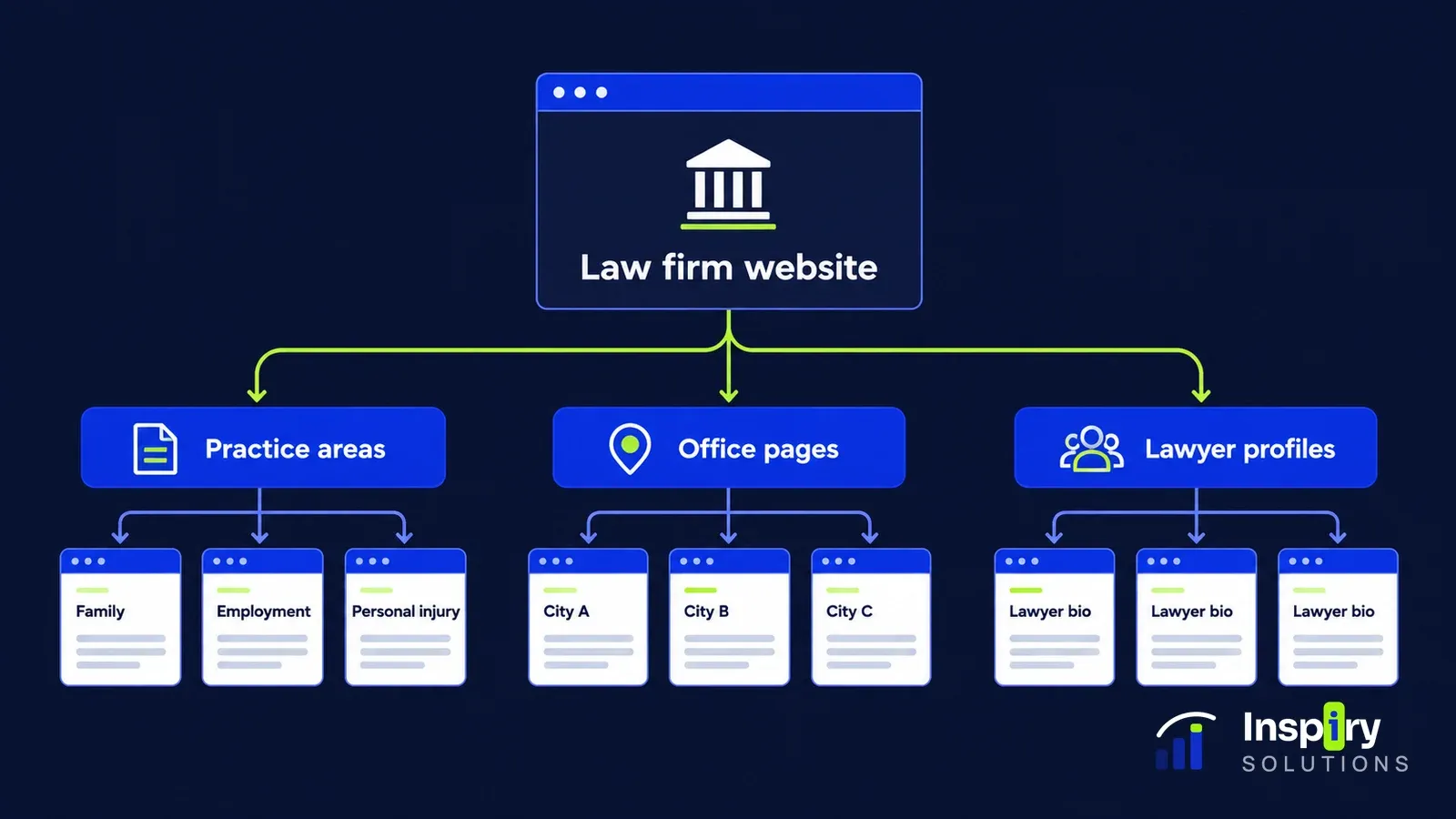
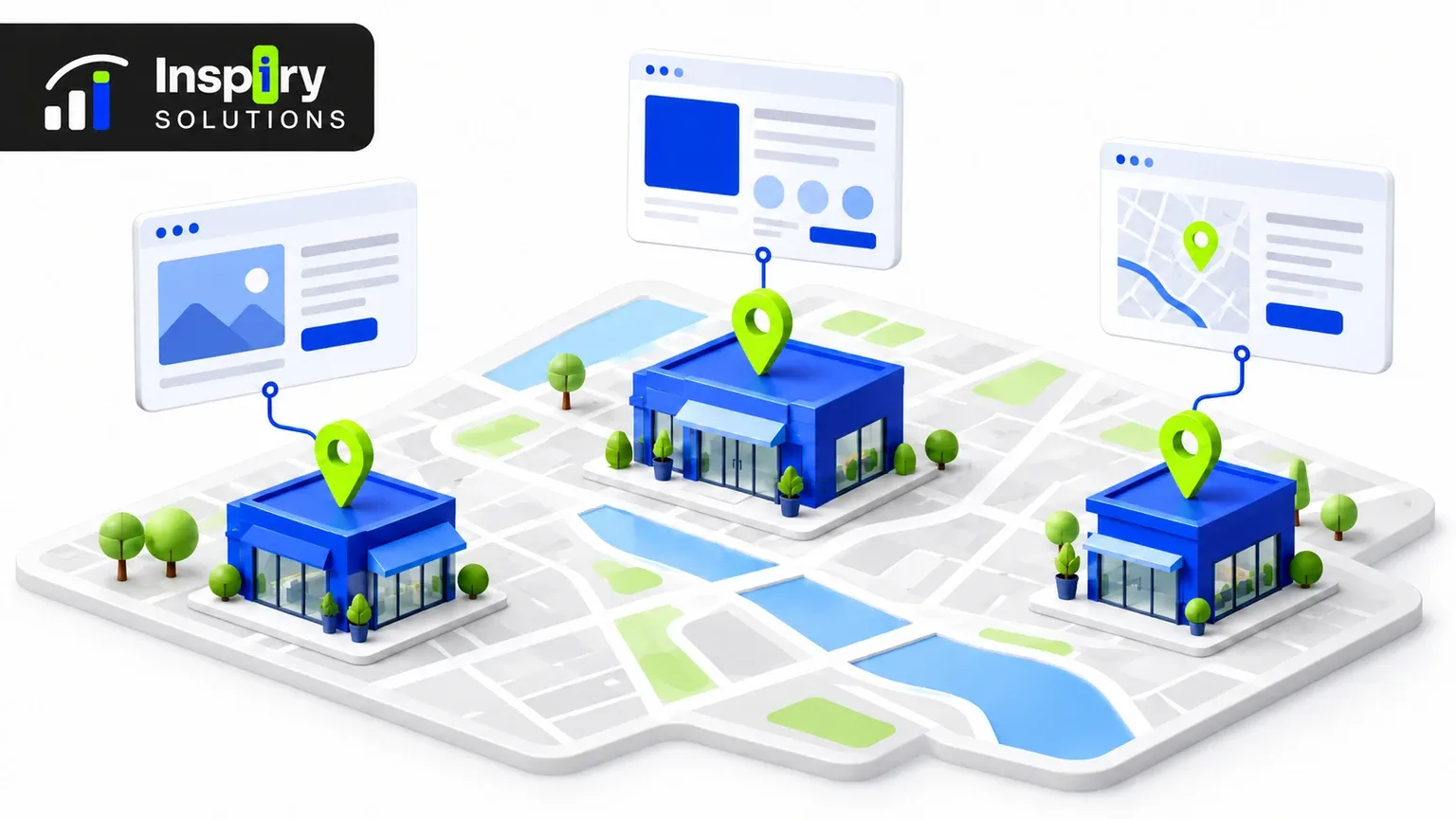
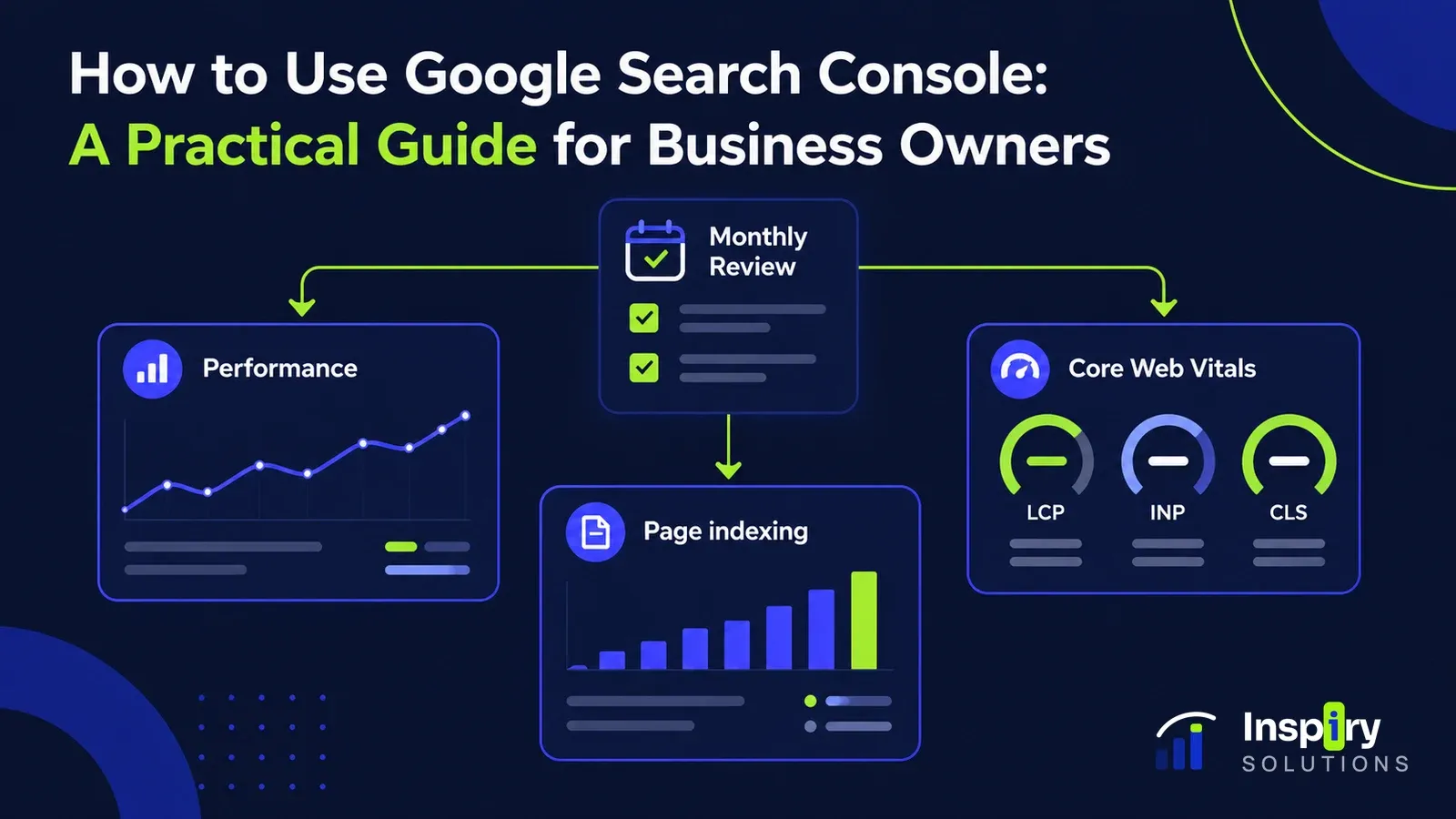
Local keyword research starts with the words your customers use when they need help, not with a list exported from a keyword tool. Start with customer enquiries, calls, reviews and staff observations. Then use Google Search Console and free tools to check which phrases have search relevance. Finally, group those phrases by intent and assign them to suitable pages. The result should be a practical website plan, not hundreds of disconnected keywords.
How local searches differ
Local searches do not always include a town, postcode or “near me”. Google can infer local intent from the service requested and the searcher’s location.
Someone searching “plumber” may see nearby businesses without naming a town. That is implicit local intent. Explicit local intent appears in searches such as “plumber in Leeds” or “accountant near me”.
For local SEO planning and delivery, start by understanding which services customers need, where the business operates and which pages can answer their searches.
Why local search volumes can mislead
Keyword tools may show tiny, rounded or unavailable search volumes for individual towns.
A tool reporting zero searches for “boiler pressure repair York” does not prove nobody searches for that problem. Equally, receiving an enquiry does not prove substantial demand.
Treat estimates as directional. Compare them with customer enquiries, Search Console impressions and commercial relevance.
Four sources of the words customers already use
Before opening a keyword tool, collect the language customers already use.
Customers often describe problems rather than professional service categories. A heating engineer might advertise “boiler diagnostics”, while customers ask why their boiler makes a banging noise.
Collect phrases word for word before correcting terminology. Keep the original wording beside the professional service name so you can connect customer problems with the work your business offers.
Phone call notes
Phone conversations reveal urgent problems and the language customers use before requesting help.
Ask whoever answers calls to record the opening question, requested service and any location mentioned.
Examples include:
- “My boiler keeps losing pressure”
- “Can someone fix a leaking roof today?”
- “Do you cover villages outside Oxford?”
- “How much does a replacement consumer unit cost?”
Remove names, telephone numbers and other identifying information before adding phrases to your research sheet.
Tag each phrase by service, problem, location and urgency.
Repeated questions can indicate subjects needing better explanations.
Compare call notes with your existing service pages. If customers repeatedly ask whether you provide something already listed on the website, the wording or visibility of that information may need improving.
Enquiry forms and emails
Website forms and emails reveal what customers want done, what confuses them and which details matter before booking.
A roofing company might receive:
“Do you replace individual broken roof tiles, or only complete roofs?”
That question suggests a distinction between roof repairs and roof replacement.
Check whether the website clearly explains both services and whether each needs its own content.
Record useful phrases without transferring personal information into your keyword document.
Review wording
Customer reviews show how people describe completed services, especially when they explain the problem that was solved.
Start with your own reviews. Look for recurring references to particular jobs, locations and reasons customers chose the business.
Examples might include emergency leak repair, kitchen rewiring or help with a property valuation.
These descriptions can reveal services that your website explains poorly.
A review mentioning “fixed our leaking roof” may suggest wording worth including on a roof repair page.
Do not manufacture testimonials, copy private details or assume every mentioned service deserves a separate URL.
Use reviews to understand vocabulary, then check whether that vocabulary matches your services and other evidence.
Front-desk and field staff
Receptionists, installers and engineers hear questions that never appear in analytics.
Ask which services customers misunderstand, which problems they describe repeatedly and what they want to know before booking.
For example, customers may request “fuse box replacement” rather than “consumer unit replacement”.
Both descriptions can inform clearer website copy.
Collect anonymised examples and group similar phrases afterwards.
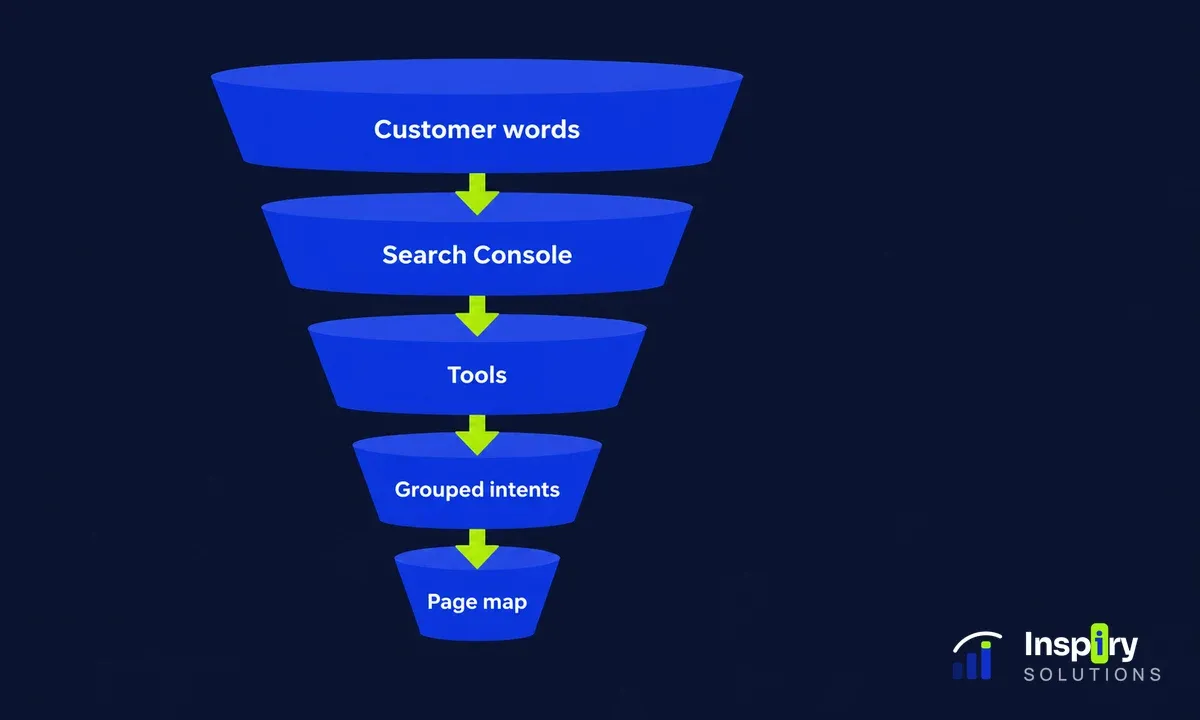
Keep a simple sheet containing the original phrase, service category, location, source and possible intent. This becomes your starting dataset before checking external keyword estimates.
Mining Search Console for local queries
Google Search Console shows searches where your website has appeared in Google Search.
Its Performance report provides impressions, clicks, click-through rate and average position.
Start with getting started with Search Console if you have not verified your website or used the reports before.
Open Performance, select Search results and examine the Queries tab.
Google’s Performance report documentation explains these metrics and how to filter queries.
Filter for relevant local phrases
Choose a meaningful date range and investigate searches containing:
- Towns and nearby areas
- Neighbourhood names
- Main service categories
- Customer problem descriptions
- “Near me” variations
- Emergency or pricing language
Use separate filters when necessary. A town-name filter will not capture every search with implicit local intent.
Compare these results with the phrases collected from calls and enquiries.
For example, staff may repeatedly hear “boiler losing pressure” while Search Console shows impressions for “boiler pressure dropping”.
These could belong to the same topic even though the wording differs.
Not every query appears in Search Console because of privacy filtering and reporting limitations.
Missing phrases are not proof of zero demand.
Look beyond clicks
Relevant queries with impressions but few clicks deserve investigation.
Check the associated URL, average position and whether the page answers the search.
Possible problems include an unclear title, missing service details or a page targeting the wrong intent.
Use the Pages tab alongside query filters to identify which URL appears.
Record evidence before changing pages
For each useful query, record the phrase, associated page, impressions, clicks and proposed action.
Avoid making decisions from one metric.
After updating a page, compare relevant periods in Search Console and review enquiry patterns.
Allow for reporting delays and changing search conditions. A content improvement does not guarantee more clicks or bookings.
Local keyword research with free tools
Free tools can expand your list once you understand customer language and existing search visibility.
Use them to discover related questions and alternative wording, not as instructions to create more pages.
Begin with a specific service and a genuine target location.
Google autocomplete and related questions
Type a service phrase into Google and examine suggested completions.
Try examples such as:
- “Roof repair”
- “Roof repair Leeds”
- “How to fix leaking roof”
- “Emergency roofer”
- “Roof replacement cost”
Look at relevant “People also ask” questions where they appear.
Suggestions may reveal problems, comparisons or pricing questions that your research has missed.
Results can vary by location, language and other contextual factors. Where possible, check searches using an appropriate target-area setting.
Record relevant suggestions and compare them with customer evidence.
A suggestion is a research lead, not proof that it deserves a separate page.
Google Business Profile performance
If your business has a verified Google Business Profile, its performance information may show search terms associated with finding the profile.
Review these terms for services, locations and customer language missing from your website research.
However, the systems report different activity. Do not combine their figures as if they measure identical searches.
Also review whether the profile’s categories, services and website destination accurately reflect the business.
Where a phrase reveals missing service information, consider improving existing content before creating another page.
Using keyword tools sensibly
Keyword tools can suggest variations and broad demand estimates, but their volumes are not exact counts.
Check whether each suggestion describes work you provide, indicates a relevant customer need and fits your service area.
Google’s SEO Starter Guide recommends using words people search for in useful page content.
Grouping keywords by intent
Group your collected phrases according to what the searcher wants.
This is called search intent.
Two searches can share several words but require different answers. Conversely, differently worded searches may belong on the same page.
Four useful intent groups
| Intent | Example search | Likely content |
|---|---|---|
| Emergency | Emergency plumber in Leeds | Urgent plumbing service page |
| Research | Why boiler pressure keeps dropping | Troubleshooting article |
| Comparison | Boiler repair or replacement | Comparison guide |
| Price | Boiler replacement cost Leeds | Pricing explanation or service page |
These examples illustrate intent, not measured search demand.
Emergency searches usually need clear availability, coverage and contact information.
Research searches may need explanations before the visitor is ready to enquire.
Comparison searches should help people understand available options without forcing an immediate sales message.
Pricing searches need useful cost context where the business can provide it accurately.
Combine services, problems and places
Start with three elements:
- Service: the work your business provides.
- Problem: how customers describe their need.
- Place: where the service is available.
For example, “roof repair”, “leaking roof” and “Leeds” may produce several relevant searches.
That does not mean every combination deserves its own URL.
One roof repair page may naturally cover leaks and damaged tiles. A location page needs meaningful information about serving that area.
Businesses targeting several towns should review writing pages for several locations before producing similar geographical pages.
Choose a suitable content format
Match each intent group to the format most likely to help the visitor.
Use service pages for bookings and enquiries about specific work.
Use location pages when geographically distinct information genuinely helps customers understand coverage or local service arrangements.
Use articles for research questions, comparisons and problems requiring explanation.
The guide can then link to the relevant service.
Avoid producing an article simply because a keyword variation appears in a tool.
Google’s guidance on creating helpful, people-first content provides a useful test: the content should serve visitors rather than exist primarily to attract search traffic.
Mapping keywords to pages
A keyword-to-page map assigns search groups to appropriate website URLs.
Start with your existing pages. Record their main purposes, services and geographical coverage.
Then decide which keyword groups each page can reasonably answer.
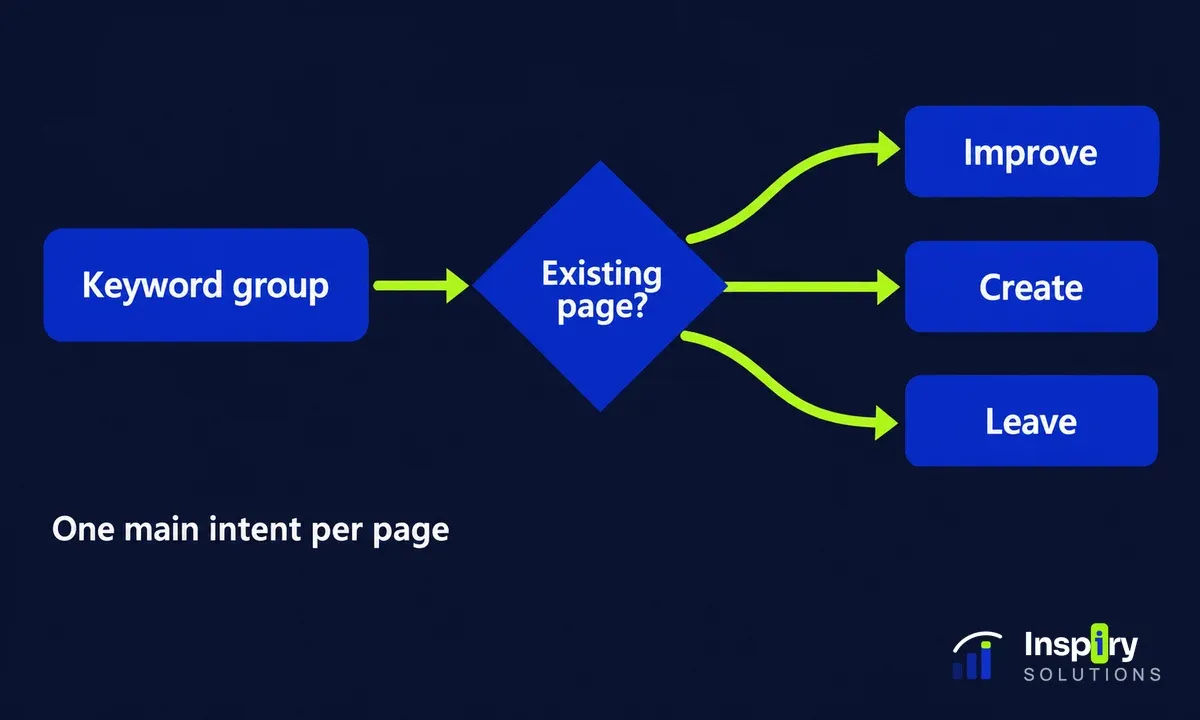
One main intent per page
A page can target several close variants while serving one primary intent.
For example, “boiler repair”, “boiler repair Leeds” and “boiler repair near me” may suit one local repair page.
“Boiler replacement cost” may require different information.
Before creating a page, examine what already exists.
Could clearer headings, service details or an FAQ satisfy the search?
If so, improve the existing page.
If the search requires a genuinely different answer, consider new content.
For geographical decisions, see choosing the right page type.
Keyword-to-page map template
The following hypothetical trades business illustrates how searches become decisions.
| Search phrase | Intent | Source | Target page | Action (improve, create, leave) |
|---|---|---|---|---|
| Boiler repair Leeds | Service booking | Call notes | /services/boiler-repair/ | Improve |
| Boiler losing pressure | Problem research | Enquiry forms | /guides/boiler-pressure/ | Create |
| Emergency plumber near me | Urgent service | Search Console | /services/emergency-plumbing/ | Improve |
| Bathroom installation York | Service plus place | Staff notes | /locations/york/ | Leave |
| Boiler repair cost | Pricing research | Enquiry review | /services/boiler-repair/ | Improve |
The paths and decisions are illustrative, not verified search opportunities.
“Leave” means the existing page currently answers the intended need adequately.
Add a short reason for every decision so the team understands what should change.
Apply the service and location matrix
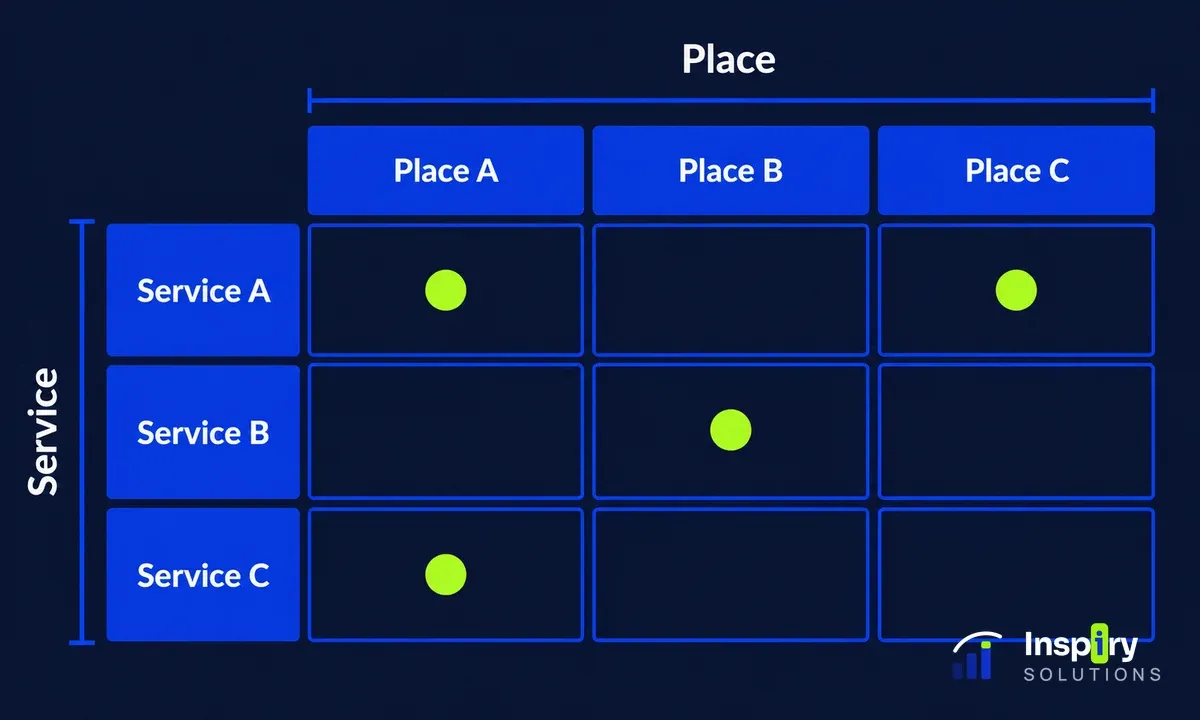
Put actual services on one axis and genuinely served areas on the other.
Review each combination for customer demand, existing coverage and useful local information.
Not every cell deserves a page.
Some searches fit a broader service page. Others justify distinct location content.
If two proposed pages would be almost identical except for the town name, reconsider creating both.
Check the Business Profile destination
The website destination linked from a Google Business Profile should accurately represent the business.
For many businesses, the homepage is appropriate. A relevant location page may be suitable where it represents an eligible establishment and provides useful local information.
Do not create a thin town page merely to use it as the profile destination.
Check that the profile, linked website and service information agree.
Give every page a clear connection
Your page map should include relationships between relevant content.
A guide about boiler pressure can link to boiler repair services. A location page can link to the services available there.
Use descriptive anchor text and make the next step clear.
For a practical approach, see connecting service pages with internal links.
Hypothetical example: a family law firm
Hypothetical example: A UK family law firm initially targets “child custody lawyer” because the phrase seems relevant to its services.
However, anonymised call notes reveal that prospective clients frequently ask about a “child arrangements order”.
Search Console also shows impressions for “divorce solicitor near me”.
The firm investigates what these visitors need rather than automatically creating more town pages.
It finds that its family law service page could explain child arrangements more clearly using terminology relevant to the UK.
Customer questions also suggest a need for an informational guide explaining the process.
Instead of creating five similar location pages, the firm improves one service page and adds one guide.
A simple three-page map
| Page | Main intent | Action |
|---|---|---|
| Family law services | Find a family law solicitor | Improve |
| Child arrangements guide | Understand the process | Create |
| Divorce solicitor services | Find divorce representation | Review and improve |
These decisions are illustrative, not actual results.
The guide answers common questions and links to the relevant service. The service page explains what assistance is available and how to enquire.
For related decisions, see practice area pages for law firms.
Common questions
Do I need to put the town name in every keyword?
No. Google infers local intent for many service searches without the searcher typing a town name. Research general service phrases alongside relevant geographical variations. Use the town where it reads naturally, especially on location pages. Repeating the same place name throughout every heading and paragraph does not make the content more useful.
Should I target ‘near me’ keywords?
You should understand the intent behind near me keywords, but rarely need to include the literal phrase in your copy. “Near me” results rely on the searcher’s location, not the phrase on your page. Writing “near me” into copy is rarely useful. Explain your services, actual geographical coverage and contact options clearly instead.
Why do keyword tools show zero searches for my town?
Keyword tools estimate search demand and often round low volumes down to zero. This does not prove nobody searches for that service locally. Your own Search Console data is more reliable for your site’s recorded search visibility, although it cannot show every query. Combine that information with genuine customer enquiries before deciding whether a phrase deserves attention.
How many keywords should one page target?
Focus on one main intent with its close variants rather than an arbitrary number of keywords. A boiler repair page can naturally explain related repair problems and service variations. Separate intents deserve separate pages when visitors need meaningfully different answers. Avoid creating new URLs solely to repeat slightly different versions of the same search.
Build your first keyword-to-page map
Start with a small, evidence-based plan rather than a large keyword export.
- Collect ten real customer phrases. Use anonymised calls, enquiries, reviews and staff observations.
- Check them in Search Console. Look for related queries, impressions and existing pages.
- Group by intent. Separate bookings, geographical needs, research and pricing questions.
- Assign each phrase to a page. Choose improve, create or leave.
- Review before publishing. Remove overlapping plans and check that every page serves a clear purpose.
Revisit the map as new enquiries and search data become available. Measure relevant visibility and customer responses without assuming improvements guarantee results.
If you want a keyword-to-page map built from your own data, our local SEO service does this as part of the work, scoped to your website. Start with a free audit and a plain-language reply within two working days.