Orphan pages SEO starts with finding published pages that have no internal links pointing to them, then deciding whether each page should be linked, merged, redirected or removed. The reliable way to find orphan pages is to compare a website crawl with your sitemap or content management system (CMS) export and pages appearing in Google Search Console. A crawler alone cannot find everything because it generally discovers pages by following links. Once you have identified the missing pages, you can fix the site structure without keeping outdated content alive unnecessarily.
Orphan pages SEO: what they are and why they matter
An orphan page is a page with no internal links pointing to it from other pages on the same website.
Why orphan pages create problems
The main problems involve discovery, context and usability.
- Poor discoverability: Visitors cannot naturally reach the page through other content.
- Weak internal context: Search engines receive fewer internal signals about how the page relates to important subjects.
- Wasted content: Useful articles may attract little attention because relevant pages never recommend them.
- Confusing maintenance: Old pages can remain published without anyone reviewing whether their information is accurate.
- Unclear site structure: Important services may become separated from their supporting articles and related resources.
Our technical SEO audits examine these relationships alongside crawling, indexing and site architecture issues.
How business sites end up with orphans
Most orphan pages are not created deliberately.
Campaign and landing pages
Marketing teams regularly build landing pages for paid advertising, seasonal promotions, webinars and temporary offers.
Removed menu items and redesigns
A website redesign often involves simplifying navigation, combining services and changing page layouts.
When planning structural changes, follow a process for keeping links intact during a redesign. Record important URLs, their existing internal links and any redirects before publishing the replacement design.
Blog posts buried in archives
Older blog posts may gradually disappear from visible archive pages as newer articles are published.
JavaScript navigation and form-only access
Some websites rely on JavaScript interactions to reveal content or move visitors between pages.
Find orphans in 4 steps
Finding orphan pages requires more than running a website crawler.
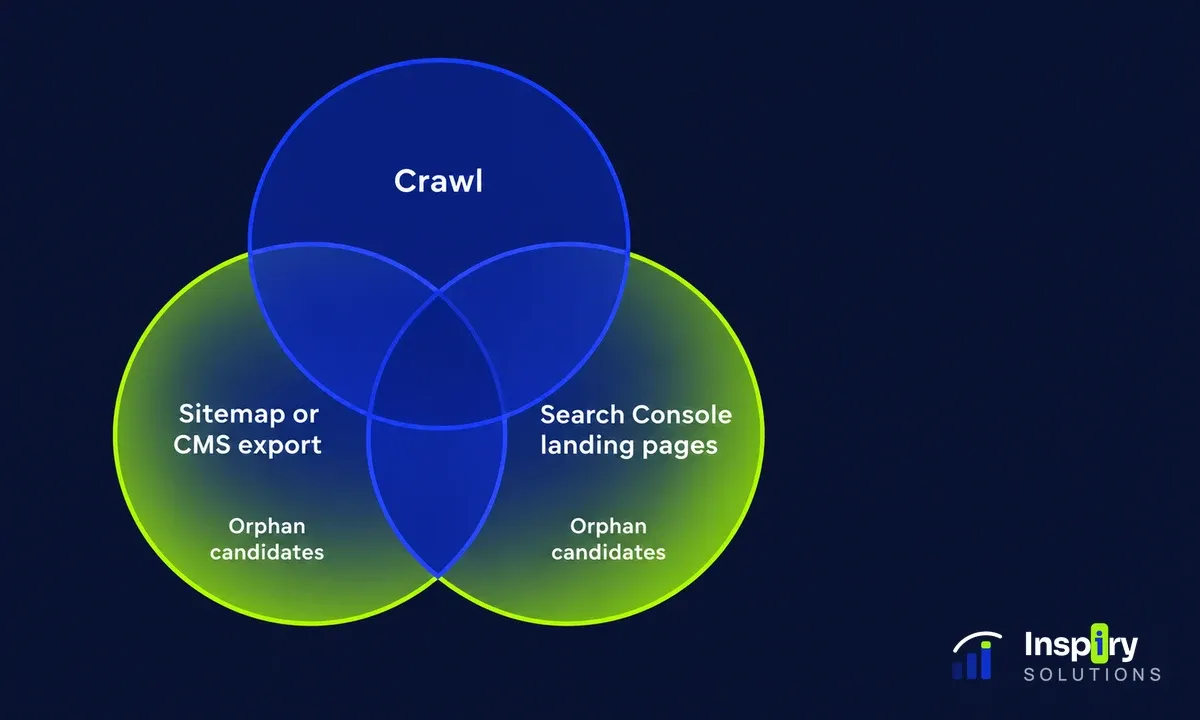
The solution is to compare multiple sources:
- A crawl showing pages reachable through the website’s links.
- A sitemap or CMS export showing URLs that the website knows about.
- Google Search Console and analytics landing pages showing URLs that have received visitors or search visibility.
Step 1: crawl the site
Start by crawling the public website using a technical SEO crawler such as Screaming Frog or another tool that records internal links.
Pay particular attention to:
- Important pages with no incoming links in the crawl.
- Pages linked only from obscure or deeply nested sections.
- Broken internal links pointing to missing destinations.
- Pagination that fails to expose older content.
- Important navigation elements that are not crawlable HTML links.
Step 2: export every published URL
Next, create a separate inventory of URLs that exist on the website.
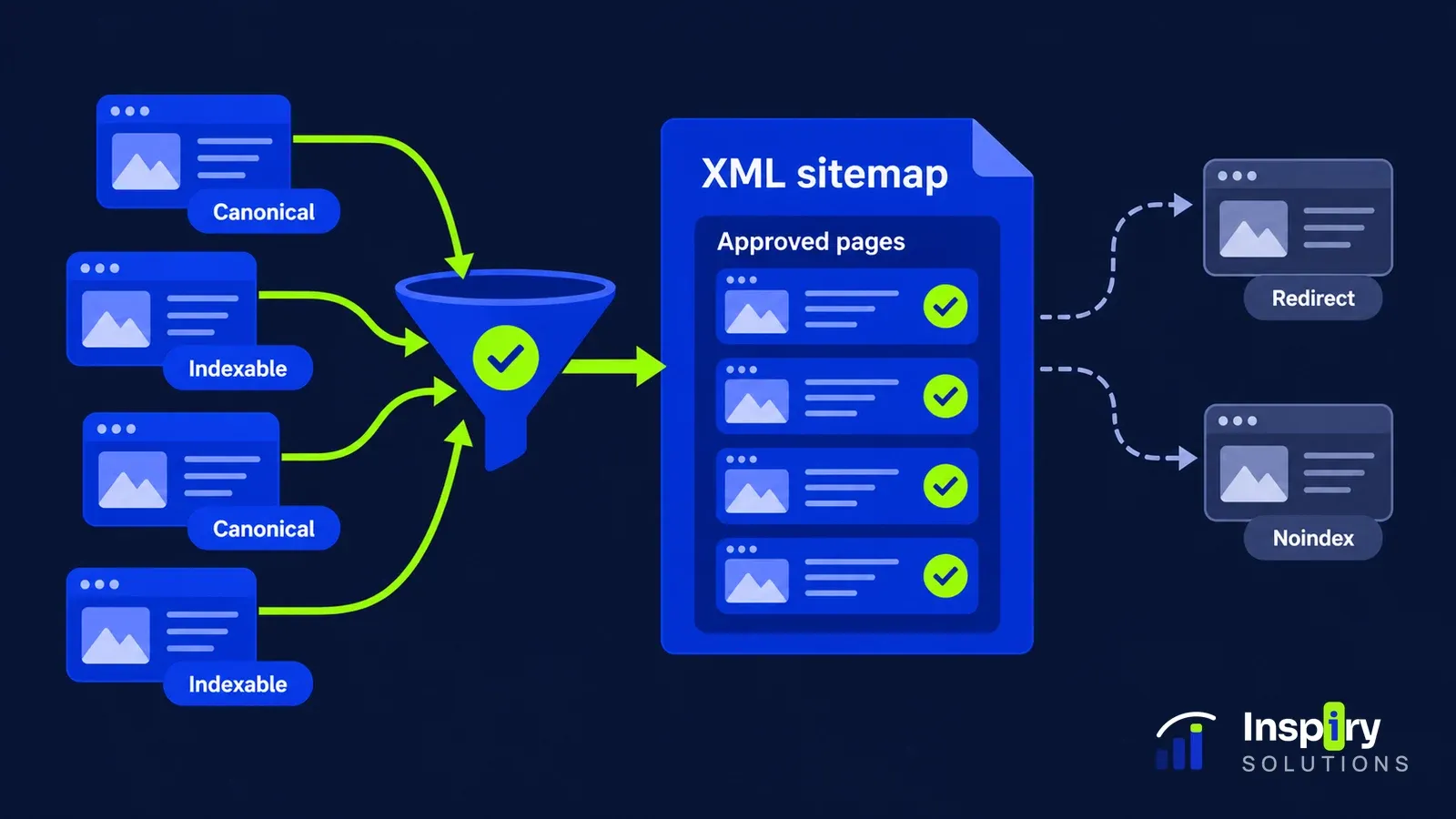
Google explains in its sitemap documentation that sitemaps help communicate URLs for crawling. They do not replace links between related pages.
When preparing the export:
- Include published posts, pages and relevant custom post types.
- Record the full URL and content type for each item.
- Identify URLs excluded from the sitemap.
- Separate drafts, private pages and intentionally inaccessible content.
- Record canonical destinations where available.
Review what to list in your sitemap before assuming that every published page belongs there.
Step 3: add pages that get search traffic
Now collect URLs from Google Search Console and your analytics platform.
Google’s Search Console performance report guidance explains how to examine search performance by page.
Step 4: compare the lists
Combine the exports into a spreadsheet with one row per URL.
Useful columns include:
- URL
- Content type
- Found in linked crawl?
- Present in sitemap or CMS export?
- Found in Search Console?
- Found in analytics?
- HTTP status
- Indexability and canonical URL
- Incoming internal links
- Proposed action
- Verification status
Decide what to do with each orphan
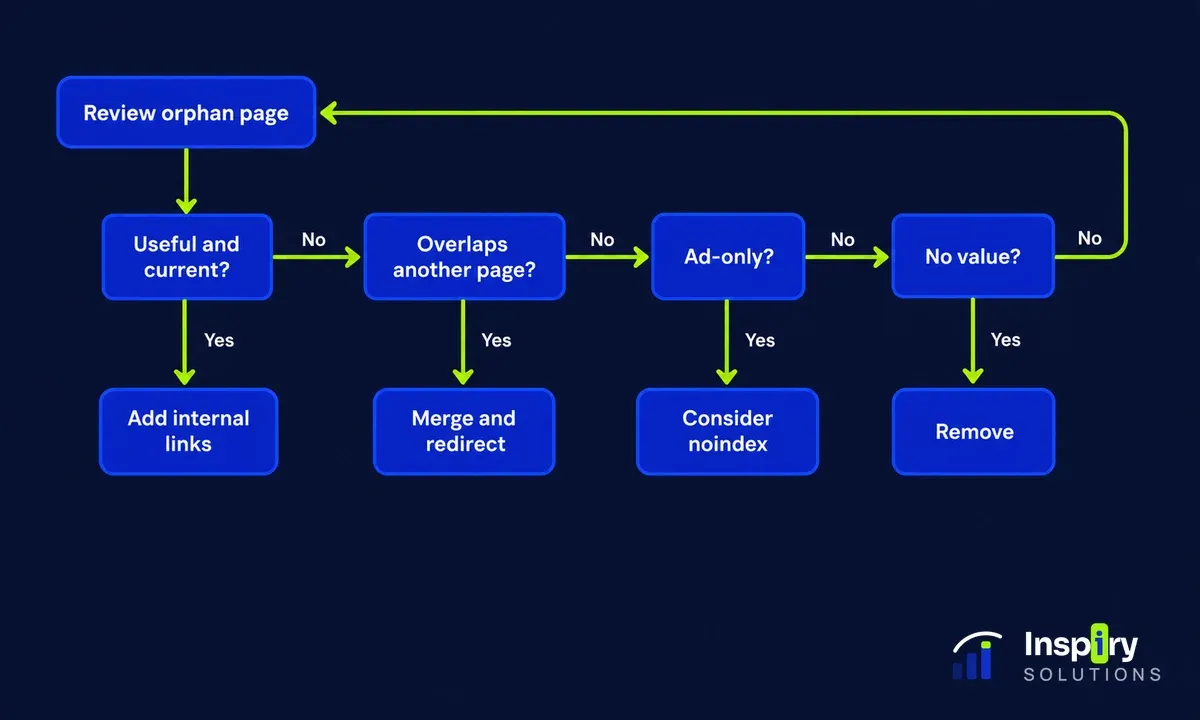
Finding an orphan does not mean you should immediately add internal links to it.
Start with four questions:
- Is the page accurate and useful to its intended audience?
- Does it duplicate or substantially overlap an existing page?
- Does it serve a deliberate advertising or operational purpose?
- Does it have search traffic, external links or another continuing value?
Link useful and current pages
If the page explains a service, answers a useful question or supports an existing topic, keep it and connect it to relevant content.
Merge overlapping content
Two old articles might answer nearly the same question, or an outdated service page might overlap a newer replacement.
Our guide to redirecting merged pages explains how to implement and verify these changes.
Noindex campaign-only pages
A paid advertising page may need to remain accessible to campaign visitors without appearing in organic search results.
Remove pages with no remaining purpose
An expired test page, obsolete campaign or abandoned duplicate may have no useful content to preserve.
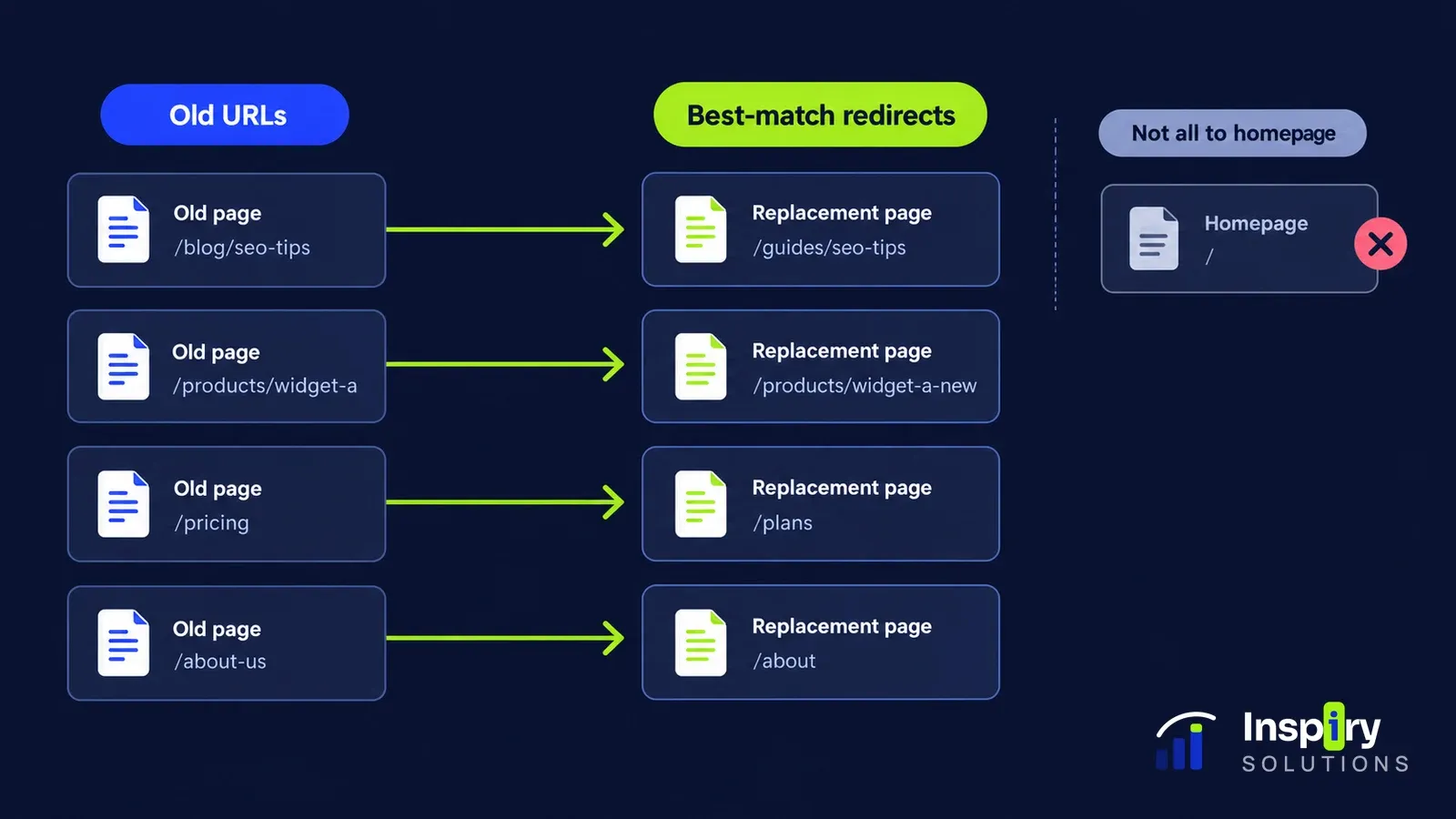
Do not redirect every removed page to the homepage.
Check external links, traffic, content dependencies and campaign usage before removal.
Orphan decision table
| Orphan type | Has traffic or links? | Still accurate? | Action |
|---|---|---|---|
| Old service page | Possibly | Often partly | Update and link if relevant, or merge into the current service page and redirect |
| Campaign landing page | May have paid traffic | Depends on campaign | Retain with noindex if needed, otherwise remove or redirect to a relevant replacement |
| Outdated blog post | May have search traffic or backlinks | No | Refresh if useful, otherwise merge and redirect or remove |
| Useful blog post never linked | Possibly | Yes | Add contextual internal links from relevant articles and services |
| Duplicate test page | Usually none | Duplicated | Remove or redirect when a relevant canonical replacement exists |
| Thank-you page | May receive direct visits | Usually | Keep accessible after conversion and consider noindex, without forcing editorial links |
| Page from old site structure | Often has historical links | Varies | Restore appropriate internal links or redirect to the current equivalent |
Review the table page by page.
Every action should have a reason recorded in the audit.
Adding the right internal links
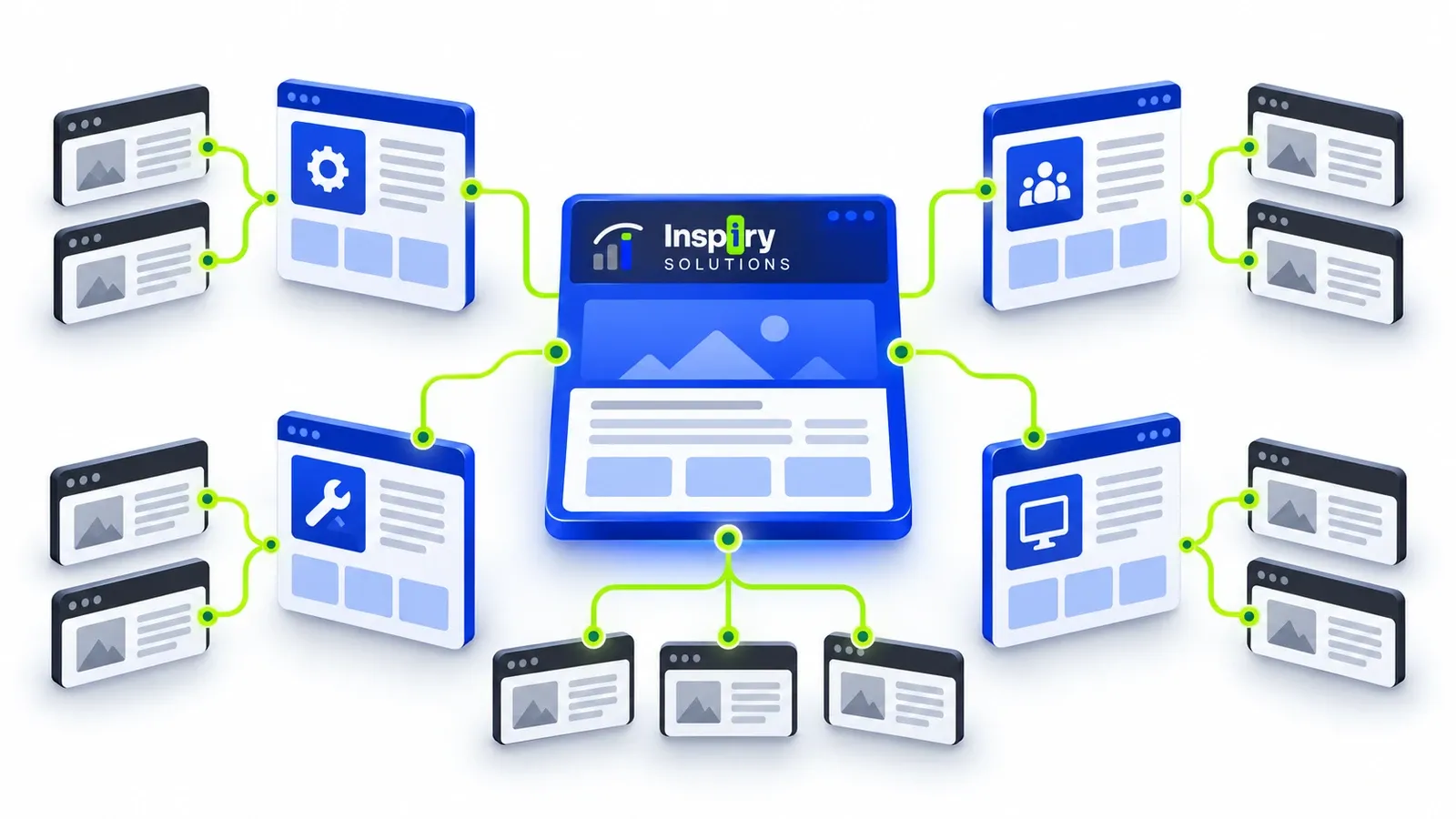
The aim of internal linking is to create useful paths through the website, not to satisfy a spreadsheet count.
A helpful link appears where the destination adds context or answers the reader’s next question.
For a service business, consider three locations:
- Service pages: Link to supporting guides, explanations and related services.
- Relevant articles: Connect older posts with newer resources covering connected questions.
- Category and resource pages: Provide organised routes into useful content collections.
For example, an article explaining the costs of roof replacement might naturally link to a service page covering roof replacement enquiries.
A general footer containing dozens of unrelated URLs is not a substitute for contextual navigation.
For a practical framework, read an internal linking structure for service sites.
Write descriptive anchor text
Anchor text is the visible, clickable wording of a link.
Use wording that explains what the destination covers.
Avoid repeating the exact same keyword unnaturally in every link.
Google’s link best practices recommend crawlable HTML anchor elements with an href attribute and concise, descriptive anchor text.
Verify the links technically
After adding a link, inspect its rendered HTML and confirm that it points to the intended URL.
Check whether:
- The target returns a successful response.
- The link uses a normal HTML anchor element.
- The target is not an unintended redirect or error.
- The source page is itself accessible through the site.
- Mobile visitors can use the link.
A link on a disconnected source page does little to restore a usable path from the main website.
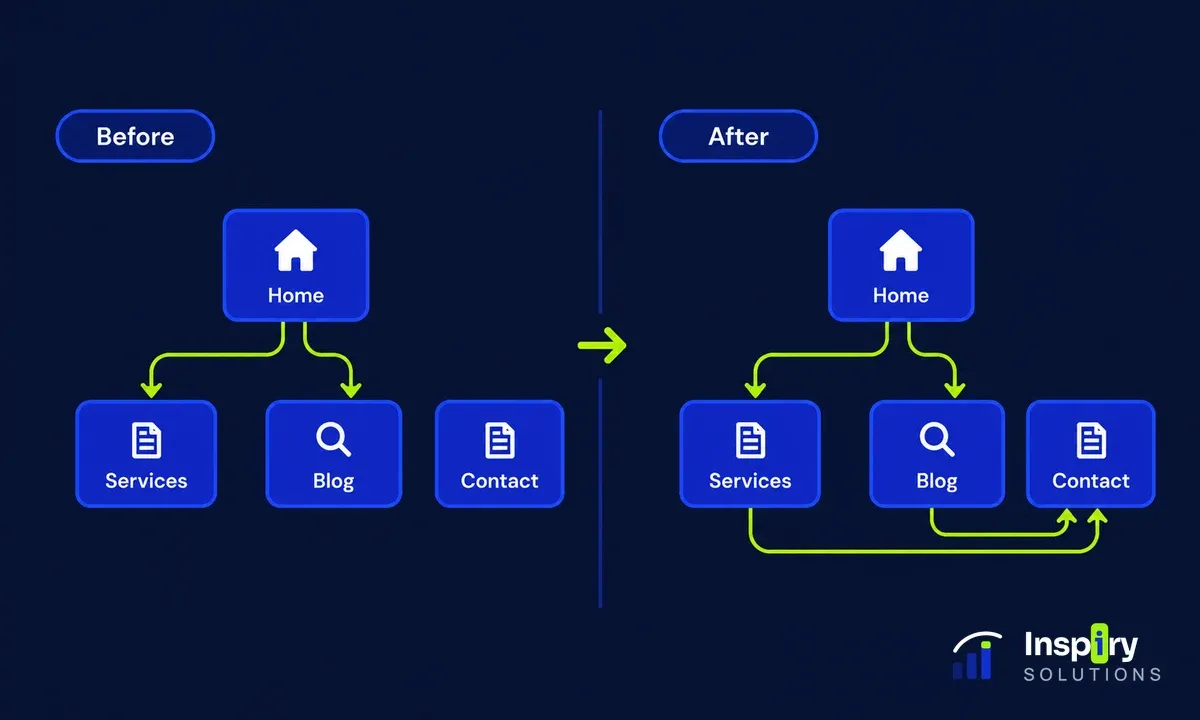
For useful orphan pages, aim for at least two genuinely relevant contextual links as a practical editorial standard.
Where WordPress hides orphans
WordPress makes publishing straightforward, but it does not guarantee that newly published pages receive useful internal links.
This is particularly important for websites built with page builders, custom post types and multiple content templates.
Published pages missing from navigation
A WordPress page can be published without appearing in the main menu.
That is normal.
However, if no article, service page or resource section links to it, the page can become orphaned.
Review Pages in the WordPress dashboard and compare their URLs with the linked crawl.
Page builder landing pages
Elementor and other page builders can create standalone campaign layouts with minimal navigation.
A landing page might remain outside the regular template deliberately to improve conversion focus.
Check whether that page should be indexed, connected to other content, retained solely for advertising or retired after the campaign.
Do not assume that removing headers and footers automatically creates an SEO problem.
Old posts and archive templates
WordPress posts usually benefit from categories, archives and pagination, but custom templates can alter these paths.
A page builder post grid or loop widget may be set to show only recent posts, leaving older ones without a link.
Check category pages, pagination controls and custom archive queries.
Also inspect custom post types.
Exporting only standard posts can miss these URLs entirely.
This is why an orphan pages WordPress review should compare CMS inventory, crawl results and real landing-page data rather than relying on the dashboard alone.
Hypothetical example: 140 published pages, 95 found by the crawl
Hypothetical example: A business website has 140 published pages in its CMS export, but a linked crawl discovers only 95.
For this illustration, assume all 45 missing URLs have been checked and confirmed as orphan pages, with no unrelated crawl errors or export discrepancies.
The review classifies them as follows:
| Finding | Pages | Action |
|---|---|---|
| Useful articles without internal links | 12 | Add links from relevant service pages and supporting articles |
| Old campaign pages | 18 | Apply noindex where continued access is needed, or remove obsolete URLs |
| Pages overlapping current content | 15 | Merge useful material into current pages and implement relevant redirects |
| Total confirmed orphans | 45 | Assign and verify the appropriate action |
The team starts with the 12 useful articles because they still support relevant business topics.
Rather than adding a generic resources menu, the editor reviews each article and identifies suitable contextual links from service pages or related guides.
Next, the team examines the 18 campaign pages. Pages still required for advertising remain accessible with appropriate indexing settings. Expired offers without continuing value are removed.
Finally, the 15 overlapping pages are reviewed against their current equivalents. Useful information is consolidated, old URLs are redirected where appropriate and existing links are updated.
After implementation, the team runs another linked crawl and checks the changed URLs.
The original 95-page crawl count is not itself a success metric. Some pages were deliberately removed, while others now have proper links or redirects.
What matters is that every identified URL has a justified disposition and that important content is reachable.
These figures are illustrative, not a client result or evidence of a typical orphan rate.
Prevent new orphans
Orphan prevention should become part of publishing and website maintenance.
It is easier to connect a page when it is published than to rediscover it after several years of content changes.
Use a publishing checklist
Before publishing an important article or service page:
- Confirm its purpose and intended audience.
- Identify at least two relevant pages that could link to it.
- Add contextual links from those pages.
- Confirm the new page is accessible through the appropriate content structure.
- Check its indexing settings and canonical URL.
- Verify the final published links.
Two contextual links are an internal quality standard, not a universal technical minimum.
Some specialised pages need different treatment, particularly conversion and campaign destinations.
Review structural changes
Whenever menus, categories, templates or service pages change, check whether existing links will disappear.
A menu cleanup can unintentionally disconnect useful content.
Include link discovery checks in the launch testing process rather than relying on visual inspection alone.
Schedule quarterly checks
For an established business website, a quarterly orphan check is a sensible starting point.
Compare the latest crawl against your CMS and search landing-page exports, then review any new discrepancies.
Websites that publish or restructure content frequently may need more regular checks.
Keep a record of decisions so previously reviewed campaign and operational pages do not repeatedly appear as unresolved problems.
A repeatable process also makes it easier to distinguish newly disconnected content from intentionally excluded pages.
Common questions
Can Google index orphan pages?
Yes. Google can index orphan pages if it discovers them through a sitemap, external links or other available discovery paths, provided the pages are eligible for indexing. However, they usually receive little internal importance because no other pages on the site link to them. They are also harder for visitors to find through normal navigation, even when they appear in search results.
Why can a crawler not find orphan pages on its own?
A crawler generally follows internal links from the pages it can reach. A page with no discoverable links is invisible to that link-following process unless its URL is supplied separately. You therefore need a second list, such as a sitemap or CMS export. Comparing that list with crawl results reveals candidates that require further investigation.
Should every orphan page be linked?
No. Some orphan pages should be merged, noindexed or removed rather than linked. An expired offer, duplicate test page or outdated service description may not deserve a new internal link. Only link pages that are useful, accurate and relevant to the website’s current purpose. Review traffic, existing external links and possible replacements before making the decision.
Is linking from the sitemap enough?
No. A sitemap is not an internal link and does not provide visitors with a way to move between related pages. It can help search engines discover URLs, but useful pages still need contextual links from relevant content. Internal linking supports navigation and provides additional information about relationships between pages. Treat your sitemap and internal linking structure as complementary tools.
Make it a routine check
An orphan pages review should end with verified changes, not merely a list of URLs that a crawler missed.
Include the comparison in regular technical SEO audits, after major redesigns and whenever large amounts of content are published or retired.
If you are sending findings to a developer or content team, provide a concise spreadsheet containing:
- The affected URL and its current HTTP status.
- Whether it appears in the crawl, sitemap, CMS and search data.
- Its traffic or external link considerations.
- The recommended action and reason.
- The source page where a new link should appear, where applicable.
- The redirect destination or indexing change, where applicable.
- The responsible person and verification status.
Once the work is complete, rerun the crawl and test the changed URLs directly.
Useful pages should have appropriate incoming internal links. Merged URLs should redirect to relevant destinations. Removed pages should return their intended status codes, and noindexed pages should expose the correct directive.
Search Console can help monitor subsequent discovery and indexing behaviour, but results are not necessarily immediate.
Use a WordPress SEO audit checklist to incorporate these checks into wider website maintenance.
Our technical SEO audit includes the three-way orphan comparison and a decision for every page it finds, and we add the links or redirects for you.
Send your URL for a free audit and get a plain-language reply within two working days.