WooCommerce for service businesses can handle paid bookings, deposits, session packages and recurring plans directly on a WordPress website. You can sell appointments, collect part payments, offer prepaid sessions or charge customers regularly. The catch is that the free WooCommerce plugin does not provide every scheduling or payment feature out of the box. Most service businesses need extensions, ongoing maintenance and a clear process for handling changes and refunds. The right setup depends on what you sell, how customers book and whether you genuinely need a full online shop.
Do you need WooCommerce at all?
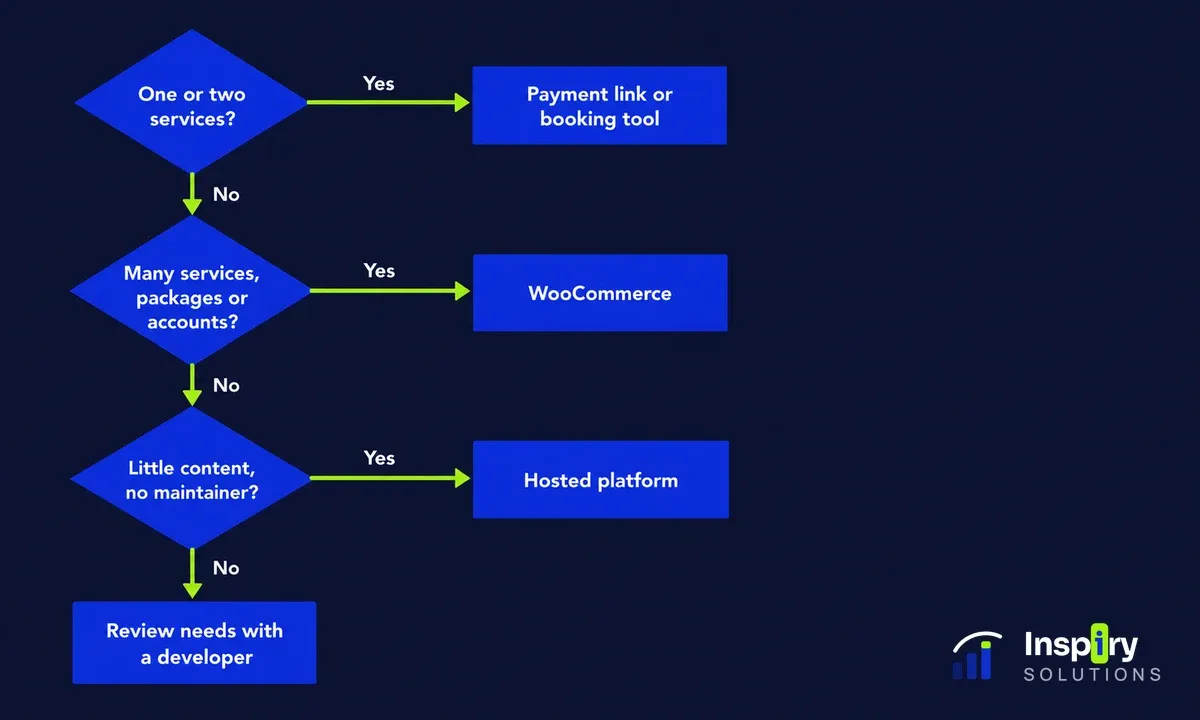
If someone only needs to pay for an agreed service, a payment link might be sufficient.
For a consultant selling occasional strategy sessions, that may be enough.
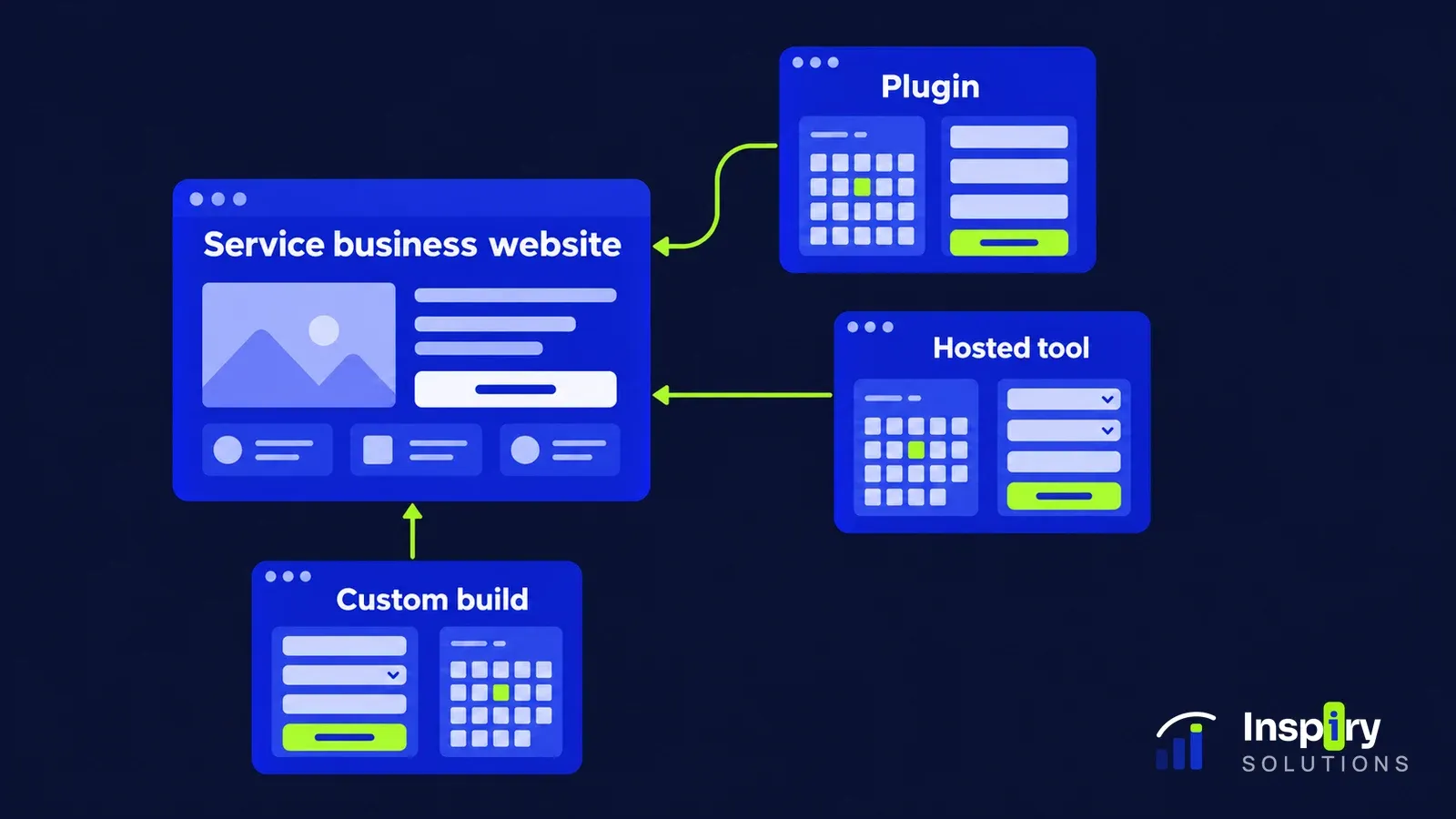
If customers must choose an available date, avoid double bookings and receive appointment reminders, a dedicated booking tool with payments may be a better starting point.
WooCommerce becomes more useful when you need several services, customer accounts, different payment arrangements or packages that customers can purchase together.
When a simpler tool is enough
A payment link works well when pricing is agreed individually and there is little need for automation.
You should still check what happens if a customer cancels, changes their appointment or requests a refund.
Adding WooCommerce purely because it is available on WordPress can introduce unnecessary administration.
When WooCommerce earns its place
- Buy different services through one checkout.
- Pay deposits before work begins.
- Purchase session packages or credits.
- Manage orders and recurring plans through an account.
- Apply vouchers or promotional codes.
- Receive payment confirmations linked to orders.
If you are still deciding between platforms, read our guide to WordPress compared with Shopify.
The deciding factor should be your operating process, not the number of features advertised by a platform.
Four service selling models
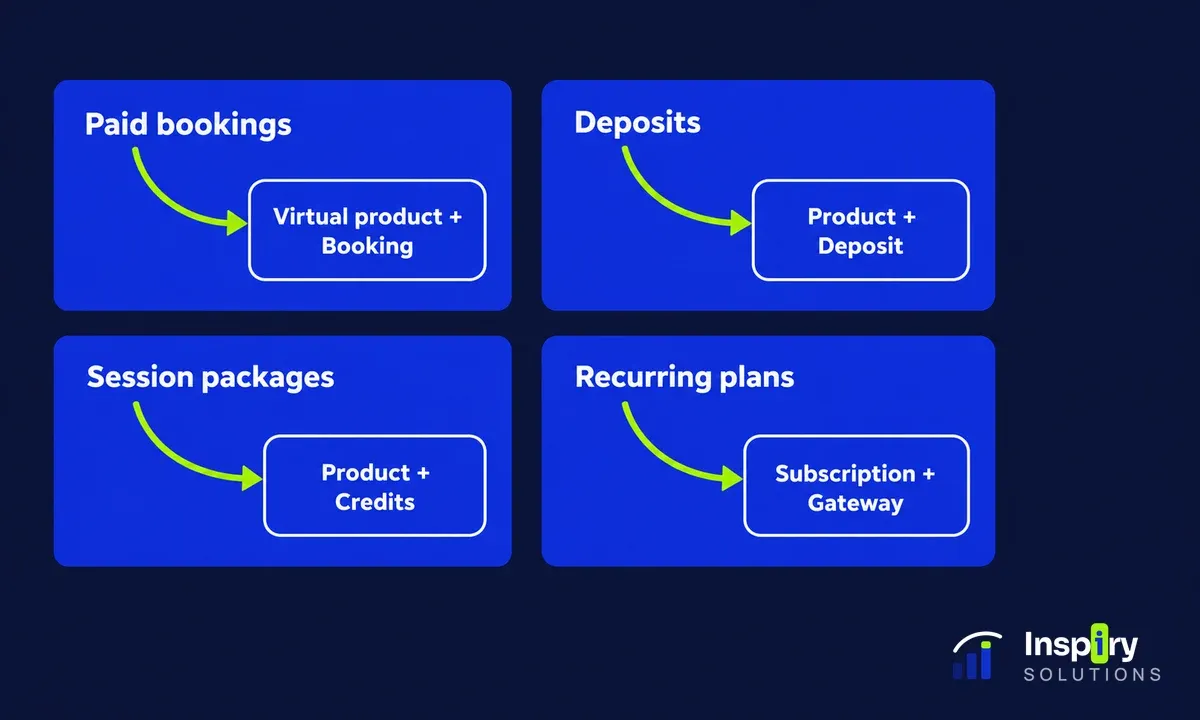
There are four useful ways to sell services with WooCommerce. Each model handles a different customer commitment and requires different rules behind the checkout.
Paid bookings
A customer selects a service, chooses an available appointment and pays before the booking is confirmed. This is suitable for consultations, lessons, personal training, workshops and other services delivered at an agreed time.
WooCommerce handles the order and payment. A booking extension handles availability, appointment duration, resources and scheduling rules.
Before choosing an extension, check whether it supports staff calendars, preparation time between appointments, time zones and rescheduling.
For instance, a training provider might offer individual lessons and group workshops. The system must prevent bookings beyond the number of available places.
It should also explain what happens if a payment succeeds but the booking confirmation fails.
Not every booking plugin integrates with WooCommerce in the same way. Some have their own checkout, while others connect directly to WooCommerce orders.
Our comparison of booking plugins versus custom builds explains when standard scheduling features are enough.
Deposits and balances
Decide whether the customer pays a fixed amount or a percentage of the service price.
More importantly, decide how the remaining balance gets collected.
Possible approaches include sending a payment request, scheduling an automatic charge where supported or asking the customer to pay at an agreed milestone.
These approaches have different technical and administrative requirements.
The order should record the initial payment, outstanding amount and payment status clearly.
Cancellation terms must explain whether the deposit is refundable and what happens if the customer changes dates.
Do not assume that adding a deposit field creates a complete instalment or balance collection system.
Packages and session credits
If a customer buys a pack of ten sessions, the website must know how many sessions have been used and how many remain.
You may need a booking extension with credit tracking, a membership or entitlement extension, or custom development.
Decide whether credits expire, whether they can be transferred and whether customers can book multiple appointments together.
Also determine what happens when a customer requests a refund after using part of a package.
WooCommerce service packages are most useful when repeat customers benefit from paying in advance.
Avoid creating complicated credit rules when staff could manage a small number of appointments more easily through an existing booking system.
Recurring plans
WooCommerce subscriptions for services generally require a subscription extension and a compatible payment gateway.
Automatic renewals are not guaranteed simply because a recurring product exists.
You also need rules for failed payments, cancellations, plan changes and access after a subscription expires.
For businesses delivering appointments within a subscription, recurring billing and appointment entitlement tracking may require separate tools.
A monthly plan that includes sessions is more complex than a monthly plan that simply provides access to content.
Make sure your team can see which customers are entitled to which services.
These models can also be combined. A customer might purchase a package, book sessions from its balance and later move to a monthly plan.
That does not mean combining them is always sensible. Each extra rule makes testing and support more demanding.
For implementation help, explore our WooCommerce builds for service businesses.
Extensions you will likely need
The official WooCommerce documentation explains product types, payment settings, orders and ways to extend the platform.
Choose extensions based on the service process you have documented, rather than installing multiple plugins to discover what they do.
Match extensions to the actual workflow
Session packages may need credit tracking, while recurring plans generally need subscription management.
Gift vouchers may introduce another extension for issuing codes, redeeming balances and recording remaining value.
You may also need invoicing functionality if standard order emails do not meet your business requirements.
Do not assume a single extension handles all these responsibilities.
Check compatibility and support
Review the developer’s update history, support arrangements and documentation. For free plugins, the WordPress plugin directory provides useful compatibility and support information.
- Is the extension maintained and supported?
- Does it work with your payment gateway?
- Can staff manage orders without developer assistance?
- What happens when payments fail or bookings change?
- Can customer records be exported if you replace it?
- Can you test the full workflow before launching?
Still, keeping the extension list lean usually makes maintenance and troubleshooting easier.
An extension that duplicates another plugin’s features can create conflicting rules and extra administration.
WooCommerce for service businesses: models compared
| Selling model | What the customer pays | Typical WooCommerce setup | Complexity | Watch out for |
|---|---|---|---|---|
| Paid single booking | Full price at booking | Virtual bookable product, booking extension and payment gateway | Medium | Availability conflicts, cancellations and rescheduling |
| Deposit with balance later | Initial deposit, then remaining balance | Virtual product, deposits extension or compatible booking extension | Medium to high | Balance collection, refunds and payment status |
| Package of sessions or credits | Upfront package price | Virtual product, booking integration and credit tracking | High | Remaining credits, expiry and partial refunds |
| Monthly plan | Recurring subscription payment | Subscription extension, compatible gateway and optional booking integration | High | Failed renewals, cancellations and access rules |
| Gift voucher | Prepaid gift value or named service | Voucher extension and redemption rules | Medium | Remaining value, expiry rules and redemption tracking |
A good checkout cannot compensate for a poorly defined service process.
If your team currently manages changes manually, identify which tasks should remain manual and which are worth automating.
Automating an unclear process usually makes errors harder to investigate rather than removing them.
Checkout, invoices and tax
Checkout should reflect the fact that customers are purchasing a service, not a physical item.
However, the checkout may still need appointment details, contact information or instructions relevant to delivering the service.
Keep checkout focused
Explain the service price, deposit arrangement, taxes and any remaining balance before the customer commits.
If bookings depend on a time slot, confirm that the slot remains available as the customer completes payment.
Test the checkout on mobile devices, including unsuccessful payments and customers returning after an interruption.
Avoid adding unnecessary fields simply because an extension provides them.
Separate receipts from invoices
Determine which document customers receive, when it is generated and what business information it includes.
For partial payments, make sure the records distinguish between money received and money still owed.
Staff should be able to reconcile website orders against gateway transactions and accounting records.
Do not describe an order as fully paid just because its deposit has been collected.
Set tax rules with professional advice
VAT and sales tax depend on your location, customer location, service type and applicable rules.
WooCommerce has tax configuration options, but enabling them does not decide which tax treatment is legally correct.
This matters especially if you sell services internationally, charge deposits or provide subscriptions.
Your accountant should also advise how cancellations, credit notes and refunds need to be recorded.
Make terms visible
Explain cancellation windows, rescheduling rules, refund eligibility and package expiry before payment.
For recurring plans, state the renewal frequency and how cancellation works.
Customers should not need to contact support just to discover whether a booking can be moved.
Clear service terms reduce uncertainty for customers and give your team a consistent process for handling requests.
They also provide a practical checklist when testing WooCommerce checkout customisations.
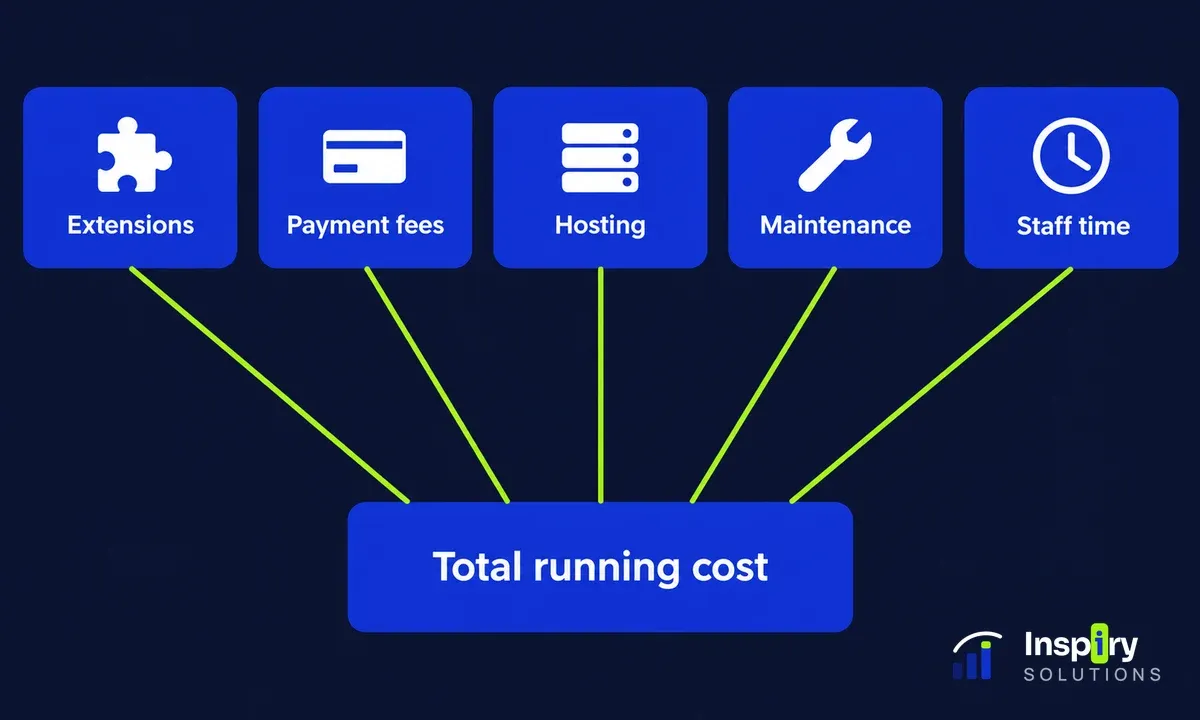
Running costs and maintenance
WooCommerce is free to install, but operating a reliable service checkout involves ongoing costs.
Do not budget only for the initial website build.
Extension licences and renewals
Booking, deposit, subscription, invoicing and voucher extensions may each have licensing costs.
Some extensions offer annual renewals or different licence tiers.
Payment gateways may charge transaction fees separately from plugin licences.
Create a simple cost register covering each extension, its purpose, renewal date, support provider and whether it is business critical.
Review that register before adding another feature.
Updates and staging
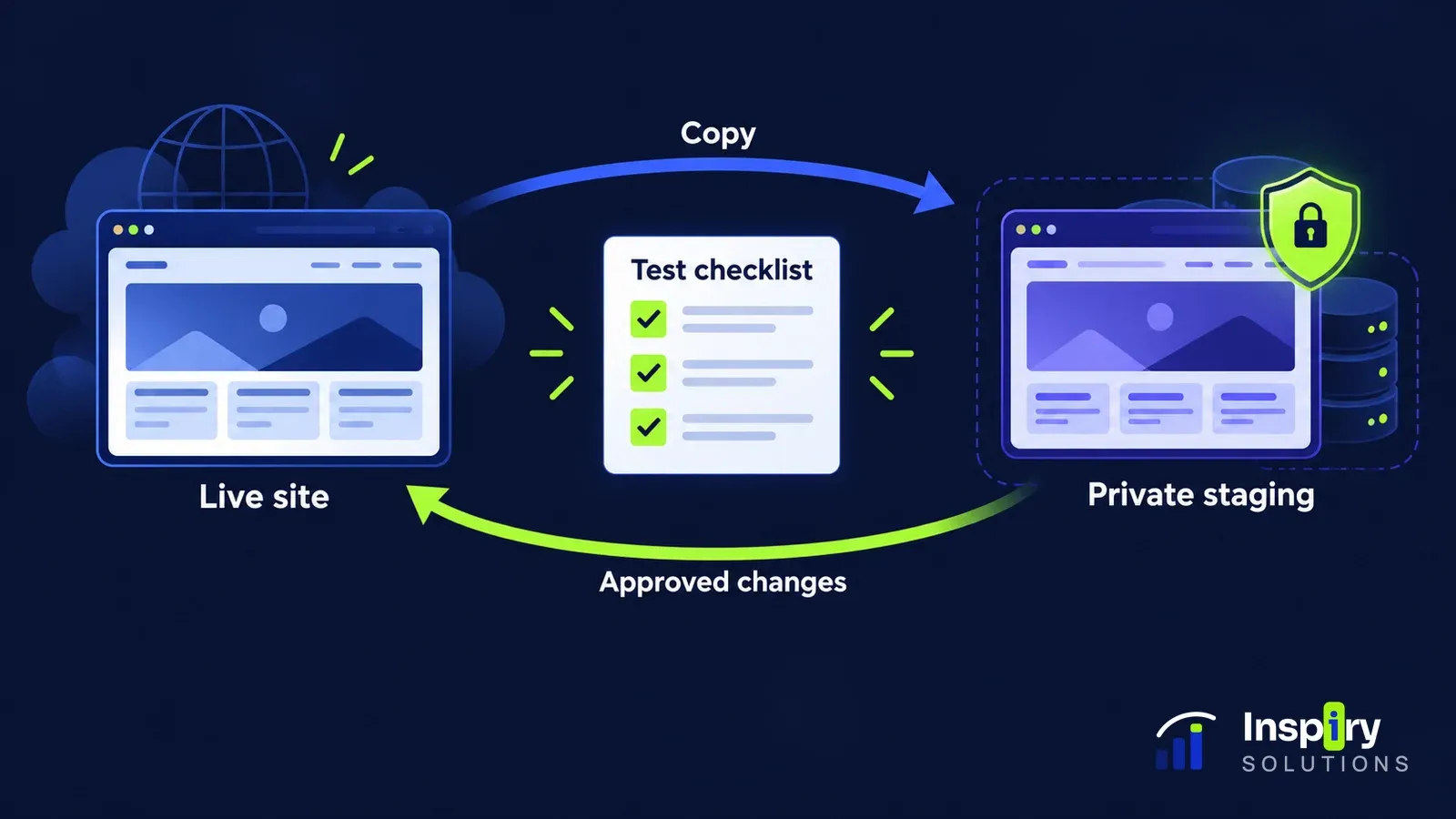
A staging website is a private testing copy of your live website.
Test significant WordPress, WooCommerce and extension updates on staging before applying them to the live checkout.
The WordPress guidance on keeping installations updated explains the importance of maintaining current software.
Our guide to testing updates on staging covers the practical workflow.
Testing should include product purchases, appointment selection, deposits, email notifications and applicable renewal processes.
Do not run real customer payments or unsafely trigger live subscription renewals in a testing environment.
Take verified backups and have a recovery procedure before changing the production site.
Hosting and ongoing support
Service shops often use dynamic pages such as carts, checkouts, accounts and availability calendars.
These pages cannot simply be treated like static marketing content.
Hosting should be selected with logged-in customer activity, database queries and checkout reliability in mind.
The shop also needs someone responsible for payment failures, extension errors, renewal issues and customer requests.
A successful transaction is not the end of the workflow.
For businesses without an internal technical team, maintenance for sites that take payments can provide a structured approach.
Inspiry Solutions offers WordPress maintenance starting from $99/month.
Maintenance should cover agreed responsibilities clearly.
Hypothetical example: a personal training studio
Hypothetical example: Consider a personal training studio selling three services: individual sessions, 10-session packages and a monthly membership.
The studio wants customers to pay online, reserve trainer availability and manage their remaining sessions.
How the WooCommerce setup works
Individual sessions use paid bookings. Customers select a trainer, choose an available slot and pay through checkout.
The 10-session package uses a virtual product and a credit tracking process. Customers purchase the package, then redeem sessions when booking.
The monthly membership uses a recurring plan. Depending on the studio’s rules, membership payments might include access to a defined number of appointments.
The likely extension categories are booking management, session credits and subscriptions, alongside a suitable payment gateway.
Some products may combine features, so the final number of extensions depends on tested compatibility.
A deposit extension is unnecessary unless the studio also offers partial payments.
What needs checking every month
The studio should review whether completed appointments correctly reduce customers’ session balances.
Staff should reconcile payments, check failed subscription renewals and investigate unresolved booking changes.
The website maintainer should review available updates, backups and any checkout errors.
The business also needs an agreed process for cancellations, expiring credits and customers disputing remaining sessions.
These checks matter because the website is recording both money received and services still owed.
How a booking tool compares
A hosted booking tool with built-in payments might support individual sessions and prepaid packages without a separate WooCommerce checkout.
If it also supports recurring memberships and reliable credit tracking, it may be simpler for this studio.
However, the studio should verify those features rather than assuming every booking tool includes them.
WooCommerce becomes more attractive if the business also sells other products, needs tailored account features or relies on an extensive WordPress content website.
The decision should follow a practical trial of the customer and staff workflows, not a comparison of feature lists alone.
Common questions
Can WooCommerce sell services instead of products?
Yes. You can sell services using virtual products in WooCommerce, so customers do not need shipping options. Basic fixed-price services can use standard checkout functionality. Bookings, deposits and subscriptions usually need extensions because they introduce scheduling, partial payments or recurring billing requirements. Check the complete customer journey before choosing additional tools.
Can I take a deposit with WooCommerce?
Yes. You can take deposits with a dedicated deposits extension or a booking extension that supports partial payments. Decide whether the deposit is fixed or percentage-based, then plan how the remaining balance will be collected. Also check payment reminders, order statuses, cancellation terms and refunds before accepting live orders.
Is WooCommerce free?
The core WooCommerce plugin is free. However, extensions, hosting and maintenance have costs, and payment gateways may charge transaction fees. Service businesses requiring bookings, deposits, credit tracking or subscriptions should budget for those extra components. Compare the total cost of ownership with a hosted alternative rather than judging the software by its initial licence price.
Is WooCommerce or Shopify better for a service business?
WooCommerce suits businesses with substantial WordPress content, tailored customer journeys and custom service rules. Shopify can suit teams that prefer a hosted platform with less software maintenance responsibility. Both may need additional apps for specialised scheduling and payments. Decide by how you operate, the features you genuinely need and who will maintain the system.
Do I need a maintenance plan for a WooCommerce site?
Taking payments raises the stakes for updates, backups and checkout testing. A failed extension update or payment integration can interrupt bookings and customer orders. Assign responsibility for maintenance even if you handle it internally. Inspiry Solutions offers WordPress maintenance starting from $99/month, with the specific responsibilities agreed before work begins.
When Shopify or a hosted tool fits better
WooCommerce is not automatically the right choice simply because your existing website uses WordPress.
If most of your business operates through appointments and you publish relatively little website content, a hosted booking platform may be simpler.
Such platforms can combine scheduling, reminders and payments without requiring you to maintain WordPress extensions.
A business selling standard services may prefer a system with fewer configuration choices and a single support provider.
Shopify can also be worth considering when you want a hosted commerce platform and less responsibility for maintaining the underlying software.
However, Shopify does not automatically provide every specialised service booking, deposit or credit tracking feature either.
You may still need apps and integrations, with their own costs and limitations.
The choice becomes clearer when comparing Shopify or WooCommerce by how you operate.
Choose based on your internal capacity
Ask who will update the system, investigate payment failures and maintain customer records.
If nobody can own these tasks, reducing technical dependencies may be more valuable than adding customisation.
If you rely heavily on WordPress articles, technical SEO, tailored landing pages and unusual service rules, WooCommerce may offer greater flexibility.
For a small number of standard appointments, a hosted booking tool can be easier to operate.
Choose the platform that supports your actual delivery process with the fewest unnecessary dependencies.
Do not move to another platform just to avoid defining how your business handles orders.
Start by listing every service you sell, how customers pay and what happens after purchase, and test normal purchases and exceptions before launch.
Tell us how you sell your services and send your site for a free audit. Our WordPress development service will recommend the simplest setup that handles your bookings, deposits and packages.